1. Sarrera
This manual provides detailed instructions for the safe and effective use of your FEELWORLD NP-F550 2200mAh replacement battery. Please read this manual thoroughly before using the product to ensure optimal performance and longevity.
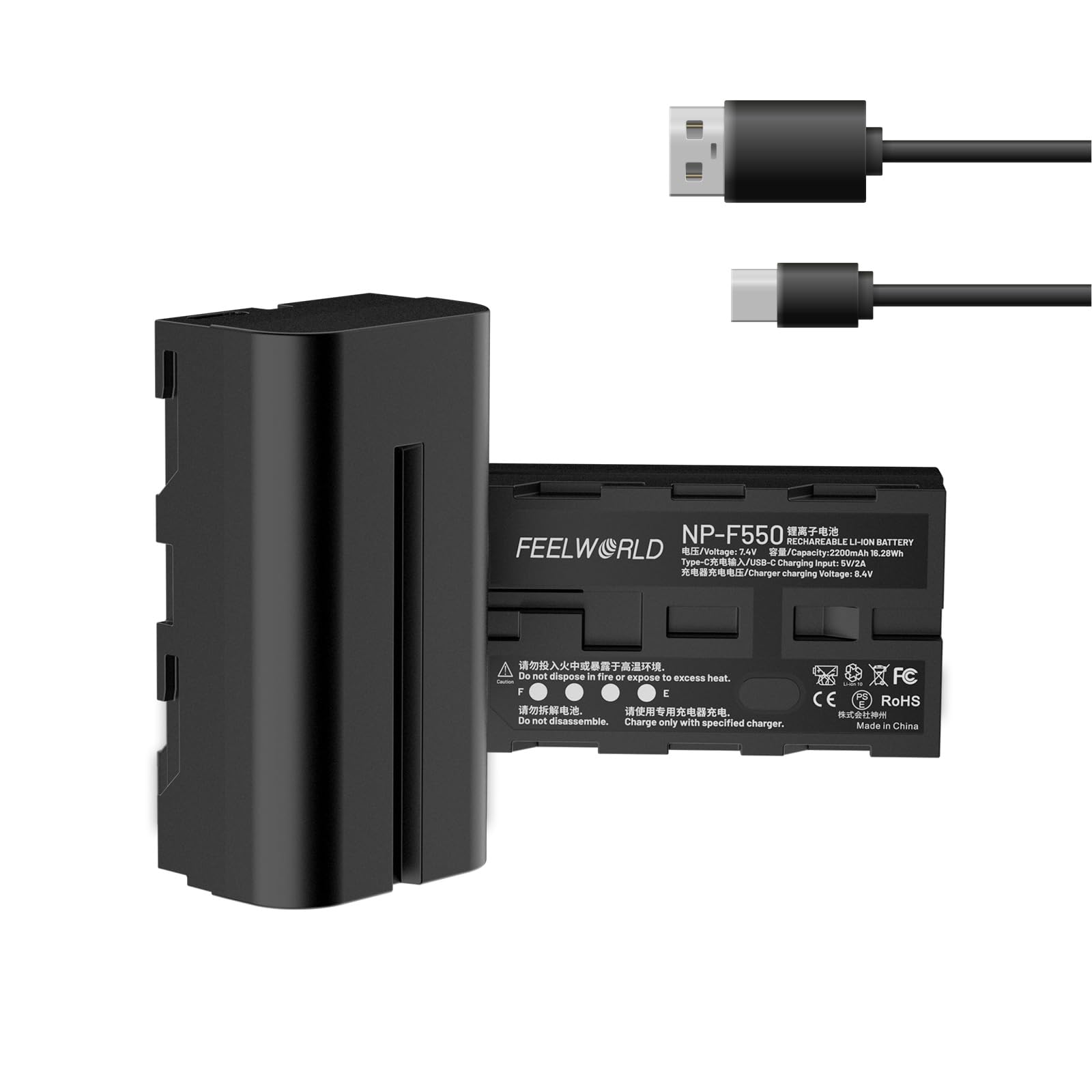
Image 1.1: FEELWORLD NP-F550 Replacement Battery. This image displays the front view of the NP-F550 battery.
2. Paketearen edukia
Egiaztatu behean zerrendatutako elementu guztiak zure paketean sartuta daudela:
- FEELWORLD NP-F550 Battery (2 packs)
- USB-C kargatzeko kablea
- Erabiltzailearen eskuliburua

Image 2.1: Package contents. This image shows one NP-F550 battery, a USB-C charging cable, and the user manual.
3. Konfigurazioa eta kargatzea
3.1 Hasierako karga
Before first use, fully charge the battery. The NP-F550 battery offers two charging methods:
3.1.1 USB-C kargatzea
Connect the provided USB-C charging cable to the battery's USB-C port and plug the other end into a 5V/2A power source (e.g., host charger, adapter, power bank, or car charger). The LED indicators will show the charging progress.
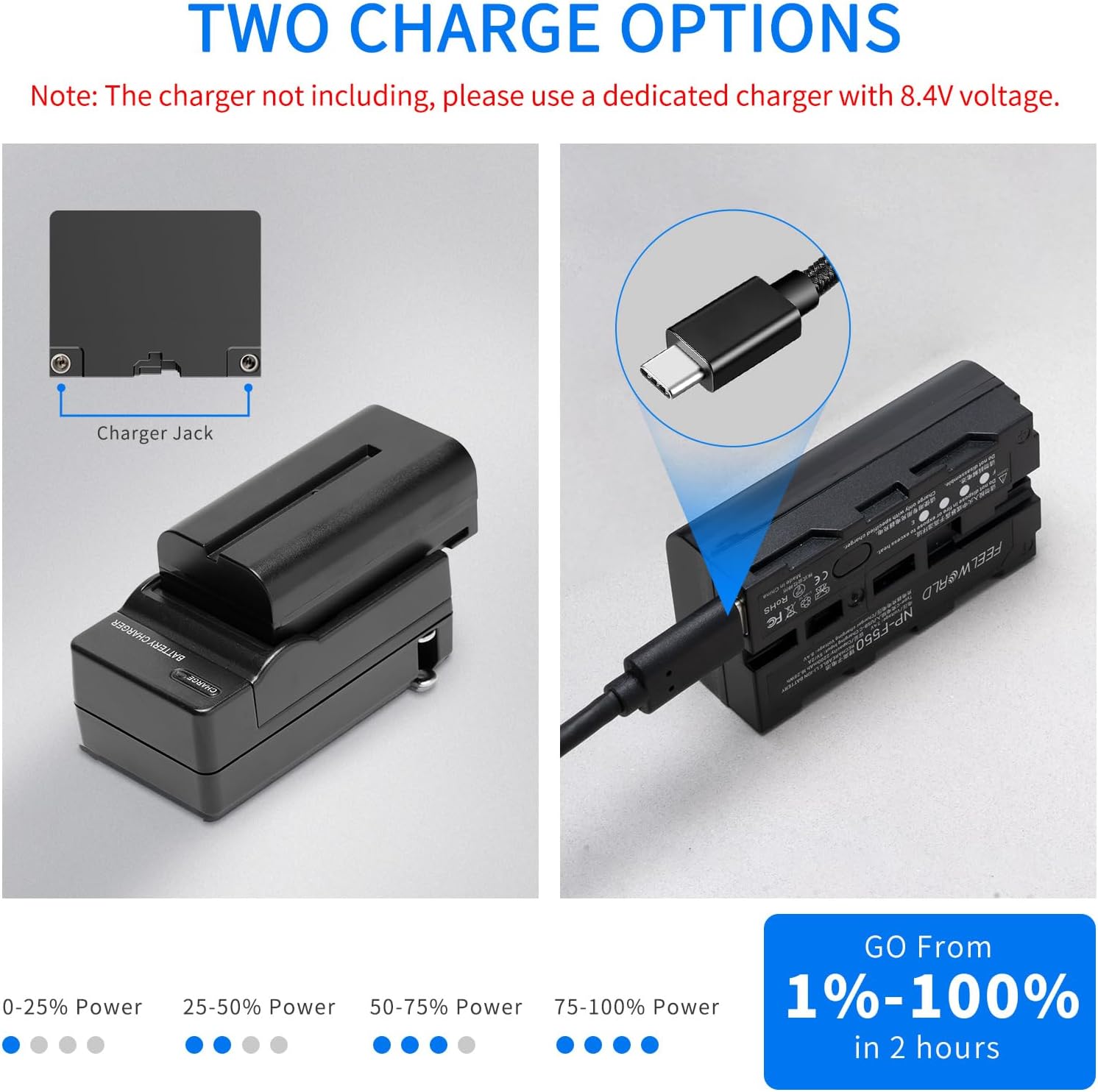
Image 3.1: USB-C charging port. This image highlights the USB-C charging port on the side of the NP-F550 battery.

Image 3.2: Multiple charging options. This image illustrates different ways to charge the battery via USB-C, including a host charger, adapter charger, power bank, and car charging.
3.1.2 Dedicated Charger Charging
Alternatively, you can charge the battery using a dedicated NP-F series charger (not included) with an 8.4V output. Place the battery into the charger's slot. The charger's indicators will show the charging status.
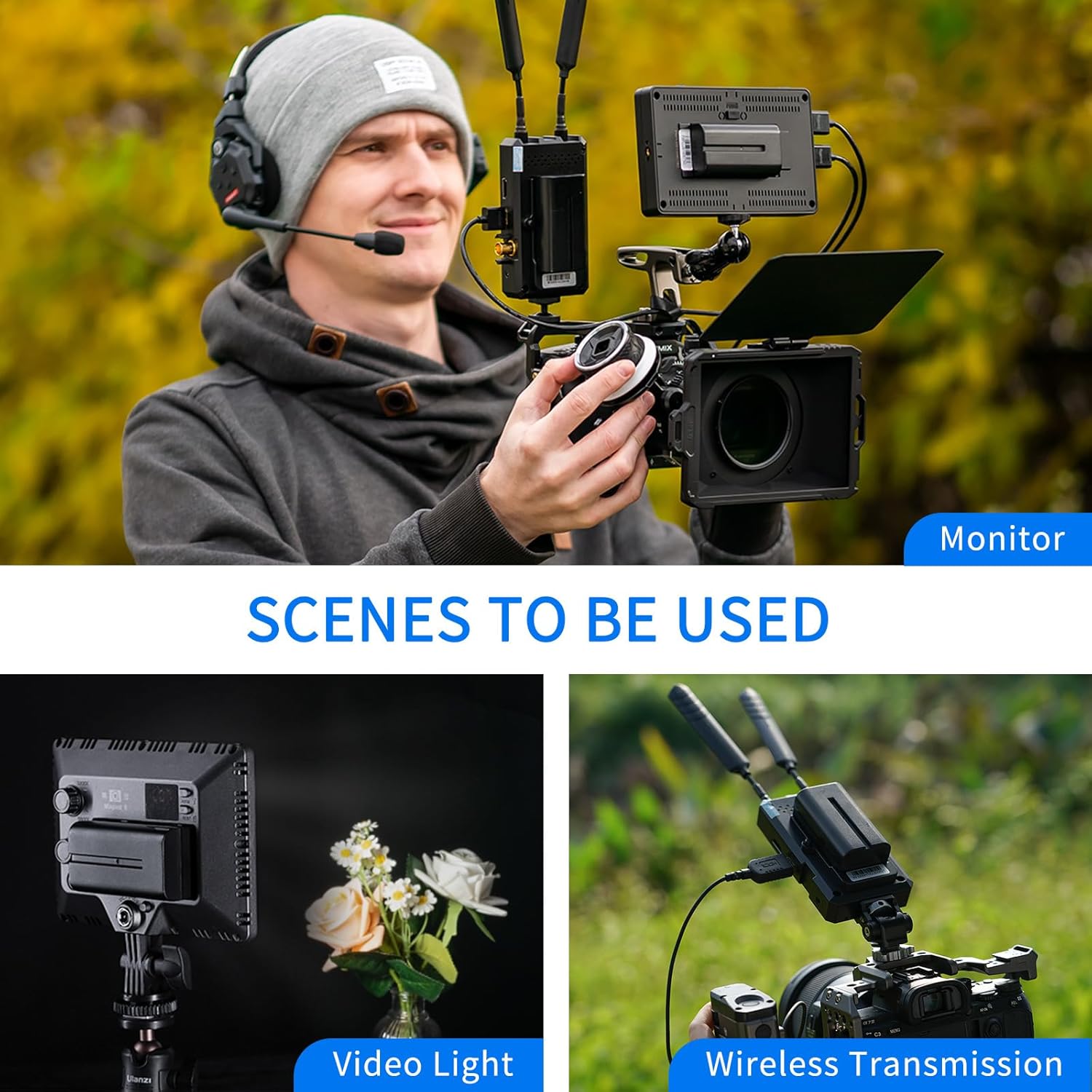
Image 3.3: Two charge options. This image visually compares charging with a dedicated charger and charging via the USB-C port.
3.2 LED Battery Level Indicators
The battery features four LED indicators on the bottom to display the current charge level:
- 1 LED: % 0-25 potentzia
- 2 LED: % 25-50 potentzia
- 3 LED: % 50-75 potentzia
- 4 LED: % 75-100 potentzia
4. Funtzionamendua
4.1 Gailuen bateragarritasuna
The FEELWORLD NP-F550 battery is designed for use with a variety of photographic and video equipment, including:
- Bideo Argiak
- LED Argiak
- Eremu monitoreak
- Wireless Video Transmission Systems
Oharra: This battery does not include decode functionality and cannot power cameras or camcorders directly.
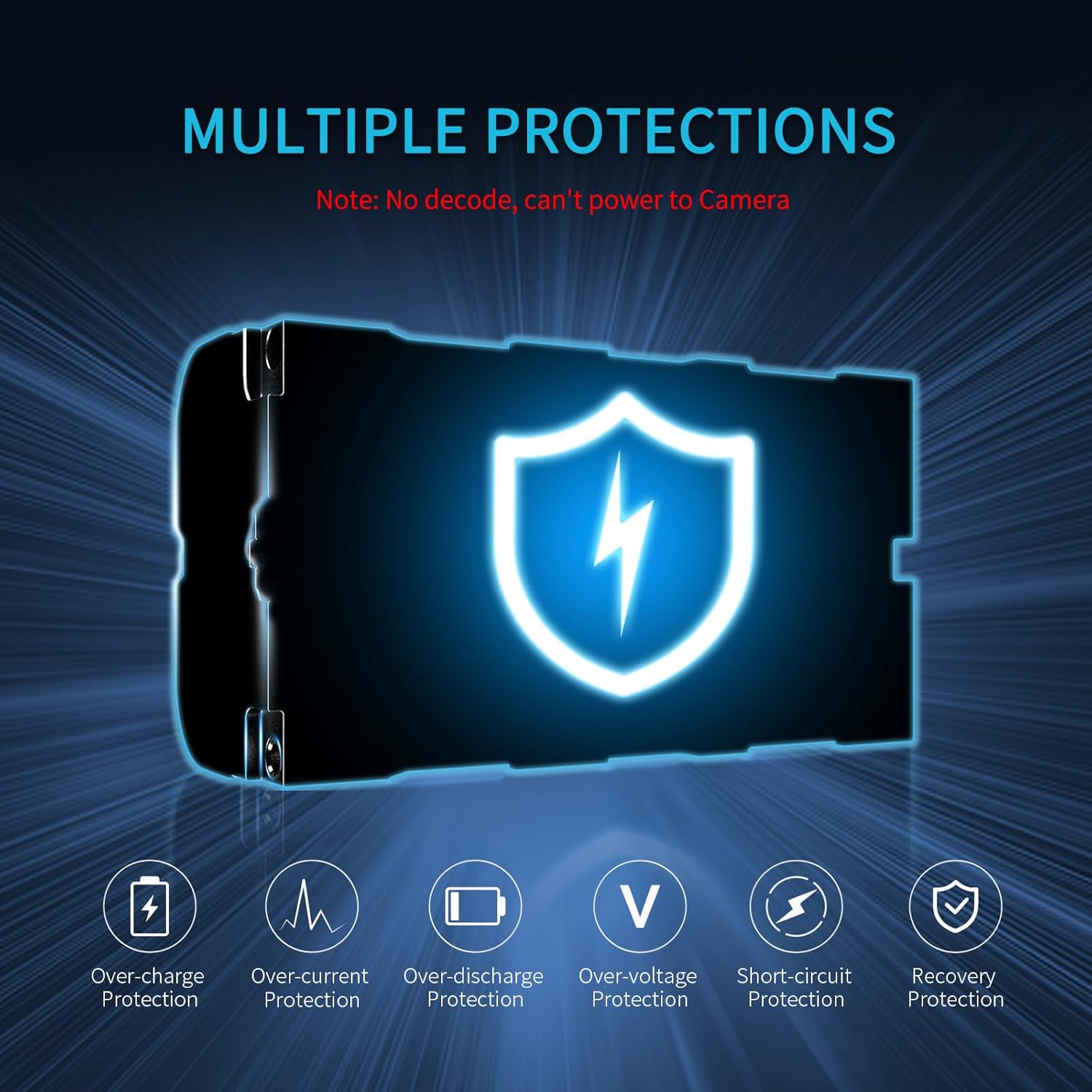
Image 4.1: Compatible devices. This image shows the NP-F550 battery being used with a monitor, a video light, and a wireless transmission system.
4.2 Bateriaren instalazioa
To install the battery, align the battery terminals with the corresponding contacts on your compatible device. Slide the battery into the device's battery slot until it clicks securely into place. To remove, press the release latch (if present on your device) and slide the battery out.
4.3 Recommended Battery Models for FEELWORLD Monitors
The following table provides guidance on recommended NP-F series battery models for various FEELWORLD monitors and their approximate running times:
| Monitorearen eredua | Kontrolatu energia-kontsumoa | Bateria eredua | Battery Running Time |
|---|---|---|---|
| FW568 | 8W | NP-F550 | 2h |
| FW759 | 5W | NP-F550 | 3.2h |
| FW572 | 9W | NP-F550 | 1.8h |
| F6 PLUS | 8W | NP-F750 | 4h |
| F7 PRO | 9W | NP-F750 | 3.6h |
| LUT7 | 16W | NP-F750 | 2h |
| LUT6 | 16W | NP-F970 | 3h |
| F5 PROX | 9W | NP-F970 | 5h |
Battery Running Time = Battery Capacity / (Monitor Power Consumption / Battery Voltage)
For touch and high brightness monitors, selecting a higher capacity battery such as NP-F750 or NP-F970 is recommended for longer running times.

Image 4.2: Monitor compatibility table. This image displays a table detailing recommended NP-F battery models for various FEELWORLD monitors and their estimated running times.
5. Safety and Protection Features
The FEELWORLD NP-F550 battery incorporates multiple protection mechanisms to ensure safe operation and extend battery life:
- Gehiegizko kargaren babesa: Prevents overcharging, which can damage the battery.
- Gainkorrontearen babesa: Gehiegizko korronte-kontsumoaren aurkako babes-neurriak.
- Deskarga gehiegizko babesa: Prevents the battery from being discharged too deeply.
- Bolumen gehiegitage Babesa: Bolumenaren aurka babesten dutage puntak.
- Zirkuitu laburren babesa: Zirkuitu labur baten kasuan, automatikoki eteten du energia.
- Berreskuratze Babesa: Allows the battery to recover from certain fault conditions.

Image 5.1: Multiple protection features. This diagram visually represents the various safety protections integrated into the NP-F550 battery.
6. Mantentzea eta biltegiratzea
6.1 Arreta orokorra
- Keep the battery terminals clean. Use a dry, soft cloth to wipe them if necessary.
- Saihestu bateria tenperatura altuen, eguzki-argiaren eraginpean edo hezetasun handiaren eraginpean jartzea.
- Do not disassemble, puncture, or drop the battery.
- Use only compatible chargers and devices.
6.2 Biltegiratzea
- Epe luzerako biltegiratzeko, kargatu bateriaren edukiera % 50-60era arte gutxi gorabehera.
- Gorde bateria leku fresko eta lehor batean, material sukoietatik urrun.
- If storing for extended periods, periodically check the charge level and recharge to 50-60% every 3-6 months.
7. Arazoak
7.1 Bateria ez da kargatzen
- Egiaztatu kablearen konexioa: Ensure the USB-C cable is securely connected to both the battery and the power source.
- Egiaztatu energia iturria: Confirm that the power adapter or USB port is functional and providing sufficient power (5V/2A for USB-C).
- Inspect LED Indicators: Observe the LED indicators on the battery. If no LEDs light up, the battery may be completely depleted or there might be an issue with the charging setup.
- Try Different Charger/Cable: Test with another USB-C cable or a dedicated NP-F charger to rule out faulty accessories.
7.2 Battery Not Powering Device
- Egiaztatu bateragarritasuna: Ensure your device is compatible with NP-F series batteries and does not require decode functionality (e.g., cameras/camcorders are not supported).
- Egiaztatu bateriaren karga: Check the LED indicators to confirm the battery has sufficient charge.
- Instalazio egokia: Ensure the battery is correctly inserted and securely locked into the device's battery slot.
- Kontaktu garbiak: Gently clean the battery terminals and device contacts with a dry, soft cloth.
7.3 Bateriaren iraupen laburra
- Gailuaren energia-kontsumoa: High power consumption devices will drain the battery faster. Refer to your device's manual for its power requirements.
- Battery Age/Condition: Over time, all rechargeable batteries experience a decrease in capacity.
- Ingurumen-faktoreak: Tenperatura oso hotzetan erabiltzeak bateriaren errendimendua murriztu dezake.
- Consider Higher Capacity: If consistently experiencing short runtimes, consider upgrading to a higher capacity NP-F series battery (e.g., NP-F750 or NP-F970) if your device supports it.
8. Zehaztapenak
Key technical specifications for the FEELWORLD NP-F550 battery:
| Ezaugarri | Zehaztapena |
|---|---|
| Modelo zenbakia | AA-2ANP55-LY-US |
| Bateria mota | Litio-ioi |
| Edukiera | 2200mAh |
| liburukiatage | 7.4V |
| USB-C sarrera | 5V/2A |
| Neurriak (L x W x H) | 70.7 mm x 38.4 mm x 25 mm (gutxi gorabehera 2.8 x 1.52 x 0.98 hazbete) |
| Elementuaren pisua | 3.52 ontza (gutxi gorabehera 100 g) |
| Berrerabilgarritasuna | Birkargagarria |
| Gomendatutako Erabilerak | Photographic Lighting, Field Monitors, Wireless Video Transmission |

Image 8.1: Battery dimensions. This image provides a visual representation of the NP-F550 battery with its key dimensions labeled.
9. Bermea eta Laguntza
For warranty information or technical support, please refer to the documentation provided with your purchase or contact FEELWORLD customer service through their official website or the retailer where the product was purchased. Please have your product model number (AA-2ANP55-LY-US) and purchase details ready when contacting support.


