1. Sarrera
This manual provides detailed instructions for the safe and efficient operation of your HANLIM Portable CD Player, Model HL-108. Please read this manual thoroughly before using the product and retain it for future reference.

1. irudia: Aurrealdea view of the HANLIM Portable CD Player HL-108. This image displays the main unit with its control panel, LCD screen, and integrated handle.
2. Segurtasun-argibideak
- Ez jarri unitatea euripean, hezetasunean edo muturreko tenperaturetan.
- Saihestu unitatea bero-iturrien ondoan edo eguzki-argiaren eraginpean jartzea.
- Ez ireki c-a.asing; bidali mantentze-lan guztiak langile kualifikatuen esku.
- Mantendu unitatea eremu magnetiko indartsuetatik urrun.
- Erabili emandako energia-kablea soilik.
- Ziurtatu aireztapen egokia gehiegi berotzea saihesteko.
3. Paketearen edukia
Mesedez, egiaztatu elementu guztiak bertan daudela:
- HANLIM Portable CD Player HL-108
- Elikatze kablea (1.2 m)
- Urruneko kontrola (bateriak ez daude barne)
- Erabiltzailearen eskuliburua

2. irudia: The HANLIM Portable CD Player HL-108 shown with its included accessories: the power cable, remote control, and user manual.
4. Produktua amaitu daview
The HANLIM Portable CD Player HL-108 features a compact design with multiple playback options and connectivity ports.
4.1 Aurrealdeko panelaren kontrolak
- LCD pantaila: Shows current mode, track information, and FM frequency.
- MODE botoia: Switches between CD, FM, Bluetooth, USB, and AUX modes.
- STANDBY botoia: Unitatea pizten edo itzaltzen du.
- Erreproduzitu/Pausatu/Eskaneatu botoia: Multimedia erreproduzitzen/pausatzen du edo FM irrati-kateak bilatzen ditu.
- Previous/CH- Button: Skips to previous track/station.
- Next/CH+ Button: Skips to next track/station.
- Bolumen-eskulekua: Audioaren bolumena doitzen du.
- USB ataka: USB unitate batetik erreproduzitzeko.
- Aurikularretarako Jack (3.5 mm): Entzun pribaturako.
4.2 Atzeko panelaren konexioak
- AUX SARRERA (3.5 mm): Konektatu kanpoko audio gailuak.
- MIC ataka: Connect a microphone for singing.
- CA potentzia sarrera: Connect the power cable for charging or continuous power.
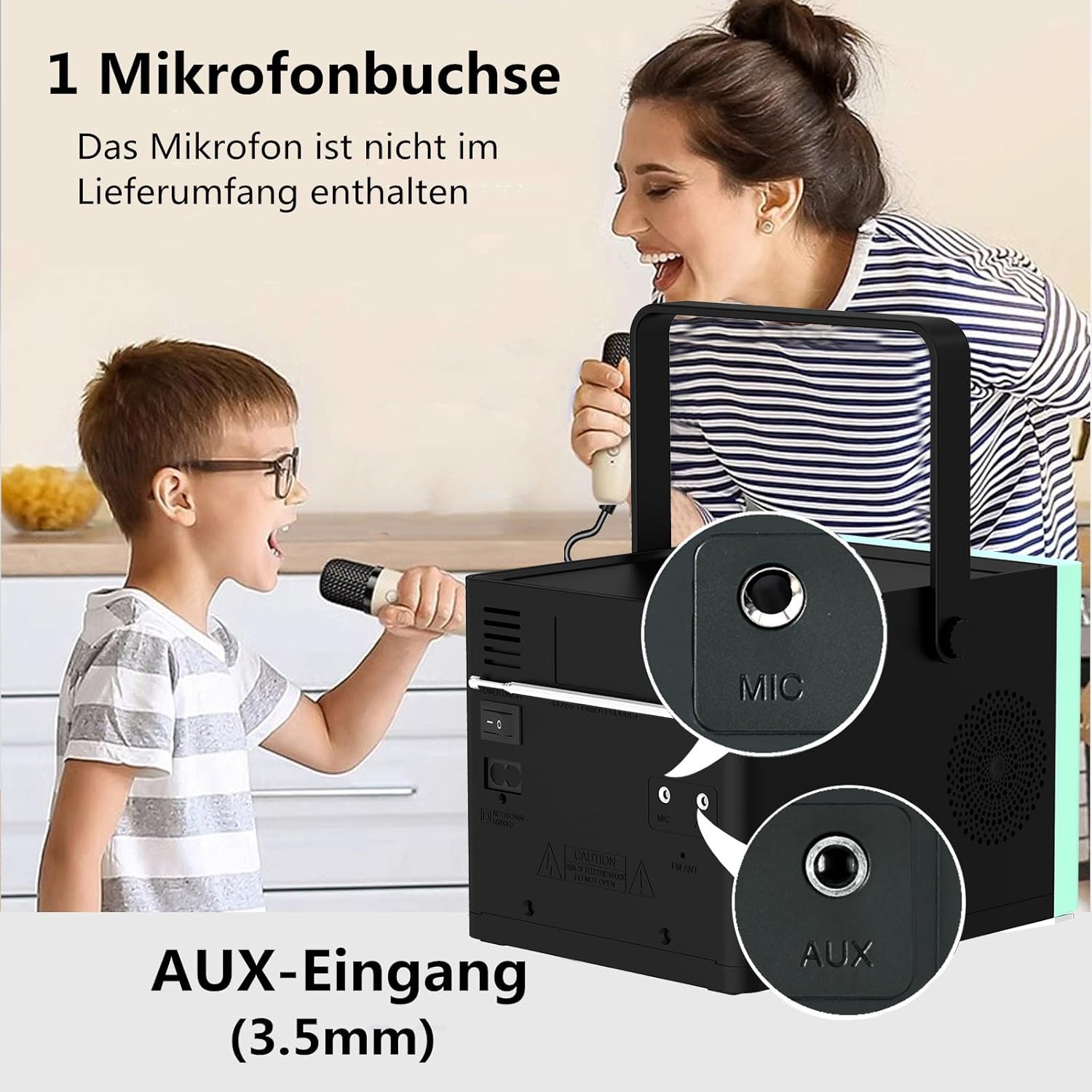
3. irudia: Atzekoa view of the HANLIM Portable CD Player HL-108, highlighting the microphone input and AUX input ports.
5. Konfigurazioa
5.1 Piztea eta kargatzea
- Connect the provided power cable to the AC power input on the rear of the unit and plug it into a wall outlet.
- The built-in 2000mAh battery will begin charging automatically. A full charge provides approximately 4.5 to 5 hours of playback at maximum volume.
- Sakatu ITXARON unitatea pizteko botoia.
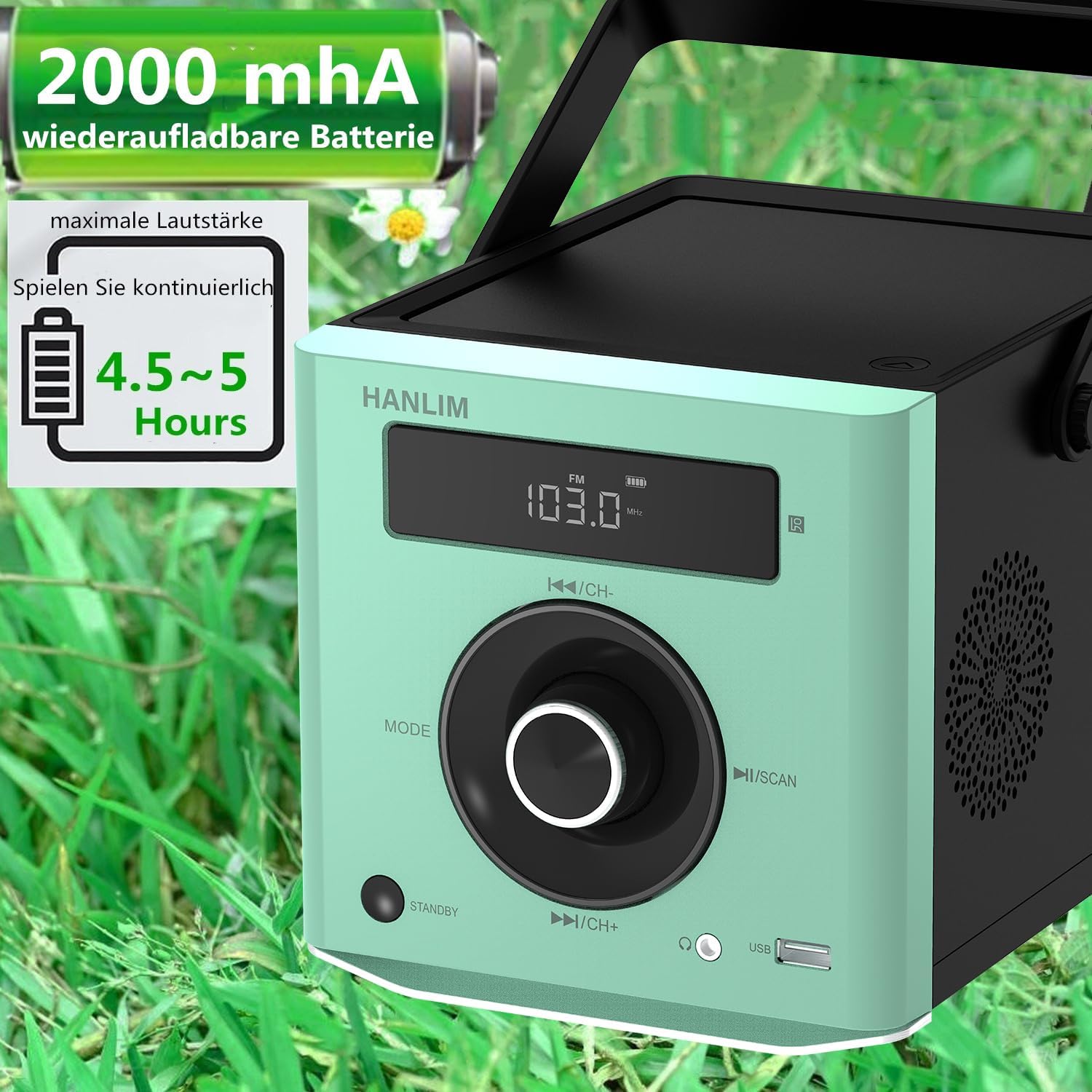
4. irudia: The HANLIM Portable CD Player HL-108 displaying battery charge status and indicating 4.5-5 hours of continuous playback.
6. Funtzionamendu-argibideak
6.1 CD erreprodukzioa
- Ireki CDaren konpartimentuaren tapa.
- Place a CD (CD/CD-R/CD-RW/MP3 format) onto the spindle, label side up.
- Itxi CD konpartimentuaren estalkia.
- Sakatu MODUA botoia sakatu "CD" agertu arte.
- Sakatu Erreproduzitu/Pausatu botoia erreproduzitzen hasteko.
- Erabili Aurrekoa/Hurrengoa pistak saltatzeko botoiak.
- Errepikatu funtzioa: Press the repeat button on the remote control to cycle through repeat one, repeat all, or random play.
- Continue Playback: The unit will resume playback from where it was last stopped, useful for language learning.
6.2 FM Irratia
- Sakatu MODUA botoia sakatu "FM" agertu arte.
- Eduki sakatuta Eskaneatu button to automatically scan and store available FM stations (87.5-108MHz). Up to 20 stations can be stored.
- Erabili CH- eta CH+ buttons to navigate through stored stations.

5. irudia: The HANLIM Portable CD Player HL-108 showing the FM radio frequency on its display.
6.3 Bluetooth konexioa
- Sakatu MODUA button until "Bluetooth" is displayed. The unit will enter pairing mode.
- On your device (phone, tablet, computer), enable Bluetooth and search for "HANLIM HL-108".
- Select the device to pair. Once connected, you will hear a confirmation sound.
- Note: Bluetooth headphones are not supported for connection to this CD player.

6. irudia: The HANLIM Portable CD Player HL-108 illustrating its Bluetooth connectivity, USB port, and headphone jack.
6.4 USB erreprodukzioa
- Insert a USB flash drive (up to 32GB, supporting MP3/WMA formats) into the USB port.
- Sakatu MODUA botoia sakatu "USB" agertu arte.
- Playback will start automatically. Use the Aurrekoa/Hurrengoa pistak nabigatzeko botoiak.
6.5 AUX sarrera
- Connect an external audio device (e.g., phone, computer) to the AUX IN port using a 3.5mm audio cable (not included).
- Sakatu MODUA botoia sakatu "AUX" agertu arte.
- Kontrolatu erreprodukzioa konektatutako gailutik.
6.6 Aurikularretarako Jack
For private listening, connect 3.5mm headphones to the headphone jack on the front panel.
6.7 Microphone Port
Connect a microphone (not included) to the MIC port on the rear panel for singing along to music.
6.8 Sound Settings (Equalizer)
The unit offers 5 sound qualities: Pop, Jazz, Rock, Classical, and Flat. Use the EQ button on the remote control to cycle through these modes and adjust the audio output to your preference.
7. Mantentzea
- Garbiketa: Garbitu unitatea zapi leun eta lehor batekin. Ez erabili garbitzaile edo disolbatzaile urratzailerik.
- CDaren zainketa: CDak ertzetik heldu. Garbitu CD zikinak zapi leun eta lihorik gabeko batekin, erdialdetik kanporantz garbituz.
- Bateria zaintzea: Bateriaren iraupen optimoa lortzeko, saihestu bateria guztiz deskargatzea maiz. Denbora luzez gordetzen baduzu, kargatu bateria % 50 inguru hilabete batzuk behin.
8. Arazoak
| Arazoa | Kausa posiblea | Irtenbidea |
|---|---|---|
| Unitatea ez da pizten. | Battery is depleted or power cable is not connected. | Connect the power cable and allow the battery to charge, or operate directly from AC power. |
| Soinurik ez. | Volume is too low, headphones connected, or incorrect mode selected. | Increase volume, disconnect headphones, or ensure the correct input mode (CD, FM, BT, USB, AUX) is selected. |
| CDak ez du erreproduzitzen edo saltoka egiten du. | CDa zikinduta, urratuta edo gaizki sartuta dago. | Clean the CD, try a different CD, or reinsert the CD correctly. Ensure the CD compartment is fully closed. |
| Bluetooth parekatzeak huts egiten du. | Device is too far, Bluetooth is off on the device, or unit is not in pairing mode. | Ensure the unit is in Bluetooth mode, your device's Bluetooth is on, and they are within range. Try restarting both devices. |
| FM irratiaren harrera eskasa da. | Seinale edo antenaren posizio ahula. | Adjust the unit's position or extend the antenna for better reception. |
9. Zehaztapenak
| Ezaugarri | Zehaztapena |
|---|---|
| Marka | HANLIM |
| Eredua | HL-108 |
| Produktuaren neurriak | 15.5 x 20.5 x 16 cm (6.1 x 8.1 x 6.3 hazbete) |
| Elementuaren pisua | 1.7 kg (3.75 lb) |
| Potentzia Irteera | 20W |
| Bateria | Built-in 2000mAh rechargeable Lithium Ion |
| Bateriaren iraupena | Up to 5 hours (at maximum volume) |
| Onartutako CD formatuak | CDa, CD-R, CD-RW, MP3 |
| FM Irrati Maiztasuna | 87.5-108 MHz |
| USB euskarria | Up to 32GB, MP3/WMA formats |
| Konektibitatea | Bluetooth, USB, AUX (3.5mm), Headphone Jack (3.5mm), Microphone Port |
| Bistaratzeko mota | LCDa |
| Ezaugarri bereziak | Bluetooth, CD-R/RW Compatible, Equalizer, Portable, Rechargeable |
10. Bermea eta Laguntza
This HANLIM product comes with a urtebeteko bermea erosketa-datatik aurrera. Berme honek fabrikazio-akatsak eta erabilera normalaren pean egindako lana estaltzen ditu.
For technical support, warranty claims, or service inquiries, please contact your retailer or the HANLIM customer service department through the contact information provided at the point of purchase.


