1. Produktua amaitu daview
The ANNKE 5MP Home Security Camera System N44PAM-51DS provides comprehensive surveillance with a 12MP H.265+ Network Video Recorder (NVR) and two 5MP 3K PoE IP Turret Cameras. This system features advanced human and vehicle detection, IP67 weatherproofing, and color night vision capabilities, ensuring reliable 24/7 recording and monitoring.
2. Zer dago kutxan
Instalazioa hasi aurretik, egiaztatu behean zerrendatutako osagai guztiak paketean daudela:
- 1x 8-Channel 12MP NVR with 8TB HDD
- 2x 3K PoE Cameras with Mounting Screw Bags
- 1x USB sagua
- 1x Power Adapter (for NVR)
- 1x 30m Ethernet Cable
- 1x 18m Ethernet Cable
- 1x 1m sareko kablea
- 1x 1.8m HDMI kablea
- 1x Erabiltzailearen eskuliburua
- 1x Hormako eranskailua

Irudia: All components included in the ANNKE 5MP Home Security Camera System package.
3. Konfiguratzeko argibideak
3.1 NVRren hasierako konfigurazioa
- Konektatu energia: Plug the provided power adapter into the NVR and then into a power outlet.
- Konektatu monitorearekin: Use the HDMI cable to connect the NVR to a monitor or TV for display. Alternatively, use a VGA cable if your monitor supports it.
- Sagua konektatu: Plug the USB mouse into one of the NVR's USB ports for navigation.
- Sare-konexioa: Konektatu NVRa zure routerrari emandako sare-kablea erabiliz Interneterako sarbidea eta urruneko kontrola lortzeko. viewgaitasunak.
3.2 Kameraren instalazioa (PoE)
The ANNKE PoE cameras simplify installation by using a single Ethernet cable for both power and data transmission.
- Muntatzeko kokapena: Choose a suitable location for each camera, considering the desired viewing angle and coverage. Ensure the location is within reach of an Ethernet cable connection to the NVR. The cameras are IP67 weatherproof, suitable for both indoor and outdoor use.
- Muntaketa segurua: Use the provided mounting screw bags to securely attach the cameras to the chosen surface.
- Konektatu Ethernetera: Connect one end of an Ethernet cable (30m or 18m provided) to the camera's PoE port and the other end to an available PoE port on the NVR. The camera will power on automatically.
3.3 Remote Access Setup
To view your camera feeds remotely, download the ANNKE Vision app on your mobile device.
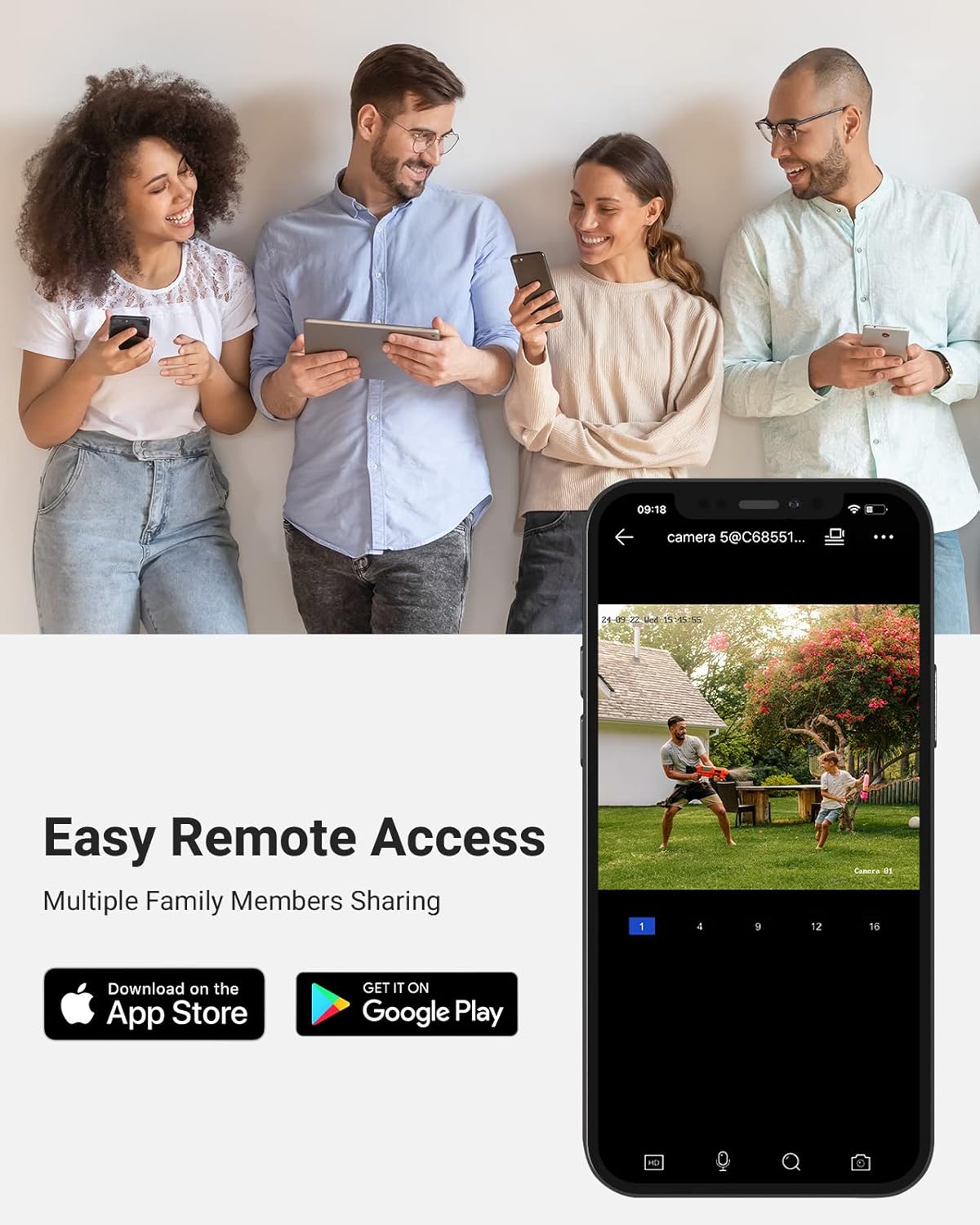
Irudia: Easy remote access via the ANNKE mobile application, available on App Store and Google Play.
- Deskargatu aplikazioa: Bilatu "ANNKE Vision" in the Apple App Store or Google Play Store and install it.
- Kontuaren erregistroa: Ireki aplikazioa eta erregistratu kontu berri bat lortzeko edo hasi saioa dagoeneko baduzu.
- Gehitu gailua: Follow the in-app instructions to add your NVR system by scanning the QR code on the NVR or manually entering its details.
- Zuzenean View: Gehitu ondoren, zuzenean sar zaitezke views, playback recordings, and manage settings from your mobile device.
4. Funtzionamendu-argibideak
4.1 Bizi View, Recording, and Playback
The NVR supports live viewing of all connected cameras, continuous recording, and playback of recorded footage. Use the connected mouse to navigate the NVR's on-screen interface.
- Zuzenean View: Select the desired camera channel to view bere zuzeneko jarioa.
- Grabaketa: The system is configured for 24/7 recording by default to the included 8TB HDD. Recording settings can be customized via the NVR menu.
- Erreprodukzioa: Sartu erreprodukzio menura berriro egitekoview foo grabatuatage by date and time.
4.2 Giza eta ibilgailuen detekzioa
The cameras feature advanced Human & Vehicle Detection 2.0, which helps reduce false alarms by distinguishing between human and vehicle movement and other environmental factors.

Irudia: Human and Vehicle Detection 2.0 in action, identifying specific objects for accurate alerts.
- Konfigurazioa: Detection settings can be configured through the NVR interface or the mobile app. You can define detection zones and sensitivity levels.
- Alertak: Receive push notifications on your mobile device when human or vehicle activity is detected.
4.3 Gaueko ikusmen gaitasunak
The 5MP cameras provide clear surveillance even in low-light conditions, featuring both standard IR night vision and advanced color night vision.

Irudia: Day and night comparison demonstrating the clarity and detail captured by the 3K cameras.

Irudia: Comparison of day vision and Starlight Color Night Vision, highlighting enhanced visibility in low light.
- IR gaueko ikuspegia: Up to 100 ft (30m) distance for clear black and white footage iluntasun osoan.
- Kolore Gaueko Ikusmena: Utilizes advanced sensors and ambient light to provide full-color images at night, enhancing detail and identification.
4.4 Audio Grabaketa
Each camera is equipped with a built-in microphone to record audio alongside video footage, providing a more complete surveillance record.

Irudia: The built-in microphone captures both video and sound, useful for events like package deliveries.
- Gaitu audioa: Ensure audio recording is enabled in the camera settings via the NVR or mobile app.
- Playback Audio: Audio will be synchronized with video during playback.
4.5 Biltegiratze aukerak
The system offers flexible storage solutions to ensure your footage is always saved.
- NVR with 8TB HDD: The included 8TB hard disk drive provides ample storage for continuous 24/7 recording. The NVR supports up to 12MP resolution input.
- Micro SD Card (Cameras): Each camera supports a built-in microSD/SDHC/SDXC slot for local storage up to 256 GB (card not included). This can serve as a backup or primary storage for motion-triggered events if not connected to the NVR.
5. Mantentzea
5.1 Weatherproofing and Durability
The cameras are designed for robust performance in various environmental conditions.

Irudia: The IP67 weatherproof rating ensures the camera operates reliably in extreme temperatures and various environments.
- IP67 balorazioa: The cameras are rated IP67, meaning they are fully protected against dust and can withstand immersion in water up to 1 meter for 30 minutes. This ensures reliable operation in rain, snow, and dusty conditions.
- Tenperatura tartea: The cameras operate effectively in temperatures ranging from -22 °F to 140 °F (-30 °C to 60 °C).
5.2 Garbiketa eta Zainketa
- Kameraren lentea: Aldian-aldian garbitu kameraren lentea zapi leun eta lehor batekinamp oihal bat erabili irudiaren kalitate garbia bermatzeko. Saihestu garbitzaile urratzaileak.
- NVR unitatea: Keep the NVR unit in a well-ventilated area, free from dust and direct sunlight.
5.3 Firmware eguneraketak
Regularly check the ANNKE official website for firmware updates for both the NVR and cameras. Firmware updates can improve performance, add new features, and enhance security.
6. Arazoak
If you encounter issues with your ANNKE security system, consider the following common troubleshooting steps:
- Potentziarik gabe: Ensure the NVR's power adapter is securely connected to both the NVR and a working power outlet. Check the power indicator light on the NVR.
- Bideo-irteerarik ez: Verify that the HDMI/VGA cable is securely connected between the NVR and the monitor. Ensure the monitor is set to the correct input source.
- Kamera ez da bistaratzen: Check the Ethernet cable connection between the camera and the NVR's PoE port. Ensure the cable is not damaged. Try connecting the camera to a different PoE port on the NVR.
- Urruneko sarbiderik ez: Confirm the NVR is connected to your router and has internet access. Check your mobile device's internet connection. Ensure the ANNKE Vision app is updated to the latest version.
- Irudiaren kalitate eskasa: Garbitu kameraren lentea. Ziurtatu ez dagoela oztoporik kameraren eremuan. view. Adjust camera position if necessary.
- Alarma faltsuak: Adjust the sensitivity settings for human/vehicle detection in the NVR or app. Define specific detection zones to exclude irrelevant areas.
For more detailed troubleshooting guides or persistent issues, please refer to the ANNKE support webwebgunean edo jarri harremanetan bezeroarentzako zerbitzuarekin.
7. Zehaztapenak
7.1 NVRren zehaztapenak
| Bideo Sarrera | 4-Channel PoE IP Video Input |
| Bideo Irteera | HDMI up to 4K (4096 × 2160), VGA up to 1080p (1920 × 1080) |
| Deskodetze formatua | H.264+/H.264/H.265/H.265+ |
| Max Ebazpena | 12 MP arte |
| HDD edukiera | 1 SATA Interface, up to 8 TB (8TB HDD Included) |
| USB Interfazea | USB 2.0*2 |
| Potentzia eragilea | DC 48 V |
| PoE | 4 RJ-45 10/100 Mbps, IEEE 802.3 af/at, Max 25.5 W for Single Port |
| Sareko interfazea | 1 RJ-45 10/100Mbps self-adaptive Ethernet interface |
| Neurriak | 16.93 x 12.2 x 3.86 hazbete |
7.2 Kameraren zehaztapenak
| Bideo Harrapaketa Ebazpena | 5MP (3072*1728) |
| Irudi-sentsorea | 1/3"-ko eskaneatze progresiboko CMOS |
| Lentea | 4 mm |
| Angelua View | FOV horizontala 76°, FOV bertikala 41°, FOV diagonala 90° |
| Gaueko Ikusmenaren Distantzia | Up to 100 ft (30 m) with 2 pcs Infrared LEDs |
| Gama dinamiko zabala | 120 dB WDR |
| Audio Sarrera | Mikrofono integratua |
| Biltegiratzea | Barneratutako microSD/SDHC/SDXC zirrikitua, 256 GB arte |
| Eguraldiaren babesa | IP67 |
| Funtzionamendu-tenperatura | -22 °F – 140 °F (-30 °C – 60 °C) |
8. Bermea eta Laguntza
8.1 Produktuaren bermea
For detailed information regarding the product warranty, please refer to the warranty card included in your product packaging or visit the official ANNKE website. Warranty terms typically cover manufacturing defects and hardware malfunctions under normal use.
8.2 Bezeroarentzako laguntza
If you require technical assistance, have questions about installation, or need help with troubleshooting, please contact ANNKE customer support through their official website. Support resources often include FAQs, online guides, and direct contact options.


