Sarrera
Thank you for choosing the RHM L268 Karaoke Machine. This powerful and versatile system is designed to deliver clear, dynamic sound and vibrant lighting effects for an immersive karaoke experience. This manual provides detailed instructions for setting up, operating, and maintaining your device to ensure optimal performance and enjoyment.
Segurtasun Informazioa
- Irakurri argibide guztiak produktua erabili aurretik.
- Ez jarri unitatea uraren edo gehiegizko hezetasunaren eraginpean.
- Ziurtatu aireztapen egokia gehiegi berotzea saihesteko.
- Use only the provided power adapter. This machine is designed for indoor use and does not contain a battery for the main unit.
- Keep the microphone and the machine within 10 feet for the best voice effect.
- Ez saiatu unitatea zeuk desmuntatzen edo konpontzen. Mantendu mantentze-lan guztiak langile kualifikatuen esku.
Enbalatzeko Zerrenda
Mesedez, egiaztatu paketearen edukia elementu guztiak daudela ziurtatzeko:
- RHM L268 Karaoke Machine x 1
- Wireless Microphones x 2
- Korronte egokitzailea x 1
- AUX kablea x 1
- Charging Cable for Wireless Microphones x 1
- Bag for Wireless Mics x 1
- Erabiltzailearen eskuliburua x 1

Image: The RHM L268 Karaoke Machine with its two wireless microphones, showcasinbere diseinu trinkoa dela eta.
Produktuaren Ezaugarriak
- Support for Up to 4 Microphones: Comes with two rechargeable wireless microphones that automatically sync. Two additional 6.5mm jacks allow for connecting two wired microphones (not included) for group performances.
- Powerful & Clear Sound: Equipped with 2x15W tweeters and a 30W subwoofer, delivering 60W of clear, powerful audio with balanced bass and treble. Ideal for home parties.
- Color Changing LED Lights: Features two lighting modes with 7 color changes that sync with the music, enhancing the party atmosphere. Lights can be turned off.
- Hainbat konexio aukera: Supports Bluetooth, Line IN (AUX), and USB connections for versatile compatibility with TVs, phones, iPads, tablets, and other devices.
- Adjustable Bass & Treble: Dedicated controls on the speaker allow for tailoring audio output to your preference, ensuring a rich and immersive sound experience.
- Haririk gabeko mikrofonoak: Rechargeable 500mAh battery provides approximately 4 hours of play time after a 2-hour charge. Features LED light effects and a control panel for volume and echo.

Image: A group of friends enjoying karaoke, demonstrating the machine's ability to support multiple microphones simultaneously.
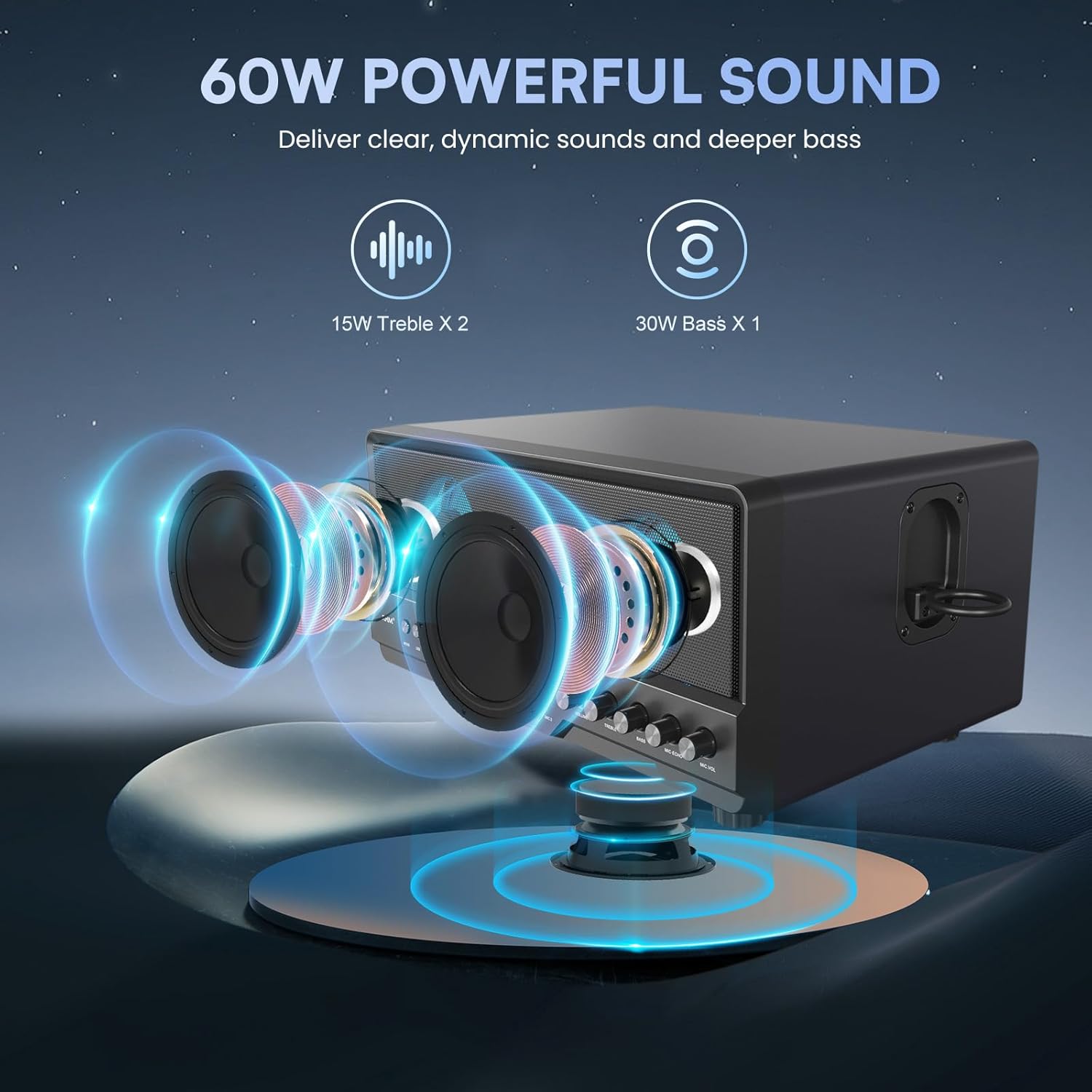
Image: An illustrative diagram highlighting the 15W tweeters and 30W subwoofer for powerful sound delivery.

Irudia: Anizkoitza views of the karaoke machine demonstrating its various colorful LED lighting effects.

Image: The karaoke machine connected to a laptop, highlighting its Bluetooth, AUX, and USB connectivity options.

Image: A visual representation of the wireless microphones' battery life and charging duration.
Konfigurazio Gida
1. Energia-konexioa
- Connect the provided power adapter to the DC IN port on the back of the karaoke machine.
- Plug the power adapter into a standard wall outlet. The main unit requires continuous power and does not have an internal battery.
2. Mikrofonoaren konfigurazioa
- Kargatzen: Use the provided charging cable to charge the wireless microphones. A full charge takes approximately 2 hours.
- Parekatzea: Turn on the wireless microphones. They will automatically sync with the karaoke machine.
- Wired Microphones (Optional): If using wired microphones, plug them into the MIC 1 or MIC 2 6.5mm jacks on the front panel.
3. Audio iturrietara konektatzea
- Bluetootha:
- Press the "MODE" button on the karaoke machine until "BT" appears on the display.
- Enable Bluetooth on your device (phone, tablet, TV).
- Select "RHM L268" from the list of available devices to pair.
- AUX (Line IN):
- Connect one end of the AUX cable to the "LINE IN" port on the karaoke machine.
- Konektatu beste muturra zure gailuaren audio irteerako konektorera.
- Press the "MODE" button until "LINE" appears on the display.
- USBa:
- Sartu audioa duen USB unitate bat files USB atakan sartu.
- Press the "MODE" button until "USB" appears on the display. The machine will automatically play compatible audio files.
Funtzionamendu-argibideak
Aurreko paneleko kontrolak:
- JARRAIBIDEAK: Sakatu Bluetooth, AUX eta USB sarrera moduen artean aldatzeko.
- LEDa: Press to cycle through different LED lighting modes or turn them off.
- Bolumen-eskulekua: Adjusts the overall music volume.
- TREBLE botoia: Adjusts the high-frequency sound (treble).
- BASS botoia: Adjusts the low-frequency sound (bass).
- MIC ECHO Knob: Mikrofonoen oihartzun efektua doitzen du.
- MIC VOL botoia: Mikrofonoen bolumena doitzen du.
- Play/Pause, Next/Previous Track Buttons: Control media playback in USB or Bluetooth mode.
Wireless Microphone Controls:
- Pizteko botoia: Sakatu eta eutsi mikrofonoa pizteko/itzaltzeko.
- LED botoia: Press to change the LED light color on the microphone.
Mantentzea
- Garbiketa: Use a soft, dry cloth to clean the exterior of the machine and microphones. Do not use liquid cleaners or abrasive materials.
- Biltegiratzea: When not in use, store the karaoke machine and accessories in a cool, dry place away from direct sunlight and extreme temperatures.
- Mikrofonoaren zainketa: Keep microphones dry and avoid dropping them. Store them in the provided bag when not in use.
Arazoak konpontzea
| Arazoa | Kausa posiblea | Irtenbidea |
|---|---|---|
| Ez dago soinurik bozgorailutik. | Volume too low; incorrect input mode; loose connection. | Increase volume; ensure correct mode (BT/AUX/USB); check all cable connections. |
| Microphones not connecting/no sound. | Microphones off; low battery; out of range; interference. | Turn on microphones; charge microphones; keep mics within 10ft of machine; check for interference. |
| Loud voice prompts when changing modes. | Default system setting. | This is a known characteristic. Ensure overall volume is adjusted before changing modes. Contact customer support for potential software updates if available. |
| Sound distortion or feedback. | Microphone too close to speaker; MIC VOL too high; BASS/TREBLE settings too high. | Increase distance between mic and speaker; lower MIC VOL; adjust BASS/TREBLE knobs. |
| LED argiak ez dute funtzionatzen. | LED function turned off. | Press the "LED" button to activate or change light modes. |
Zehaztapenak
| Ezaugarri | Xehetasuna |
|---|---|
| Modelo zenbakia | RM-L268 |
| Neurriak (L x W x H) | 14.96 x 9.84 x 8.07 hazbete |
| Elementuaren pisua | 14.17 kilo |
| Bozgorailuaren irteera | 2x15W Tweeters, 1x30W Subwoofer (Total 60W) |
| Mikrofonoen laguntza | 2 Wireless Mics included, 2 Wired Mic inputs (6.5mm Jack) |
| Wireless Mic Battery | 500mAh Lithium Ion (4 hours play, 2 hours charge) |
| Konektibitatea | Bluetooth 5.2, 3.5mm AUX (Line IN), USB |
| Energia iturria | Plug In Electric (AC 1.1E+2 Volts) |
| LED Argiak | 2 modes, 7 color changing effects |
| Kontrol erregulagarriak | Volume, Treble, Bass, Mic Echo, Mic Volume |
Bermea eta Laguntza
For warranty information or technical support, please refer to the contact details provided in your product packaging or visit the official RHM webgunea. Gorde erosketa-agiria erosketaren frogagiri gisa.


