1. Sarrera
This manual provides essential instructions for the safe and efficient use of your DREAME R10 Pro Cordless Stick Vacuum Cleaner. Please read this manual thoroughly before operating the appliance and retain it for future reference. The DREAME R10 Pro is designed for versatile cleaning across various surfaces, offering powerful suction and a long runtime for comprehensive home cleaning.
2. Produktua amaitu daview
The DREAME R10 Pro is a cordless stick vacuum cleaner featuring robust suction, a lightweight design, and an anti-tangle brush head. It is suitable for hard floors, carpets, and pet hair removal.
2.1 Barne dauden osagaiak
- Hutsune-unitate nagusia
- Luzapen-barra
- Multi-Surface Brush (V-shaped brush)
- Roller eskuila biguna
- Zirrikituzko pita
- Konbinazio tresna zabala
- Mini-eskuila motorizatua
- Bateria aldagarria
- Kargagailua
- Hormako Muntaia
- Filter (pre-installed and spare)

2.1. irudia: Amaituview of the DREAME R10 Pro Cordless Stick Vacuum Cleaner and its included accessories.
3. Konfigurazioa
3.1 Muntaketa
- Attach the desired brush head (Multi-Surface or Soft Roller) to the end of the extension rod.
- Connect the extension rod to the main vacuum unit until it clicks into place.
- Eskuz erabiltzeko, konektatu osagarriak zuzenean xurgagailu nagusira.
3.2 Bateria kargatzea
Before first use, fully charge the battery. The battery can be charged while attached to the main unit or separately. Connect the charger to a power outlet and to the battery. The indicator lights on the main unit will show charging status. A full charge provides up to 65 minutes of runtime.
3.3 Horma-muntatzeko instalazioa
The included wall mount allows for convenient storage and charging. Choose a suitable location near a power outlet. Secure the wall mount to the wall using appropriate fasteners (not included, depending on wall type). Ensure the mount is stable before hanging the vacuum cleaner.
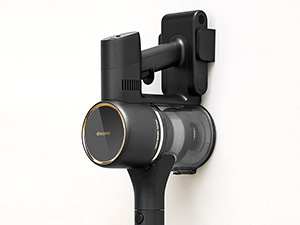
3.1. irudia: The DREAME R10 Pro main unit mounted on its wall bracket for storage.
4. Funtzionamendu-argibideak
4.1 Piztea eta xurgatze moduak
Press the power button to turn on the vacuum cleaner. The DREAME R10 Pro offers multiple suction modes. Use the mode selection button (often a push button or touch control) to cycle through different power levels (e.g., Eco, Standard, Boost) to suit your cleaning needs. The current mode and battery level are typically displayed on the unit's interface.

4.1. irudia: The DREAME R10 Pro in use, demonstrating powerful suction on a carpeted surface.
4.2 Gainazal desberdinak garbitzea
The vacuum is equipped with a dual brush head design, including a V-shaped brush and a soft roller brush. These work together to effectively clean various surfaces, from hard floors to carpets, minimizing scratches and tangles. The anti-tangle design is particularly useful for pet hair.
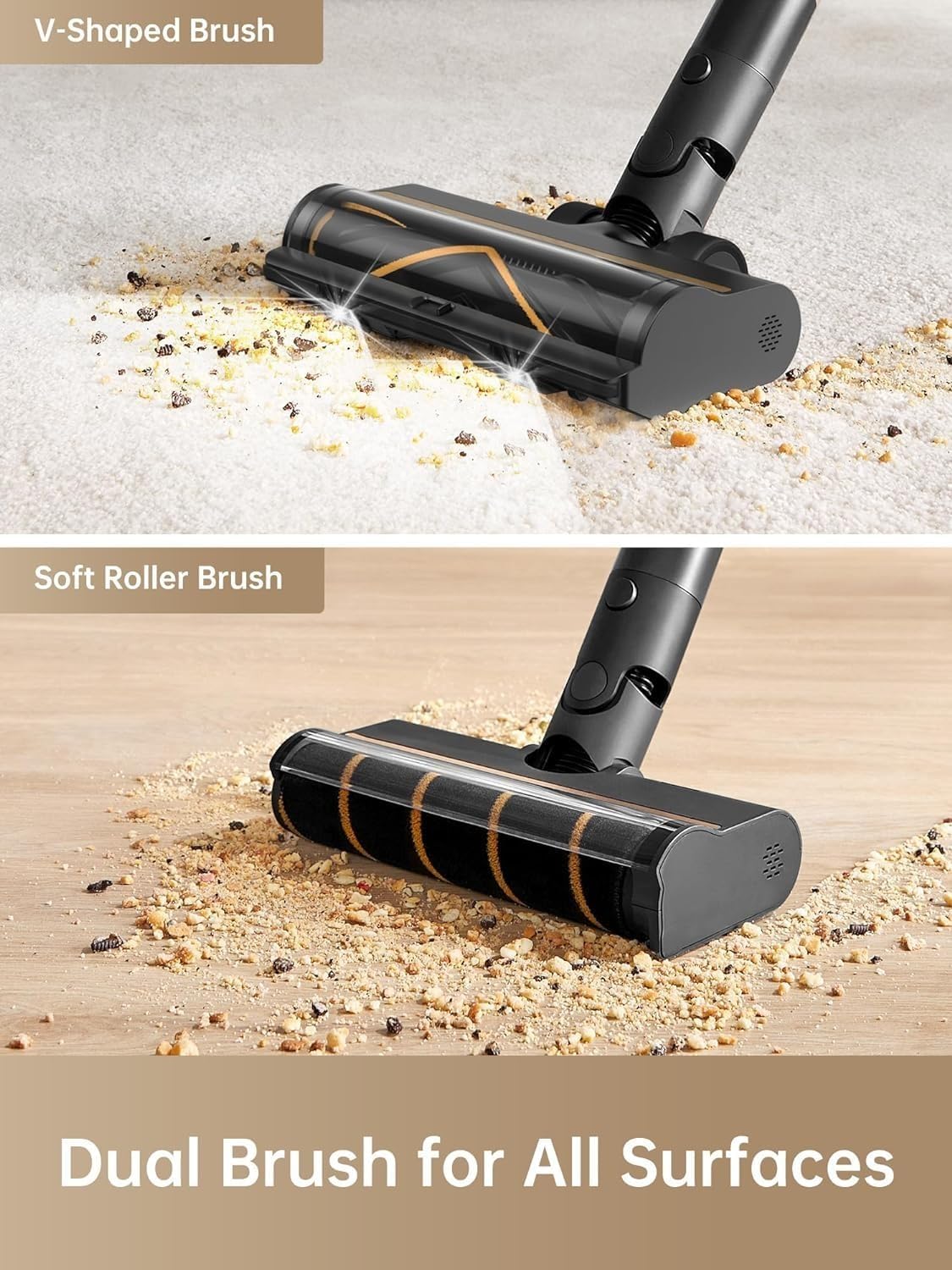
4.2. irudia: Close-up of the DREAME R10 Pro's V-shaped brush and soft roller brush, designed for various floor types.
4.3 Osagarriak erabiltzea
Utilize the various accessories for specialized cleaning tasks:
- Zuloaren Tobera: Egokia ertz, izkina eta hutsune estuetarako.
- Konbinazio tresna zabala: Tapizeria, gortinak eta autoen barrualdeetarako egokia.
- Eskuila txiki motorizatua: Effective for pet hair on furniture and deep cleaning small areas.

4.3. irudia: The DREAME R10 Pro configured as a handheld vacuum, cleaning tight spaces and surfaces.
4.4 LED argiak argiztatzea
The main brush head features bright LED lights that illuminate dirt and debris in dark areas, such as under furniture or in dimly lit corners, ensuring thorough cleaning.
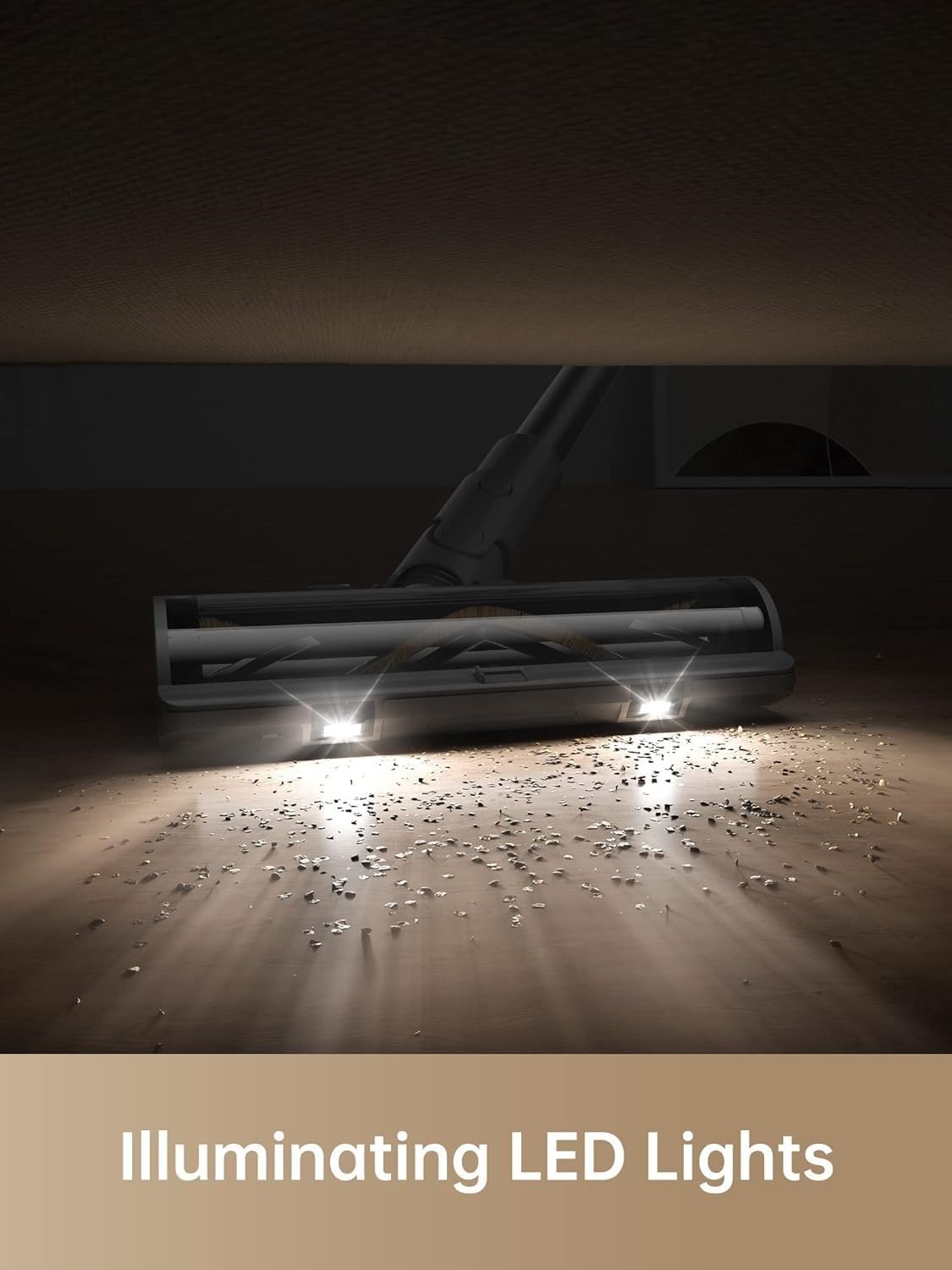
4.4. irudia: The LED lights on the DREAME R10 Pro's brush head illuminating dust and debris on the floor.
5. Mantentzea
Mantentze-lan erregularrak zure xurgagailuaren errendimendu optimoa bermatzen du eta bizitza luzatzen du.
5.1 Zaborrontzia hustea
Empty the dustbin regularly, especially when the MAX line is reached. To empty, detach the dustbin from the main unit and press the release button to open the bottom flap, allowing debris to fall into a waste bin.
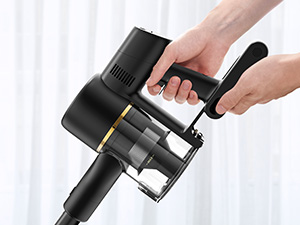
5.1. irudia: A hand demonstrating how to empty the dustbin of the DREAME R10 Pro vacuum cleaner.
5.2 Iragazketa-sistema garbitzea
The DREAME R10 Pro features a 5-layer filtration system that captures 99.9% of fine dust and particles. Regularly clean the filters to maintain suction power and air quality. Refer to the diagram below for filter components. Filters can typically be rinsed with water; ensure they are completely dry before reinstallation.

5.2. irudia: Lehertuta view of the DREAME R10 Pro's 5-stage filtration system, showing individual components.

5.3. irudia: A hand rinsing a filter component of the DREAME R10 Pro under running water.
5.3 Eskuila-buruak garbitzea
Periodically check the brush heads for tangled hair or debris. The anti-tangle design helps, but occasional manual cleaning may be necessary. Remove the brush roller from the head and use scissors or a cleaning tool to cut and remove any wrapped hair or fibers.
6. Arazoak
If you encounter issues with your DREAME R10 Pro, refer to the following common problems and solutions:
| Arazoa | Kausa posiblea | Irtenbidea |
|---|---|---|
| Xurgagailua ez da pizten. | Bateria ez dago kargatuta edo ez dago behar bezala instalatuta. | Ziurtatu bateria guztiz kargatuta dagoela eta unitate nagusian behar bezala sartuta dagoela. |
| Xurgatze potentzia murriztua. | Zaborrontzia beteta dago, iragazkiak buxatuta daude edo eskuila-burua oztopatuta dago. | Empty the dustbin. Clean or replace filters. Remove any obstructions from the brush head or air ducts. |
| Eskuila-burua ez da biratzen. | Brush roller is tangled with hair or debris, or the brush head is not properly attached. | Clean the brush roller. Ensure the brush head is securely attached to the extension rod or main unit. |
| Bateriaren iraupen laburra. | Battery not fully charged, or operating in Boost mode for extended periods. | Ensure the battery is fully charged. Use lower suction modes for longer runtime. Consider purchasing an additional swappable battery for extended cleaning sessions. |
Irtenbide hauek saiatu ondoren arazoa konpontzen ez bada, jarri harremanetan DREAME bezeroarentzako arreta-zerbitzuarekin.
7. Zehaztapenak
| Ezaugarri | Xehetasuna |
|---|---|
| Ereduaren izena | R10 Pro |
| Marka | AMETS |
| Ezaugarri Berezia | Arinak |
| Iragazki mota | HEPA iragazkia |
| Haririk gabekoa | Bai |
| Zaborrontzien edukiera | 0.6 litro |
| Wattage | 350 Watt |
| Xurgapen maximoa | 150 AW (Air Watts) |
| Gomendatutako Erabilerak | Hard floors, Carpets, Pet hair removal |
| Forma-faktorea | Makila |
| Produktuaren neurriak | 75L x 17W x 35H zentimetro |
| Zarata Maila | 70 dezibelio |
| Bateriaren iraupena | Gehienez 65 minutu |
| Motor Zaldia | 600 Watt |
| Kontrol-metodoa | Ukitu / Sakatu botoia |
| Elementuaren pisua | 4 kg |
8. Bermea eta Laguntza
8.1 Bermearen informazioa
The DREAME R10 Pro Cordless Stick Vacuum Cleaner comes with a 1 urteko bermea. This warranty covers manufacturing defects and malfunctions under normal use. Please retain your proof of purchase for warranty claims. For detailed terms and conditions, refer to the warranty card included with your product or contact customer support.
8.2 Bezeroarentzako laguntza
For any inquiries, technical assistance, or warranty claims, please contact DREAME India Support:
- Posta elektronikoa: Laguntza.in@dreame.tech
- Bezeroarentzako Arreta Zerbitzua: 18003093942
- Ordutegia:
- Monday to Saturday: 10:00 AM to 6:00 PM
- Sunday: 10:00 AM to 4:00 PM
DREAME offers support within 24 hours across India, including service centers in 165 cities, onsite service with pick-up and drop, virtual product demos, and onsite installation.

8.1. irudia: DREAME India Support details, including contact information and service coverage map.


