1. Sarrera
Welcome to the user manual for your Thomson RT850BT Bluetooth Speaker, FM Radio, and Alarm Clock. This guide provides detailed instructions on how to set up, operate, and maintain your device. Please read this manual thoroughly before use to ensure proper functionality and to maximize your experience with the RT850BT.
2. Segurtasun informazioa
Funtzionamendu segurua bermatzeko eta kalteak saihesteko, jarraitu segurtasun neurri hauek:
- Ez jarri unitatea euripean, hezetasunean edo muturreko tenperaturetan.
- Saihestu unitatea bero-iturrien ondoan edo eguzki-argiaren eraginpean jartzea.
- Ziurtatu aireztapen egokia dagoela; ez blokeatu aireztapen-irekidurak.
- Erabili emandako korronte-egokigailua soilik.
- Ez saiatu unitatea desmuntatzen edo aldatzen. Mantendu konponketa guztiak langile kualifikatuen esku.
- Mantendu unitatea eremu magnetiko indartsuetatik urrun.
3. Paketearen edukia
Egiaztatu elementu guztiak paketean daudela:
- Thomson RT850BT Unit
- Elikatze-moldagailua
- Erabiltzailearen eskuliburua

Image: Thomson RT850BT packaging, illustrating the product and its key features.
4. Produktua amaitu daview
4.1 Aurreko panela
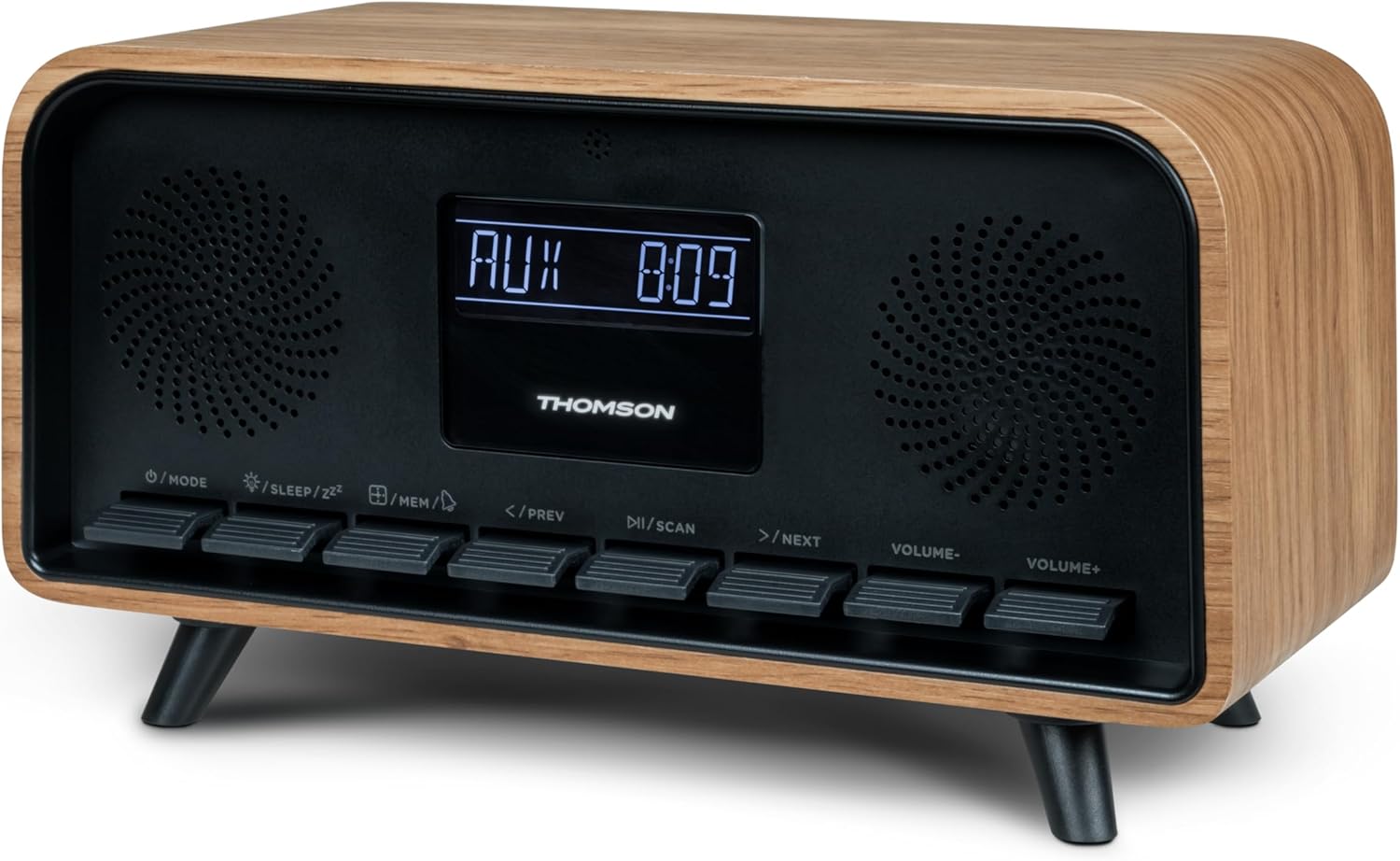
Irudia: Aurrealdea view of the Thomson RT850BT unit, showing the LCD display, speakers, and control buttons.
- LCD pantaila: Shows time, mode, and other information.
- /MODE Button: Power On/Off, switch between modes (Bluetooth, FM, AUX).
- /SLEEP/ZZ Botoia: Set sleep timer, activate snooze.
- /MEM Button: Set alarm, save/recall radio stations.
- </PREV Button: Previous track (Bluetooth), tune down (FM).
- /SCAN Button: Play/Pause (Bluetooth), auto scan (FM).
- >/NEXT Button: Next track (Bluetooth), tune up (FM).
- VOLUME- Button: Bolumena gutxitu.
- VOLUME+ Button: Bolumena handitu.
4.2 Atzeko panela

Irudia: Atzealdea view of the Thomson RT850BT, highlighting the power supply, Line In (AUX-IN), and USB-C charge output ports.
- Power Supply (DC IN 5V): Konektatu emandako energia-egokitzailea.
- Line In (AUX-IN): 3.5 mm-ko audio sarrera kanpoko gailuetarako.
- Charge Output (USB-C): USB Type-C port for charging external devices.
5. Konfigurazioa
5.1 Energia-konexioa
- Connect the power adapter to the DC IN 5V port on the rear of the RT850BT.
- Entxufatu korronte-egokigailua hormako entxufe estandar batera.
- The unit will power on automatically or enter standby mode.
5.2 Initial Power On and Clock Setting
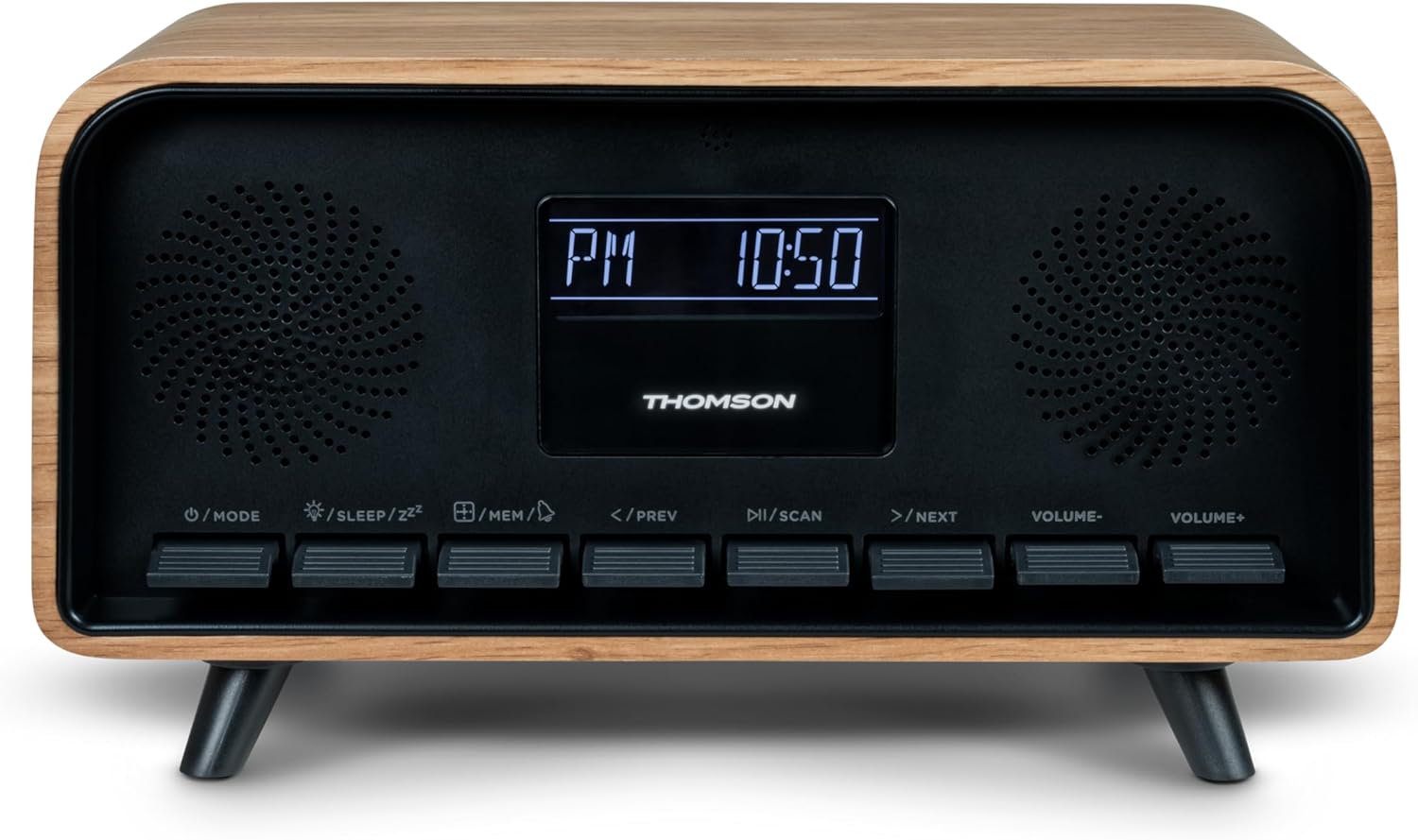
Image: Close-up of the RT850BT's LCD display showing the time, 10:50 PM, and the 'PM' indicator.
- If the unit is in standby, press the /ERA botoia pizteko.
- Erlojua ezartzeko, luze sakatu /MEM botoia sakatu orduaren pantaila keinuka hasi arte.
- Erabili </PREV eta >/NEXT botoiak ordua doitzeko. Sakatu /MEM baieztatzeko.
- Erabili </PREV eta >/NEXT botoiak minutuak doitzeko. Sakatu /MEM baieztatzeko.
- Erlojua finkatuta dago.
6. Funtzionamendu-argibideak
6.1 Bluetooth modua

Image: Close-up of the RT850BT's LCD display indicating 'bt' for Bluetooth mode, along with the current time.
- Sakatu /ERA button repeatedly until 'bt' appears on the display. The unit is now in Bluetooth pairing mode.
- Zure gailu mugikorrean, gaitu Bluetootha eta bilatu eskuragarri dauden gailuak.
- Select 'RT850BT' from the list to pair. A confirmation tone will sound upon successful connection.
- You can now play audio from your device through the RT850BT.
- Erabili /ESKANATU button to Play/Pause, and </PREV / >/NEXT pistak saltatzeko botoiak.
- Doitu bolumena BOLUMEN- eta BOLUMENA+ botoiak.
6.2 FM Irrati modua
- Sakatu /ERA button repeatedly until the FM frequency appears on the display.
- Bilaketa automatikoa: Eduki sakatuta /ESKANATU button to automatically scan and save available FM stations (up to 50 stations).
- Eskuzko sintonizazioa: Sakatu labur </PREV or >/NEXT to fine-tune the frequency. Press and hold to scan for the next available station.
- Recall Saved Stations: Sakatu labur /MEM botoia gordetako estazioen artean aldatzeko.
6.3 Alarma-erlojuaren funtzioa
The RT850BT supports setting multiple alarms.
- Erreserba moduan, luze sakatu /MEM button until 'AL1' or 'AL2' flashes.
- Erabili </PREV eta >/NEXT alarmaren ordua ezartzeko, sakatu /MEM baieztatzeko.
- Errepikatu minutuz.
- Hautatu alarma iturria (Buzzerra edo FM irratia) erabiliz </PREV eta >/NEXT, gero sakatu /MEM.
- To activate/deactivate an alarm, briefly press the /MEM button in standby mode to cycle through alarm settings (AL1 ON/OFF, AL2 ON/OFF).
- Alarmak jotzen duenean, sakatu /SLEEP/ZZ for snooze (alarm will sound again after 9 minutes) or press /ERA egunerako alarma itzaltzeko.
6.4 AUX-IN modua
- Connect an external audio device (e.g., MP3 player, smartphone) to the 'Line In' (AUX-IN) port on the rear panel using a 3.5mm audio cable (not included).
- Sakatu /ERA botoia behin eta berriz sakatu pantailan 'AUX' agertu arte.
- Audio from the connected device will now play through the RT850BT. Control playback from your external device.
6.5 Argi-iluntzaile funtzioa
The display brightness can be adjusted to three intensity levels.
- In any mode, briefly press the /SLEEP/ZZ button to cycle through the brightness levels.
6.6 Lo egiteko funtzioa
Set a timer for the unit to automatically turn off.
- While the unit is on, press the /SLEEP/ZZ button repeatedly to select the desired sleep timer duration (e.g., 15, 30, 60, 90 minutes, OFF).
- The unit will automatically power off after the selected time.
6.7 USB-C kargatzeko ataka
The USB-C port on the rear panel is for charging external devices.
- Connect your compatible device's USB-C charging cable to the 'Charge output' port.
- Ensure the RT850BT is powered on or in standby mode for charging functionality.
7. Mantentzea
To maintain the performance and appearance of your RT850BT:
- Garbiketa: Use a soft, dry cloth to clean the exterior. Do not use abrasive cleaners, waxes, or solvents.
- Biltegiratzea: Unitatea denbora luzez gordetzen baduzu, deskonektatu entxufetik eta gorde leku fresko eta lehor batean.
- Aireztapena: Ensure the ventilation grilles are free from dust and obstructions.
8. Arazoak
If you encounter issues with your RT850BT, refer to the following table for common problems and solutions:
| Arazoa | Kausa posiblea | Irtenbidea |
|---|---|---|
| Botererik ez | Korronte-egokitzailea ez dago konektatuta edo entxufea akastuna da. | Ziurtatu korronte-egokitzailea ondo konektatuta dagoela eta entxufea funtzionatzen duela. |
| Soinurik ez | Volume too low, incorrect mode, or device not paired (Bluetooth). | Increase volume. Check if the correct mode (BT, FM, AUX) is selected. Re-pair Bluetooth device. |
| Bluetooth parekatzeak huts egin du | Device too far, Bluetooth not enabled on source, or RT850BT not in pairing mode. | Ensure devices are within range. Enable Bluetooth on your device. Set RT850BT to 'bt' mode. |
| FM harrera eskasa | Seinale ahula. | Adjust the unit's position to improve reception. |
| Alarma ez da jotzen | Alarma ez dago aktibatuta edo gaizki konfiguratuta. | Verify alarm settings and ensure it is set to ON. |
9. Zehaztapenak
- Eredua: RT850BT
- Bluetooth bertsioa: 5.3
- Irrati-sintonizatzailea: FM (87.5-108 MHz)
- Estazioaren memoria: 50 FM geltokiak
- Audio sarrera: AUX-IN (3.5 mm)
- Pantaila: LCD with 3-intensity dimmer
- Potentzia irteera: 30W Total Music Power
- Kargatzeko ataka: USB-C (for external devices)
- Energia iturria: Kabledun Elektrikoa (5V DC)
- Pisua: 600 gramo
10. Bermea eta Laguntza
For warranty information and technical support, please refer to the documentation provided at the time of purchase or contact your local Thomson customer service. Keep your proof of purchase for warranty claims.


