1. Sarrera
This manual provides detailed instructions for the MESWAO 15.6 Inch Android 14 Tablet, model MES-B3. It covers essential information regarding product features, setup, operation, maintenance, and troubleshooting to ensure optimal performance and user experience. Please read this manual thoroughly before using your device.
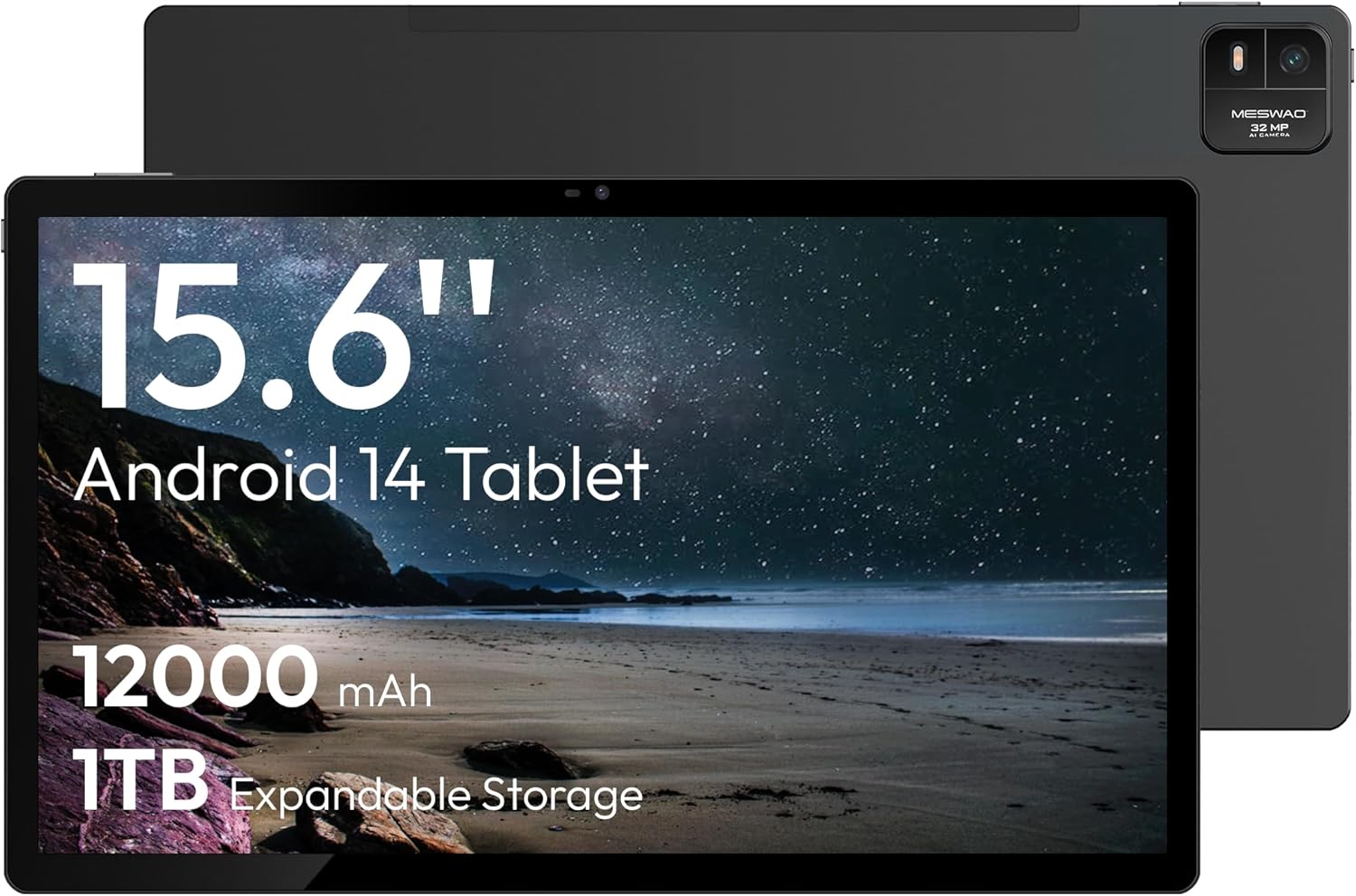
Figure 1.1: MESWAO 15.6 Inch Android 14 Tablet. This image displays the front and back view of the tablet, highlighting its large screen and rear camera module.
2. Segurtasun informazioa
To prevent damage to your device or injury to yourself or others, please observe the following precautions:
- Ez jarri tableta tenperatura altuen, eguzki-argiaren eraginpean edo hezetasun handiaren eraginpean.
- Saihestu tableta erortzea edo kolpe gogorren eraginpean jartzea.
- Erabili onartutako kargagailuak eta osagarriak soilik.
- Do not attempt to disassemble or repair the tablet yourself.
- Mantendu tableta uretatik eta beste likido batzuetatik urrun.
- Observe all local regulations regarding the use of electronic devices.
3. Paketearen edukia
Egiaztatu elementu guztiak paketean daudela:
- 15.6-inch Tablet x1
- 15W Charger x1
- Type-C to 3.5mm Adapter x1
- USB-A to Type-C Adapter x1
- Stuck Pin x1 (for SIM/TF card tray)
4. Gailua amaitu daview
Familiarize yourself with the physical components of your MESWAO tablet.
4.1. Ezaugarri fisikoak
- Aurrealdeko kamera: Located at the top center of the screen when held horizontally.
- Atzeko kamera flasharekin: Located on the back, typically in a corner.
- Pizteko botoia: Usually on the side, used to power on/off or wake/sleep the device.
- Bolumen-botoiak: Doitu audio mailak.
- USB-C ataka: Kargatzeko eta datuak transferitzeko.
- TF txartelaren zirrikitua: Biltegiratze zabalgarrirako.
- Hizlariak: Quad speakers with 8 sound chambers for audio output.

4.1 Irudia: Gainetikview of MESWAO Tablet's physical features. This image illustrates the location of stereo speakers, power and volume buttons, front camera, rear camera with flashlight, Type-C port, and TF card slot.
5. Konfigurazioa
5.1. Hasierako kargatzea
Before first use, fully charge the tablet using the provided 15W charger and USB-C cable. Connect the charger to the USB-C port on the tablet and plug it into a power outlet. The battery indicator on the screen will show charging progress.

Figure 5.1: Tablet charging illustration. This image shows the tablet connected to a charger, displaying a charging icon and indicating 100% charge in 3.5 hours.
5.2. Piztu/Itzaltzea
- Pizteko: Press and hold the Power button until the MESWAO logo appears.
- Itzaltzeko: Sakatu eta eutsi pizteko botoia energia aukeren menua agertu arte, eta ondoren hautatu "Itzali".
- Lo egiteko/esnatzeko: Sakatu labur pizteko botoia.
5.3. Hasierako Konfigurazioa
Upon first power-on, follow the on-screen prompts to set up your tablet:
- Aukeratu nahi duzun hizkuntza.
- Konektatu Wi-Fi sare batera.
- Hasi saioa zure Google kontuarekin edo sortu berri bat.
- Review eta baldintzak eta zehaztapenak onartu.
- Konfiguratu pantailaren blokeoa (PINa, eredua edo pasahitza).
5.4. TF txartel bat sartzea
To expand storage, insert a TF (microSD) card:
- Bilatu tabletaren alboan dagoen TF txartelaren zirrikitua.
- Use the provided stuck pin to gently eject the card tray.
- Place the TF card into the tray with the gold contacts facing down.
- Kontu handiz sartu erretilua tabletan berriro.

Figure 5.2: Tablet storage capabilities. This image highlights the 128GB ROM and support for up to 1TB expandable storage via TF card.
6. Funtzionamendu-argibideak
6.1. Oinarrizko nabigazioa
The MESWAO tablet uses Android 14, offering intuitive touch-based navigation:
- Sakatu: Hautatu elementu bat edo ireki aplikazio bat.
- Pasatu hatza: Pantailetan edo zerrendetan zehar joan.
- Zoom egiteko apur bat egin: Pantailan dagoen edukia handitu edo txikitu.
- Prentsa luzea: Sartu testuinguru-menuetara edo mugitu ikonoak.

Figure 6.1: Android 14 operating system interface. This image displays various application icons and highlights features like smooth multitasking, parental control, and enhanced privacy.
6.2. Wi-Fira konektatzen
- Joan zaitez Ezarpenak > Sarea eta Internet > Wi-Fi.
- Wi-Fia aktibatu/desaktibatu On.
- Hautatu nahi duzun sarea zerrendatik.
- Eskatzen bazaizu, idatzi pasahitza eta, ondoren, sakatu Konektatu.
6.3. Aplikazioak kudeatzea
- Instalatu aplikazioak: Download from the Google Play Store.
- Desinstalatu aplikazioak: Long-press an app icon, then drag it to "Uninstall" or go to Ezarpenak > Aplikazioak.
- Aplikazioak itxi: Swipe up from the bottom of the screen and swipe away the app card.
6.4. Kameraren erabilera
The tablet features a 32MP rear camera with flash and a 5MP front camera.
- Ireki Kamera aplikazioa.
- Sakatu obturadorearen botoia argazkia ateratzeko.
- Aldatu aurreko eta atzeko kameren artean kamera aldatzeko ikonoa erabiliz.
- Access settings for flash, modes, and other options.
6.5. Baterien kudeaketa
12000 mAh-ko bateriak erabilera luzeagoa eskaintzen du. Bateriaren iraupena optimizatzeko:
- Doitu pantailaren distira.
- Itxi erabiltzen ez diren aplikazioak.
- Enable battery saver mode in Ezarpenak > Bateria.
6.6. Konektibitatea
- Bluetootha: Pair with wireless headphones, speakers, or other devices via Ezarpenak > Konektatutako gailuak > Bluetootha.
- USB-C: Konektatu ordenagailu batera honetarako file transfer or use with compatible USB-C accessories.
- Wireless Screen Casting: Share your tablet's screen to a compatible smart TV or monitor. Access this feature from the Quick Settings panel or Ezarpenak > Konektatutako gailuak > Antzezleak.
6.7. Soinu ezarpenak
Adjust volume and audio output options:
- Use the physical volume buttons on the side of the tablet.
- Access detailed settings in Ezarpenak > Soinua eta bibrazioa.
- The tablet supports multiple audio options, including USB-C audio and 3.5mm via the provided adapter.
7. Mantentzea
7.1. Tableta garbitzea
Tableta garbitzeko, erabili zapi leun eta lihorik gabeko bat. Orban egoskorrak lortzeko, garbitu apur bat.ampGarbitu zapi bat urarekin edo elektronikarako diseinatutako pantaila-garbitzaile batekin. Saihestu produktu kimiko gogorrak edo material urratzaileak.
7.2. Software eguneraketak
Egiaztatu eta instalatu software eguneraketak aldizka errendimendu, segurtasun eta funtzio berrietarako sarbidea optimoa bermatzeko. Joan honera Ezarpenak > Sistema > Sistema eguneratzea.
7.3. Biltegiratze kudeaketa
To maintain performance, periodically manage your tablet's storage:
- Delete unnecessary apps and files.
- Mugitu handia files to the TF card or cloud storage.
- Garbitu aplikazioen cache datuak hemen: Ezarpenak > Aplikazioak > [Aplikazioaren izena] > Biltegiratzea eta cachea.
8. Arazoak
Ikusi honako arazo eta irtenbide ohikoenak:
| Arazoa | Irtenbidea |
|---|---|
| Tableta ez da pizten. | Ziurtatu bateria kargatuta dagoela. Konektatu kargagailua eta itxaron minutu batzuk berriro pizten saiatu aurretik. |
| Ezin da wifira konektatu. | Check if Wi-Fi is enabled. Verify the Wi-Fi password. Restart your router and the tablet. |
| Aplikazioak huts egiten ari dira edo izozten ari dira. | Close background apps. Clear the app's cache. Restart the tablet. Ensure the app is updated. |
| Errendimendu motela. | Free up storage space. Close unused apps. Restart the tablet. |
| Bateria azkar agortzen da. | Reduce screen brightness. Disable unused features like Bluetooth or GPS. Close background apps. Check battery usage in settings. |
9. Zehaztapenak
Key technical specifications for the MESWAO 15.6 Inch Android 14 Tablet (MES-B3):
| Ezaugarri | Xehetasuna |
|---|---|
| Marka | MESWAO |
| Ereduaren izena | MES-B3 |
| Sistema eragilea | Android 14 |
| Pantailaren tamaina | 15.6 hazbete |
| Pantailaren bereizmena | 1920 x 1080 pixel (IPS HD) |
| Prozesadorea | Octa-Core (MediaTek Helio G99, up to 2.2 GHz) |
| Koprozesadore grafikoa | Mali-G57 |
| RAM (Memory Storage Capacity) | 6GB (DDR3 SDRAM) |
| Internal Storage (Flash Memory Size) | 128 GB |
| Biltegiratze zabalgarria | Gehienez 1 TB TF txartelaren bidez |
| Atzeko kameraren bereizmena | 32 MP |
| Aurrealdeko kameraren bereizmena | 5 MP |
| Bateria Edukiera | 12000mAh |
| Bateriaren batez besteko iraupena | 12 ordu |
| Haririk gabeko mota | 802.11a/b/g/n/ac (Wi-Fi 5) |
| Kolorea | Grisa |
| Elementuaren pisua | 2.35 kilo |
| Produktuaren neurriak (LxWxH) | 14.53 x 8.78 x 0.43 hazbete |

Figure 9.1: Processor and performance details. This image highlights the Helio G99 Octa-Core chipset, 6nm process, 950MHz GPU, and smooth gaming/streaming capabilities.
10. Bermea eta Laguntza
10.1. Bermearen informazioa
The MESWAO 15.6 Inch Android 14 Tablet comes with a 12 hilabeteko bermea fabrikazio akatsak estaltzen ditu. Gorde erosketaren egiaztagiria berme-erreklamazioetarako.
10.2. Bezeroarentzako arreta
For technical assistance, troubleshooting, or warranty inquiries, please contact MESWAO customer support. They offer 24 orduko bezeroarentzako arreta eta izan local service centers in the US, EU, and Japan.
- Kontaktu metodoa: Refer to the contact information provided with your product packaging or visit the official MESWAO webgunea.
- Arazoaren ebazpena: Issues reported are typically responded to within 24 hours, with problems resolved or replaced according to policy.

Figure 10.1: MESWAO customer support and warranty details. This image highlights the 12-month warranty, 24-hour customer support, local after-sales centers, and quick response flow.


