1. Sarrera
Thank you for choosing the PRIXTON Multisport DV800 Action Camera. This manual provides essential information for setting up, operating, and maintaining your device. Please read it thoroughly before use to ensure optimal performance and longevity of your camera.
2. Paketearen edukia
Egiaztatu behean zerrendatutako elementu guztiak zure paketean sartuta daudela:
- PRIXTON Multisport DV800 Action Camera
- Maleta iragazgaitza
- Bateria kargagarria
- USB kablea
- Bizikleta Muntaia
- Clip
- Muntatzeko egokitzailea
- Three Helmet Mounts
- Strap/Bandage
- 3M itsasgarriak
- Erabiltzailearen eskuliburua

Image: The PRIXTON DV800 Action Camera and its various accessories, including mounts, cables, and the waterproof case.
3. Produktua amaitu daview
The PRIXTON DV800 features a compact design with dual screens for versatile shooting and monitoring. It is designed for capturing high-quality video and photos in various environments.
Ezaugarri nagusiak:
- Pantaila bikoitzak: Front screen for selfies and a rear screen for camera control.
- 5K bideoaren bereizmena: Up to 5K at 30 frames per second (FPS).
- 24 MP Photo Resolution: Kalitate handiko irudi finkoak.
- 6-AXIS EIS Optical Stabilizer: For smooth and stable footage.
- Iragazgaitza: Up to 30 meters with the included waterproof case.
- Konektibitatea: Built-in Wi-Fi for mobile app control and content transfer.
- Biltegiratzea: Supports MicroSD cards up to 128 GB.

Image: The PRIXTON DV800 Action Camera, showcasing its dual-screen capability and the waterproof housing, alongside several mounting accessories.
4. Konfigurazioa
4.1. Bateriaren instalazioa
- Kokatu bateriaren konpartimendua kameran.
- Ireki konpartimenduaren estalkia.
- Sartu bateria kargagarria, polaritate zuzena ziurtatuz.
- Itxi bateriaren konpartimenduaren estalkia ondo.
4.2. MicroSD txartelaren txertatzea
A MicroSD card (up to 128 GB, not included) is required to store recordings and photos.
- Bilatu kameraren alboan dagoen MicroSD txartelaren zirrikitua.
- Gently insert the MicroSD card with the contacts facing the correct direction until it clicks into place.
- To remove, press the card inward until it springs out.
4.3. Iragazgaitza den zorroa jartzea
For underwater use or protection against impacts, place the camera inside the waterproof case.
- Open the latch on the waterproof case.
- Carefully place the camera inside the case, ensuring it fits snugly.
- Close the latch firmly to seal the case. Ensure no debris is caught in the seal.
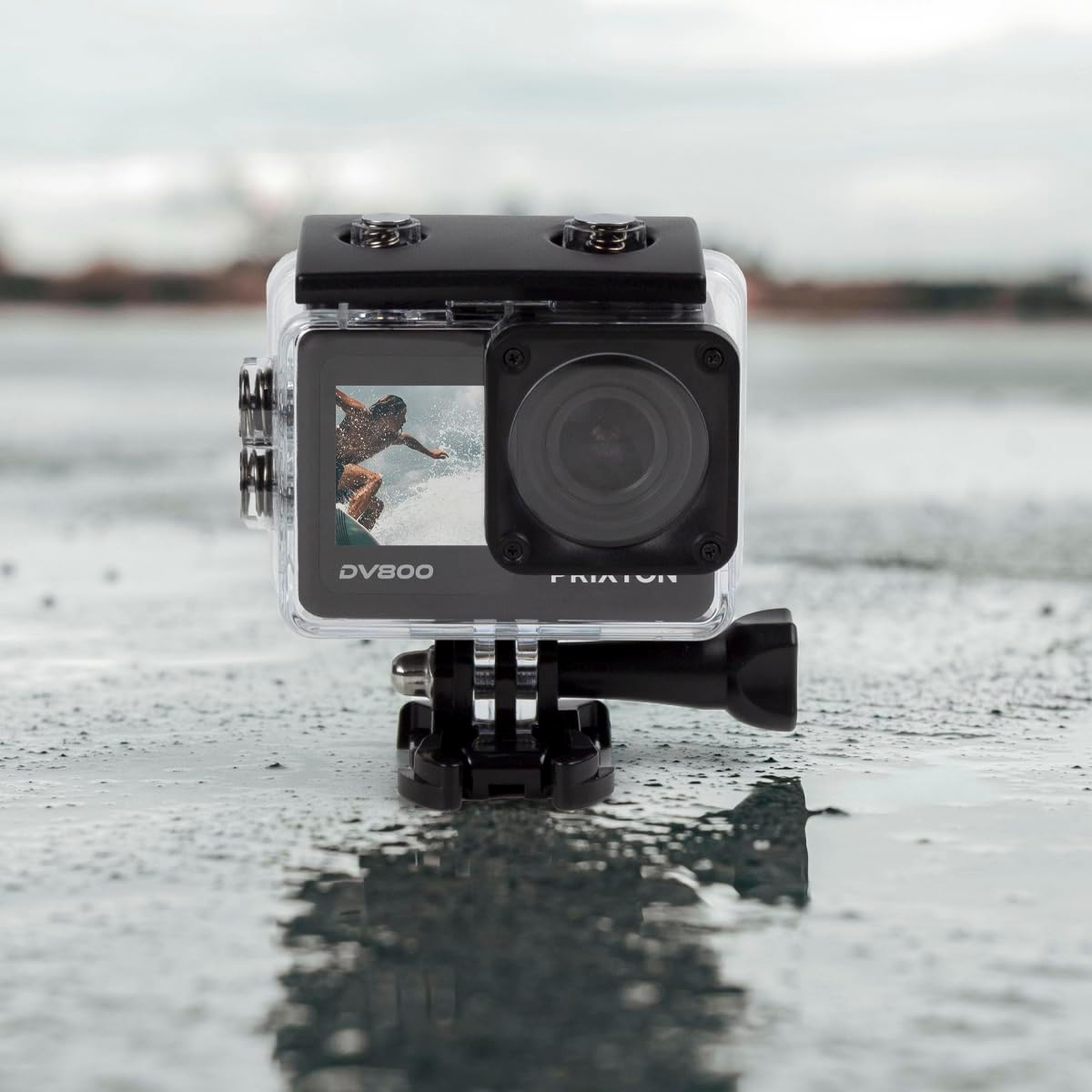
Image: The PRIXTON DV800 Action Camera securely housed within its waterproof casing, ready for use in aquatic environments.
5. Funtzionamendu-argibideak
5.1. Piztu/Itzali
- Pizteko: Press and hold the Power/Mode button for a few seconds until the screen illuminates.
- Itzaltzeko: Sakatu eta eutsi berriro pizteko/modu botoiari pantaila itzali arte.
5.2. Modu hautaketa
Sakatu pizteko/modua botoia behin eta berriz modu ezberdinetan zehar ibiltzeko: Bideoa, Argazkia, Erreprodukzioa eta Ezarpenak.
5.3. Bideo Grabaketa
- Aldatu bideo modura.
- Press the Shutter/OK button to start recording. A red indicator light will flash.
- Press the Shutter/OK button again to stop recording. The indicator light will stop flashing.
5.4. Argazkiak ateratzea
- Aldatu Argazki Modura.
- Markatu zure argazkia pantaila erabiliz.
- Sakatu obturadorea/Ados botoia argazkia ateratzeko.
5.5. Wi-Fi Connectivity and Mobile App
The camera can connect to your mobile device via Wi-Fi using the "XDV PRO" application.
- Download and install the "XDV PRO" app on your smartphone or tablet.
- On the camera, navigate to the settings menu and enable Wi-Fi.
- Zure gailu mugikorrean, konektatu kameraren Wi-Fi sarera (SSID eta pasahitza kameraren pantailan agertuko dira).
- Open the "XDV PRO" app to control the camera, view bizi footage, eta transferentzia files.

Image: A close-up of the PRIXTON DV800 Action Camera's rear screen, showing its 5K Ultra HD capability and Wi-Fi connectivity.
5.6. Using as a Webkamara
Connect the camera to a computer via USB to use it as a webkamara.
- Konektatu kamera zure ordenagailura emandako USB kablea erabiliz.
- Select the 'PC Camera' or 'Webcam' option on the camera's screen if prompted.
- Zure ordenagailuak kamera gisa ezagutu beharko luke webcam, which can then be selected in video conferencing applications.
6. Mantentzea
6.1. Garbiketa
- Use a soft, lint-free cloth to clean the camera lens and screens.
- For the waterproof case, rinse with fresh water after saltwater use and allow it to air dry.
- Saihestu produktu kimiko gogorrak edo material urratzaileak erabiltzea.
6.2. Bateria zaintzea
- Bateria guztiz kargatu lehen erabili aurretik.
- Ez jarri bateria muturreko tenperaturetara.
- Kamera denbora luzez gordetzen baduzu, kendu bateria.
6.3. Biltegiratzea
Store the camera in a cool, dry place away from direct sunlight and dust when not in use.
7. Arazoak
- Kamera ez da pizten: Ziurtatu bateria kargatuta eta behar bezala sartuta dagoela.
- Grabaketa arazoak: Check if the MicroSD card is inserted correctly and has sufficient free space. Format the card if necessary (this will erase all data).
- Wi-Fi konexio arazoak: Ensure Wi-Fi is enabled on the camera and your mobile device. Restart both devices if issues persist.
- Irudi/bideo kalitate eskasa: Clean the lens. Ensure adequate lighting. Check resolution settings.
8. Zehaztapenak
| Ereduaren izena | DV800 |
| Marka | PRIXTON |
| Bideo Harrapaketa Ebazpena | 5K |
| Argazki sentsoreen teknologia | Bestela |
| Flash memoria mota | MikroSD (128 GB arte) |
| Bideo Harrapaketa formatua | MOV |
| Onartutako audio formatua | MP4 |
| Konektibitate Teknologia | Wi-Fi |
| Kolorea | Beltza |
| Kamera mota | Ekintza kamera |
| Bateriaren iraupena | 90 minutu inguru |
9. Bermea eta Laguntza
The PRIXTON Multisport DV800 Action Camera comes with a standard manufacturer's warranty. For detailed warranty information, technical support, or service inquiries, please refer to the warranty card included in your package or visit the official PRIXTON webgunea. Gorde erosketa-agiria erosketaren frogagiri gisa berme-erreklamazioetarako.


