1. Sarrera
Eskerrik asko erosketagatik.asing the AceGamer RGB Charging Dock for PlayStation Portal. This portable charging station is designed to provide a stable and efficient charging solution for your PlayStation Portal console, featuring customizable RGB lighting and essential protection features. Please read this manual carefully before use to ensure proper operation and maintenance.
2. Paketearen edukia
- AceGamer RGB Charging Dock (1 unit)
- C motako kargatzeko kablea (unitate 1)
- Erabiltzailearen eskuliburua (dokumentu hau)
3. Produktuaren ezaugarriak
- Dedicated Charging: Specifically designed for the PlayStation Portal console.
- RGB argiztapena: Features 7 distinct lighting modes for personalized aesthetics.
- Karga azkarra: Efficient power delivery for fast charging.
- Segurtasun Babesak: Gainkorronte integratua, bolumen gainekoatage, eta beheko boltagbabesa
- Diseinu ergonomikoa: 30-degree comfortable viewing angle for the PlayStation Portal.
- Oinarri egonkorra: Equipped with anti-slip mats for secure placement.
- Konektibitatea: USB Type-C input for power.
4. Konfiguratzeko argibideak
- Konektatu energia: Insert the provided Type-C charging cable into the charging dock's input port and connect the other end to a suitable USB power adapter (not included).

Figure 4.1: Connecting the Type-C power cable to the charging dock.
- Place PlayStation Portal: Carefully align your PlayStation Portal console with the charging connector on the dock and gently place it into position. Ensure a secure connection for charging. The dock is designed to hold the Portal at a 30-degree angle for optimal viewing.

Figure 4.2: PlayStation Portal placed on the charging dock at a 30-degree angle.
- Anti-slip Stability: The base of the charging dock is equipped with anti-slip mats to prevent accidental movement. Ensure the dock is placed on a flat, stable surface.
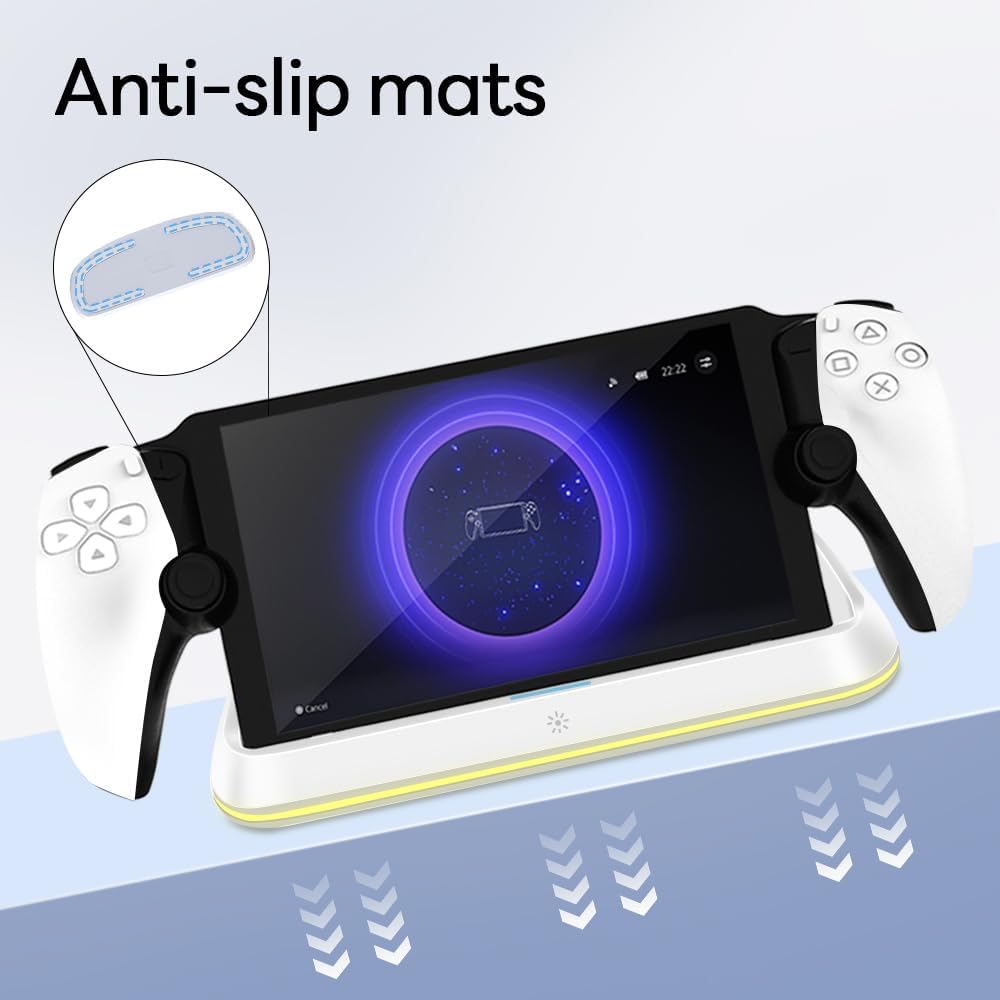
Figure 4.3: Anti-slip mats on the charging dock for enhanced stability.
- Ikusizko Gida: For a visual demonstration of the setup process, please refer to the video below.
Video 4.1: Demonstration of connecting the power supply and placing the PlayStation Portal onto the charging dock.
5. Funtzionamendu-argibideak
- Charging the PlayStation Portal: Once the PlayStation Portal is correctly seated on the dock and the dock is powered, charging will begin automatically. A full charge typically takes approximately 3.5 hours. The dock includes protection against over-current, over-voltage, eta beheko boltage to safeguard your device.

Figure 5.1: Charging indicators and safety protection features.
- RGB argiztapenaren kontrola: The charging dock features a touch-sensitive button to control the RGB lighting. Press the button to cycle through 7 different lighting modes or to turn the lights off.

Figure 5.2: RGB lighting modes and touch control button.
6. Mantentzea
- Keep the charging dock clean and free from dust. Use a soft, dry cloth for cleaning.
- Saihestu gailua muturreko tenperatura, hezetasun edo eguzki-argia zuzenaren eraginpean jartzea.
- Ez erabili garbitzaile edo disolbatzaile urratzailerik, gainazala kaltetu baitezakete.
- Ensure the charging port and connector are free of debris before placing the PlayStation Portal.
7. Arazoak
- Gailua ez da kargatzen:
- Ensure the Type-C cable is securely connected to both the dock and the power adapter.
- Egiaztatu korronte-egokitzailea behar bezala funtzionatzen duela eta entxufe bizi batera konektatuta dagoela.
- Check if the PlayStation Portal is properly seated on the charging connector.
- Try using a different Type-C cable or power adapter.
- RGB argiak ez dute funtzionatzen:
- Ziurtatu kargatzeko oinarria piztuta dagoela.
- Press the touch light button to cycle through modes or turn the lights on.
- Unstable placement:
- Ensure the dock is placed on a flat, level surface.
- Check if the anti-slip mats are clean and intact.
8. Zehaztapenak
| Marka | AceGamer |
| Modelo zenbakia | PS-P-White |
| Gailu bateragarriak | PlayStation Ataria |
| Sarrera boltage | 5 Volt |
| Wattage | 7 Watt |
| Konektore mota | USB Type-C (for power input) |
| Ezaugarri bereziak | RGB Lighting, Fast Charging, Over-current Protection, Over-voltage Protection, Under-voltage Babesa |
| Neurriak | 22.5 x 8.9 x 8.4 cm gutxi gorabehera |
| Pisua | Gutxi gorabehera 290 g |
9. Bermea eta Laguntza
AceGamer products are designed and manufactured to the highest quality standards. For warranty information or technical support, please contact the retailer where you purchased the product or visit the official AceGamer webwebgunea bezeroarentzako arreta-zerbitzuko harremanetarako datuak lortzeko. Gorde erosketaren egiaztagiria berme-erreklamazioetarako.


