Sarrera
This manual provides essential information for the setup, operation, maintenance, and troubleshooting of your Pro-Ject Debut EVO 2 Audiophile Turntable. Please read these instructions carefully before using the turntable to ensure proper function and longevity of the product.
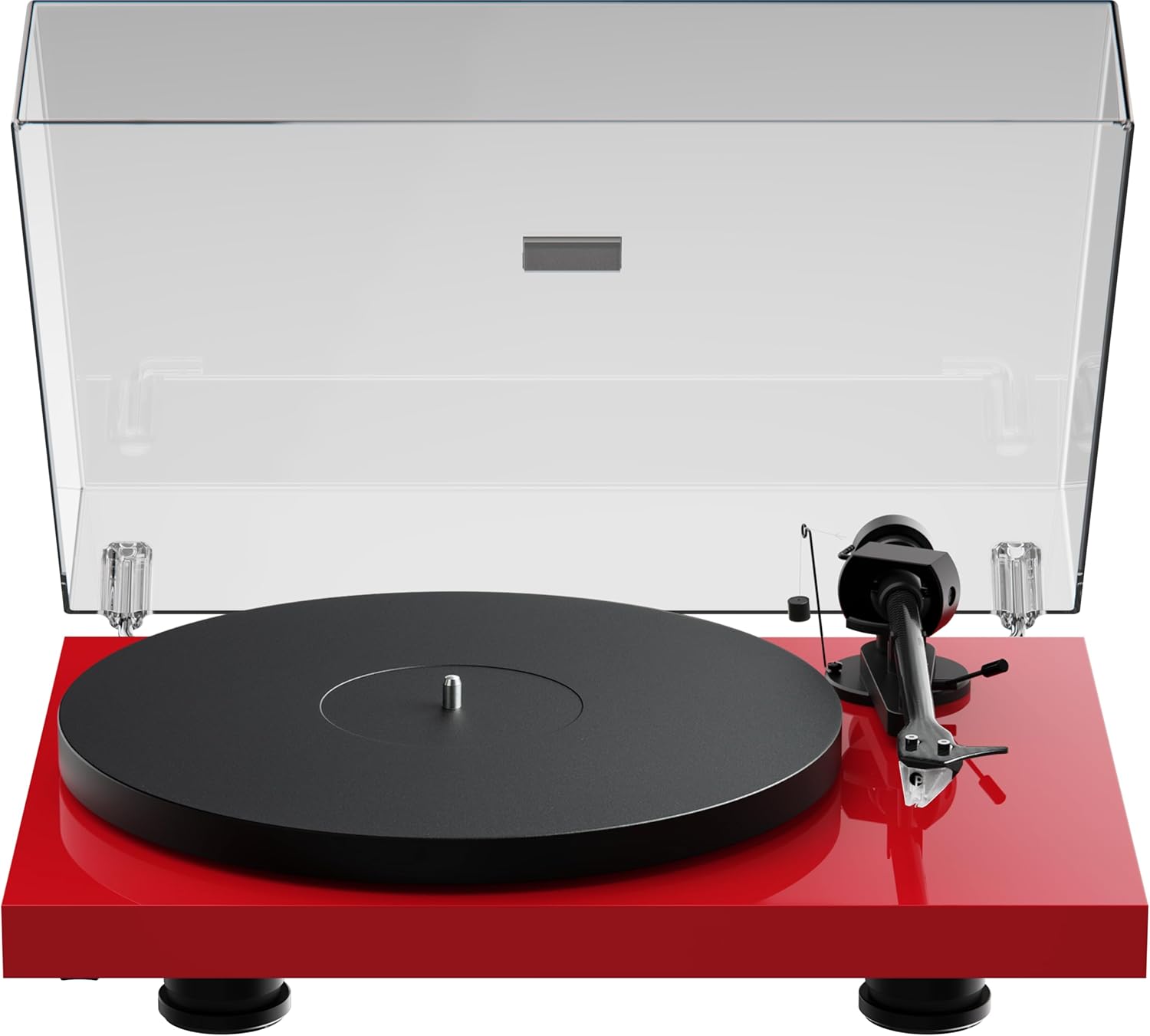
Image: The Pro-Ject Debut EVO 2 turntable in High Gloss Red, featuring a clear dust cover, platter, and tonearm.
Segurtasun-argibideak
- Always disconnect the turntable from the power supply before cleaning or maintenance.
- Ez ukitu korronte-kablea esku bustiekin.
- Avoid placing the turntable near water or excessive moisture.
- Ensure the turntable is placed on a stable, level surface to prevent vibrations and ensure proper operation.
- Keep packaging materials, especially plastic bags, away from children.
Kutxan dagoena
Carefully unpack all items from the packaging. Please ensure all components listed below are present and undamaged.
- Pro-Ject Debut EVO 2 turntable
- Transparent Dustcover
- Connection Cable (RCA)
- Elikatze-moldagailua
- Lerrokadura-Protractor
- Single Adapter (for 45 RPM records with large center holes)
- platter
- Gidatzeko Gerrikoa
- Kontrapisua
- Patinajearen aurkako pisua
- Pick it MM EVO Cartridge (pre-mounted)
Konfigurazioa
1. Kokapen
Place the turntable on a firm, level surface, away from direct sunlight, heat sources, and excessive vibration. Ensure adequate ventilation around the unit.
2. Plater eta gerrikoaren instalazioa
- Place the main platter onto the sub-platter spindle.
- Carefully loop the drive belt around the sub-platter and the motor pulley. Ensure the belt is not twisted.

Irudia: Xehetasun zehatza view of the turntable's belt drive system, showing the belt wrapped around the sub-platter and motor pulley.
3. Tonearm Balance and Tracking Force
The Pick it MM EVO cartridge is pre-mounted. Follow these steps to set the tracking force:
- Kendu arkatza babeslea.
- Place the counterweight onto the rear of the tonearm.
- Adjust the counterweight until the tonearm floats freely and is perfectly balanced horizontally.
- Rotate the tracking force dial (the numbered ring on the counterweight) to '0' without moving the counterweight itself.
- Rotate the entire counterweight counter-clockwise until the desired tracking force is set. Refer to the cartridge specifications for the recommended tracking force (typically 1.8g for the Pick it MM EVO).
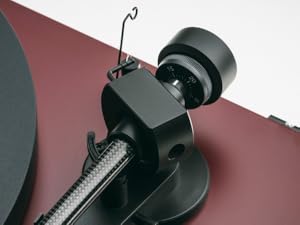
Image: A close-up of the carbon fiber tonearm, illustrating its construction and connection points.
4. Irristaketaren aurkako doikuntza
The anti-skating mechanism counteracts the inward force on the tonearm. Attach the anti-skating weight's thread to the second groove of the anti-skating stub for the recommended tracking force.

Image: The anti-skating weight hanging from its thread, attached to the tonearm's anti-skating stub.
5. Konektatzea Ampbiziagoa
Connect the turntable's RCA output cables to the 'Phono' input of your ampargitzaile. Zure bada ampLifterrak ez du 'Phono' sarrera dedikaturik, kanpoko phono aurrebista bat beharko duzu.ampbiziagoa.
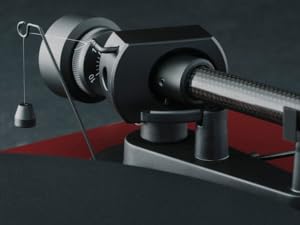
Image: The rear panel of the turntable, displaying the RCA output jacks for audio connection and the power input.
6. Dust Cover Installation
Insert the hinges of the transparent dust cover into the designated slots at the rear of the turntable plinth.
Funtzionamendua
1. Piztu/Itzali
Connect the power adapter to the turntable and a wall outlet. The turntable is powered on by pressing the power button, usually located on the underside or side of the plinth.
2. Abiadura Hautaketa
The Debut EVO 2 features electronic speed selection. Use the speed selector switch (often a button on the plinth) to switch between 33 1/3 RPM and 45 RPM. For 78 RPM records, a special belt and stylus may be required (not included).
3. Disko bat erreproduzitzea
- Jarri disko bat platerean.
- Hautatu erreprodukzio-abiadura zuzena.
- Altxa besoa seinaleztapen palanka erabiliz.
- Jarri besoa diskoaren hasierako ildo nahi duzunaren gainean.
- Gently lower the tonearm using the cueing lever. The stylus will begin playing the record.
4. Erreprodukzioa gelditzea
At the end of a record, or when you wish to stop playback:
- Altxa besoa seinaleztapen palanka erabiliz.
- Itzuli tonu-besoa bere atsedenlekura.
- Lower the cueing lever.
- Turn off the turntable if not playing another record.
Mantentzea
1. Garbiketa
- Turntable Plinth and Dust Cover: Use a soft, lint-free cloth to wipe surfaces. For stubborn marks, a slightly damp cloth can be used, followed by a dry one. Avoid abrasive cleaners.
- Platerua: Clean the platter surface with a soft, dry cloth.
2. Arkatzaren zaintza
- Regularly clean the stylus using a dedicated stylus cleaning brush, brushing gently from back to front.
- Avoid touching the stylus with your fingers.
- Replace the stylus when signs of wear are apparent (e.g., distorted sound, increased surface noise). The Pick it MM EVO cartridge is designed for easy stylus replacement.

Irudia: Xehetasun zehatza view of the Pick it MM EVO cartridge mounted on the tonearm, highlighting its design.
3. Gerrikoa ordezkatzea
The drive belt may stretch or degrade over time. If you notice inconsistent speed or reduced torque, the belt may need replacement. Contact Pro-Ject support or an authorized dealer for a replacement belt.
Arazoak konpontzea
If you encounter issues with your turntable, consult the following table before contacting support.
| Arazoa | Kausa posiblea | Irtenbidea |
|---|---|---|
| Botererik ez | Kable elektrikoa ez dago konektatuta; Entxufea akastuna | Check power connections; Try a different outlet |
| Soinurik ez edo bolumen txikia | Sarrera okerra hautatu da amplifier; Cables loose; Stylus protector still on; Amplifier not set to 'Phono' input | Select correct input; Check all cable connections; Remove stylus protector; Use a phono preamplifikatzailea behar izanez gero |
| Soinu distortsionatua | Incorrect tracking force; Damaged stylus; Dirty stylus; Incorrect anti-skating setting | Adjust tracking force; Inspect/clean/replace stylus; Adjust anti-skating |
| Abiadura koherentea | Drive belt worn or loose; Motor pulley dirty | Replace drive belt; Clean motor pulley |
| Burrunba zarata | Ground wire not connected; Interference from other electronics | Ensure ground wire is connected; Move turntable away from other electronics |
Zehaztapenak
- Ereduaren izena: Debut EVO 2
- Marka: Proiektua
- Elementuaren eredu-zenbakia: 9120129864930
- Produktuaren neurriak: 16.4 x 12.6 x 4.5 hazbete (41.6 x 32 x 11.4 cm)
- Elementuaren pisua: 13.2 libra (6 kilogramo)
- Materiala: Carbon Fiber (tonearm)
- Motor mota: Gerriko-Drive
- Seinalearen formatua: Fonoa
- Dakarten osagaiak: Turntable, transparent dustcover, connection cable, power adapter, alignment protractor, single adapter
- Gailu bateragarriak: Amplifier, Hizlari
- Fabrikatzailea: Pro-Ject Audio Sistemak
Bermea
Pro-Ject Audio Systems offers a warranty for this product. Please refer to the warranty card included with your purchase or visit the official Pro-Ject webwebgunean bermearen baldintza zehatzak ikusteko. Gorde erosketaren frogagiria bermearen erreklamazioetarako.
Key Warranty Feature: 25-year spare parts availability guarantee, ensuring long-term support for your turntable.
Laguntza
For further assistance, technical support, or spare parts, please contact your authorized Pro-Ject dealer or visit the official Pro-Ject Audio Systems webgunea:
- Pro-Ject Store: Visit the Pro-Ject Store on Amazon
- Fabrikatzailea: Pro-Ject Audio Sistemak


