Sarrera
The Genius NX-7000 is a 2.4 GHz wireless mouse designed for comfort and versatility. Featuring BlueEye technology, it offers precise tracking on various surfaces. Its ambidextrous design ensures comfortable use for both left and right-handed users. This manual provides essential information for setting up, operating, maintaining, and troubleshooting your NX-7000 wireless mouse.
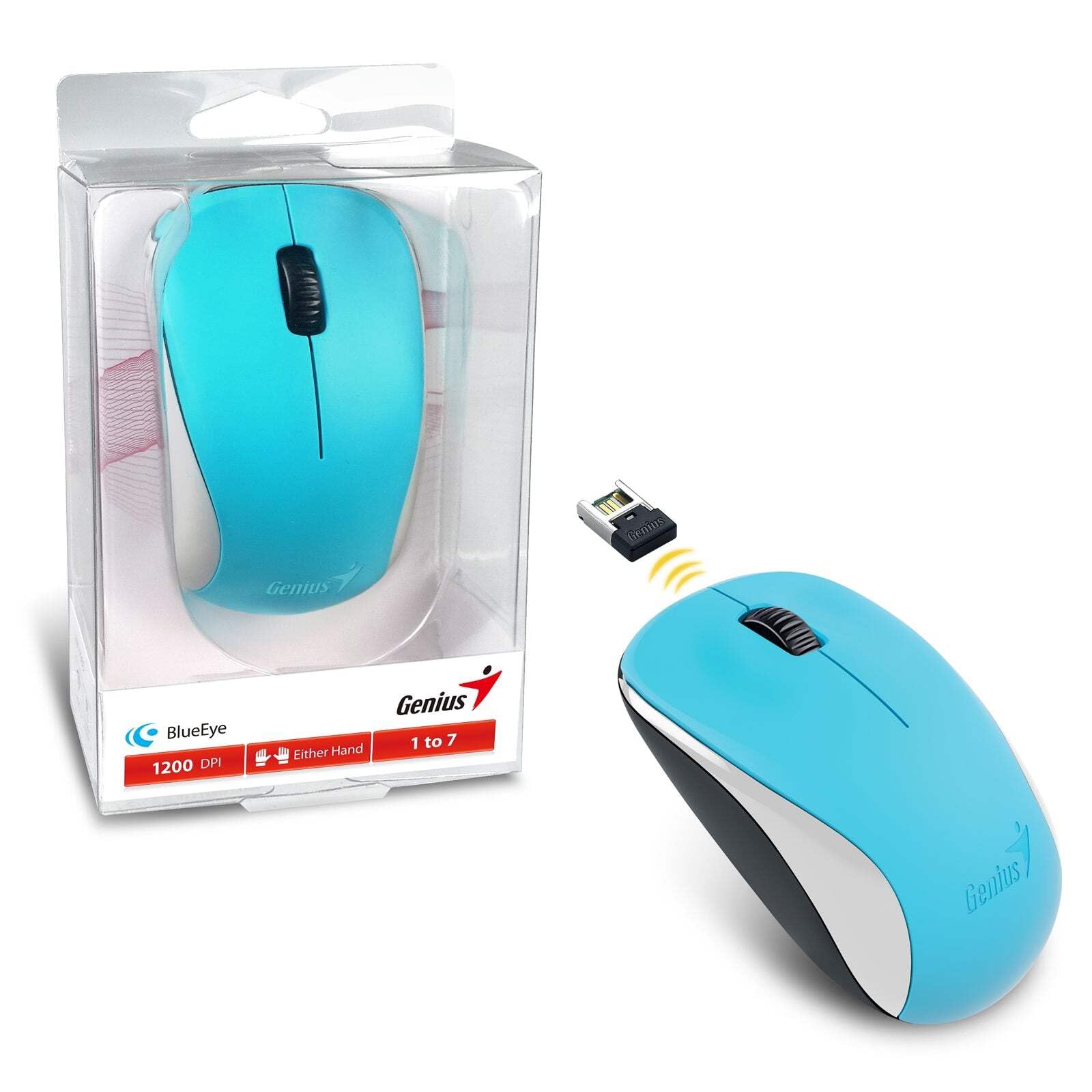
Image: The Genius NX-7000 wireless mouse in blue, shown alongside its compact USB pico receiver. The mouse features a contoured, ambidextrous design with a scroll wheel and two main buttons. The packaging is visible on the left.
Konfigurazioa
1. Sistemaren eskakizunak
- Operating System: Windows 7, 8, 8.1, 10 or Mac OS X 10.8 or later.
- Eskuragarri dagoen USB ataka.
- One AA battery (for mouse power).
2. Bateriaren instalazioa
- Bilatu bateriaren konpartimentuaren estalkia saguaren azpialdean.
- Irristatu edo altxatu estalkia konpartimentua irekitzeko.
- Sartu AA pila bat, ziurtatu terminal positiboak (+) eta negatiboak (-) konpartimentuaren barruko markekin behar bezala lerrokatuta daudela.
- Itxi bateriaren konpartimenduaren estalkia ondo.
3. Connecting the USB Pico Receiver
- Remove the USB pico receiver from its storage slot on the bottom of the mouse.
- Plug the USB pico receiver into an available USB port on your computer.
- Your computer should automatically detect and install the necessary drivers for the mouse. This may take a few moments.
- Behin kontrolatzaileak instalatuta, sagua erabiltzeko prest dago.
Funtzionamendu-argibideak
Oinarrizko Funtzionamendua
- Ezkerreko botoia: Primary click function, typically used for selecting items, opening files, or activating links.
- Eskuineko botoia: Bigarren mailako klik funtzioa, normalean testuinguru menuak irekitzeko erabiltzen dena.
- Scroll Wheel (Middle Button): Dokumentuetan mugitzeko edo web pages. Pressing the scroll wheel can also act as a middle click button, often used for opening links in new tabs.
BlueEye Technology
The NX-7000 utilizes 1000dpi BlueEye technology, which provides enhanced tracking accuracy. This technology allows the mouse to function reliably on a wide variety of surfaces, including those that are typically challenging for optical mice, such as dusted glass, marble, sofas, or carpets.
SmartGenius Software (Optional)
For advanced customization, you can download and install the SmartGenius software from the official Genius website. This software allows you to adjust DPI levels and other performance settings to suit your personal preferences, enhancing your user experience.
Pico Receiver Storage
When traveling or not using the mouse, the USB pico receiver can be conveniently stored inside a dedicated slot on the bottom of the mouse. This prevents loss and protects the receiver.
Unifying Genius Mice
The NX-7000 receiver is designed to work with other compatible Genius wireless mice. This feature allows you to use a single receiver for multiple Genius wireless devices, reducing the number of USB ports required and offering greater mobility if you own several Genius wireless products.
Mantentzea
- Garbiketa: Erabili zapi leun eta lehor bat sagua garbitzeko. Zikinkeria egoskorra bada, garbitu pixka bat.ampGarbitu zapiarekin urarekin. Saihestu produktu kimiko gogorrak edo garbitzaile urratzaileak erabiltzea.
- Bateria ordezkatzea: Replace the AA battery when the mouse performance degrades or it stops responding. Always dispose of used batteries responsibly according to local regulations.
- Biltegiratzea: When not in use for extended periods, remove the battery to prevent leakage. Store the mouse and receiver in a cool, dry place.
- Saihestu muturreko baldintzak: Ez jarri sagua tenperatura altuen, eguzki-argiaren eraginpean edo hezetasun gehiegizkoaren eraginpean.
Arazoak konpontzea
| Arazoa | Balizko Kausa / Irtenbidea |
|---|---|
| Saguak ez du erantzuten. |
|
| Kurtsorearen mugimendua irregularra edo jauzilaria da. |
|
| Mouse buttons or scroll wheel not working. |
|
Zehaztapenak
| Ezaugarri | Xehetasuna |
|---|---|
| Modelo zenbakia | 31030027402 |
| Konexio mota | Haririk gabekoa (2.4 GHz) |
| Sensor Engine | Begi Urdina |
| Bereizmena (DPI) | 1200 DPI (Adjustable via SmartGenius software) |
| Botoi kopurua | 3 (Left, Right, Middle button with scroll wheel) |
| Diseinua | Ambidextrous, Contoured |
| Energia iturria | 1 x AA bateria |
| Neurriak (W x H x D) | 60 x 105 x 37 mm (2.36 x 4.13 x 1.46 hazbete) |
| Pisua | 85 g (0.19 lb) |
| Eskuragarri dauden koloreak | Ocean Blue, Spring Green, Elegant White, Passion Red, Calm Black |
Bermea eta Laguntza
For information regarding warranty coverage, technical support, or service, please refer to the warranty card included with your product or visit the official Genius website. You can typically find support resources, FAQs, and contact information for customer service there.
Official Genius Webgunea: www.geniusnet.com


