1. Sarrera
Thank you for choosing the Intenso Buds Plus TWS T313AE Wireless Earbuds. These earbuds are designed to provide a superior audio experience with advanced features such as Active Noise Cancellation (ANC), Environmental Noise Cancellation (ENC), and Bluetooth 5.4 connectivity. This manual provides essential information for setting up, operating, and maintaining your earbuds.
2. Paketearen edukia
Mesedez, egiaztatu paketea elementu hauek dituen:
- Intenso Buds Plus TWS Earbuds (Left and Right)
- Kargatzeko kaxa
- USB kargatzeko kablea
- Belarri-punten tamaina anitzekoak
- Erabiltzailearen eskuliburua
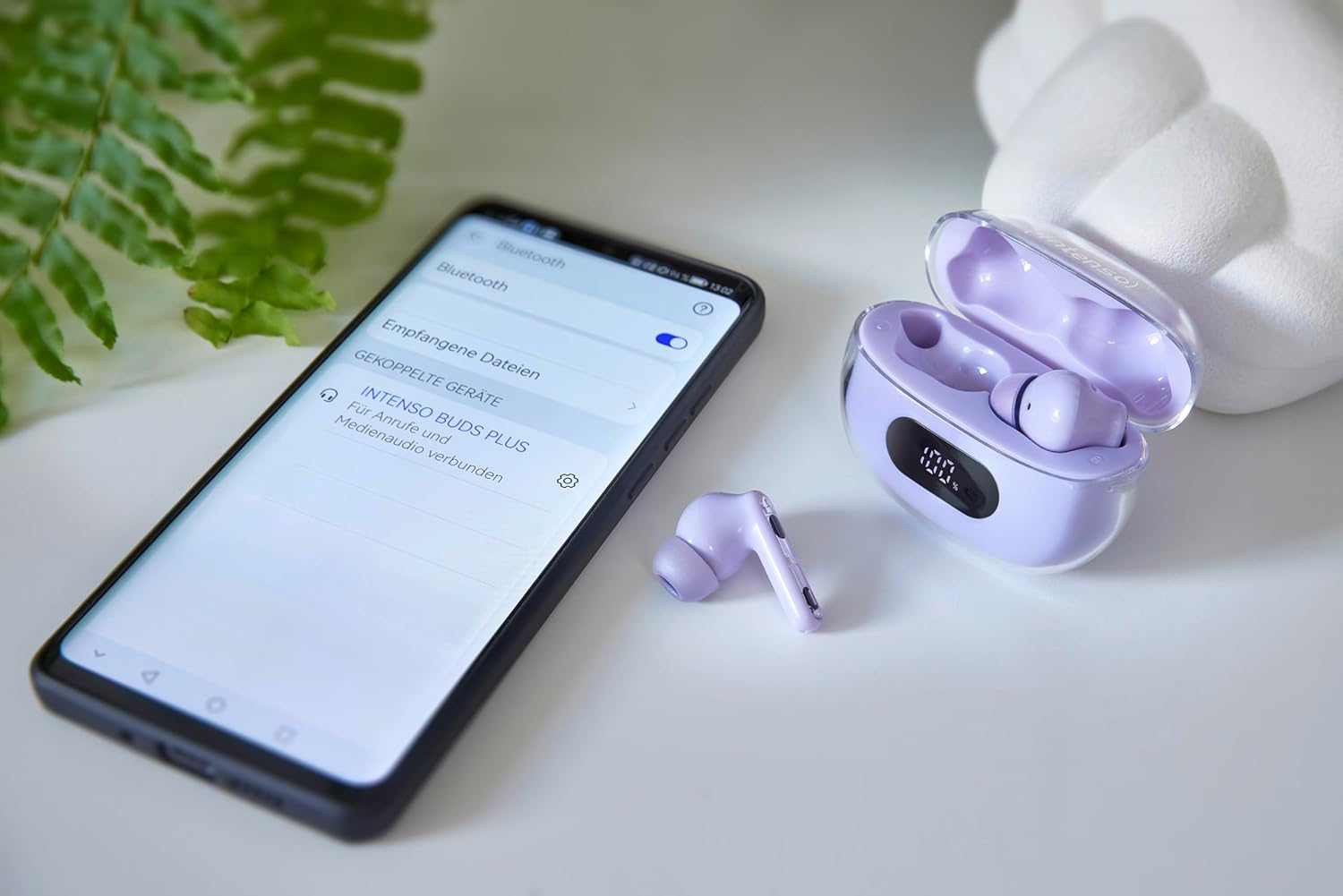
Image: Intenso Buds Plus TWS earbuds, charging case, and a smartphone displaying Bluetooth pairing settings.
3. Produktua amaitu daview
The Intenso Buds Plus TWS earbuds feature a compact design with a transparent charging case. The earbuds are equipped with touch controls and integrated microphones for clear communication.

Image: Earbuds in open charging case with digital display.

Image: Features highlighted: ANC, ENC, and LED display.

Image: Charging case with 100% battery display.

Image: Close-up of individual earbuds.
4. Konfigurazioa
4.1 Entzungailuak eta zorroa kargatzea
Before first use, fully charge the earbuds and the charging case. The charging case features an LED display to indicate the battery level.
- Jarri entzungailuak kargatzeko zorroan.
- Konektatu kargatzeko zorroa USB elikatze-iturri batera emandako USB kablea erabiliz.
- Kaxako LED pantailak kargatze-egoera erakutsiko du.
- A full charge typically takes approximately 1.5 to 2 hours for the case and earbuds.

Image: LED status display on the charging case.
4.2 Bluetooth parekatzea
The Intenso Buds Plus earbuds utilize Bluetooth 5.4 for a stable and fast connection.
- Ziurtatu entzungailuak kargatuta daudela eta kargatzeko zorroaren barruan daudela.
- Ireki kargatzeko zorroa. Aurikularrak automatikoki sartuko dira parekatze moduan.
- Zure gailuan (smartphone-a, tableta, ordenagailu eramangarria), joan Bluetooth ezarpenetara.
- Bilatu available devices and select "Intenso Buds Plus" from the list.
- Behin konektatuta, baieztapen-tonu bat entzungo duzu, eta entzungailuak erabiltzeko prest egongo dira.

Image: Earbuds and case next to a smartphone.
5. Funtzionamendu-argibideak
5.1 Ukitu Kontrolak
The earbuds feature intuitive touch controls for managing audio playback, calls, and noise cancellation modes.
- Erreproduzitu/Pausatu: Sakatu bakar batean entzungailu batean.
- Hurrengo ibilbidea: Sakatu birritan eskuineko entzungailuan.
- Aurreko pista: Sakatu bi aldiz ezkerreko entzungailuan.
- Deia erantzun/amaitu: Sakatu bakar batean entzungailu batean.
- Deia baztertu: Eduki sakatuta aurikularretako bat 2 segundoz.
- Bolumena igo: Sakatu hiru aldiz eskuineko entzungailuan.
- Bolumena jaitsi: Sakatu hiru aldiz ezkerreko entzungailuan.
- Aktibatu Ahots Laguntzailea: Sakatu eta eutsi entzungailuetako bat 3 segundoz (dei batean ez zaudenean).
5.2 Noise Cancellation Modes (ANC, ENC, Transparency)
The earbuds offer various modes to control your listening environment:
- Zarata kentzea aktiboa (ANC): Inguruko zarata murrizten du, audioan zentratu ahal izateko.
- Ingurumeneko zarata deuseztatzea (ENC): Enhances voice clarity during calls by filtering out background noise.
- Gardentasun modua: Ingurua entzuteko aukera ematen dizu audioaz gozatzen duzun bitartean, ingurune jendetsuetan kontzientzia izateko erabilgarria.
To switch between ANC, Transparency, and Normal modes, press and hold the touch area on the left earbud for 2 seconds. ENC is automatically active during calls.
5.3 Bateriaren iraupena
The earbuds provide up to 7 hours of playback on a single charge. The charging case extends the total playtime to approximately 25 hours, allowing for multiple recharges on the go.

Image: Illustration of battery life with and without charging case.
6. Mantentzea
To ensure the longevity and optimal performance of your Intenso Buds Plus earbuds, follow these maintenance guidelines:
- Garbiketa: Garbitu aldizka entzungailuak eta kargatzeko zorroa oihal leun, lehor eta lihorik gabeko batekin. Ez erabili garbitzaile edo disolbatzaile urratzailerik.
- Belarrietarako aholkuak: Kendu belarri-puntak aldian-aldian eta garbitu ur eta xaboi leunarekin. Ziurtatu guztiz lehor daudela berriro jarri aurretik.
- Kontaktuak kargatzeko: Keep the charging contacts on both the earbuds and inside the case clean and free of debris to ensure proper charging.
- Biltegiratzea: Erabiltzen ez dituzunean, gorde entzungailuak kargatzeko zorroan hautsetik eta kalteetatik babesteko.
- Uraren erresistentzia: The earbuds are water-resistant. Avoid submerging them in water or exposing them to excessive moisture. Dry them thoroughly if they get wet.
7. Arazoak
Entzungailuekin arazorik baduzu, jo ezazu honako ohiko irtenbide hauetara:
| Arazoa | Kausa posiblea | Irtenbidea |
|---|---|---|
| Entzungailuak ez dira parekatzen | Low battery; Bluetooth off; Earbuds not in pairing mode; Device already connected to another Bluetooth device. | Charge earbuds and case; Ensure Bluetooth is enabled on your device; Place earbuds in case, close, then open to re-enter pairing mode; Disconnect from other devices. |
| Soinurik ez | Volume too low; Earbuds not connected; Audio source paused. | Increase volume on earbuds and device; Reconnect earbuds; Check audio playback on your device. |
| Soinu-kalitate eskasa | Ear tips not properly sealed; Earbuds dirty; Interference. | Try different size ear tips for a better fit; Clean earbuds and ear tips; Move closer to your device or away from sources of interference. |
| Aurikularrak ez dira kargatzen | Charging cable faulty; Charging contacts dirty; Power source issue. | Try a different USB cable; Clean charging contacts; Use a different USB port or power adapter. |
8. Zehaztapenak
| Ereduaren izena | Buds Plus |
| Modelo zenbakia | 3720313 |
| Marka | Intentsoa |
| Konektibitate Teknologia | Haririk gabekoa (Bluetooth 5.4) |
| Belarrien Kokatzea | Belarri barnean |
| Forma-faktorea | Belarri barnean |
| Zarata Deuseztatzea | Zarata Aktiboko Ezeztapena (ANC), Ingurumen Zarata Ezeztapena (ENC) |
| Kontrol mota | Ukitu Kontrola |
| Ezaugarri bereziak | Noise Cancellation, Volume Control, Touch Control, Noise Isolation, Lightweight |
| Bateriaren konposizioa | Litio-polimeroa |
| Bateria kargagarria | Bai |
| Jolas-ordua (aurikularra) | Gehienez 7 ordu |
| Jolas-denbora osoa (zorroarekin) | Gehienez 25 ordu |
| Uraren Erresistentzia Maila | Urarekiko erresistentea |
| Materiala | Plastikoa |
| Gailu bateragarriak | Mobile phone, Tablet, Laptop, Game console, Car audio system |
9. Bermea eta Laguntza
Intenso products are designed for reliability and performance. For warranty information, technical support, or customer service inquiries, please refer to the contact details provided on the Intenso official webgunea edo zure erosketa-dokumentazioa.
Gorde erosketaren egiaztagiria bermearen erreklamazioetarako.


