1. Sarrera
This manual provides detailed instructions for the PESTON 4-Pack Silicone Slim AirTag Card Holder. Please read this guide thoroughly to ensure proper use and care of your product. This holder is designed to securely integrate your Apple AirTag with various personal items, offering a discreet and efficient way to track your belongings.
2. Produktua amaitu daview
2.1 Ezaugarri nagusiak
- Integraziorik gabekoa: Designed for Apple AirTags, fitting perfectly into standard card slots.
- Ultimate Protection: High-grade silicone shields AirTags from scratches and damage.
- Iraunkorra eta arina: Crafted from high-quality silicone, adding minimal bulk and weight.
- Erabiltzeko erraza: Simple slide-in design ensures secure placement of your AirTag.
- Versatile and Stylish: Suitable for wallets, purses, backpacks, and clutch bags.
2.2 Zer dago kutxan
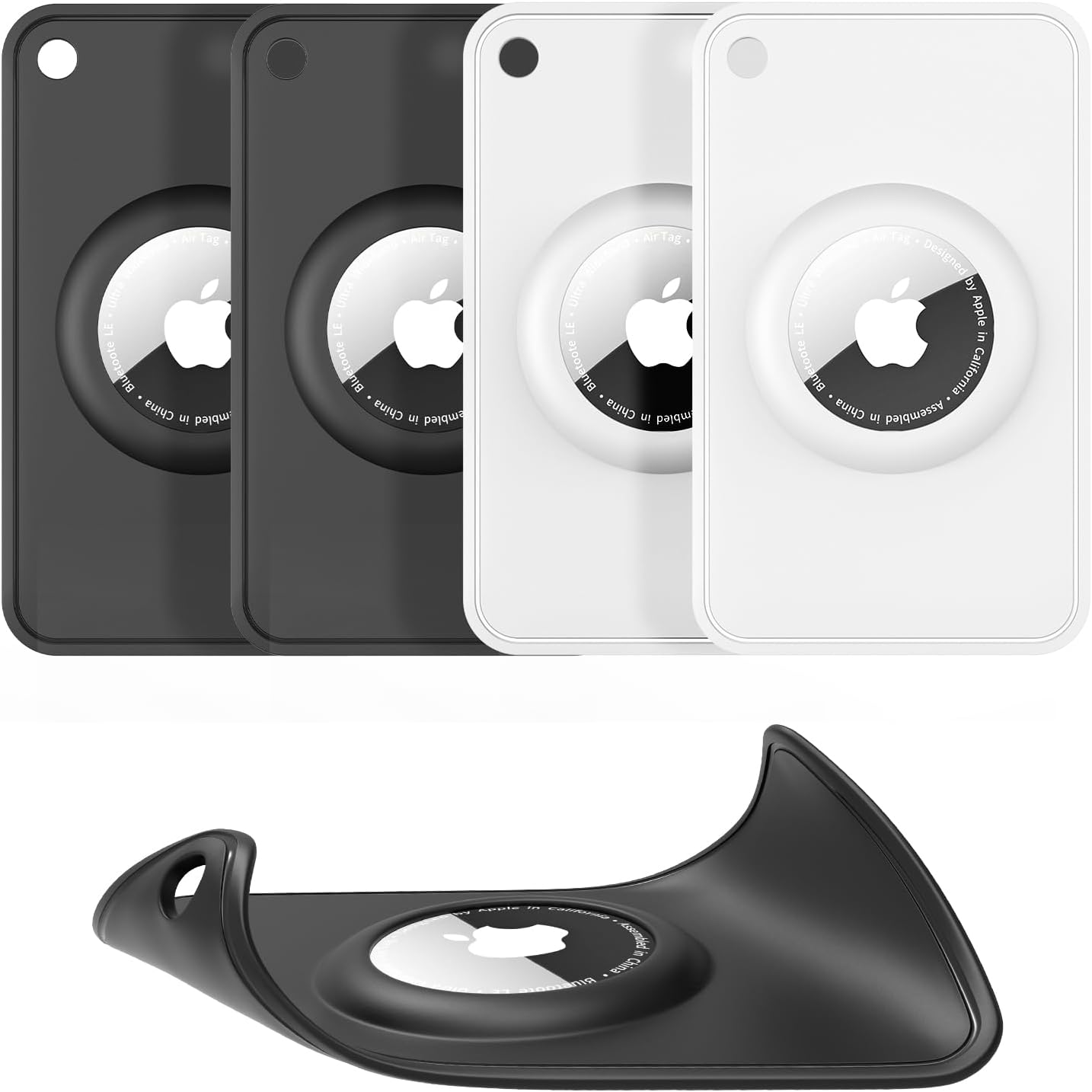
- 4 x PESTON Silicone Slim AirTag Card Holders (Black & White)
3. Konfigurazioa
3.1 Inserting Your AirTag
- Gently slide your Apple AirTag into the designated circular opening on the silicone card holder.
- Apply slight pressure around the edge of the AirTag to ensure it is fully seated and secure within the holder. The precise cutouts are designed for a snug fit.
- Once the AirTag is in place, the holder can be inserted into any standard card slot in your wallet, purse, or backpack.

4. Funtzionamendu-argibideak
4.1 Placement in Wallets and Card Slots
The PESTON AirTag Card Holder is designed to fit seamlessly into standard credit card slots. Its ultra-thin profile ensures it does not add significant bulk to your wallet. Simply slide the holder with the AirTag into an available card slot.

4.2 Erabilera polifazetikoa
Beyond wallets, the card holder can be used in various other items:
- Purses and Handbags: Place it in an internal pocket or card slot.
- Motxilak: Utilize internal compartments or card sleeves.
- Clutch Bags: Its slim design makes it ideal for smaller bags.
- Gakoak: The holder features a small loop for attaching to keyrings.

4.3 Tracking Your Valuables
Once your AirTag is securely placed in the holder and positioned within your item, you can use the Apple Find My app on your iOS device to track its location. The holder ensures the AirTag remains discreetly hidden while providing reliable tracking capabilities.

5. Mantentzea
5.1 Garbiketa jarraibideak
The silicone material of the AirTag card holder is washable. To clean, simply remove the AirTag and gently wash the holder with mild soap and water. Rinse thoroughly and allow it to air dry completely before reinserting your AirTag.

6. Arazoak
6.1 AireaTag Not Staying Securely in Place
Ensure the AirTag is fully pressed into the circular cutout of the holder. The design is intended to lock the AirTag in place, preventing it from slipping out. If the AirTag feels loose, double-check its seating within the holder.

6.2 Signal Interference
The silicone material of the PESTON AirTag Card Holder is designed to be thin and non-obstructive, ensuring it does not interfere with the AirTag's signal transmission. If you experience signal issues, verify that the AirTag itself is functioning correctly and is not obstructed by other dense materials in your wallet or bag.

7. Zehaztapenak
| Ezaugarri | Xehetasuna |
|---|---|
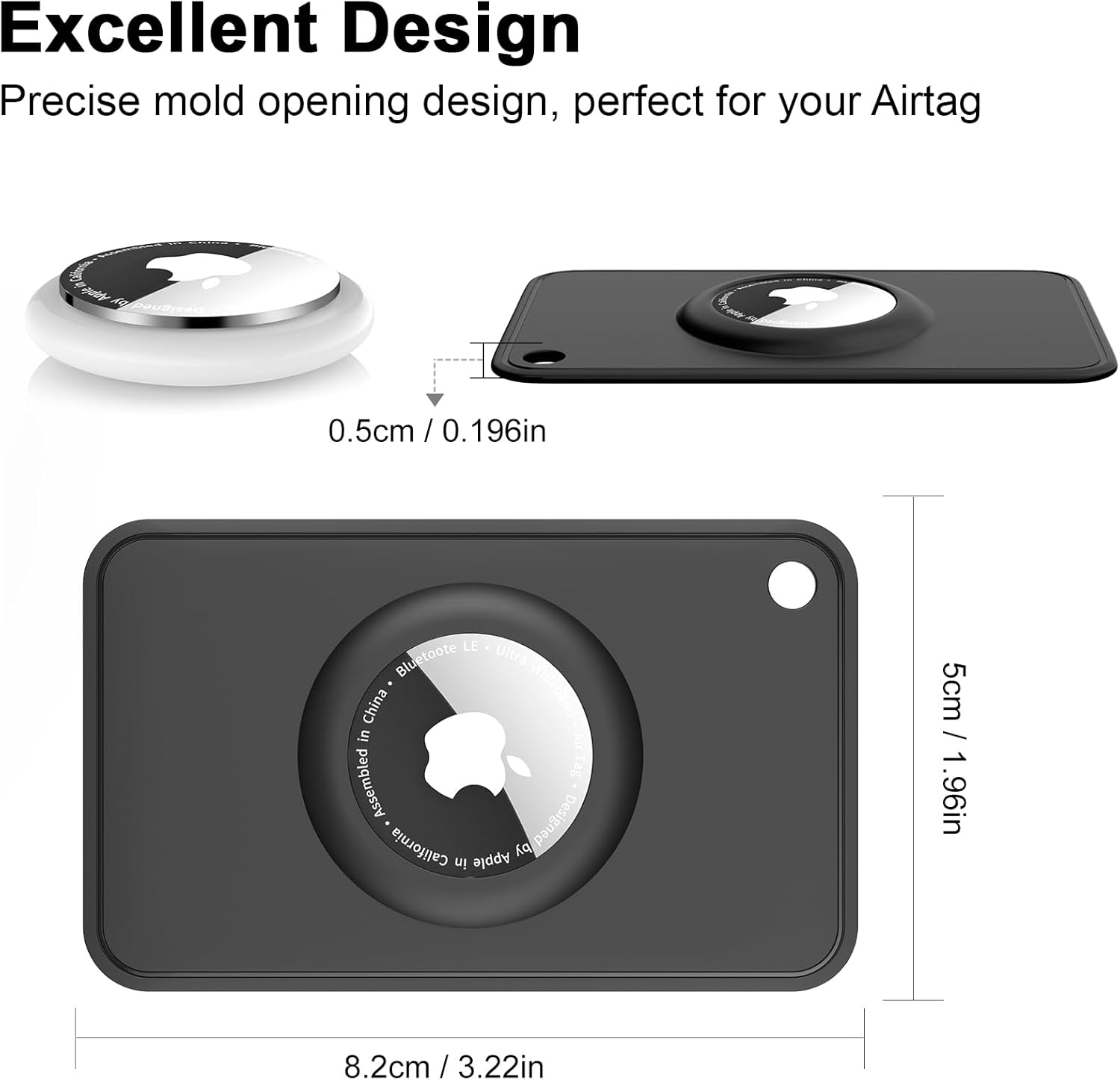
| Produktuaren neurriak | 3.23 x 1.97 x 0.2 hazbete (8.2 x 5 x 0.5 cm) |
| Elementuaren pisua | 1.06 ontza |
| Materiala | High-Quality Silicone (Soft Shell Type) |
| Kolorea | Black & White (4-Pack) |
| Ezaugarri bereziak | Scratch Resistant, Shockproof, Washable |
| Gailu bateragarriak | sagar aireaTag |
| Fabrikatzailea | PESTON |
8. Bermea eta Laguntza
For warranty information or product support, please refer to the official PESTON webwebgunearekin edo jarri harremanetan zure saltzailearekin. Gorde erosketa-agiria berme-erreklamazioetarako.
You can visit the PESTON store for more products and information: PESTON Store on Amazon

