Sarrera
This manual provides detailed instructions for the setup, operation, and maintenance of your Peakeep Digital Alarm Clock Model 810. Please read this manual thoroughly before using the device to ensure proper function and longevity.
Produktua amaituview
The Peakeep Digital Alarm Clock Model 810 is a versatile device featuring a dimmable LED colorful screen, dual alarms, temperature display, snooze function, and USB rechargeable capability. It is designed for use in various indoor settings such as bedrooms, living rooms, and offices.
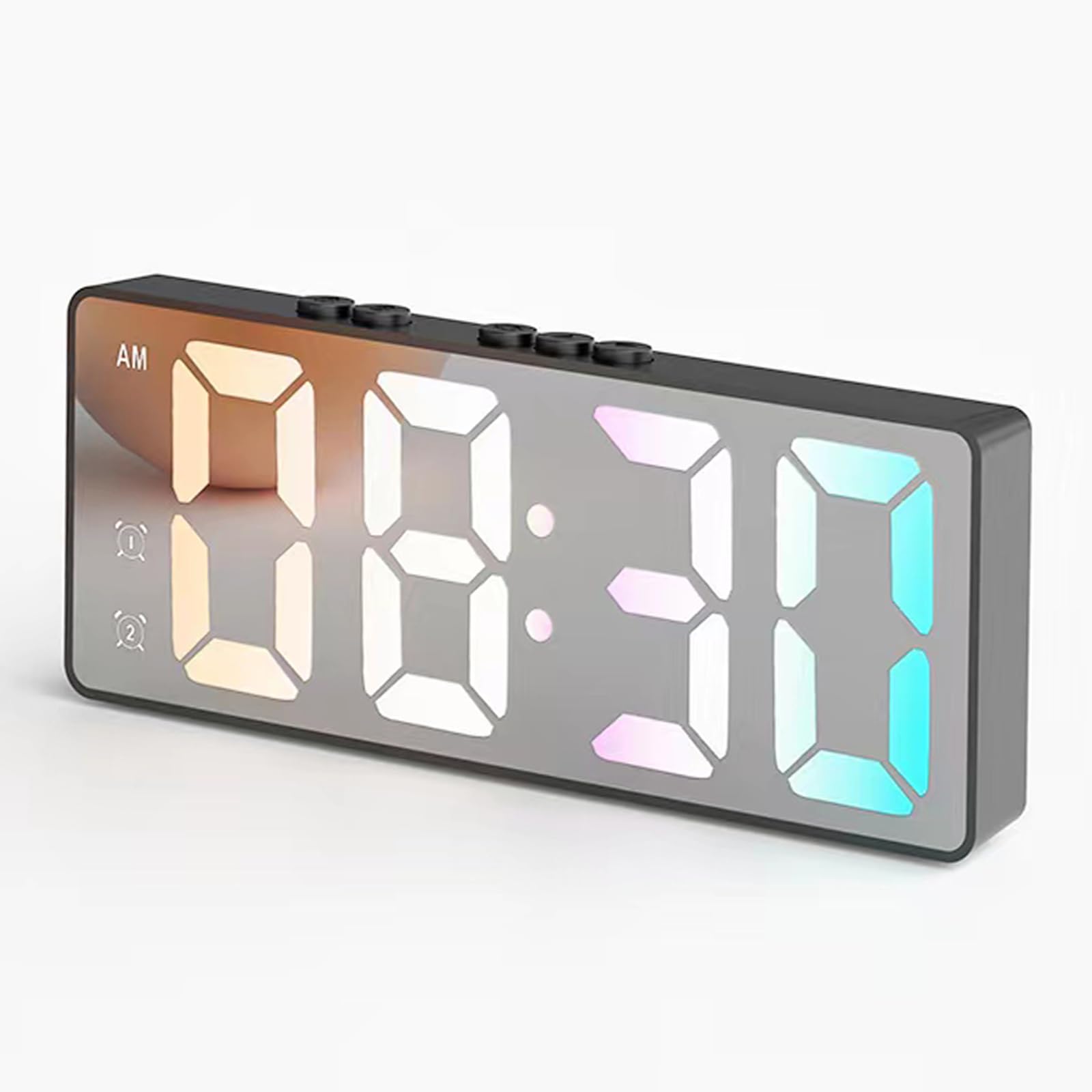
Irudia: Aurrealdea view of the Peakeep Digital Alarm Clock displaying 08:30 AM with multi-colored LED digits.
Konfigurazio Argibideak
1. Hasierako potentzia eta kargatzea
The alarm clock can be powered via USB or its built-in battery. For continuous display, plug the USB cable into a power source. If powered by the built-in battery, the screen will automatically turn off after 10 seconds of inactivity to conserve power. To activate the screen, press any button.
The alarm clock will erase previous time and alarm settings if the battery runs out completely. Recharge the alarm clock every 5-6 days to prevent this. A USB cable is included; the power adapter is not.
Image: Product dimensions and location of the charging port on the back of the alarm clock.

Image: The alarm clock being charged via a USB cable plugged into a wall adapter.
2. Denboraren ezarpena
Ordua ezartzeko:
- Long press the "Set Up" button (gear icon) for approximately 3 seconds until the "Hour" digits begin blinking.
- Use the "Up" (triangle) or "Down" (inverted triangle) buttons to adjust the hour.
- Press the "Set Up" button again to move to the "Minutes" setting.
- Use the "Up" or "Down" buttons to adjust the minutes.
- Press the "Set Up" button to confirm and complete the time setting.
You can also short press the "Up" or "Down" buttons to switch between 12-hour and 24-hour display formats.
Video: Demonstration of setting the time and switching between 12H/24H format on the Peakeep Digital Alarm Clock.
3. Alarma ezarpena
Erlojuak bi alarma independente onartzen ditu.
- Press the "Alarm 1" button (bell icon with '1') to enter Alarm 1 setting mode. The "Hour" digits will blink.
- Use the "Up" or "Down" buttons to adjust the alarm hour.
- Press the "Set Up" button to move to the "Minutes" setting.
- Use the "Up" or "Down" buttons to adjust the alarm minutes.
- Press the "Set Up" button to confirm and complete Alarm 1 setting.
- Repeat the process for "Alarm 2" by pressing the "Alarm 2" button (bell icon with '2').
To cancel a set alarm: Short press the corresponding "Alarm" button. The alarm icon will blink. Long press the "Alarm" button until the alarm icon disappears from the display. This indicates the alarm is canceled.

Image: The alarm clock displaying two distinct alarm settings for different daily activities.
Video: Demonstration of setting and canceling alarms on the Peakeep Digital Alarm Clock.
Funtzionamendu-argibideak
1. Distira doitzea
The clock features 3 levels of adjustable brightness. Short press the "Down" button (inverted triangle) to cycle through high, medium, and low brightness settings. This ensures comfortable viewing without disturbance, especially during sleep.

Image: The alarm clock displaying three distinct brightness levels: high, medium, and low.
Video: Demonstration of adjusting the brightness levels on the Peakeep Digital Alarm Clock.
2. Errepikapen funtzioa
When the alarm rings, press the "Down" button to enter snooze mode. This provides a 5-minute snooze, which can be repeated up to 3 times. To turn off snooze mode, long-press the "Down" button for 3 seconds. To stop the alarm for the day when it rings, long-press the "Down" button for 3 seconds. This will not affect the next day's alarm.
Video: Demonstration of using the snooze function and stopping the alarm on the Peakeep Digital Alarm Clock.
3. Tenperatura bistaratzea
The clock can display the room temperature. Short press the "Set Up" button to view the indoor temperature. The temperature can be switched between Celsius (°C) and Fahrenheit (°F) by pressing the "Up" button while the temperature is displayed.

Image: The alarm clock displaying "23°C" for room temperature monitoring.
Video: Demonstration of viewing and switching temperature units on the Peakeep Digital Alarm Clock.
Mantentzea
To ensure optimal performance and longevity of your Peakeep Digital Alarm Clock, follow these maintenance guidelines:
- Garbiketa: Erabili zapi leun eta lehor bat pantaila eta c garbitzeko.asing. Avoid abrasive cleaners or solvents, as they may damage the surface.
- Biltegiratzea: When not in use for extended periods, store the clock in a cool, dry place away from direct sunlight and extreme temperatures.
- Bateria zaintzea: Recharge the built-in battery regularly (every 5-6 days) to prevent complete discharge, which can lead to loss of settings.
- Saihestu ura: Gailu hau ez da iragazgaitza. Mantendu uretatik eta hezetasun handitik urrun.
Arazoak konpontzea
If you encounter issues with your Peakeep Digital Alarm Clock, refer to the following common troubleshooting steps:
- Pantaila hutsik edo ilun dago:
- Ensure the USB cable is securely plugged in for continuous display.
- If running on battery, tap any button to activate the screen.
- Check the brightness setting (short press "Down" button).
- Recharge the clock if the battery is low.
- Time or alarm settings are lost:
- This usually occurs if the built-in battery is completely depleted. Recharge the clock and reset the time and alarms.
- Alarmak ez du jotzen:
- Ensure the alarm is set correctly and the alarm icon is visible on the display.
- Check if the volume is not set to zero (if applicable, though not specified in JSON).
- Tenperatura irakurketa okerra:
- Ensure the clock is not placed near heat sources or in direct sunlight, which can affect sensor accuracy.
Arazoak jarraitzen badute, jarri harremanetan bezeroarentzako arreta-zerbitzuarekin.
Zehaztapenak
| Marka | Peakeep |
| Modelo zenbakia | 810 |
| Kolorea | Kolore anitzekoa |
| Bistaratzeko mota | Digitala |
| Estiloa | Modernoa |
| Ezaugarri bereziak | Adjustable Brightness, Alarm, LED Display, Snooze |
| Produktuaren neurriak | 16.5Z x 6.5A zentimetro |
| Energia iturria | Bateriak (USB kargagarria) |
| Gela Mota | Logela, egongela, bulegoa |
| Forma | Laukizuzena |
| Barruko/Kanpoko erabilera | Barruan |
| Materiala | Plastikoa, akrilonitrilo butadieno estirenoa |
| Elementuaren pisua | 170 g |
Bermea eta Laguntza
For warranty information or technical support, please refer to the product packaging or contact Peakeep customer service directly. Keep your purchase receipt as proof of purchase for any warranty claims.


