1. Sarrera
Eskerrik asko erosketagatik.asing the Salange HY300Pro Mini Projector. This manual provides essential information for setting up, operating, and maintaining your projector. Please read it thoroughly before use to ensure optimal performance and longevity of your device.
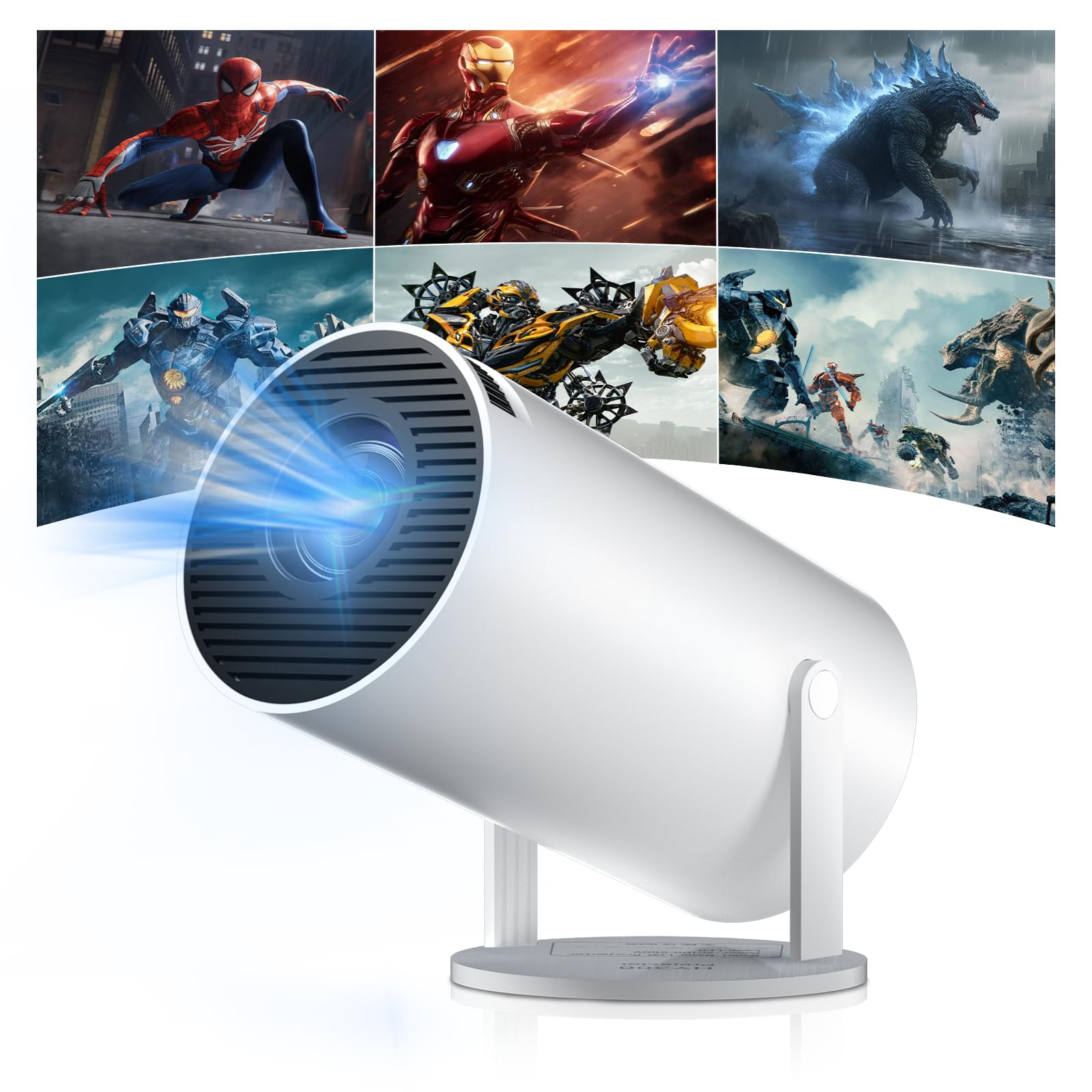
Figure 1: Salange HY300Pro Mini Projector
2. Produktua amaitu daview
Ezaugarri nagusiak
- Dual-Band WiFi 6 & Bluetooth 5.4: Ensures fast and stable network connectivity and seamless audio pairing with external speakers or headphones.
- Android 11.0 sistema eragilea: Supports installation of various applications directly on the projector for versatile entertainment and productivity.
- 4K Support & Native 720P Resolution: Delivers clear and vibrant images, supporting 1080P and 4K video playback.
- 180°ko biraketa: Flexible projection angles for various setups, including ceiling, wall, or angled surfaces.
- Automatic Keystone Correction & Manual Focus: Intelligently corrects image distortion and allows for fine-tuning clarity.
- Diseinu trinkoa eta eramangarria: Weighs only 700g, making it easy to transport for outdoor activities or different rooms.

2 Irudia: Gainetikview of Salange HY300Pro features including 8K support, WiFi 6, Bluetooth 5.4, 180° rotation, and auto keystone correction.
Kutxan dagoena
- 1 x Salange HY300Pro Projector
- 1 x Erabiltzailearen eskuliburua
- 1 x Elikatze-kablea
- 1 x Urruneko kontrola

Figure 3: Contents of the Salange HY300Pro package.
3. Konfigurazioa
3.1 Desontziratzea eta kokatzea
- Kontu handiz kendu osagai guztiak ontzitik.
- Jarri proiektorea gainazal egonkor eta lau batean. Ziurtatu gailuaren inguruan aireztapen egokia dagoela.
- The projector's 180° rotation feature allows flexible placement. Adjust the projector's angle to project onto a wall, ceiling, or screen as desired.

Figure 4: Projector demonstrating 180-degree rotation for various projection surfaces.
3.2 Energia-konexioa
Connect the provided power cable to the projector's power input and then to a power outlet.
3.3 Hasierako piztea eta fokuaren doikuntza
- Sakatu proiektagailuko pizteko botoia edo urrutiko agintea gailua pizteko.
- The projector features automatic keystone correction. It will intelligently detect and correct image distortion to ensure a square image.
- For fine-tuning the image clarity, use the manual focus adjustment ring on the projector.

Figure 5: Illustration of automatic keystone correction and manual focus adjustment.
3.4 Sare konexioa (WiFi)
- Joan proiektorearen hasierako pantailan dagoen 'Ezarpenak' menura.
- Hautatu 'Sarea eta Internet' eta gaitu Wi-Fia.
- Choose your desired Wi-Fi network from the list and enter the password if prompted. The projector supports dual-band 2.4G + 5G WiFi 6 for fast and stable connections.

Figure 6: Visual representation of the projector's WiFi 6 capabilities for ultra-fast streaming.
3.5 Bluetooth parekatzea
- From the 'Settings' menu, select 'Connected Devices' or 'Bluetooth'.
- Gaitu Bluetootha eta bilatu eskuragarri dauden gailuak.
- Hautatu zure Bluetooth bozgorailua edo entzungailuak zerrendatik parekatzeko.

Figure 7: Projector connected to various Bluetooth audio devices.
3.6 Kanpoko gailuak konektatzea
The projector supports HDMI and USB connections.
- HDMI: Connect your laptop, game console, Blu-ray player, or TV stick using an HDMI cable. Select the corresponding HDMI input source from the projector's input menu.
- USBa: Sartu USB unitate bat multimedia erreproduzitzeko files directly. Access the files through the media player application on the Android OS.
4. Funtzionamendu-argibideak
4.1 Android sistema eragilean nabigatzea
The Salange HY300Pro runs on Android 11.0, providing a smart TV experience.
- Use the remote control to navigate through the home screen, applications, and settings.
- The interface is intuitive, similar to an Android smartphone or tablet.

Figure 8: Projector displaying the Android OS home screen with various streaming apps.
4.2 Aplikazioen kudeaketa
You can install and manage applications directly on the projector.
- Access the app store (e.g., Google Play Store) to download streaming services, games, and productivity tools.
- To uninstall an app, go to 'Settings' > 'Apps' and select the desired app.
4.3 Pantaila islatzea
Mirror your smartphone or tablet screen to the projector wirelessly.
- Ziurtatu zure gailua eta proiektorea Wi-Fi sare berera konektatuta daudela.
- On the projector, select the screen mirroring function (e.g., 'Miracast', 'AirPlay', or 'Screen Share').
- On your smartphone/tablet, enable screen mirroring and select the projector from the list of available devices.
4.4 Irudi eta soinu ezarpenak
Adjust various settings to optimize your viewesperientzia.
- Irudiaren ezarpenak: Access 'Settings' > 'Display' to adjust brightness, contrast, color, and aspect ratio.
- Soinu ezarpenak: Access 'Settings' > 'Sound' to adjust volume, sound mode, and output device.

Figure 9: Projector displaying a large image, illustrating its ability to create a home cinema experience.
5. Mantentzea
5.1 Lentea garbitzea
Erabili lente optikoetarako bereziki diseinatutako zapi leun eta lint-gabea proiektorearen lentea astiro-astiro garbitzeko. Ez erabili garbitzaile urratzailerik edo indar gehiegirik.
5.2 Aireztapena
Ensure the projector's ventilation vents are clear of dust and obstructions. Blocked vents can lead to overheating and reduced performance. Periodically clean the vents with a soft brush or compressed air.
5.3 Biltegiratzea
Denbora luzez erabiltzen ez baduzu, gorde proiektorea leku fresko eta lehor batean, eguzki-argitik eta muturreko tenperaturetatik babestuta. Erabili jatorrizko ontzia edo babes-zorro bat hautsa pilatzea eta kalteak saihesteko.
6. Arazoak
| Arazoa | Kausa posiblea | Irtenbidea |
|---|---|---|
| Ez da irudirik bistaratzen | Kable elektrikoa deskonektatuta; Sarrera-iturri okerra; Proiektorea itxarote-moduan. | Check power connection; Select correct HDMI/USB input; Press power button to wake up. |
| Irudia lausoa da | Fokua ez da doitu; Proiektorea pantailatik urrunegi/gertuegi dago. | Adjust manual focus ring; Ensure projector is within optimal projection distance. |
| Soinurik ez | Volume too low; Muted; Incorrect audio output selected; Bluetooth device not paired. | Increase volume; Unmute; Check audio settings; Re-pair Bluetooth device. |
| Wi-Fi/Bluetooth konexio arazoak | Incorrect password; Out of range; Interference. | Verify password; Move closer to router/device; Reduce interference from other electronics. |
| Urruneko kontrola ez dabil | Dead batteries; Obstruction; Not paired. | Aldatu bateriak; Kendu oztopoak; Beharrezkoa bada, berriro parekatu urrutiko agintea. |
7. Zehaztapenak
| Ezaugarri | Xehetasuna |
|---|---|
| Marka | Salange |
| Modelo zenbakia | X-HY300PRO |
| Seriea | Salange Mini Beamer |
| Kolorea | Zuria |
| Bistaratzeko mota | LCDa |
| Berezko Ebazpena | 1280 x 720p |
| Gehienezko pantailaren bereizmena | 3840 x 2160 (4K Supported) |
| Konektibitate Teknologia | Bluetooth, Wi-Fi (WiFi 6) |
| Hardware interfazea | Bluetooth, HDMI, USB |
| Gailu bateragarriak | Smartphones, Laptops, Game Consoles, Blu-ray Players, Media Players |
| Elementuaren neurriak (L x W x H) | 9.5 x 9.5 x 15.7 zentimetro |
| Ezaugarri bereziak | Wi-Fi Compatible, Digital Keystone Correction, Lightweight, Portable, 180° Rotation |
| Gomendatutako Erabilerak | Negozioak, Etxeko Zinema, Jokoak, Hezkuntza |
| Forma-faktorea | Eramangarria |
| Muntatze Mota | Mahai-muntaia |
8. Bermea eta Laguntza
For warranty information and technical support, please refer to the documentation included with your purchase or visit the official Salange webgunea. Gorde erosketaren egiaztagiria bermearen erreklamazioetarako.


