Sarrera
Thank you for choosing the VEVOR LED Lighted Liquor Bottle Display. This 2-tier, 16-inch acrylic display shelf is designed to enhance your home bar, commercial establishment, or any space requiring an illuminated display for bottles. Featuring RF remote and smart app control, it offers a wide range of static and dynamic multicolor lighting options. Please read this manual thoroughly before use to ensure proper setup, operation, and maintenance.
Segurtasun-argibide garrantzitsuak
- Do not overload shelves. Ensure the shelf is placed on a stable, level surface.
- Always follow the instructions in this user manual for safe installation and use.
- Mantendu gailua uretatik edo gehiegizko hezetasunetik urrun.
- Ez saiatu unitatea zeuk desmuntatzen edo konpontzen. Jarri harremanetan langile kualifikatuekin zerbitzua jasotzeko.
- Erabili emandako korronte-egokigailua soilik.
- Mantendu haurren eskura.
Paketearen edukia
Egiaztatu behean zerrendatutako elementu guztiak zure paketean sartuta daudela:
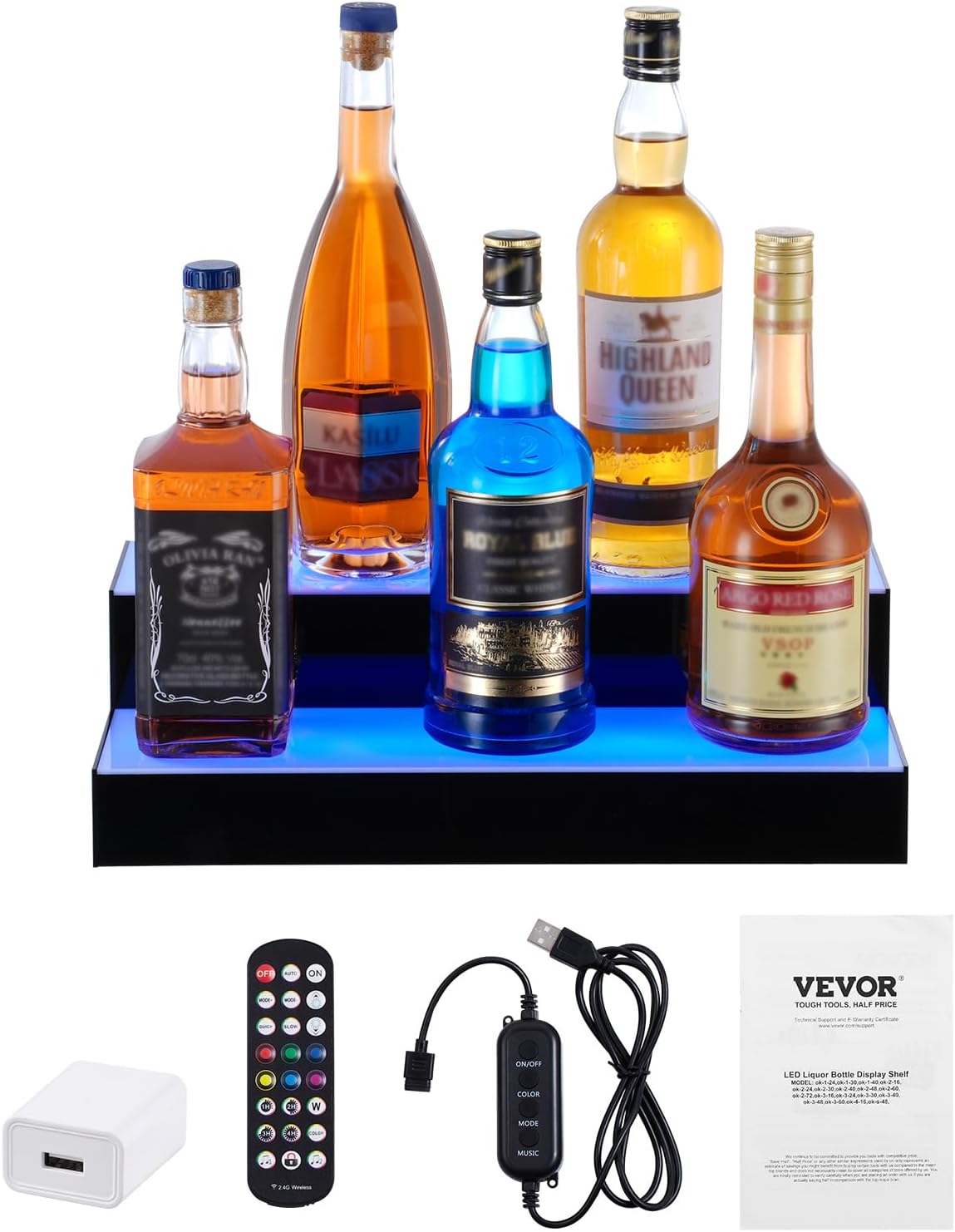
- 1 x LED Liquor Bottle Display Shelf
- 1 x 24-Key RF Remote
- 1 x USB Controller
- 1 x korronte egokitzailea
- 1 x Erabiltzailearen eskuliburua
- Mounting Brackets (for wall mounting, if desired)
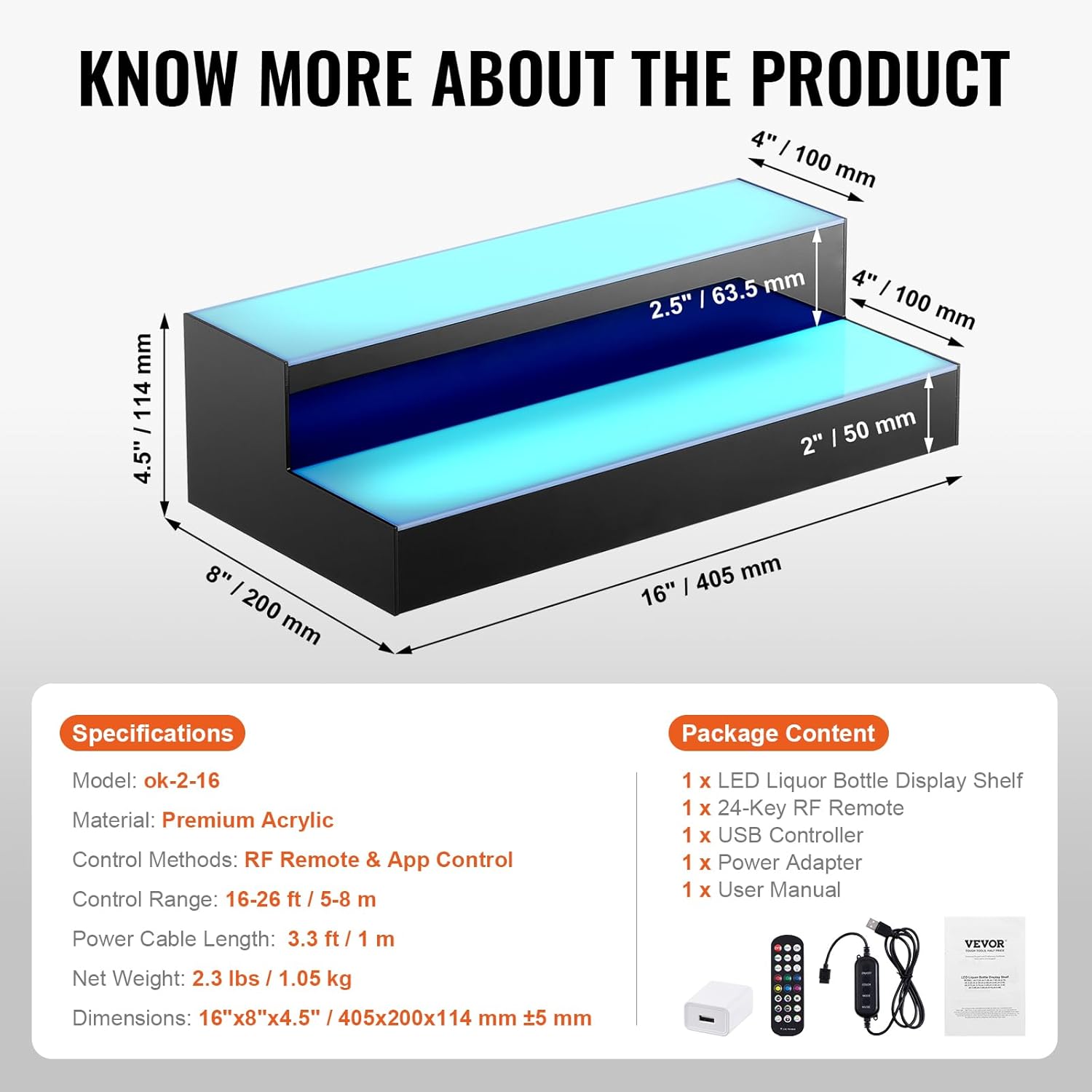
Zehaztapenak
| Ezaugarri | Xehetasuna |
|---|---|
| Eredua | ok-2-16 |
| Materiala | Akrilikoa |
| Muntatze Mota | Floor Mount (can be wall-mounted with brackets) |
| Apala Mota | Tiered Shelf (2 Steps) |
| Produktuaren neurriak (L x W x H) | 15.94" x 7.87" x 4.49" (405 x 200 x 114 mm) |
| Forma | L-forma |
| Akabera mota | Leundua |
| Kontrol-metodoak | RF Remote & App Control |
| Kontrol-eremua | 16-26 oin / 5-8 m |
| Elikatze-kablearen luzera | 3.3 oin / 1 m |
| Pisu garbia | 2.3 lb / 1.05 kg |
| Muntaia Beharrezkoa | Ez |
| Dakarten osagaiak | 1 x LED Liquor Bottle Display Shelf, 1 x 24-Key RF Remote, 1 x USB Controller, 1 x Power Adapter, 1 x User Manual |
Konfigurazioa
- Unpack the Display: Kontu handiz atera osagai guztiak paketetik. Egiaztatu kalterik dagoen.
- Lekua: Place the LED liquor bottle display on a stable, level surface. Ensure there is enough space for bottles and access to a power source. If wall-mounting, use the provided brackets and appropriate hardware for your wall type.
- Konektatu energia:
- Connect the USB controller to the display shelf.
- Connect the USB controller to the power adapter.
- Plug the power adapter into a standard 110-240V electrical outlet.
- Alternatively, for portable use, connect the USB controller to a laptop or power bank. Note that brightness may be slightly dimmer when powered by a laptop/power bank.
- Prepare Remote Control: Remove the plastic tab from the battery compartment of the RF remote control to activate it.

Funtzionamendu-argibideak
RF Urruneko Kontrola
The included 24-key RF remote allows for convenient control of the display's lighting effects from up to 26 feet (8 meters) away. Ensure the plastic tab is removed from the remote before first use.
- ON/OFF: Press the "ON" button to turn on the lights, and "OFF" to turn them off.
- AUTOA: Activates an automatic cycling of various lighting modes.
- MODUA+/-: Cycles through different dynamic lighting modes.
- ABIADURA+/-: Adjusts the speed of dynamic lighting effects.
- BRIGHTNESS+/-: Argien distira-maila doitzen du.
- Kolore estatikoak: Select from 7 preset static colors (Red, Green, Blue, White, Yellow, Cyan, Purple) using the dedicated color buttons.
- Tenporizadorea: Set the lights to turn off automatically after 1, 2, 3, or 4 hours.
- Music Rhythm Mode: Two modes (Music 1, Music 2) allow the lights to react to ambient sound or music.
- Urruneko blokeoa: Press the lock button to prevent accidental changes to settings.

Aplikazio adimenduna kontrolatzea
For advanced control and customization, download the dedicated smart app. Scan the QR code provided in the user manual or on the product packaging to download the app. The app offers:
- Kolore aukeraketa: Choose from 29 preset colors and a full color wheel for custom hues.
- Multiple DIY Modes: Create and save your own unique lighting effects.
- Musika Interfazea: Lights flash to the rhythm of music played through the app.
- Mikrofono Interfazea: Lights beat with the rhythm of sound detected by your phone's microphone.
- Denbora-interfazea: Schedule automatic turn on/off times.

Mantentzea
- Garbiketa: The polished acrylic surface is waterproof and easy to clean. Use a soft, damp cloth to wipe down the display. Avoid abrasive cleaners or solvents that could damage the acrylic.
- Biltegiratzea: When not in use for extended periods, disconnect the power and store the display in a dry, cool place.
Arazoak konpontzea
| Arazoa | Balizko Kausa / Irtenbidea |
|---|---|
| Argiak ez dira pizten. |
|
| Urruneko kontrola ez dabil. |
|
| App control is not connecting. |
|
| Lights are dim when using power bank. | This is normal. For full brightness, use the provided wall power adapter. |
Laguntza
For further assistance, technical support, or warranty inquiries, please refer to the contact information provided in your product's original packaging or visit the official VEVOR webgunea.
Bisitatu VEVOR denda Amazonen produktu eta informazio gehiago lortzeko.


