Sarrera
This manual provides essential instructions for the setup, operation, and maintenance of your SLuB ZW60 Smartwatch. Please read this guide thoroughly before using your device to ensure proper function and longevity. The SLuB ZW60 features a 1.43-inch touchscreen, Bluetooth 5.3 connectivity, music player capabilities, various sports modes, IP67 dust and water resistance, and comprehensive health monitoring functions.
Ohar garrantzitsua: The health management functions of this smartwatch are for reference only and cannot be used for medical purposes. This product is not a medical device.
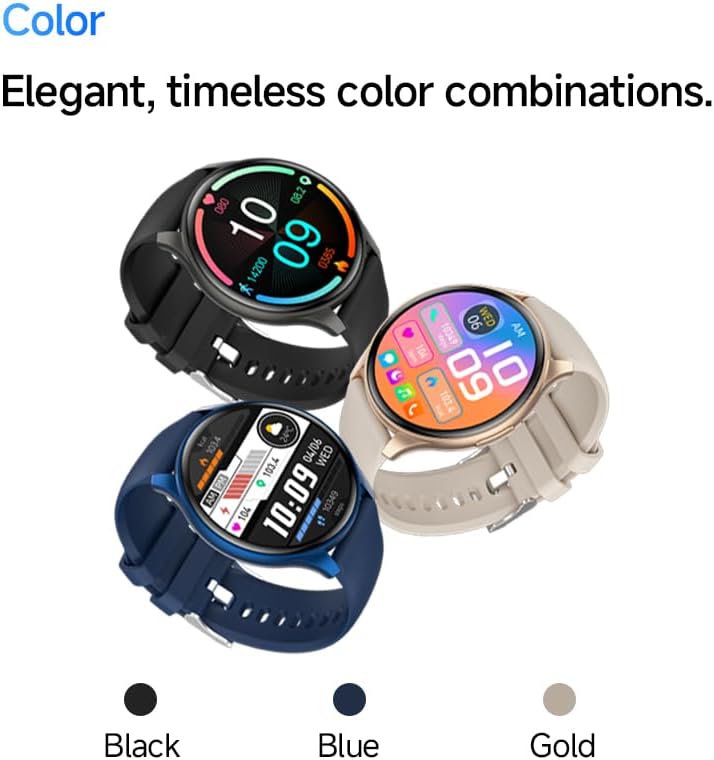
Image: The SLuB ZW60 Smartwatch in various color options (Black, Blue, Gold), highlighting its round display and overall design.
Kutxan dagoena
Paketea irekitzean, egiaztatu honako elementu guztiak daudela:
- SLuB ZW60 Smartwatch
- Kargatzeko kable magnetikoa
- Erabiltzailearen eskuliburua (dokumentu hau)

Image: Contents of the SLuB ZW60 Smartwatch package, showing the smartwatch, its magnetic charging cable, and the printed user manual.
Konfigurazioa
1. Erloju adimenduna kargatzea
Before initial use, fully charge your SLuB ZW60 Smartwatch. Connect the magnetic charging cable to the charging contacts on the back of the watch and plug the USB end into a standard USB power adapter (not included) or a computer's USB port. The watch display will indicate charging status. A full charge typically takes approximately 2 hours.
2. App Installation: H Band
To unlock the full functionality of your smartwatch, download and install the dedicated "H Band" application on your smartphone. Bilatu "H Band" in your device's app store (Google Play Store for Android or Apple App Store for iOS).

Image: The smartwatch screen showing a grid of colorful application icons, illustrating the "H Band" app integration and multi-menu screen options.
3. Bluetooth parekatzea
- Ziurtatu zure erloju adimenduna kargatuta eta piztuta dagoela.
- Gaitu Bluetootha zure telefonoan.
- Open the "H Band" app.
- Follow the in-app instructions to search for and connect to your SLuB ZW60 Smartwatch. The app will guide you through the pairing process.
- Berretsi parekatze eskaera zure telefonoan eta erloju adimendunean, eskatzen bazaizu.
Once paired, the smartwatch will synchronize data with the app and enable features like call notifications and message alerts.
Funtzionamendu-argibideak
Oinarrizko Nabigazioa
- Ukipen-pantaila: Irristatu ezkerrera, eskuinera, gora edo behera menuetan eta pantailetan nabigatzeko. Sakatu elementu bat hautatzeko.
- Alboko botoia: Typically used to wake the screen, return to the home screen, or access the app menu. Refer to the on-screen prompts for specific functions.
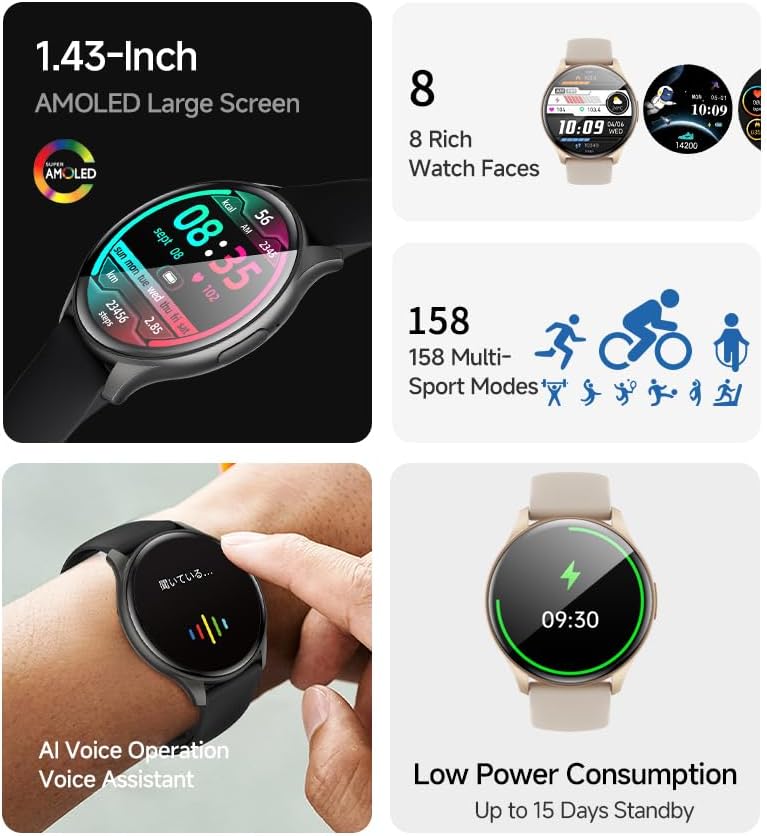
Irudia: Erloju adimendunen erakusketaasing its 1.43-inch AMOLED display with a customizable watch face, and visual cues for its 158 multi-sport modes, AI voice operation, and low power consumption.
Deitzeko funtzioa
With the smartwatch connected to your smartphone via Bluetooth, you can make and receive calls directly from your wrist. The built-in speaker and microphone allow for hands-free communication.
- Deiak egitea: Access the dial pad or contacts list on your smartwatch to initiate a call.
- Deiak jasotzea: When a call comes in, the smartwatch will display the caller ID. Tap the green icon to answer or the red icon to reject.
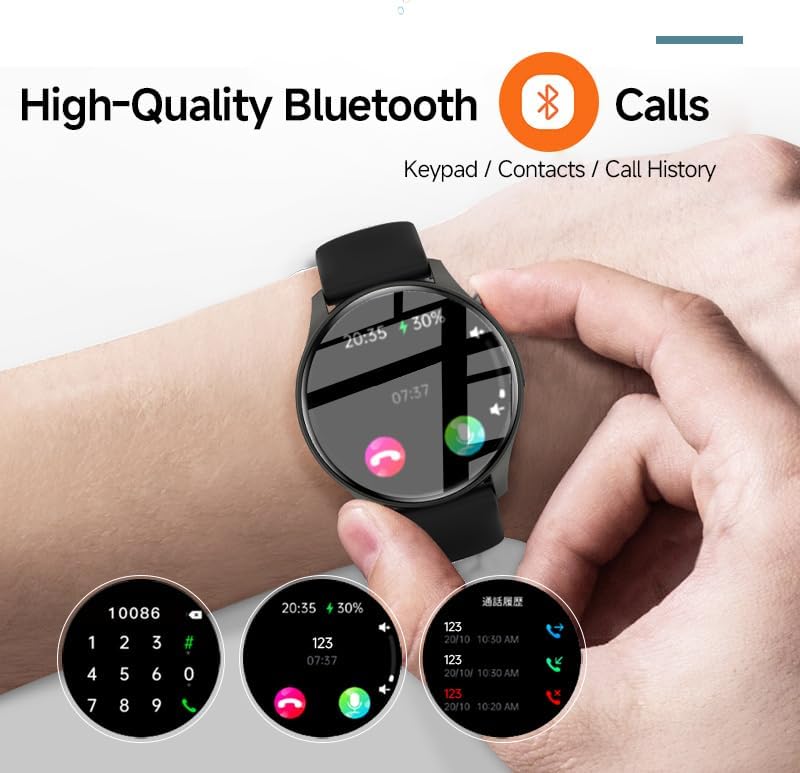
Image: The smartwatch screen showing the Bluetooth calling feature, including a numeric keypad for dialing, recent call history, and contact access.
Mezuen jakinarazpenak
Once paired with your smartphone, the smartwatch can display notifications from various apps, including emails, social media, and messaging services. This allows you to stay informed without needing to check your phone constantly.
- Ensure app notifications are enabled in your smartphone's settings and within the "H Band" app.
- Irristatu hatza behera erlojuaren aurpegian view azken jakinarazpenak.

Image: The smartwatch showing a message notification, indicating its ability to sync alerts from popular communication applications like WeChat, LINE, and others.
Health Management Functions
The SLuB ZW60 Smartwatch is equipped with multiple sensors to monitor various health metrics. Access these features through the watch menu or the "H Band" app.
- Bihotz taupadaren jarraipena: Continuously or periodically measures your heart rate.
- Loaren jarraipena: Zure loaren ereduak kontrolatzen ditu, lo sakona, lo arina eta esnatzeko orduak barne.
- Kaloria-kontsumoa: Estimates calories burned based on activity levels.
- Ariketa datuak: Records steps, distance, and other activity metrics.
Disclaimer: The data provided by these functions is for general wellness and fitness purposes only and should not be used for medical diagnosis or treatment.

Image: The smartwatch illustrating its 24-hour health management capabilities, including heart rate, body temperature, and sleep quality monitoring.
Kirol modalitateak
The smartwatch supports over 150 sports modes, allowing you to accurately track your workouts. Common modes include running, cycling, badminton, basketball, and football.
- Select your desired sport from the watch's sports menu.
- The watch will record duration, calories burned, and other relevant metrics for your activity.
- Review detailed statistics in the "H Band" app after your workout.
Musika erreproduzitzailearen kontrola
Control music playback on your connected smartphone directly from your smartwatch. You can play, pause, skip tracks, and adjust volume.
AI Ahots Laguntzailea
Utilize the integrated AI Voice Assistant for quick commands and information retrieval. Activate the assistant via the watch interface and speak your commands.
Erloju aurpegi pertsonalizagarriak
Choose from a variety of pre-installed watch faces or customize your own through the "H Band" app to match your style and display preferred information.
Mantentzea
Zure erloju adimenduna garbitzea
Garbiketa erregularrak zure gailuaren itxura eta funtzionaltasuna mantentzen laguntzen du.
- Garbitu pantaila eta gorputza zapi leun eta lihorik gabeko batekin.
- Zikinkeria egoskorrerako, apur bat lehortuampGarbitu oihalak urarekin. Saihestu produktu kimiko gogorrak edo material urratzaileak erabiltzea.
- Kargatu aurretik, ziurtatu kargatzeko kontaktuak garbi eta lehor daudela.
Urarekiko erresistentzia (IP67)
The SLuB ZW60 Smartwatch is rated IP67, meaning it is dust-tight and can withstand immersion in water up to 1 meter (3.3 feet) for up to 30 minutes. This makes it suitable for daily use, such as washing hands or light rain exposure.
- EZ use the watch for swimming, diving, or showering with hot water.
- Saihestu exposing the watch to high-pressure water or steam.
- Erlojua bustitzen bada, ondo lehortu kargatu edo erabili aurretik.
Bateriaren iraupenari buruzko aholkuak
- Murriztu pantailaren distira.
- Desgaitu beharrezkoak ez diren jakinarazpenak.
- Limit continuous heart rate monitoring if not required.
- Ensure the "H Band" app is running efficiently in the background on your phone.
Arazoak konpontzea
| Arazoa | Irtenbide posiblea |
|---|---|
| Erlojua ez da pizten. | Ziurtatu erlojua guztiz kargatuta dagoela. Konektatu kargagailura gutxienez 30 minutuz. |
| Ezin da telefonoarekin parekatu. |
|
| Jakinarazpenak ez dira jasotzen. |
|
| Osasun datu zehaztugabeak. |
|
| Pantailak ez du erantzuten. | Try restarting the watch by pressing and holding the side button until it powers off, then power it back on. |
Zehaztapenak
| Ezaugarri | Xehetasuna |
|---|---|
| Ereduaren izena | ZW60 |
| Marka | SLuB |
| Pantailaren tamaina | 1.43 hazbete |
| Bistaratzeko mota | AMOLED |
| Konektibitatea | Bluetooth 5.3 |
| Uraren Erresistentzia | IP67 (Hauts eta Urarekiko Erresistentea) |
| Produktuaren neurriak | 1.77 x 0.43 x 1.97 hazbete |
| Elementuaren pisua | 3.23 ontza (91.5 gramo) |
| Bateriaren iraupena | Up to 15 Days Standby |
| Aplikazio bateragarria | H Banda |
| Fabrikatzailea | SLuB |
Bermea eta Laguntza
For warranty information and technical support, please refer to the documentation included with your purchase or contact SLuB customer service. Contact details can typically be found on the manufacturer's official website or within the "H Band" application.
Sareko baliabideak: For the latest updates, FAQs, and additional support, visit the official SLuB webgunea.


