1. Sarrera
The Traceable Excursion-Trac Data Logging Thermometer is designed for precise and reliable temperature monitoring and data logging. This device is ideal for applications requiring continuous temperature tracking and historical data retrieval. It features a clear LCD display, alarm functions, and the ability to log a significant number of temperature observations.

Aurrealdea view of the Traceable Excursion-Trac thermometer, showing the main display, control buttons, connected bottle probe, and a USB flash drive for data transfer.
2. Konfigurazioa
2.1 Paketatzea
Osagai guztiak arretaz deskonprimitu. Paketeak honako hauek izan behar ditu:
- Traceable Excursion-Trac Data Logging Thermometer unit
- 1 Bottle Probe
- 2 AAA bateria
- Argibide eskuliburua (dokumentu hau)
2.2 Bateriaren instalazioa
- Kokatu bateriaren konpartimendua termometroaren atzealdean.
- Ireki konpartimenduaren estalkia.
- Sartu bi (2) AAA pila, polaritate zuzena (+/-) ziurtatuz.
- Itxi bateriaren konpartimentuaren estalkia ondo itxita. Gailua automatikoki piztuko da.
2.3 Zundaren konexioa
Connect the bottle probe cable to the designated probe input port (labeled P1 or P2) on the side of the thermometer unit. Ensure the connection is firm.

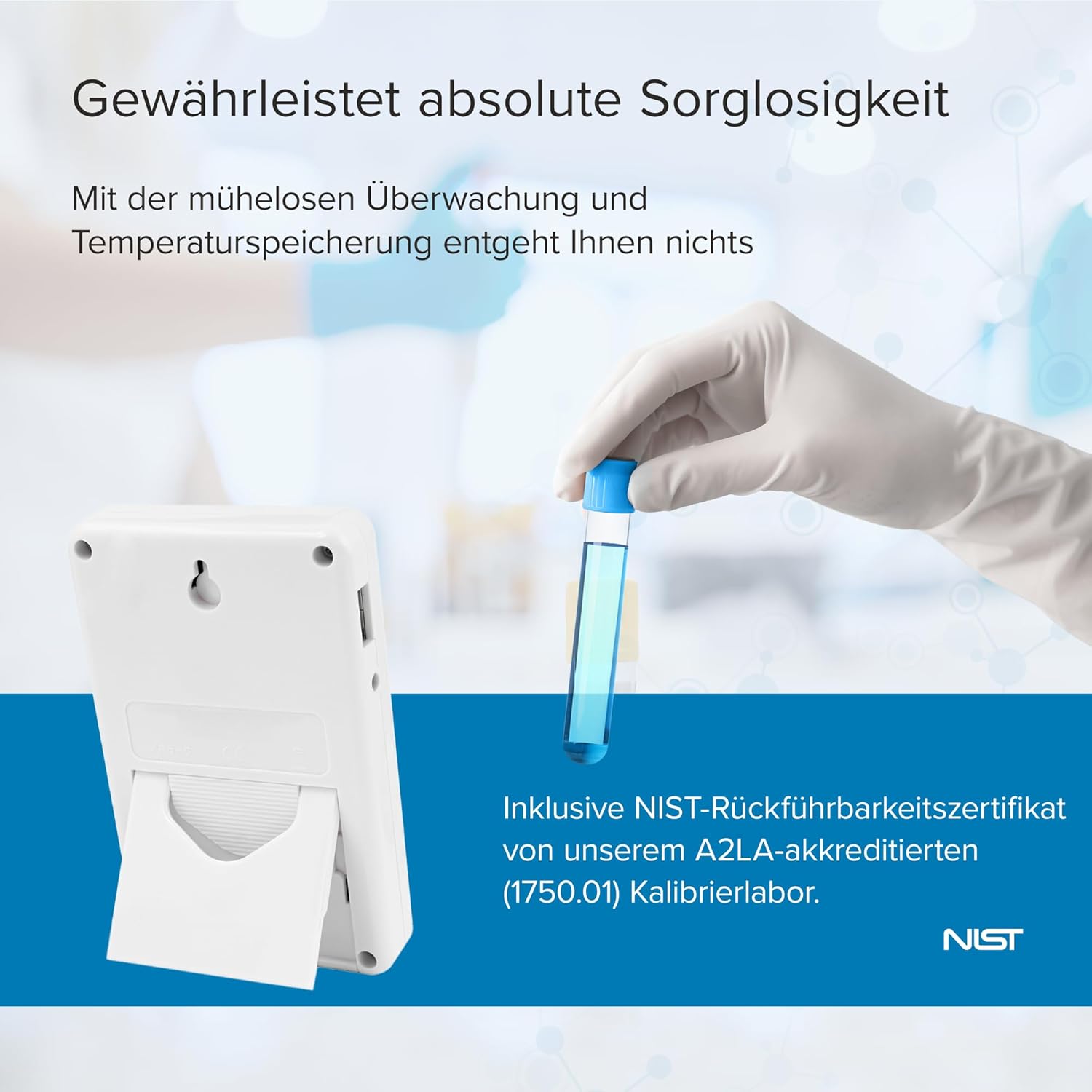
Atzekoa view of the thermometer, illustrating the integrated kickstand for desktop placement and wall-mount slot.
3. Funtzionamendu-argibideak
3.1 Piztu/Itzali
The device powers on automatically upon battery installation. To turn off the device, remove the batteries. For temporary power saving, some models may have an ON/OFF switch for the alarm or display backlight, but the main unit remains active for logging.
3.2 Bistaratuview
LCD pantailak hainbat informazio erakusten du:
- Egungo Tenperatura: The primary reading from the connected probe(s).
- MIN / MAX: Minimum and maximum temperatures recorded since the last reset.
- MEM: Indicates memory status or data logging activity.
- ALARMA: Indicates alarm status (active, triggered).
- DATA / ORDUA: Current date and time for logged events.

The thermometer display showing the current date and time, indicating its time-keeping functionality for logged data.
3.3 Unitatearen hautaketa (°C/°F)
Sakatu UNITATEAK button to toggle between Celsius (°C) and Fahrenheit (°F) temperature scales.
3.4 Viewing Min/Max/Date/Time
Sakatu MIN/MAX/ALARM-DATE/TIME button to cycle through the minimum temperature, maximum temperature, and current date/time displays. The display will show the recorded minimum and maximum temperatures since the last reset.
3.5 Alarma funtzioa
The thermometer features programmable high and low alarms. When the temperature exceeds or falls below the set limits, an audible and visual alarm will activate.
- Alarmak ezartzea: Erabili SELECT/ADVANCE eta ALARM DATE SET buttons to navigate and adjust the high and low temperature thresholds. Refer to the on-screen prompts for specific steps.
- Alarma piztu/desaktibatuta: Erabili ALARMA ON / OFF switch to enable or disable the alarm function.
- Isilik alarma: Sakatu ISILTASUN ALARMA button to temporarily mute an active alarm.
- Event Display: The EVENT DISPLAY button allows viewing of recorded alarm events. The device can store up to 10 individual alarm events.
3.6 Data Logging and Retrieval
The Excursion-Trac thermometer automatically logs temperature data. It can store up to 525,600 temperature observations. To retrieve logged data:
- Connect the thermometer to a computer using a standard USB cable (not always included, check package contents).
- The device should appear as a removable storage device.
- Access the logged data files (typically in a CSV or similar format) from the device's storage.
- Kopiatu files to your computer for analysis.

Aldea view of the thermometer, clearly showing the USB port for data transfer and the power input.
4. Mantentzea
4.1 Bateria ordezkatzea
When the low battery indicator appears on the display, replace the two AAA batteries immediately. Ensure new batteries are inserted with correct polarity.
4.2 Garbiketa
Wipe the thermometer unit and probes with a soft, damp cloth. Do not use abrasive cleaners or immerse the main unit in liquids. The bottle probe is designed for use in various environments, including freezers.
4.3 Kalibrazioa
The Traceable Excursion-Trac thermometer is supplied with an individually calibrated and certified NIST-traceable certificate. For continued accuracy and compliance, periodic recalibration is recommended according to your facility's protocols or regulatory requirements.
5. Arazoak
- "Battery Low" Message: Replace the two AAA batteries immediately. Ensure new batteries are inserted with correct polarity.
- Irakurketa okerrak: Verify that the probe is securely connected to the unit. Ensure the probe is correctly positioned within the environment being monitored. Check for any visible damage to the probe cable or sensor.
- Data Download Issues: Ensure the USB cable is properly connected to both the thermometer and the computer. Try a different USB port or cable. If the device does not appear as a removable drive, consult the manufacturer's support for specific driver or software requirements.
- Ez dago pantailarik: Check battery installation and ensure batteries are not depleted. If the issue persists after replacing batteries, contact customer support.
6. Zehaztapenak
An illustration of the thermometer with its physical dimensions and temperature range.
| Ezaugarri | Xehetasuna |
|---|---|
| Modelo zenbakia | AO-94460-07 |
| Zehaztasuna | ±0.25°C |
| Tenperatura tartea | -50 °C eta 70 °C (-58 °F eta 158 °F) |
| Tenperatura Ebazpena | 0.01° |
| Zunda mota | 1 Bottle Probe |
| Datuak erregistratzeko gaitasuna | Up to 525,600 temperature observations |
| Bistaratzeko mota | LCD, 1/2"H digits |
| Konektibitatea | USBa |
| Energia iturria | 2 x AAA bateria |
| Materiala | Plastikoa |
| Neurriak (H x W x D) | 10.79 cm x 6.98 cm x 1.9 cm (gutxi gorabehera 4.25 hazbete x 2.75 hazbete x 0.75 hazbete) |
| Ezaugarri bereziak | High Accuracy, Min/Max Memory, Alarm Function, 3m Micro-Thin Cable, Integrated Stand, Wall Mount, Magnetic Strip |
7. Bermea eta Laguntza
For technical assistance, warranty claims, or further information regarding your Traceable Excursion-Trac Data Logging Thermometer, please contact your supplier or the manufacturer directly. Refer to your purchase documentation for specific warranty terms and contact details.


