1. Sarrera
This manual provides essential information for setting up, operating, and maintaining your FOSSiBOT S1 smartphone. Please read it carefully to ensure proper use and to maximize the device's performance and longevity.
2. Paketearen edukia
Egiaztatu elementu guztiak zure produktuaren kaxan daudela:
- FOSSiBOT S1 Smartphone
- TPU zorroa
- SIM txartelaren PINa
- C motako USB kablea
- 10W kargagailua
- Erabiltzailearen eskuliburua / Berme txartela

3. Gailua amaitu daview
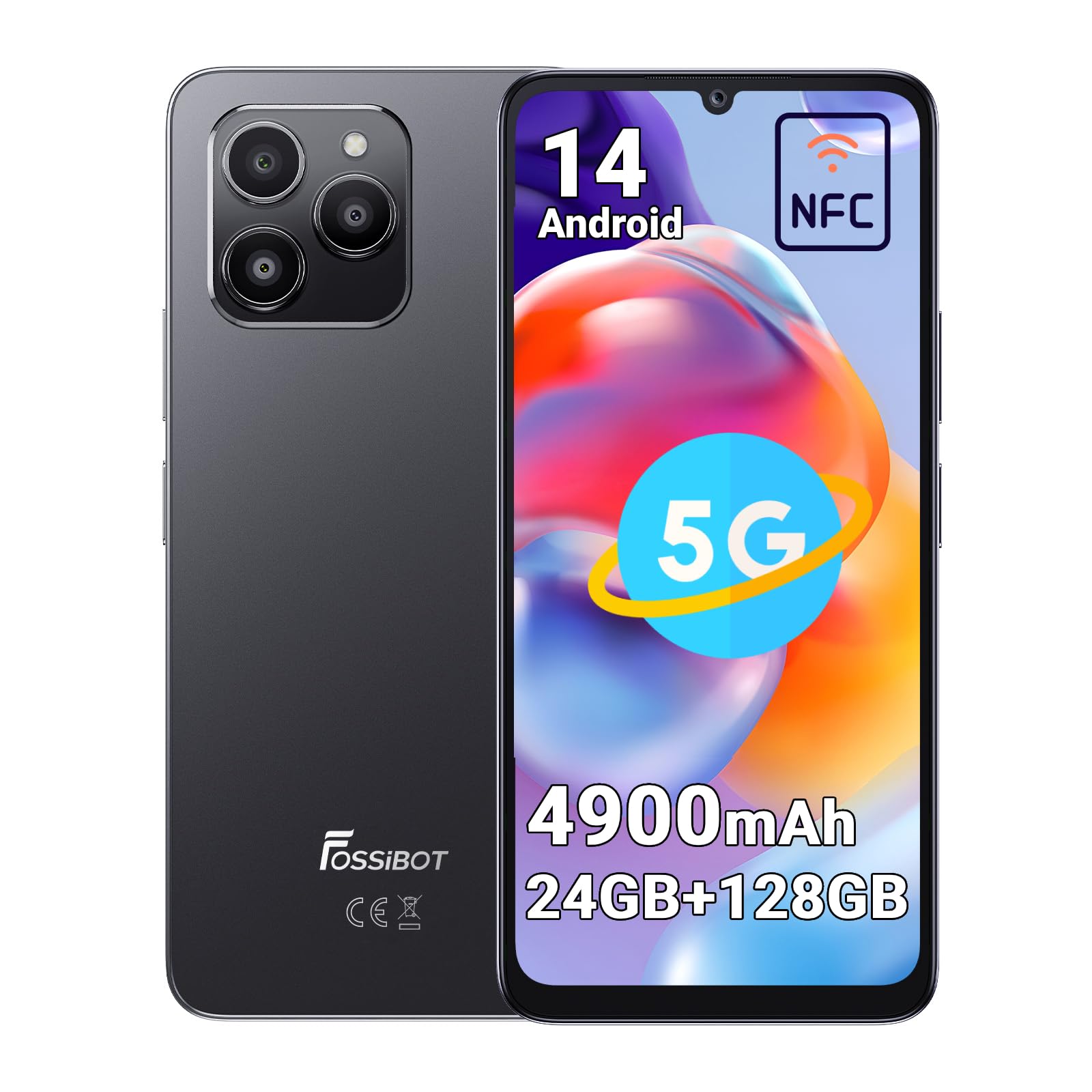
The FOSSiBOT S1 features a sleek design with a large display and strategically placed components for ease of use.
3.1 Osagai fisikoak
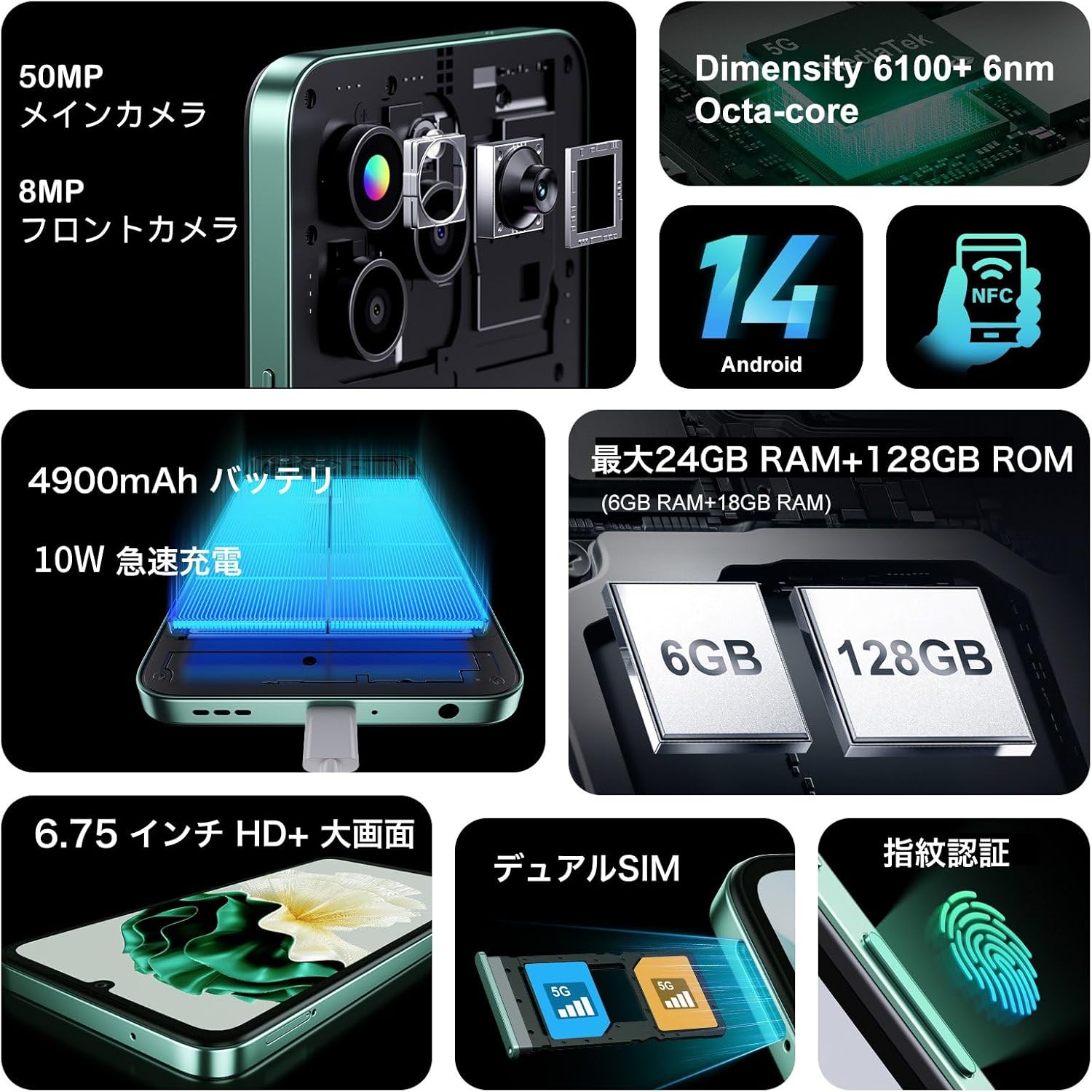
- Pantaila: 6.75-inch HD+ screen.
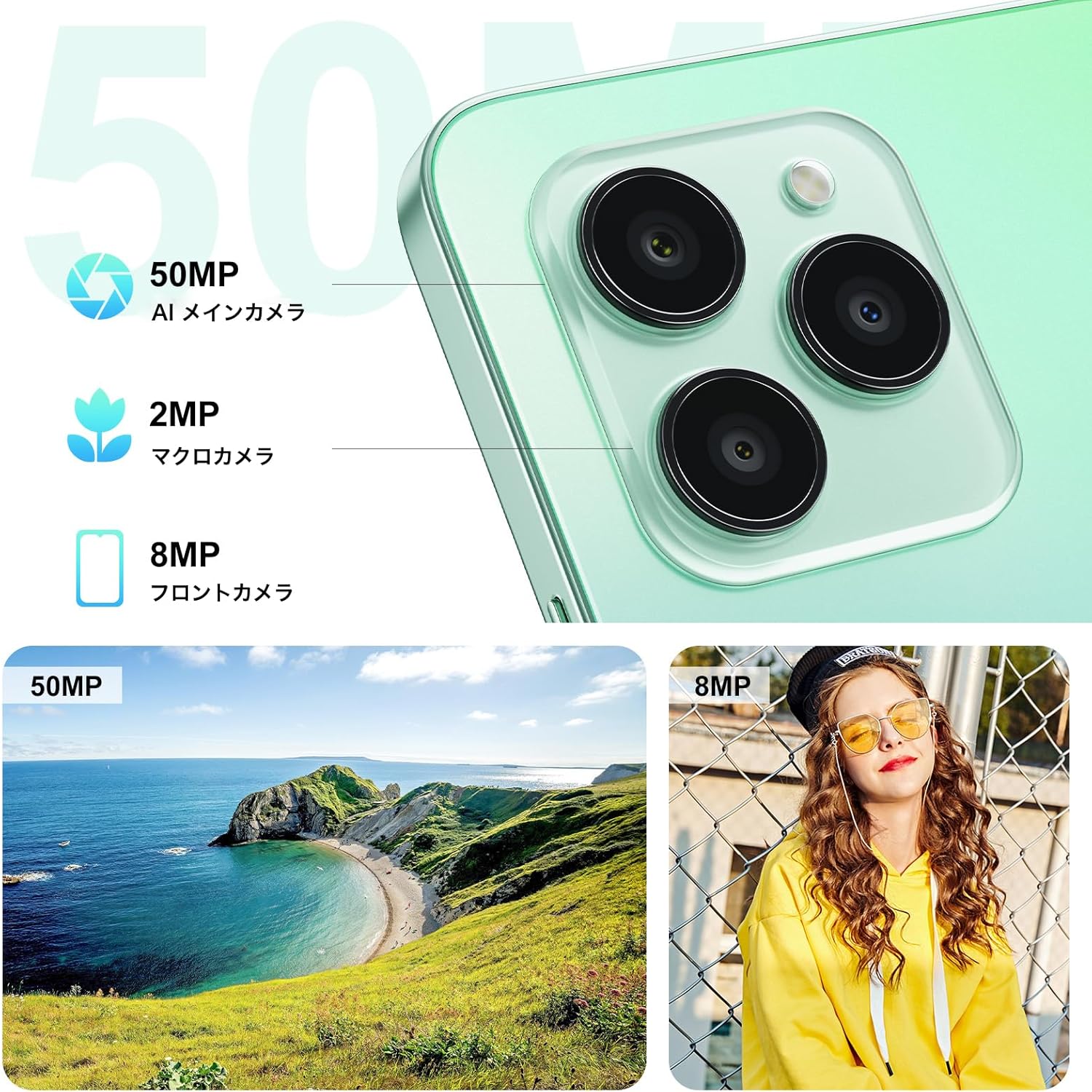
- Atzeko kamerak: 50MP AI Main Camera, 2MP Macro Camera.
- Aurrealdeko kamera: 8MP.
- Side-mounted Fingerprint Sensor: Integrated into the power button.
- USB C motako ataka: Kargatzeko eta datuak transferitzeko.
- SIM/MicroSD txartelaren zirrikitua: Supports Dual SIM and expandable storage.
4. Konfigurazioa
4.1 SIM txartelaren eta MicroSD txartelaren instalazioa
- Bilatu SIM txartelaren erretilua gailuaren alboan.
- Sartu SIM txartela ateratzeko tresna erretiluaren ondoko zulo txikian eta bultzatu astiro erretilua atera arte.
- Place your Nano-SIM cards (up to two) and/or a MicroSD card (for storage expansion up to 1TB) into the designated slots on the tray. Ensure the metal contacts face downwards.
- Kontu handiz sartu erretilua telefonoan berriro, bere lekuan klik egin arte.
4.2 Hasierako piztea eta oinarrizko konfigurazioa
- Press and hold the Power button (located on the side) until the FOSSiBOT logo appears.
- Jarraitu pantailan agertzen diren argibideei zure hizkuntza hautatzeko, Wi-Fi sare batera konektatzeko eta zure Google kontua konfiguratzeko.
- Configure security features such as Face ID and Fingerprint ID for convenient and secure unlocking.
5. Funtzionamendu-argibideak
5.1 Piztu/Itzali eta Berrabiarazi
- Piztu: Sakatu eta eutsi pizteko botoia gailuak bibratu eta logotipoa agertu arte.
- Itzali/Berrabiarazi: Press and hold the Power button for a few seconds. A menu will appear with options to Power Off or Restart.
5.2 Pantailako nabigazioa
The FOSSiBOT S1 runs on Android 14, offering intuitive touch and gesture navigation:
- Sakatu: Hautatu elementuak, ireki aplikazioak.
- Pasatu hatza: Scroll through pages, navigate between home screens.
- Zoom egiteko apur bat egin: Adjust zoom level in photos, maps, and web orrialdeak.
5.3 Fingerprint and Face Unlock
For enhanced security and convenience, the FOSSiBOT S1 supports both fingerprint and face recognition.
- Hatz-marka IDa: Erregistratu zure hatz-markak honen bidez Ezarpenak > Segurtasuna > Hatz-marka desblokeatzea. The sensor is integrated into the side power button.
- Aurpegiaren IDa: Set up face recognition via Ezarpenak > Segurtasuna > Aurpegi bidezko desblokeoa.

5.4 Kameraren erabilera
Atera kalitate handiko argazkiak eta bideoak kamera sistema polifazetikoarekin.
- 50MP-ko AI kamera nagusia: For detailed and vibrant shots. Supports Night Mode, Portrait Mode, HDR, Macro, and Panorama.
- 8MP-ko aurrealdeko kamera: Selfieetarako eta bideo-deietarako aproposa.
- 2MP makro kamera: For close-up photography of small objects.
5.5 NFC funtzionaltasuna
The FOSSiBOT S1 supports NFC (Near Field Communication) for contactless payments and quick data exchange.
- Gaitu NFC hemen Ezarpenak > Konektatutako gailuak > Konexio hobespenak > NFC.
- Tap your phone to compatible NFC readers for payments or to other NFC-enabled devices for data transfer.

5.6 Connectivity (5G, Wi-Fi, GPS)
Stay connected with high-speed 5G, reliable Wi-Fi, and precise GPS navigation.
- 5G sarea: Enjoy fast mobile data speeds. Ensure your SIM card and plan support 5G.
- Wi-Fi: Konektatu haririk gabeko sareetara interneterako sarbidea izateko.
- GPSa: Erabili kokapen zerbitzuak nabigaziorako eta kokapenean oinarritutako aplikazioetarako.

5.7 Bateria eta karga
The FOSSiBOT S1 is equipped with a 4900mAh battery and supports 10W fast charging.
- Use the provided 10W charger and Type-C USB cable for optimal charging speed.
- Saihestu kargagailu edo kable kaltetuak erabiltzea.

6. Ezaugarri nagusiak
6.1 Bistaratzea
Experience immersive visuals on the 6.75-inch HD+ display.
- Tamaina: 6.75 hazbetekoa
- Ebazpena: 720*1600
- Aspektu-erlazioa: 20:9
- Pantailaren eta gorputzaren arteko erlazioa: %94

6.2 Prozesadorea
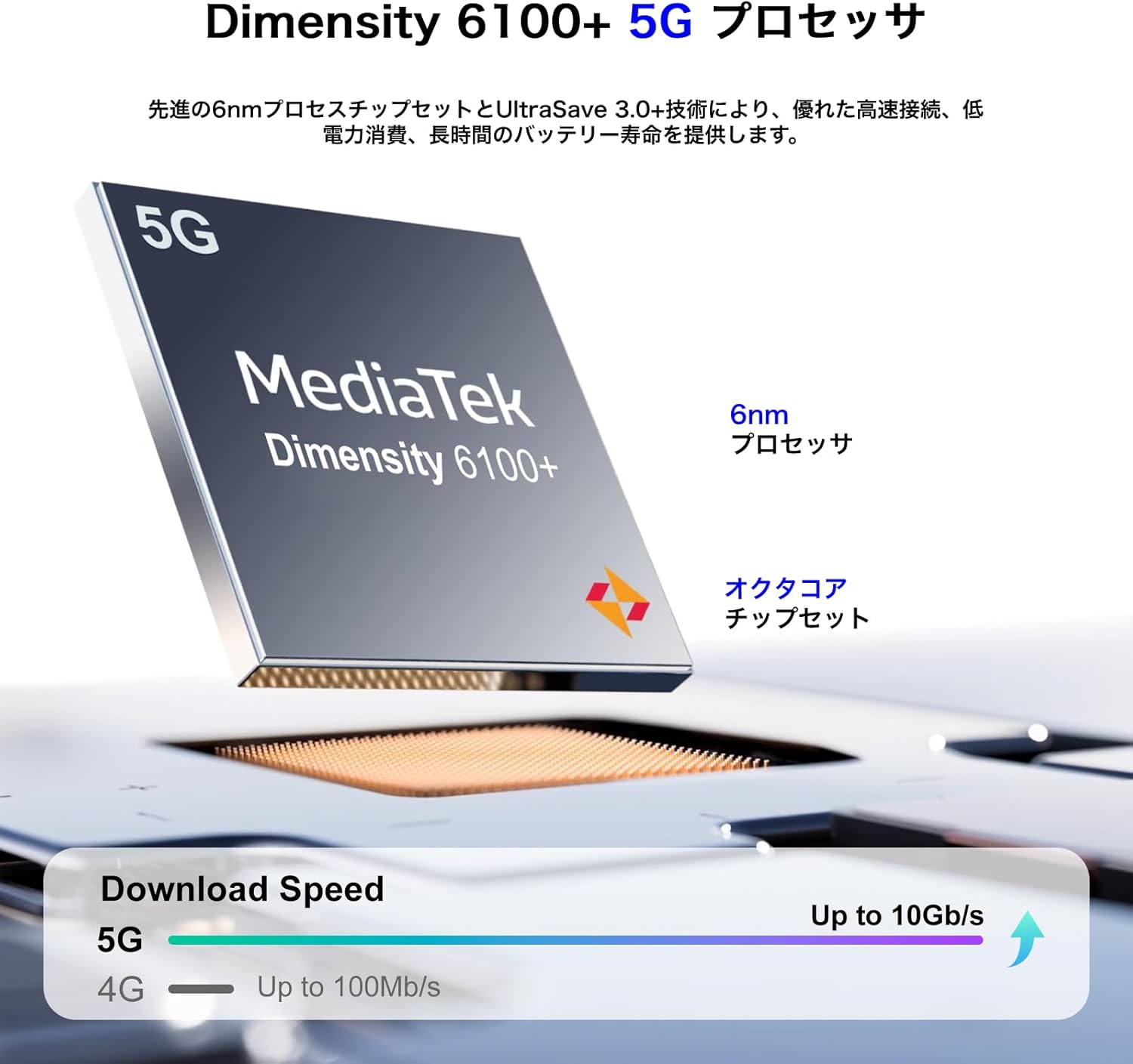
Powered by the MediaTek Dimensity 6100+ 5G Octa-core processor for smooth performance.
- Chipset: 6100+ neurria
- Prozesua: 6 nm
- Nukleoak: Octa-core
- Konektibitatea: 5G gaituta
6.3 Memoria eta biltegiratzea
Generous memory and expandable storage for all your needs.
- RAM: Up to 24GB (6GB physical + 18GB virtual)
- Barne Biltegiratzea (ROM): 128 GB
- Biltegiratze zabalgarria: Up to 1TB via TF card (MicroSD)

6.4 Sistema Eragilea
The FOSSiBOT S1 runs on the latest Android 14, providing a smooth and secure user experience with access to the Google Play Store.
7. Mantentzea
7.1 Gailua garbitzea
- Erabili zapi leun eta lihorik gabeko bat telefonoaren pantaila eta gorputza garbitzeko.
- Saihestu produktu kimiko gogorrak edo material urratzaileak erabiltzea.
- Mantendu portuak hauts eta hondakinik gabe.
7.2 Software eguneraketak
Egiaztatu eta instalatu software eguneraketak aldizka, zure gailuak azken funtzioak, segurtasun adabakiak eta errendimendu hobekuntzak dituela ziurtatzeko. Joan honera Ezarpenak > Sistema > Sistemaren eguneraketa.
7.3 Bateria zaintzea
- Saihestu tenperatura muturrekoak, bateriaren iraupena murriztu baitezakete.
- Ez deskargatu bateria guztiz maiz.
- Gailua denbora luzez gordetzen baduzu, kargatu % 50 ingurura itzali aurretik.
8. Arazoak
8.1 Gailua ez da pizten
- Ziurtatu bateria kargatuta dagoela. Konektatu kargagailua eta itxaron minutu batzuk pizten saiatu aurretik.
- Berrabiarazteko, sakatu eta eutsi pizteko botoia gutxienez 10-15 segundoz.
8.2 Aplikazioak kraskatzen edo izozten dira
- Garbitu arazoa sortzen duen aplikazioaren cachea (Ezarpenak > Aplikazioak > [Aplikazioaren izena] > Biltegiratzea > Garbitu cachea).
- Eguneratu aplikazioa azken bertsiora Google Play Store-tik.
- Arazoak jarraitzen badu, desinstalatu eta berriro instalatu aplikazioa.
8.3 Poor Network Connectivity
- Egiaztatu zure SIM txartela behar bezala sartuta dagoen.
- Berrabiarazi gailua.
- Toggle Airplane Mode on and off (Settings > Network & internet > Airplane mode).
- Egiaztatu zure datu mugikorrak edo Wi-Fia gaituta eta behar bezala konfiguratuta daudela.
9. Zehaztapenak
| Ezaugarri | Zehaztapena |
|---|---|
| Marka | FOSSIBOT |
| Modelo zenbakia | S1 |
| Sistema eragilea | Android 14 |
| Pantailaren tamaina | 6.75 hazbetekoa |
| Instalatutako RAM memoriaren tamaina | 128 GB (expandable up to 24GB with virtual RAM) |
| Memoria Biltegiratzeko Ahalmena | 128 GB (TF txartelaren bidez 1 TB arte zabaldu daiteke) |
| Erabilera Etengabeko Denbora | 22 ordu |
| Paketearen neurriak | 22.8 x 22 x 6.4 cm; 540 g |
| Eskuragarri dagoen lehen data | 2024/9/14 |
10. Bermea eta Laguntza
Your FOSSiBOT S1 smartphone comes with a standard manufacturer's warranty. Please refer to the warranty card included in your package for specific terms and conditions.
For technical support, troubleshooting assistance, or warranty claims, please contact FOSSiBOT customer service through their official webgunea edo bermearen dokumentazioan emandako harremanetarako informazioa.
Always ensure you purchase from authorized retailers to guarantee valid warranty support.


