1. Sarrera
This manual provides comprehensive instructions for the setup, operation, and maintenance of your MOZA R3 Bundle. Please read this manual thoroughly before using the product to ensure proper functionality and safety.
The MOZA R3 Bundle is a high-performance racing wheel and pedal set designed for an immersive simulation racing experience on PC and Xbox platforms.
2. Paketearen edukia
Egiaztatu osagai guztiak paketean daudela:
- MOZA R3 Racing Wheel
- MOZA R3 Gurpil-oinarria
- Pedal multzoa
- Elikatze-moldagailua
- USB kablea
- Muntatzeko Hardwarea
- Erabiltzailearen eskuliburua (dokumentu hau)
Irudia: Gainetikview of the MOZA R3 Bundle components, including the racing wheel, base, and pedals.
3. Konfigurazioa eta instalazioa
3.1 Mounting the Wheel Base
Securely mount the MOZA R3 Wheel Base to a stable desk or racing cockpit using the provided mounting hardware. Ensure the base is firmly attached to prevent movement during use.

Image: The MOZA R3 Wheel Base securely mounted on a racing cockpit, demonstrating a typical setup.
3.2 Attaching the Racing Wheel
Align the quick-release mechanism of the MOZA R3 Racing Wheel with the shaft on the wheel base. Push the wheel firmly onto the shaft until it clicks into place. Ensure it is fully seated and locked.
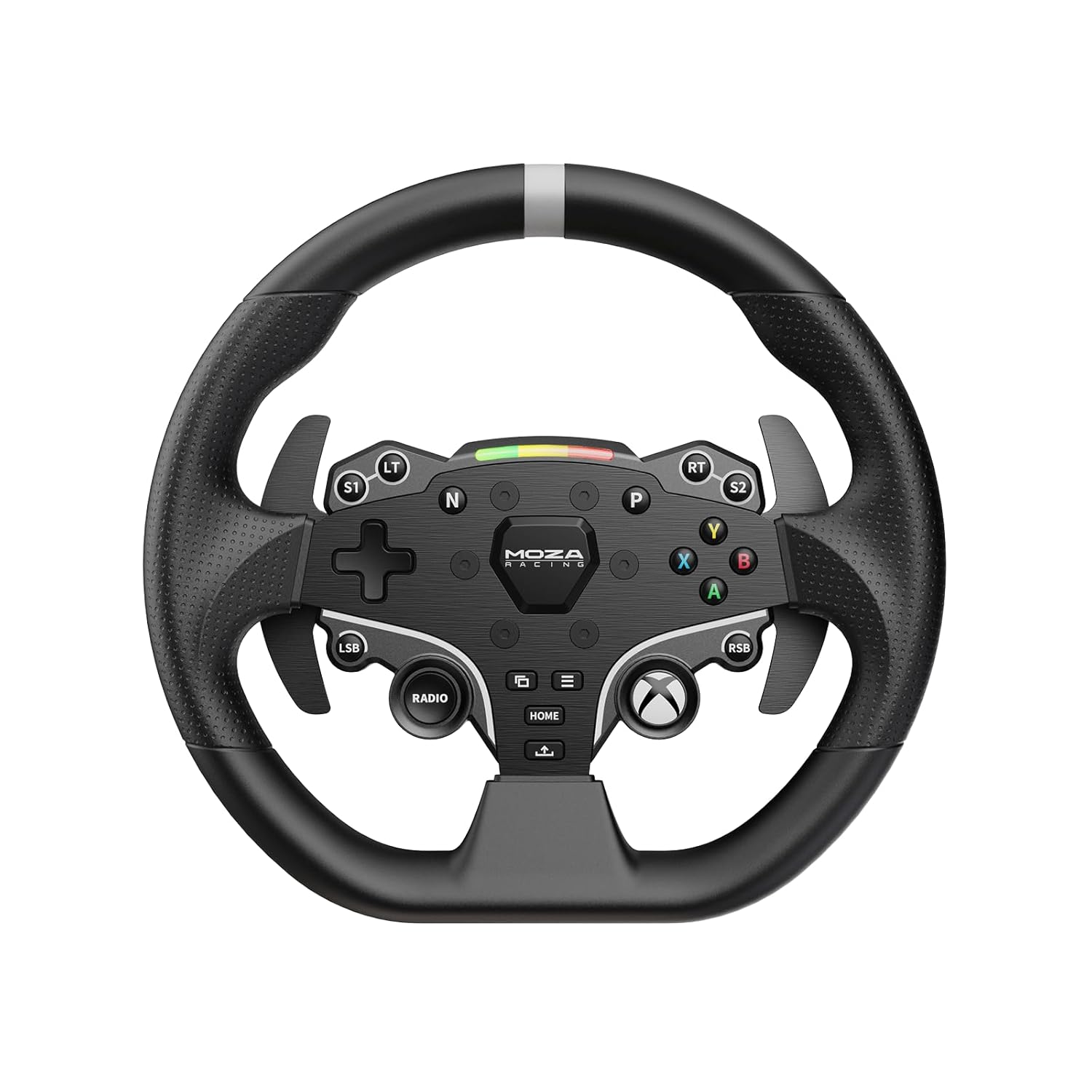
Irudia: Aurrealdea view of the MOZA R3 Racing Wheel, showing the button layout and quick-release mechanism.

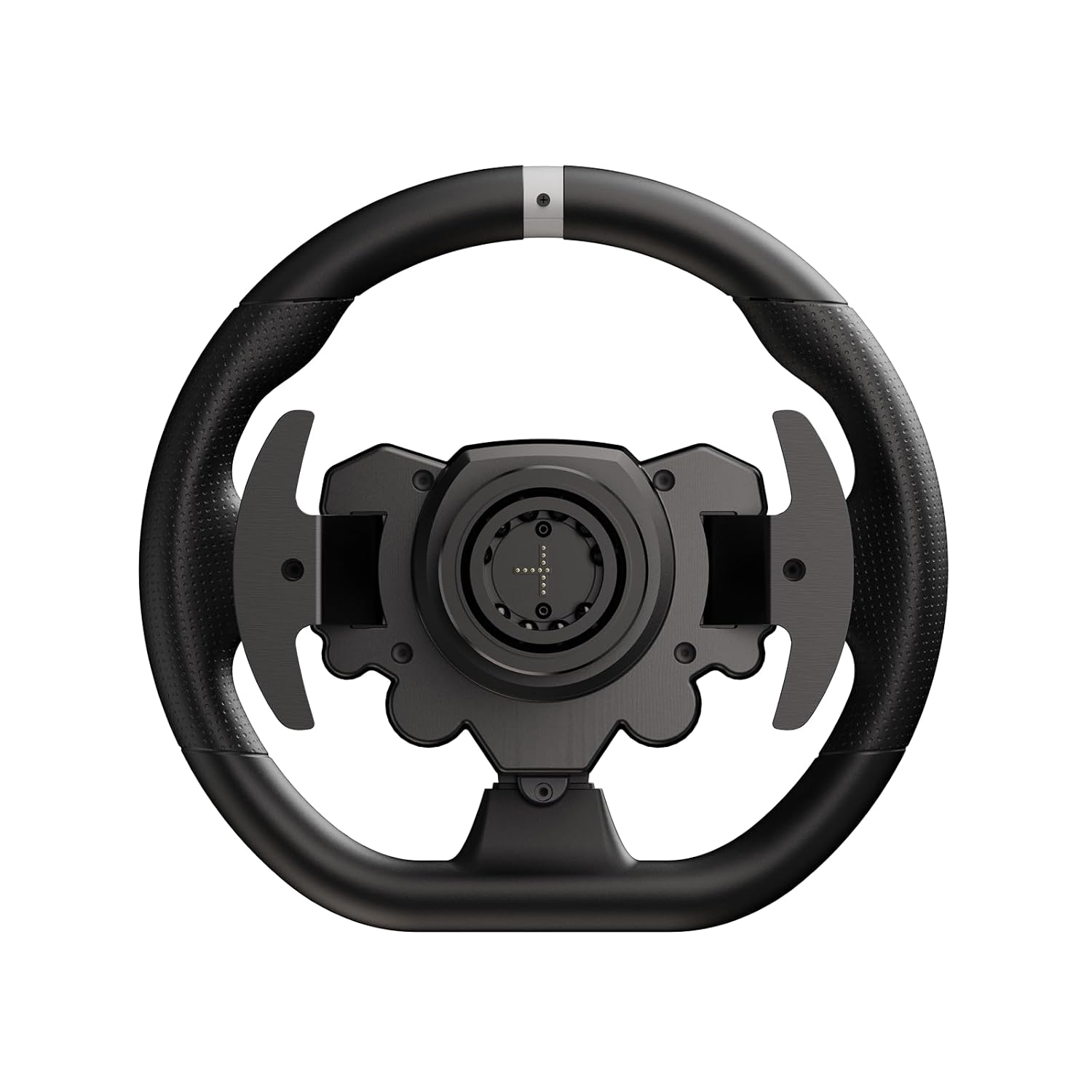
Irudia: Atzealdea view of the MOZA R3 Racing Wheel, highlighting the paddle shifters and quick-release attachment point.
3.3 Connecting the Pedals
Connect the pedal set to the designated port on the MOZA R3 Wheel Base using the provided cable. Ensure the connection is secure.
3.4 Energia eta USB konexioa
- Connect the power adapter to the wheel base and then to a power outlet.
- Connect the USB cable from the wheel base to your PC or Xbox console.
4. Funtzionamendu-argibideak
4.1 Piztu/Itzaltzea
To power on the MOZA R3 Bundle, ensure all connections are secure and plug in the power adapter. The system will automatically power on. To power off, unplug the power adapter.
4.2 PC and Xbox Compatibility
The MOZA R3 Bundle is compatible with both PC and Xbox. To switch between modes, hold down the designated buttons on the wheel. For PC use, ensure the latest MOZA Pit House software and drivers are installed for optimal performance and customization. For Xbox, the wheel will be recognized automatically.
4.3 Botoien funtzioak
The MOZA R3 Racing Wheel features a variety of programmable buttons and paddle shifters. Consult your game's control settings to customize button assignments for your preferred racing experience.

Image: Close-up of the MOZA R3 Racing Wheel's central panel, showing the illuminated buttons and the MOZA Racing logo.
5. Mantentzea eta Zainketa
- Keep the product clean by wiping it with a soft, dry cloth. Avoid using abrasive cleaners or solvents.
- Store the wheel and pedals in a dry environment, away from direct sunlight and extreme temperatures.
- Regularly check all connections for security.
6. Arazoak
| Arazoa | Kausa posiblea | Irtenbidea |
|---|---|---|
| Wheel not recognized by PC/Xbox | Loose USB connection, outdated drivers (PC), incorrect mode. | Ensure USB cable is securely connected. For PC, install/update MOZA Pit House software. Verify correct mode (PC/Xbox) is selected. |
| Indar-feedbackik ez | Force Feedback disabled in game or software, power issue. | Check in-game Force Feedback settings. Ensure wheel base is powered on. Update drivers. |
| Pedals unresponsive | Loose pedal connection. | Verify the pedal cable is securely connected to the wheel base. |
7. Zehaztapenak
- Produktuaren izena: MOZA R3 Bundle
- Eredua: R3 sorta
- Bateragarritasuna: PC, Xbox
- Fabrikatzailea: Gudsen
- ASIN: B0DHHHCQC4
8. Bermea eta Laguntza
For warranty information and technical support, please visit the official MOZA Racing webwebgunera edo jarri harremanetan zuzenean bezeroarentzako arreta-zerbitzura. Gorde erosketaren frogagiria berme-erreklamazioetarako.
MOZA Racing Ofiziala Webgunea: mozaracing.com


