Sarrera
The R-MUSIC Party Boost S speaker is designed to provide an immersive audio experience, perfect for parties and events. This high-power speaker features Bluetooth 5.3 connectivity, dynamic RGB light effects, a dedicated karaoke mode, and an impressive battery life, combining robust performance with portable design.
This manual provides essential information for setting up, operating, and maintaining your Party Boost S speaker to ensure optimal performance and longevity.
Kutxan dagoena
Upon unboxing your R-MUSIC Party Boost S, please verify that all components are present:
- Party Boost S Speaker
- Kablezko Mikrofonoa
- Kargatzeko kablea
- Kargagailua
- Erabiltzailearen eskuliburua (dokumentu hau)
Produktua amaituview
Familiarize yourself with the key features and components of your Party Boost S speaker.

The R-MUSIC Party Boost S speaker, showcasing its integrated RGB lighting on the front grille and top control panel. The speaker is black with a textured finish on the sides and a convenient carry handle on top.
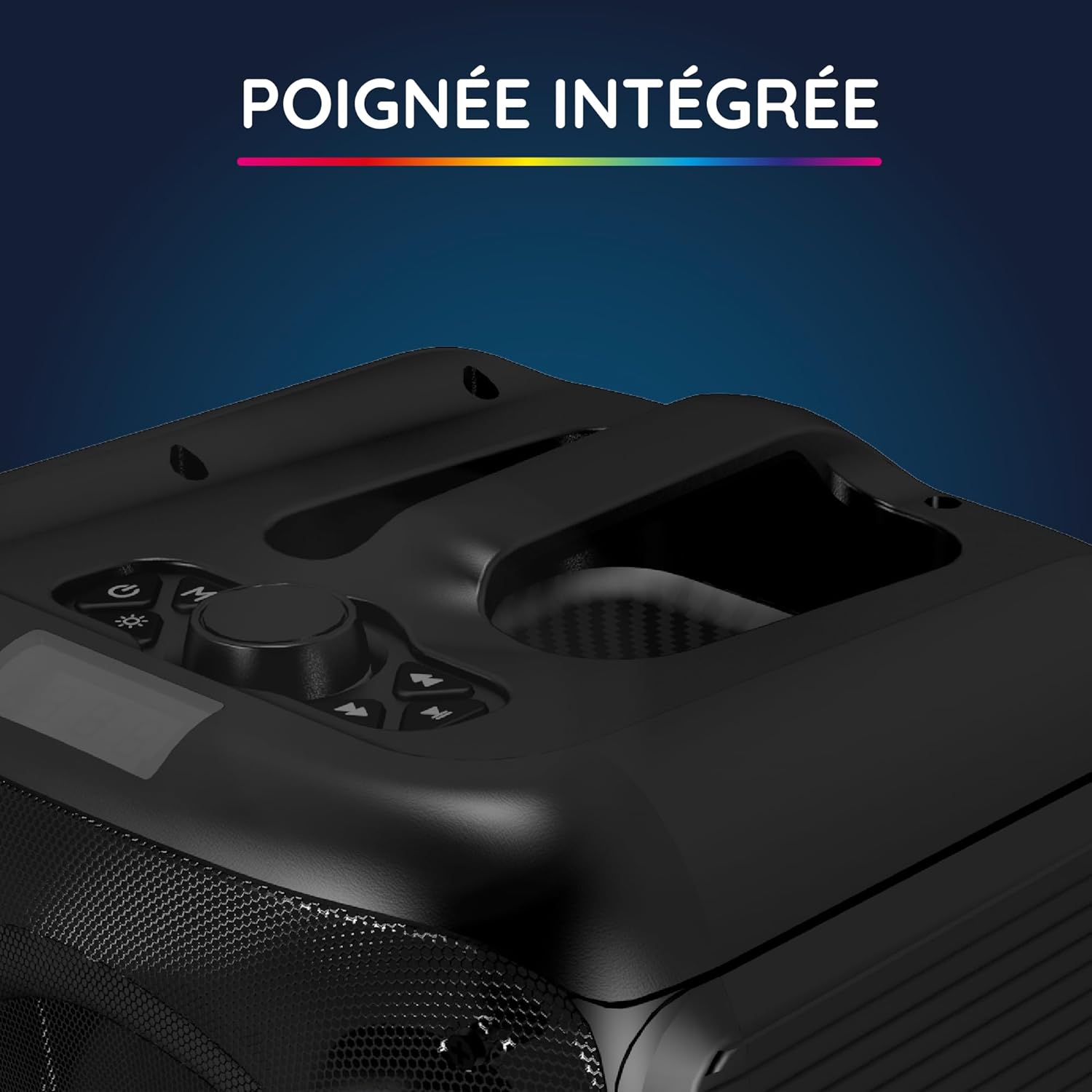
Gertu bat view of the integrated handle located on the top of the Party Boost S speaker, designed for easy portability and transport.

The connectivity panel of the Party Boost S speaker, featuring various input ports including USB, USB-C, AUX, and Micro-SD slots for versatile device connections.

The top control panel of the Party Boost S speaker, showing buttons for equalizer settings, volume adjustment, and echo control, along with a digital display.
Konfigurazioa
Hizlaria kargatzen
Before first use, fully charge the speaker. Connect the provided charging cable to the speaker's charging port and the other end to the charger. Plug the charger into a power outlet. The charging indicator will show the charging status. A full charge takes approximately 5 hours and provides up to 10 hours of continuous playback.
Hasierako piztea
Locate the power button on the speaker's control panel. Press and hold the power button for a few seconds until the speaker powers on and the LED lights illuminate.
Funtzionamendu-argibideak
Bluetooth konexioa
- Ensure the Party Boost S speaker is powered on.
- Activate Bluetooth on your smartphone, tablet, PC, or laptop.
- Bilatu "R-MUSIC Party Boost S" in your device's Bluetooth settings.
- Hautatu parekatzeko bozgorailua. Baieztapen-soinu batek konexioa arrakastatsua izan dela adieraziko du.
- The speaker uses Bluetooth 5.3 for a stable connection up to 10 meters.
Using Other Connectivity Options
- USB ataka: Sartu USB disko bat audioarekin files into the USB port. The speaker will automatically detect and play the music.
- AUX sarrera: Connect an external audio device (e.g., MP3 player) using a 3.5mm AUX cable to the AUX port.
- Mikro SD txartela: Sartu mikro SD txartel bat audioarekin files into the Micro SD slot.
- 6.35 mm-ko jaka: This port is primarily for the wired microphone.
Karaoke Mode and Microphone Use
To use the karaoke feature:
- Connect the wired microphone to the 6.35mm jack port on the speaker.
- Play your desired instrumental track via Bluetooth or other input methods.
- Adjust the microphone volume and echo effects using the controls on the speaker's top panel for an optimal karaoke experience.

The wired microphone included with the Party Boost S speaker, featuring an on/off switch and a standard audio jack for connection.
Sound Adjustment (Bass & Treble)
Use the dedicated controls on the speaker's top panel to adjust the bass and treble levels according to your audio preferences. This allows for fine-tuning the sound output for various music genres or environments.
RGB Argi Efektuak
The speaker features integrated RGB light shows that synchronize with your music. Use the light mode button on the control panel to cycle through different light animations or turn them off.
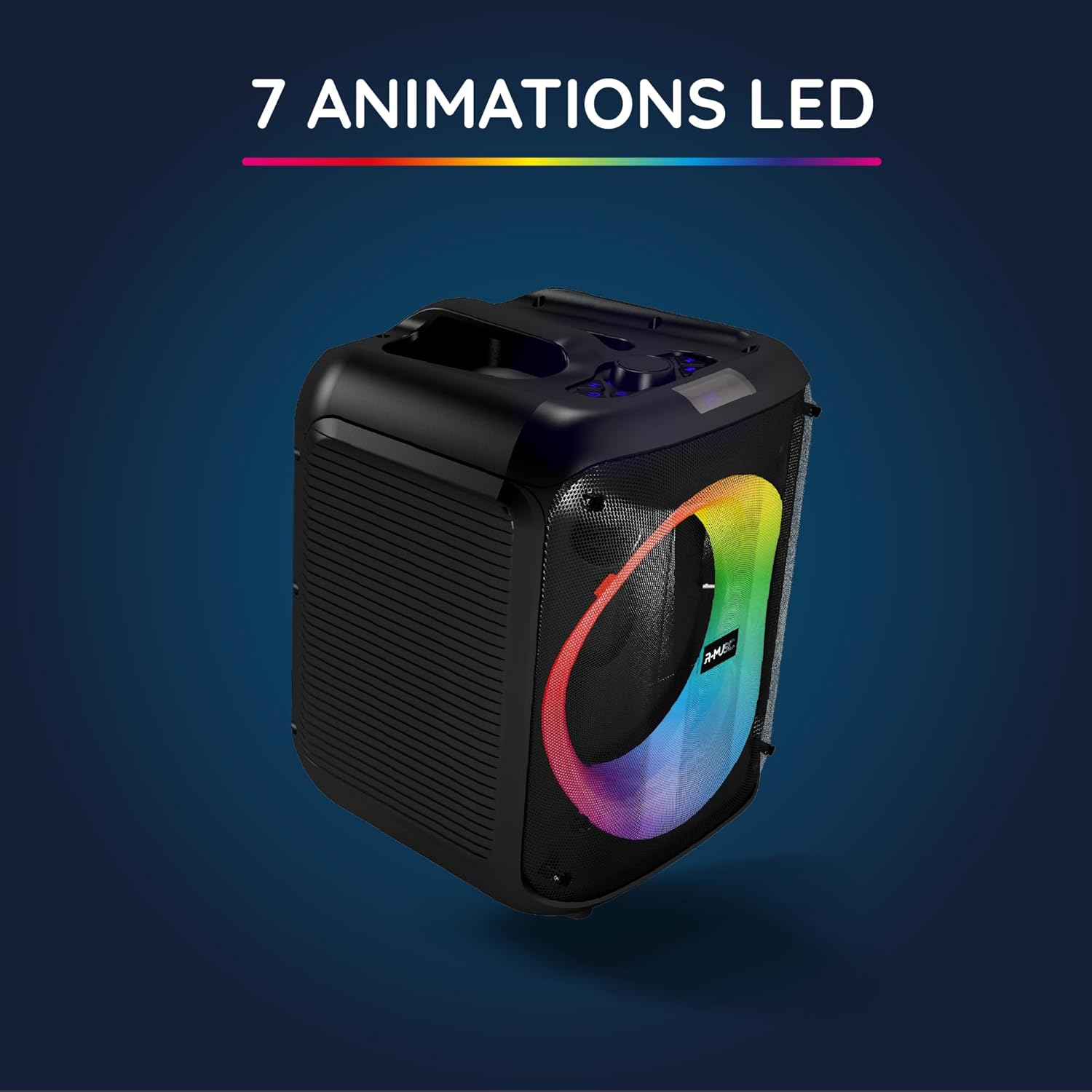
The Party Boost S speaker illuminated with vibrant RGB LED animations, showcasing its ability to create a dynamic visual experience synchronized with audio.
Bozgorailu anitzeko konexioa
For an enhanced stereo experience, you can connect two Party Boost S speakers together. Refer to the specific instructions for TWS (True Wireless Stereo) pairing, usually initiated by a dedicated button or a long press on the Bluetooth button on both speakers. Ensure both speakers are in pairing mode before attempting to connect them to each other.
Mantentzea
- Garbiketa: Erabili zapi leun eta lehor bat bozgorailuen kanpoaldea garbitzeko. Ez erabili garbitzaile urratzailerik, argizaririk edo disolbatzailerik.
- Biltegiratzea: Denbora luzez erabiltzen ez baduzu, gorde bozgorailua leku fresko eta lehor batean, eguzki-argitik eta muturreko tenperaturetatik babestuta.
- Bateria zaintzea: Bateriaren iraupena luzatzeko, saihestu bateria maiz erabat deskargatzea. Kargatu bozgorailua aldizka, erabiltzen ez bada ere.
- Uraren erresistentzia: Bozgorailu hau ez da urarekiko erresistentea. Saihestu likidoekin kontaktuan jartzea.
Arazoak konpontzea
| Arazoa | Kausa posiblea | Irtenbidea |
|---|---|---|
| Botererik ez | Bateria agortuta dago; kablea ez dago behar bezala konektatuta. | Charge the speaker fully; Ensure power cable is securely connected. |
| Soinurik ez | Volume is too low; Incorrect input source selected; Device not paired correctly. | Increase volume on speaker and connected device; Select correct input (Bluetooth, AUX, USB, SD); Re-pair Bluetooth device. |
| Bluetooth konexioa ezegonkorra | Device is out of range; Interference from other devices. | Move device closer to speaker (within 10m); Move speaker away from other wireless devices. |
| Mikrofonoa ez dabil | Microphone not plugged in correctly; Microphone switch is off. | Ensure microphone is fully inserted into the 6.35mm jack; Turn on the microphone switch. |
Zehaztapenak
| Modelo zenbakia | RM484529 |
| Marka | R-MUSIKA |
| Konektagarritasun mota | Bluetooth 5.3 |
| Audio Sarrerak | Bluetooth, USB, 6.35mm Jack, AUX, Micro SD |
| Maiztasun Erantzuna | 20 Hz - 20 kHz |
| Bateriaren iraupena | Up to 10 hours (3600mAh Lithium-ion) |
| Kargatzeko Denbora | Gutxi gorabehera. 5 ordu |
| Neurriak (L x W x H) | 29 x 34 x 26 cm |
| Pisua | 3.95 kg |
| Kolorea | Beltza |
| Gailu bateragarriak | Smartphones, Tablets, PCs, Laptops |
| Ezaugarri bereziak | Integrated RGB Lights, Karaoke Mode, Wired Microphone Included, Bass & Treble Adjustment, Multi-speaker Connection (TWS), Integrated Handle |
Bermea eta Laguntza
Fabrikatzailearen Bermea
The R-MUSIC Party Boost S speaker comes with a 2 urteko fabrikatzailearen bermea erosketa-datatik aurrera. Berme honek materialen eta fabrikazioaren akatsak estaltzen ditu erabilera normalaren pean. Ez ditu estaltzen erabilera okerrak, istripuek, baimenik gabeko aldaketek edo higadura normalak eragindako kalteak.
Mesedez, gorde zure erosketa-froga berme-erreklamazioetarako.
Bezeroarentzako Arreta
For technical assistance, warranty claims, or any questions regarding your R-MUSIC Party Boost S speaker, please contact your retailer or the manufacturer's customer support. Refer to the product packaging or the retailer's webharremanetarako informazioa lortzeko gunea.


