1. Sarrera
Welcome to the Haylou Solar Neo Smartwatch user manual. This guide provides essential information for setting up, operating, maintaining, and troubleshooting your new smartwatch. Please read this manual thoroughly to ensure optimal performance and longevity of your device.
2. Produktua amaitu daview
The Haylou Solar Neo is a feature-rich smartwatch designed to enhance your daily life with health monitoring, fitness tracking, and communication capabilities. It features a vibrant 1.53-inch HD display and a durable design.
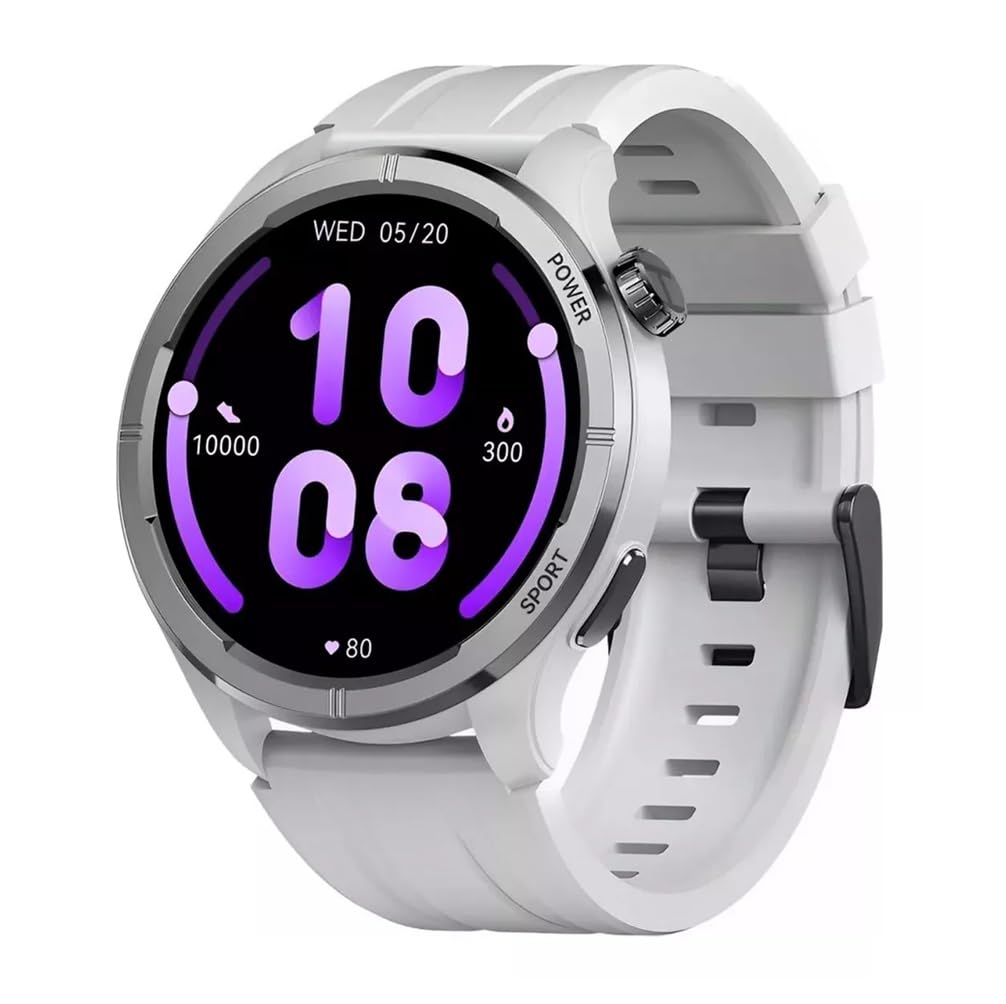
2.1. irudia: Aurrealdea view of the Haylou Solar Neo Smartwatch. This image displays the watch's round face, white strap, and a digital-analog hybrid display with green accents, indicating various metrics.
Ezaugarri nagusiak:
- 1.53-inch HD Display for clear visuals.
- Up to 30 days battery life in basic mode, 7 days in daily use.
- Bluetooth calling functionality.
- Comprehensive health tracking: heart rate, SpO2, sleep, stress, female health, respiratory training.
- Over 100 sports modes for diverse fitness activities.
- Smart message notifications.
- Customizable watch faces.
3. Konfigurazioa
3.1 Erloju adimenduna kargatzea
Before first use, fully charge your Haylou Solar Neo Smartwatch. Connect the magnetic charging cable to the charging contacts on the back of the watch and plug the USB end into a power adapter (5V/1A recommended).
3.2 Aplikazioaren instalazioa eta parekatzea
- Download the official Haylou Fun app from your smartphone's app store (iOS or Android).
- Ireki aplikazioa eta sortu kontu bat edo hasi saioa.
- Ziurtatu Bluetootha gaituta dagoela zure telefonoan.
- In the Haylou Fun app, navigate to 'Device' and select 'Add Device'.
- Select 'Haylou Solar Neo' from the list of available devices.
- Follow the on-screen prompts in the app and on your watch to complete the pairing process. Confirm the pairing request on both devices.
4. Funtzionamendu-argibideak
4.1 Oinarrizko nabigazioa
- Irristatu gora/behera: Sartu ezarpen azkarretara edo jakinarazpenetara.
- Irristatu ezkerrera/eskuinera: Navigate through widgets (e.g., heart rate, weather, activity data).
- Sakatu pizteko botoia: Wake/sleep screen, return to watch face, or access the app list.
- Press Sport Button: Quickly launch workout modes.
4.1. irudia: Aldea view of the smartwatch highlighting the power button (rotating crown) and the sport shortcut button.
4.2 Erlojuaren aurpegiak pertsonalizatzea
The Haylou Solar Neo offers hundreds of watch face options. To change the watch face:
- On the watch face screen, long-press the display.
- Swipe left or right to browse through pre-installed watch faces.
- Tap to select your desired watch face.
- More watch faces can be downloaded and customized via the Haylou Fun app.

4.2. irudia: A selection of customizable watch faces available for the Haylou Solar Neo Smartwatch.
5. Osasunaren Jarraipen Ezaugarriak
The smartwatch provides comprehensive health tracking to help you monitor your well-being.
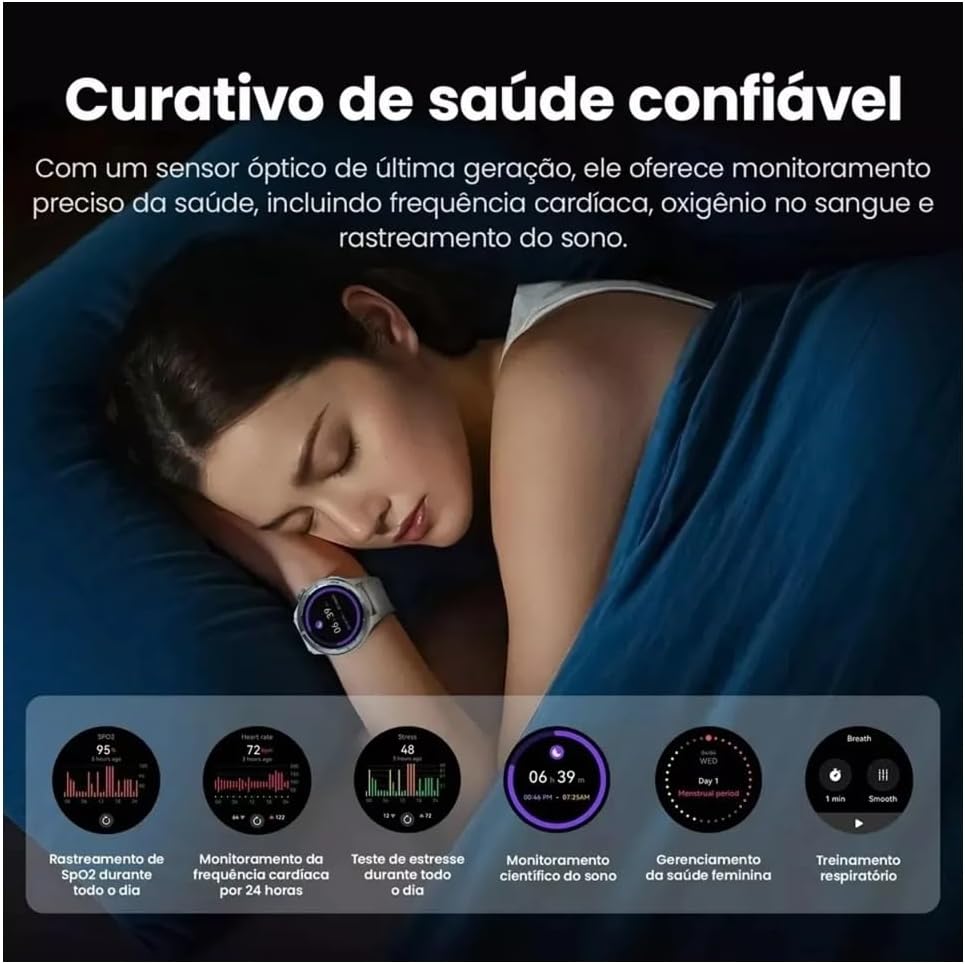
5.1. irudia: Health monitoring features in action, showing sleep tracking and various health data points.
5.1 Bihotz-taupadak kontrolatzea
Erlojuak etengabe zure bihotz-maiztasuna kontrolatzen du. View your real-time heart rate on the watch or detailed historical data in the Haylou Fun app.
5.2 Blood Oxygen (SpO2) Tracking
Measure your blood oxygen saturation levels directly from your wrist. For accurate readings, ensure the watch is snug on your wrist and remain still during measurement.
5.3 Loaren jarraipena
Wear the watch to bed to track your sleep patterns, including deep sleep, light sleep, and awake times. Detailed analysis is available in the app.
5.4 Stress Monitoring and Respiratory Training
The watch can estimate your stress levels throughout the day. Utilize the guided respiratory training feature to help manage stress.
5.5 Female Health Tracking
For female users, the watch supports tracking of menstrual cycles and provides predictive reminders when configured in the Haylou Fun app.
6. Fitnessaren jarraipena
The Haylou Solar Neo supports over 100 sports modes to accurately track your workouts.
6.1. irudia: Smartwatch displaying workout data and various sports mode options during physical activity.
6.1 Entrenamendu bat hastea
- Press the 'Sport' button on the side of the watch to quickly access the sports mode list.
- Alternatively, navigate to the 'Workout' app from the main menu.
- Select your desired activity (e.g., Outdoor Running, Cycling, Walking).
- Tap to start the workout. The watch will begin recording data such as duration, calories burned, and heart rate.
6.2 Entrenamendu bat amaitzea
During a workout, swipe right to pause or end the activity. Confirm your choice on the screen.
7. Bluetooth deiak eta jakinarazpenak
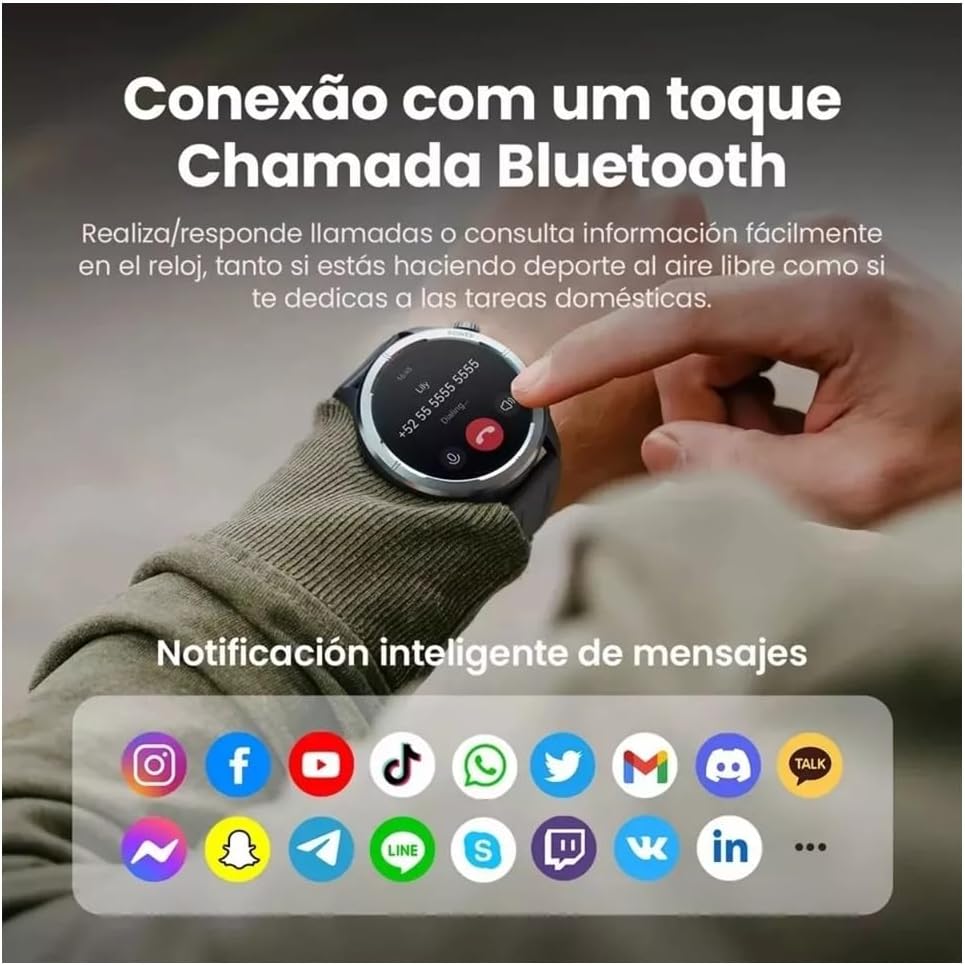
With its built-in microphone and speaker, the Haylou Solar Neo allows you to make and receive calls directly from your wrist when connected to your smartphone.

7.1. irudia: Smartwatch displaying a Bluetooth call and various app notification icons.
7.1 Deiak egitea eta jasotzea
- Dei bat egiteko: Access the 'Phone' app on your watch, dial a number, or select a contact from your synced phonebook.
- Dei bat jasotzeko: Dei bat sartzen denean, erlojuak deitzailearen IDa bistaratuko du. Sakatu ikono berdea erantzuteko edo ikono gorria ukatzeko.
7.2 Jakinarazpen adimendunak
Once paired with your smartphone, the watch will display notifications from various apps (e.g., messages, social media, emails). Ensure notification permissions are enabled in both your phone's settings and the Haylou Fun app.
8. Mantentzea
8.1 Zure erloju adimenduna garbitzea
Regularly clean your watch and strap to prevent skin irritation and maintain device hygiene. Use a soft, lint-free cloth. For stubborn dirt, dampBusti zapi pixka bat urarekin. Saihestu produktu kimiko gogorrak edo material urratzaileak erabiltzea.
8.2 Urarekiko erresistentzia
The Haylou Solar Neo is designed with a certain level of water resistance. Refer to the specifications for details (e.g., IP68). Avoid prolonged exposure to water, hot water, or steam, and do not press buttons underwater.
8.3 Bateria zaintzea
To prolong battery life, avoid extreme temperatures. Charge the watch fully before long periods of inactivity. Do not let the battery completely drain frequently.
9. Arazoak
9.1 Erlojua ez da pizten
- Ziurtatu erlojua guztiz kargatuta dagoela. Konektatu kargagailura gutxienez 30 minutuz.
- Berrabiarazteko, sakatu eta eutsi pizteko botoia 10-15 segundoz.
9.2 Ezin da telefonoarekin parekatu
- Ziurtatu Bluetooth gaituta dagoela telefonoan eta erlojuan.
- Ziurtatu erlojua telefonoaren irismen-eremuan dagoela.
- Berrabiarazi telefonoa eta erlojua.
- Garbitu telefonoaren Bluetooth cachea (Android) edo ahaztu gailua eta saiatu berriro parekatzen.
- Ensure the Haylou Fun app is updated to the latest version.
9.3 Osasun-datu zehaztugabeak
- Ziurtatu erlojua eskumuturrean ondo eramaten duzula, eskumuturreko hezurra baino hatz baten zabalera gorago.
- Keep the sensor clean and free from sweat or dirt.
- Saihestu mugimendu gehiegi neurketak egiten diren bitartean.
9.4 Jakinarazpenak agertzen ez direnean
- Check if notification permissions are granted for the Haylou Fun app in your phone's settings.
- Ensure the Haylou Fun app is running in the background and not being closed by your phone's power-saving features.
- Verify that 'Do Not Disturb' mode is not active on either your watch or phone.
10. Zehaztapenak
| Fabrikatzailea | haylou |
| Modelo zenbakia | NEOS |
| Bistaratzeko tamaina | 1.53 hazbetekoa |
| Konektibitate Teknologia | Bluetootha |
| Haririk gabeko komunikazio estandarra | Bluetootha |
| Ezaugarri bereziak | Ahots-deia |
| Bateriaren zelulen konposizioa | Litio Polimeroa |
| GPSa | GPS integratua |
| Elementuaren forma | Biribila |
| Biltegiratze Ahalmena | 32 GB |
| Bidalketa neurriak | 17.5 x 9.9 x 3.2 cm |
| Elementuaren pisua | 30 gramo |
11. Segurtasun informazioa
- Ez saiatu gailua desmuntatzen edo aldatzen.
- Mantendu gailua muturreko tenperaturetatik, eguzki-argitik zuzenean eta sugar irekietatik urrun.
- Saihestu gailua kolpe edo erorketa bortitzen eraginpean jartzea.
- Ariketa fisiko berri bat hasi aurretik, kontsultatu mediku profesional bati, batez ere aurretik osasun arazoak badituzu.
- If you experience skin irritation or discomfort from wearing the watch, discontinue use and consult a doctor.
12. Bermea eta Laguntza
Your Haylou Solar Neo Smartwatch comes with a standard manufacturer's warranty. For detailed warranty terms and conditions, please refer to the warranty card included in the product packaging or visit the official Haylou website. For technical support or service inquiries, please contact Haylou customer service through their official channels.


