1. Sarrera
This user manual provides comprehensive instructions for the installation, operation, and maintenance of your HUNTVISION E3-Z Security Camera. Please read this manual thoroughly before using the product to ensure proper function and safety. Keep this manual for future reference.
2. Segurtasun informazioa
Always adhere to the following safety guidelines to prevent damage to the device or injury to yourself:
- Ziurtatu energia-iturria kameraren eskakizunekin bat datorrela.
- Ez jarri kamera tenperatura altuen edo eguzki-argiaren eraginpean denbora luzez.
- Avoid placing the camera near strong magnetic fields.
- Ez saiatu kamera desmuntatzen edo aldatzen. Mantendu konponketa guztiak langile kualifikatuen esku.
- Gorde kamera eta haren osagarriak haurren eskura ez dauden lekuetan.
- Ensure proper mounting to prevent the camera from falling.
3. Paketearen edukia
Egiaztatu elementu guztiak paketean daudela:
- HUNTVISION E3-Z Security Camera (1)
- Korronte egokitzailea (1)
- Data Line (1)
- Auxiliary Package (1)
- User Guide (This manual)
Note: If any items are missing or damaged, please contact customer support.
4. Produktua amaitu daview
The HUNTVISION E3-Z is a 3MP PTZ (Pan-Tilt-Zoom) outdoor security camera designed for comprehensive surveillance. It features AI motion tracking, full-color night vision, and two-way audio communication.

4.1. irudia: Aurrealdea view of the HUNTVISION E3-Z Security Camera, showing the lens, IR LEDs, and dual antennas.
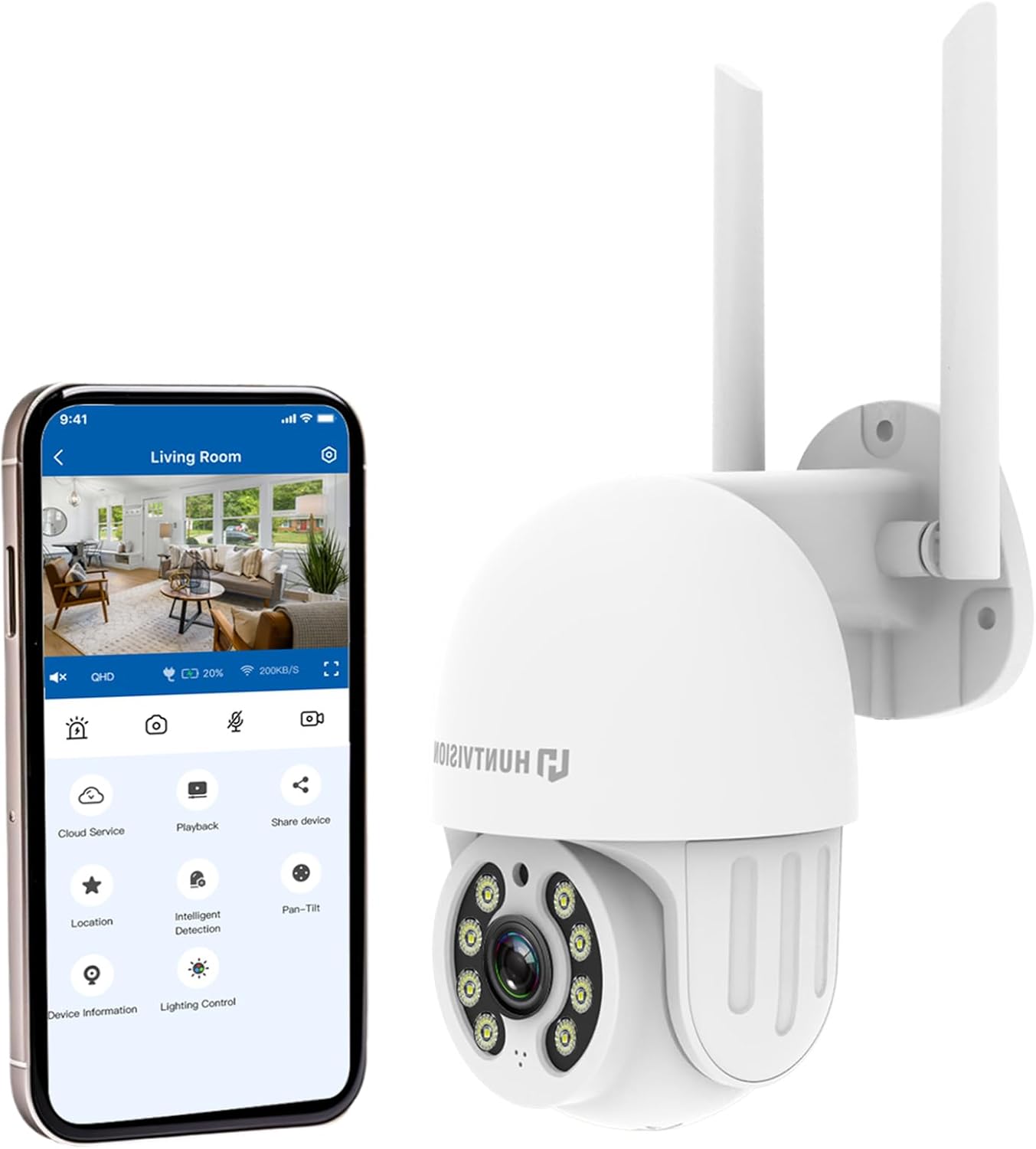
4.2. irudia: The HUNTVISION E3-Z camera alongside a smartphone displaying the companion mobile application interface, illustrating remote control capabilities.
Ezaugarri nagusiak:
- 3MP HD Osoko Bereizmena: Captures clear 2304×1296 footage.
- 24/7 Color Night Vision: Advanced starlight technology for full-color monitoring in low light.
- AI detekzio adimenduna: Distinguishes people, vehicles, and animals with AI-powered motion tracking.
- 360°-ko PTZ kontrola: Remote pan, tilt, and zoom via the Huntvision app.
- Bi norabideko audioa: Komunikatzeko mikrofono eta bozgorailu integratuak.
- IP65 Eguraldiarekiko erresistentea: Designed to withstand outdoor conditions (rain, snow, dust).
- Biltegiratze bikoitza: Supports up to 128GB TF card and cloud storage options.
- Konfigurazio erraza: 2.4G WiFi and Bluetooth 4.2 for quick installation.
5. Konfigurazioa eta instalazioa
5.1 Kokapena aukeratzea
Aukeratu nahi duzuna eskaintzen duen kanpoko kokapen egoki bat viewing angle and is within range of your 2.4G WiFi network. The camera is IP65 weatherproof, making it suitable for various outdoor environments.

5.1. irudia: Examples of suitable installation environments, including residential homes, farms, construction sites, and commercial properties.
5.2 Kamera muntatzea
The camera supports wall mounting. Use the provided auxiliary package for secure installation.
- Markatu zulatzeko puntuak horman, muntatzeko euskarria txantiloi gisa erabiliz.
- Beharrezkoa bada, zuloak egin eta hormako aingurak sartu.
- Lotu muntatzeko euskarria horman torlojuak erabiliz.
- Lotu kamera euskarrira, ondo finkatuta dagoela ziurtatuz.
5.3 Piztea eta hasierako konfigurazioa
- Konektatu korronte-egokitzailea kamerara eta entxufe batera.
- Download the "Huntvision" app from your mobile app store (available for iOS).
- Open the app and follow the on-screen instructions to add your camera. The camera uses Bluetooth 4.2 for initial configuration, simplifying the WiFi connection process.
- Ensure your mobile device is connected to a 2.4G WiFi network during setup.
6. Kameraren funtzionamendua
6.1 Bizi View eta PTZ Kontrola
Once connected, access the live view through the Huntvision app. You can remotely control the camera's pan (355°) and tilt (85°) functions to adjust the viewangelua.

6.1. irudia: Illustration of the camera's remote pan (355°) and tilt (85°) capabilities, controlled via the mobile application, along with 6X digital zoom.
6.2 Mugimenduaren detekzioa eta alertak
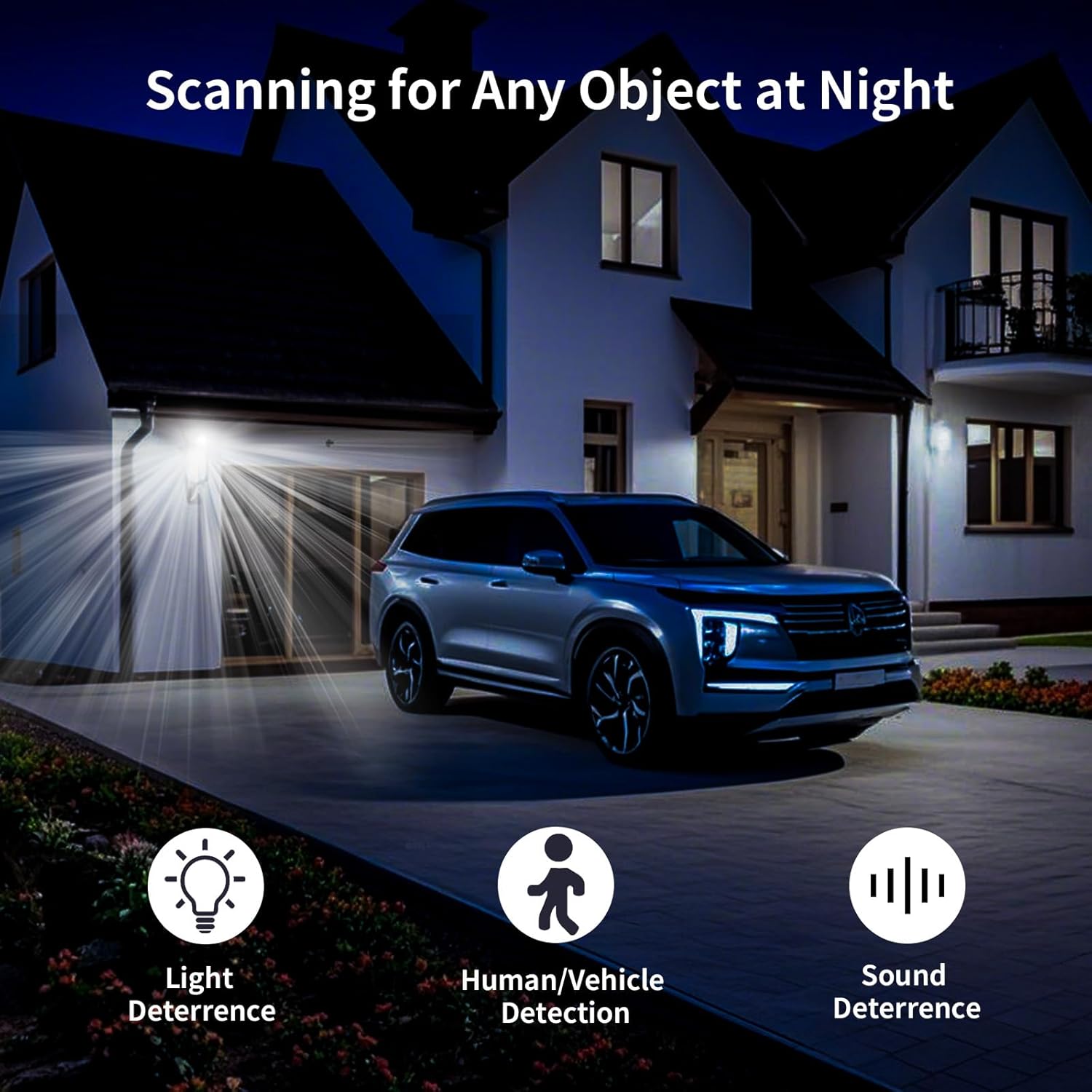
The camera features smart AI detection to distinguish between people, vehicles, and animals. Configure alert settings in the app to receive instant notifications on your mobile device when motion is detected.

6.2. irudia: Depiction of motion detection triggering a siren alert, spotlight alarm, and app notification push, alongside the two-way audio function.
6.3 Gaueko ikusmen moduak
The E3-Z offers multiple night vision modes:
- Gaueko ikusmen koloretsua: Utilizes advanced starlight technology to provide color images in low-light conditions.
- IR gaueko ikuspegia: Standard black and white infrared vision for complete darkness.
- Gaueko ikuspegi adimenduna: Automatically switches between IR and color night vision based on detected motion or light conditions.
6.3. irudia: Visual comparison of Color Night Vision, IR Night Vision, and Smart Night Vision modes, demonstrating clear visibility in various nighttime scenarios.
6.4 Bi norabideko audioa
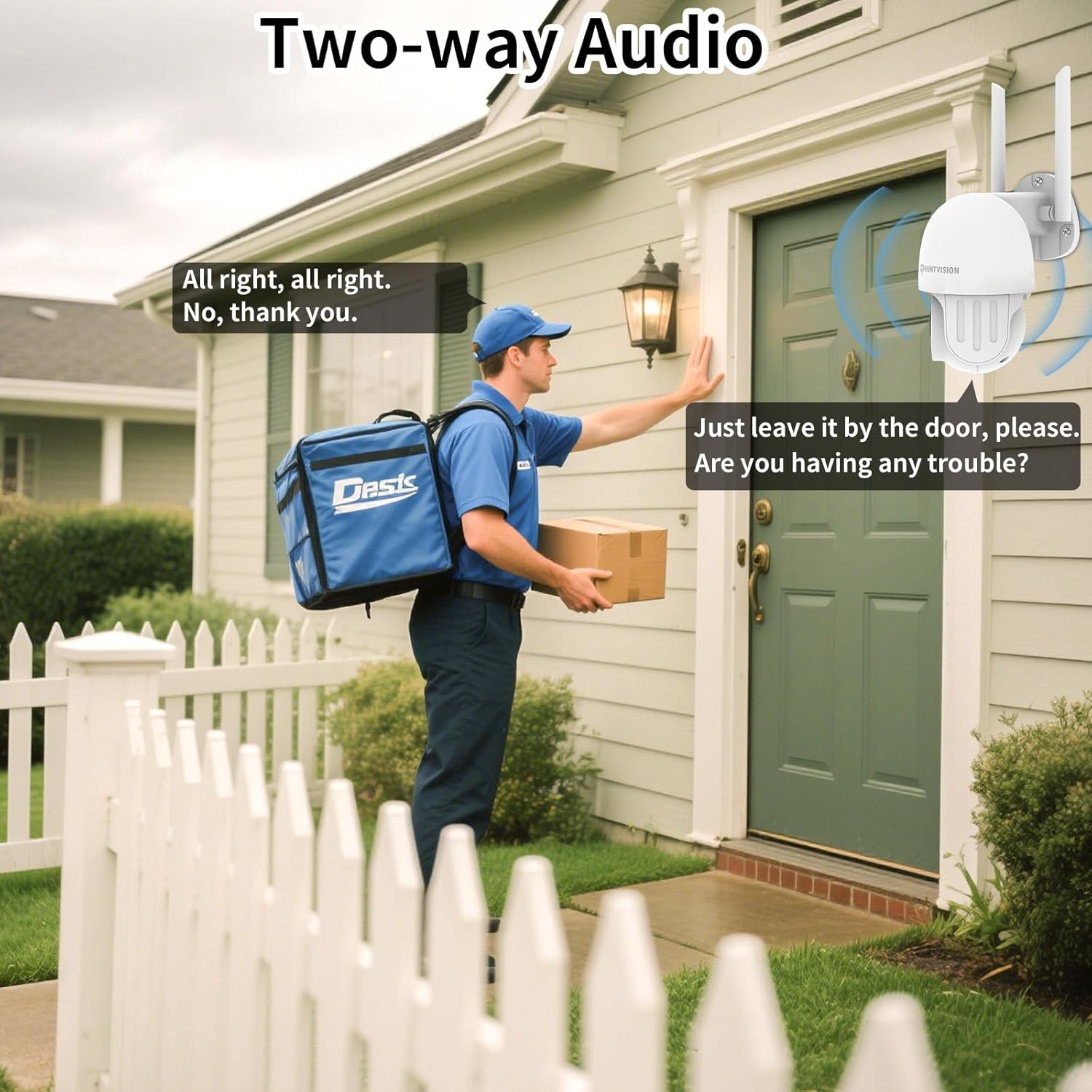
Use the two-way audio feature to communicate with individuals near the camera. This is useful for deterring intruders or speaking with delivery personnel.

6.4. irudia: Example of two-way audio in use, showing a user communicating with a delivery person through the camera.
6.5 Biltegiratze aukerak
The camera supports local storage via a TF (microSD) card up to 128GB and cloud storage services. Insert the TF card into the designated slot on the camera.
6.5. irudia: Gertutik view of the TF card slot on the camera and a list of compatible memory card brands (Kingston, SanDisk, PNY) with supported capacities.
7. Mantentzea
Regular maintenance ensures optimal performance and longevity of your security camera:
- Garbiketa: Garbitu kameraren lentea eta gorputza oihal leun eta lehor batekin. Ez erabili produktu kimiko gogorrik edo garbitzaile urratzailerik.
- Firmware eguneraketak: Check the Huntvision app regularly for firmware updates. Keeping your camera's firmware up-to-date ensures access to the latest features and security enhancements.
- Potentzia-zikloa: If the camera becomes unresponsive, try unplugging it from the power source for a few seconds and then plugging it back in.
- Biltegiratze kudeaketa: Aldian behin berriroview eta kudeatu zure grabatutako footage. If using a TF card, ensure it has sufficient space or consider setting up automatic overwriting.
8. Arazoak
If you encounter issues with your HUNTVISION E3-Z camera, refer to the following common problems and solutions:
| Arazoa | Kausa posiblea | Irtenbidea |
|---|---|---|
| Kamera lineaz kanpo aplikazioan | No power; WiFi disconnected; Router issues | Check power connection; Verify WiFi signal strength; Restart router and camera; Re-add camera to app if necessary. |
| Irudi kalitate eskasa | Dirty lens; Low light; Network bandwidth issues | Clean the lens; Ensure adequate lighting or proper night vision mode; Check network speed. |
| Mugimendu alertak ez dira jaso | App notifications disabled; Detection sensitivity too low; Incorrect detection zone settings | Enable app notifications; Adjust detection sensitivity; Configure detection zones in the app. |
| Bi norabideko audioa ez da funtzionatzen | Microphone/speaker muted in app; Network latency | Check audio settings in the app; Ensure stable network connection. |
| TF txartelak ez du grabatzen | Card full; Card not formatted; Incompatible card | Format the TF card via the app; Replace with a compatible card (up to 128GB); Check recording settings. |
For further assistance, please contact HUNTVISION customer support.
9. Zehaztapenak
| Ezaugarri | Xehetasuna |
|---|---|
| Ereduaren izena | 3MP Outdoor PTZ Camera (E3-Z) |
| Ebazpena | 3MP (2304 x 1296p) |
| Konektibitate Teknologia | Wireless (2.4G WiFi, Bluetooth 4.2 for setup) |
| Panorama/Tilt barrutia | Panorama 355°, okertu 85° |
| Gaueko Ikusmena | Full-Color Night Vision, IR Night Vision, Smart Night Vision |
| Audioa | 2 moduko audioa |
| Biltegiratze-aukerak | TF txartela (128 GB arte), hodeiko biltegiratzea |
| Eguraldi Erresistentearen Balorazioa | IP65 |
| Energia iturria | Kable elektrikoa |
| Muntatze Mota | Hormako Muntaia |
| Neurriak (L x W x H) | 6.36 x 5.31 x 3.62 hazbete |
| Elementuaren pisua | 1 libra |
| Dakarten osagaiak | Camera, Power adapter, Data line, Auxiliary package, User guide |
10. Bermea eta Laguntza
HUNTVISION products come with a standard manufacturer's warranty. Please refer to the warranty card included in your package or visit the official HUNTVISION webwebgunean bermearen baldintza zehatzak ikusteko.
Bezeroarentzako laguntza:
If you require technical assistance or have questions regarding your HUNTVISION E3-Z Security Camera, please contact our customer support team. For the most up-to-date contact information, please visit the official HUNTVISION webgunea edo kontsultatu zure produktuaren ontzian emandako harremanetarako datuak.
Please have your model number (E3-Z) and purchase information ready when contacting support.


