1. Sarrera
Thank you for choosing the Edifier X1 Lite True Wireless Earbuds. This manual provides detailed instructions for setting up, operating, and maintaining your new earbuds to ensure optimal performance and longevity. Please read this manual thoroughly before use.

Image: Edifier X1 Lite True Wireless Earbuds in their open charging case.
2. Zer dago kutxan
The Edifier X1 Lite package includes the following components:
- Edifier X1 Lite True Wireless Earbuds (Left and Right)
- Kargatzeko kaxa
- USB kargatzeko kablea
- Erabiltzailearen eskuliburua (dokumentu hau)
3. Konfigurazioa
3.1 Hasierako karga
Lehenengo aldiz erabili aurretik, kargatu guztiz entzungailuak eta kargatzeko zorroa.
- Jarri bi entzungailuak kargatzeko zorroan.
- Konektatu USB kargatzeko kaxako kargatzeko atakara eta energia-iturri batera (adibidez, USB hormako egokitzailea, ordenagailuko USB ataka).
- The indicator light on the charging case will show charging status. Refer to the LED indicator section for details.
- Kargatze oso batek normalean 1.5 ordu inguru behar ditu zorroak eta entzungailuak kargatzeko.
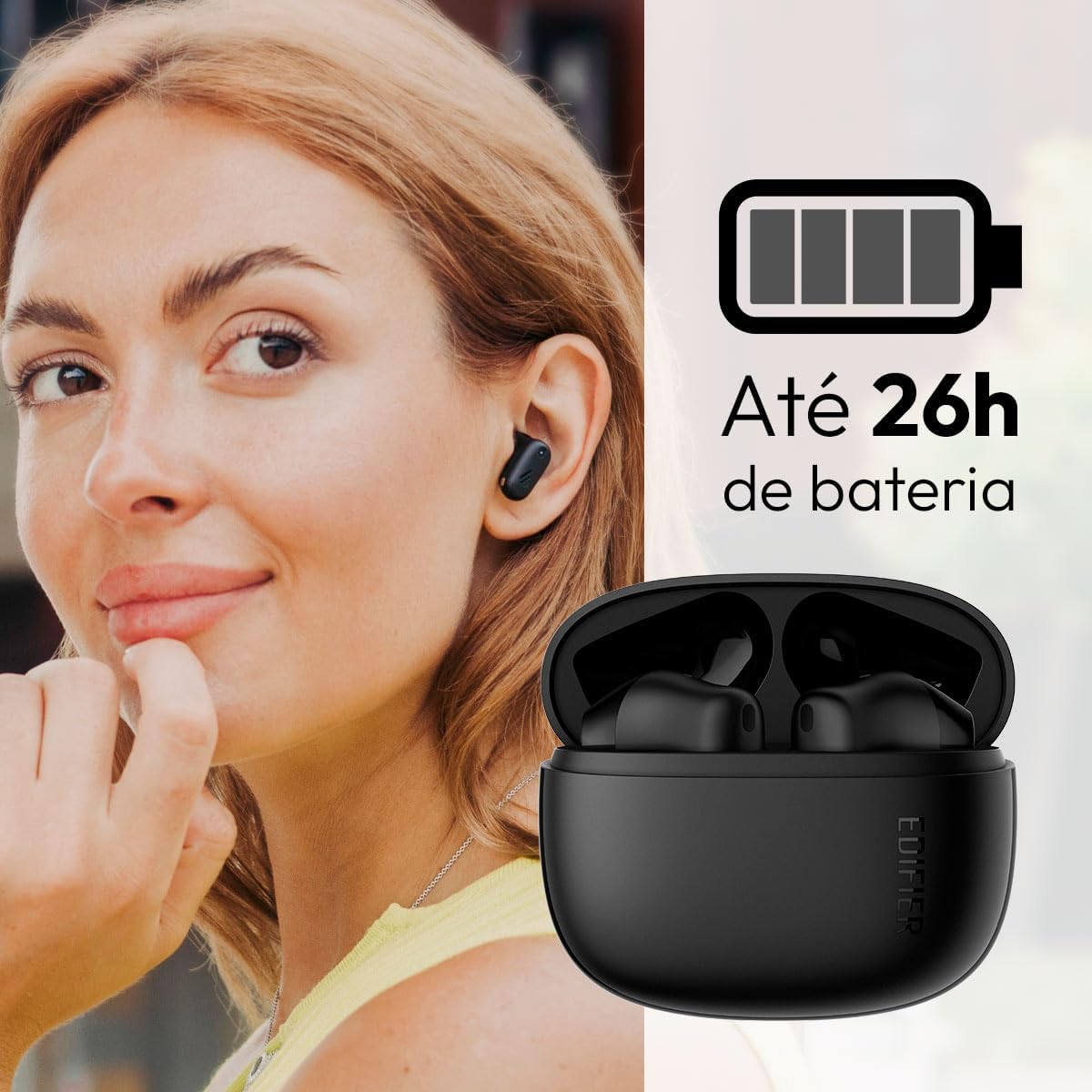
Image: Woman wearing an earbud, with the charging case and a battery icon indicating charging.
Fast Charging Feature:
A 15-minute quick charge can provide approximately 1.5 hours of playtime for the earbuds.

Image: Visual representation of battery life and fast charging capabilities.
3.2 Bluetooth parekatzea
Follow these steps to pair your Edifier X1 Lite earbuds with your device:
- Lehenengo bikotea: Open the charging case. The earbuds will automatically power on and enter pairing mode. The indicator light on the earbuds will flash rapidly.
- Zure gailuan (telefono adimenduna, tableta, ordenagailu eramangarria), gaitu Bluetooth-a.
- Bilatu "EDIFIER X1 Lite" in the list of available Bluetooth devices.
- Select "EDIFIER X1 Lite" to connect. Once connected, the indicator lights on the earbuds will turn off, and you will hear a confirmation tone.
- Re-pairing/Connecting to a New Device: If the earbuds are already connected to another device, disconnect them first. Alternatively, with the earbuds in the case and the lid open, press and hold the button on the charging case for 3 seconds to enter pairing mode.

Image: Man using earbuds, highlighting Bluetooth 5.4 connectivity.
3.3 Edifier ConneX aplikazioaren instalazioa
For enhanced features and customization, download the EDIFIER ConneX app:
- Scan the QR code provided in the image below or visit the official Edifier app download page.
- Instalatu aplikazioa telefonoan edo tabletan.
- Open the app and follow the on-screen instructions to connect your X1 Lite earbuds.
- The app allows for sound effect customization, game mode activation, and touch control settings.

Image: EDIFIER ConneX app interface with QR code. Download the Edifier ConneX App
4. Funtzionamendu-argibideak
4.1 Entzungailuak janztea
Proper fit ensures optimal sound quality and comfort:
- Identifikatu ezkerreko (L) eta eskuineko (R) entzungailuak.
- Sartu aurikular bakoitza dagokion belarri-hodian astiro-astiro.
- Biratu entzungailua apur bat ondo finkatuta eta eroso sentitu arte.

Image: Man demonstrating proper earbud placement.
4.2 Piztu/Itzali
- Piztu: Aurikularrak automatikoki pizten dira kargatzeko zorrotik ateratzen direnean.
- Itzali: Aurikularrak automatikoki itzaltzen dira eta kargatzen hasten dira kargatzeko kutxan berriro sartzen direnean eta estalkia ixten denean.
4.3 Ukitu Kontrolak
The Edifier X1 Lite earbuds feature touch-sensitive controls on each earbud. These controls can be customized via the EDIFIER ConneX app.
| Ekintza | Ezkerreko aurikularra (L) | Eskuineko aurikularra (R) |
|---|---|---|
| Erantzun/Amaitu deia | Sakatu birritan | Sakatu birritan |
| Deia baztertu | Sakatu hirukoitza | Sakatu hirukoitza |
| Erreproduzitu/Pausatu musika | Sakatu birritan | Sakatu birritan |
| Hurrengo Pista | N/A (Customize via App) | Sakatu hirukoitza |
| Aurreko Pista | Sakatu hirukoitza | N/A (Customize via App) |
| Joko modua aktibatuta/desaktibatuta | Laukoitz Ukitu | Laukoitz Ukitu |
Note: These are default settings. Functions can be reconfigured using the EDIFIER ConneX app.

Image: Visual guide to earbud touch controls.
5. Mantentzea
5.1 Garbiketa
- Garbitu aldizka entzungailuak eta kargatzeko zorroa oihal leun, lehor eta lihorik gabeko batekin.
- Ez erabili garbitzaile urratzailerik, alkoholik edo disolbatzaile kimikorik.
- Karga behar bezala mantentzeko, ziurtatu entzungailuen eta zorroaren kargatzeko kontaktuak garbi eta hondakinik gabe daudela.
5.2 Urarekiko erresistentzia (IP54)
The Edifier X1 Lite earbuds are IP54 rated, meaning they are protected against dust ingress and splashing water from any direction. This makes them suitable for workouts and light rain.
- Ez murgildu entzungailuak uretan.
- The charging case is not water-resistant. Keep it dry.
- If earbuds get wet, wipe them dry completely before placing them back in the charging case to prevent damage.

Image: Demonstrating IP54 sweat resistance during exercise.
5.3 Bateria zaintzea
- Saihestu entzungailuak eta zorroa muturreko tenperaturen eraginpean jartzea (beroa edo hotza).
- Gorde gailua leku fresko eta lehor batean erabiltzen ez duzunean.
- Charge the device regularly, even if not used frequently, to maintain battery health.
6. Arazoak
If you encounter issues with your Edifier X1 Lite earbuds, refer to the following common problems and solutions:
6.1 Soinurik ez edo konexio etengabea
- Egiaztatu bateria: Ziurtatu entzungailuak eta kargatzeko zorroa behar bezala kargatuta daudela.
- Parekatu berriro: Disconnect the earbuds from your device's Bluetooth settings and then re-pair them.
- Distantzia: Ensure the earbuds are within the Bluetooth range (typically 10 meters) of your device.
- Interferentzia: Move away from strong Wi-Fi signals or other Bluetooth devices that might cause interference.
- Berrezarri: Place both earbuds in the charging case, close the lid, wait a few seconds, then open the lid and try pairing again.
6.2 entzungailuak ez dira kargatzen
- Egiaztatu kablea: Ensure the USB charging cable is securely connected to both the case and the power source.
- Energia iturria: Saiatu beste USB ataka edo hormako egokitzaile batekin.
- Kontaktu garbiak: Clean the charging contacts on the earbuds and inside the charging case with a dry cotton swab.
- Kokapen egokia: Ziurtatu entzungailuak kargatzeko zorroan behar bezala sartuta daudela.
6.3 Poor Call Quality
- Microphone Obstruction: Ensure the microphone on the earbuds is not covered.
- Ingurumena: Move to a quieter environment if possible. The AI algorithm helps, but extreme noise can still affect clarity.
- Konexioaren egonkortasuna: Ziurtatu Bluetooth konexio egonkorra.

Image: Man using earbuds for a clear call, highlighting AI voice pick-up technology.
6.4 Aplikazioen konexio arazoak
- Bluetootha aktibatuta: Ensure Bluetooth is enabled on your device and the earbuds are connected.
- Aplikazioaren baimenak: Check if the EDIFIER ConneX app has necessary Bluetooth and location permissions.
- Restart App/Device: Itxi eta berriro ireki aplikazioa, edo berrabiarazi telefonoa.
- Aplikazioaren eguneratzea: Ziurtatu aplikazioa azken bertsiora eguneratuta dagoela.
7. Zehaztapenak
| Ezaugarri | Xehetasuna |
|---|---|
| Ereduaren izena | X1 Lite |
| Konektibitate Teknologia | Haririk gabeko (Bluetooth) |
| Bluetooth bertsioa | 5.4 |
| Audio kontrolatzaile mota | Dynamic Driver (Φ13mm) |
| Maiztasun barrutia | 20Hz-20kHz |
| Bateriaren iraupena | Gehienez 7 ordu (aurikularrak), 26 ordu arte (kargatzeko zorroarekin) |
| Karga azkarra | 15 minutuko karga 1.5 orduko erreprodukzio-denborarako |
| Latentzia baxua | 60 ms |
| Uraren Erresistentzia | IP54 (Aurikularrak bakarrik) |
| Mikrofonoa | Single Mic AI algorithm voice pick-up |
| Kontrol-metodoa | Touch Control, App (EDIFIER ConneX) |
| Materiala | Plastikoa |
| Earbud pisua | Gutxi gorabehera 4 g entzungailu bakoitzeko |
| Kolorea | Beltza |
8. Bermea eta Laguntza
Edifier products are designed with quality and reliability in mind. For warranty information and customer support, please refer to the official Edifier webgunera edo jarri harremanetan zuzenean bezeroarentzako arreta-zerbitzuarekin.
- Ofiziala Webgunea: Bisitatu www.edifier.com for product registration, FAQs, and support resources.
- Bezeroarentzako arreta: Contact Edifier customer support for technical assistance or warranty claims. Contact details can typically be found on the official webgunean edo produktuaren ontzian.
Gorde erosketaren egiaztagiria bermearen ondorioetarako.


