Sarrera
This manual provides detailed instructions for the setup, operation, maintenance, and troubleshooting of your ciciglow WL Electronic Eyepiece Telescope Camera. This device is designed to capture 16MP photos and HD videos through compatible optical instruments, enhancing your viewesperientzia gordetzea eta grabatzea.
Segurtasun Informazioa
- Do not expose the device to extreme temperatures, moisture, or direct sunlight for extended periods.
- Saihestu gailua kolpe gogorrak erortzea edo jasaten.
- Mantendu gailua eremu magnetiko indartsuetatik urrun.
- Ez saiatu gailua desmuntatzen edo aldatzen. Horrek bermea baliogabetuko du.
- Erabili emandako USB kablea soilik kargatzeko.
- Ensure the device is securely attached to your telescope or other optical instrument to prevent accidental falls.
Paketearen edukia
Egiaztatu elementu guztiak zure paketean daudela:
- 1 x WL Electronic Eyepiece Telescope Camera
- 1 x USB motako C kargatzeko kablea
- 1 x Argibide eskuliburua (dokumentu hau)
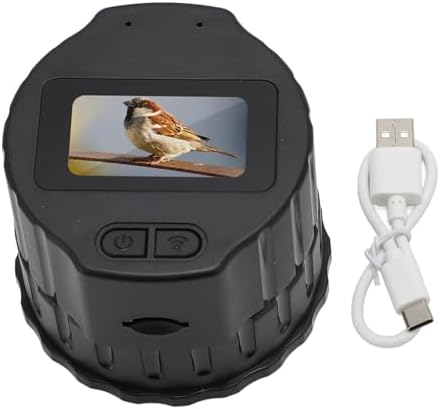
Image: The electronic eyepiece camera shown next to its USB Type-C charging cable, representing the typical package contents.
Produktua amaituview
The ciciglow WL Electronic Eyepiece is a compact digital camera designed to attach to various optical instruments. It features a 1.5-inch screen for direct viewing and can connect to smartphones via Wi-Fi for remote control, live viewing, and sharing.
Ezaugarri nagusiak:
- Bereizmen handiko harrapaketa: Records 16MP photos and HD videos.
- Bateragarritasun zabala: Fits 28mm to 50mm monocular, binoculars, microscopes, and astronomical telescopes.
- Haririk gabeko konektagarritasuna: Built-in Wi-Fi for smartphone connection via the Viidure app.
- Dual Device Viewesan: Aldibereko onartzen du viewing on up to two mobile phones.
- Diseinu eramangarria: Arina eta trinkoa, erraz garraiatzeko.
- Bateriaren iraupen luzea: Integrated 1000mAh battery provides up to 150 minutes of continuous use.
- Biltegiratze zabalgarria: Supports memory cards up to 256GB (not included).

Image: A visual representation of the electronic eyepiece camera in use, connected to a telescope, with the live feed displayed on two mobile phones simultaneously. This highlights its photo and video recording capabilities.
Konfigurazioa
1. Gailua kargatzea
Before first use, fully charge the electronic eyepiece camera. Connect the provided USB Type-C cable to the camera's power port and the other end to a standard USB power adapter (not included) or a computer USB port.
- Charging time: Approximately 1 hour.
- The device can be used while charging with an external power source like a power bank for extended operation.

Image: The electronic eyepiece camera with its USB Type-C port highlighted, indicating where to connect the charging cable. A battery icon suggests charging status.
2. Memoria Txartela sartzea
The device supports a memory card (MicroSD, not included) up to 256GB for storing photos and videos. Locate the memory card slot and gently insert the card until it clicks into place.
3. Attaching to an Optical Instrument
The electronic eyepiece is compatible with optical instruments (monoculars, binoculars, microscopes, astronomical telescopes) that have an eyepiece diameter between 28mm and 50mm.
- Ensure your optical instrument's eyepiece falls within the 28mm to 50mm range.
- Gently rotate the electronic eyepiece onto the optical instrument's eyepiece until it is securely fitted. Do not overtighten.
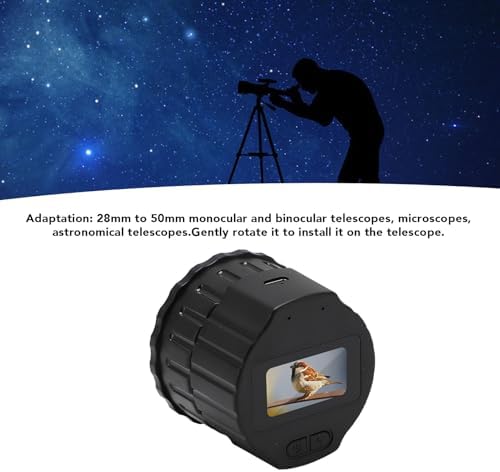
Image: The electronic eyepiece camera positioned to be attached to a telescope, illustrating the installation process and compatibility range.
4. Aplikazioaren instalazioa eta Wi-Fi konexioa
To utilize advanced features and remote control, download the 'Viidure' application on your smartphone.
- Scan the QR code provided in the original product packaging or search for 'Viidure' in your smartphone's application store (e.g., Google Play Store, Apple App Store).
- Instalatu aplikazioa.
- On the electronic eyepiece camera, power on the device and enable its Wi-Fi function.
- On your smartphone, enable Wi-Fi and connect to the camera's Wi-Fi network (SSID will typically start with 'Viidure' or similar).
- Open the Viidure app. Ensure your phone has internet permissions enabled for the app to function correctly.
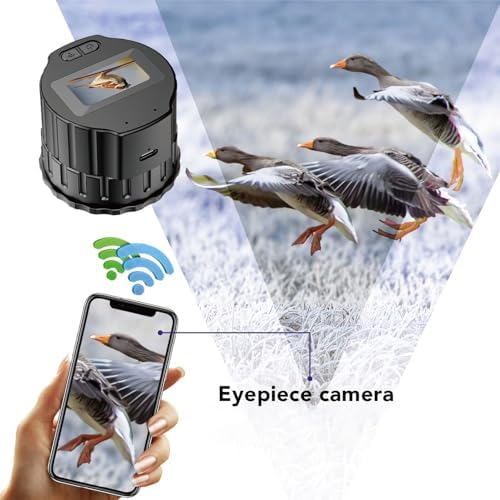
Image: The electronic eyepiece camera transmitting a live image to a smartphone via Wi-Fi, demonstrating the app connectivity.
Funtzionamendu-argibideak
Piztu/Itzali
Press and hold the power button on the device to turn it on or off. The 1.5-inch screen will activate upon power-on.
Argazkiak eta bideoak ateratzea
Once connected to your smartphone via the Viidure app:
- Open the Viidure app to view kameratik zuzeneko jarioa.
- Use the controls within the app to capture photos or start/stop video recording.
- Captured media will be saved to the inserted memory card and can be accessed through the app.
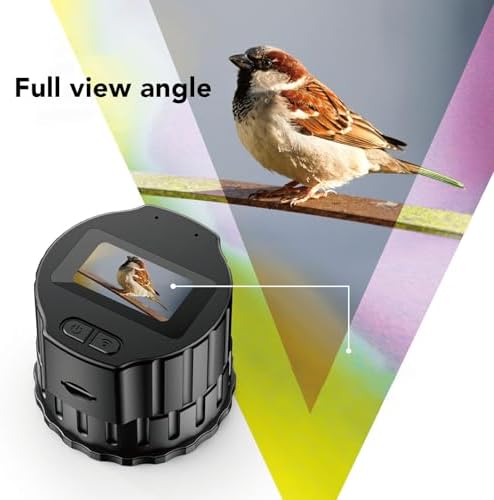
Image: The 1.5-inch screen of the electronic eyepiece camera showing a clear image, indicating its direct viewing gaitasuna.
Aldiberekoa Viewing
The Viidure app allows up to two smartphones to connect and view the live feed from the electronic eyepiece simultaneously. Follow the Wi-Fi connection steps on both devices.

Image: A person observing the night sky through a telescope equipped with the electronic eyepiece, demonstrating its use for astronomical photography.
Mantentzea
- Garbiketa: Use a soft, dry cloth to clean the exterior of the device. For the lens and screen, use a specialized lens cleaning cloth and solution if necessary. Avoid abrasive materials.
- Biltegiratzea: When not in use, store the device in a cool, dry place, away from dust and direct sunlight.
- Bateria zaintzea: Bateriaren iraupena luzatzeko, saihestu bateria guztiz deskargatzea maiz. Denbora luzez gordetzen baduzu, kargatu bateria % 50 ingurura hilabete batzuk behin.
Arazoak konpontzea
Gailua ez da pizten
- Ziurtatu bateria kargatuta dagoela. Konektatu gailua energia-iturri batera USB-C kablea erabiliz.
- Eduki sakatuta pizteko botoia segundo batzuetan.
Cannot Connect to Wi-Fi / App
- Verify that the camera's Wi-Fi is enabled.
- Ensure your smartphone's Wi-Fi is on and connected to the camera's network.
- Check if the 'Viidure' app has necessary permissions (e.g., internet access) on your phone.
- Restart both the camera and your smartphone, then try connecting again.
Irudiaren kalitate eskasa
- Ensure the optical instrument (telescope, etc.) is properly focused.
- Check if the camera lens or the optical instrument's eyepiece is clean.
- Verify that the camera is securely attached and aligned with the optical instrument's eyepiece.
Device Does Not Fit My Optical Instrument
- Confirm that your optical instrument's eyepiece diameter is between 28mm and 50mm. This device is not compatible with eyepieces outside this range.
Zehaztapenak
| Elementu mota | WL Electronic Eyepiece |
| Materiala | ABS |
| Kolorea | Beltza |
| Bateria | Built-in Li Battery 1000mAh |
| Sentsore | CMOS |
| Pixelak | 16MP |
| Pantaila | 1.5 hazbetekoa |
| Lentearen angelu horizontala | 5° |
| Memoria txartelaren zirrikitua | Maximum 256GB (memory card not included) |
| Potentzia Portua | USB C motakoa |
| Erabilera Denbora | 150 minutu |
| Kargatzeko Denbora | Gutxi gorabehera ordu 1 |
| Pisua | 4.9 ontza (gutxi gorabehera 139 g) |
| Neurriak | 3.94 x 3.94 x 2.76 hazbete (gutxi gorabehera 10 x 10 x 7 cm) |
| Bateragarritasuna | 28mm to 50mm Monocular, Binoculars, Microscopes, Astronomical Telescopes |
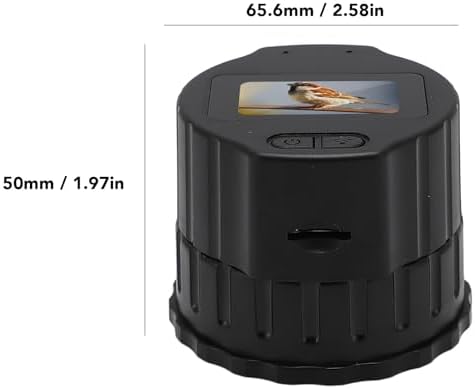
Image: A diagram illustrating the physical dimensions of the electronic eyepiece camera.
Bermearen informazioa
This product comes with a standard manufacturer's warranty. Please refer to the warranty card included in your original packaging for specific terms and conditions, including warranty period and coverage details. Keep your proof of purchase for warranty claims.
Bezeroarentzako Arreta
For technical assistance, troubleshooting not covered in this manual, or warranty inquiries, please contact ciciglow customer support through the retailer's platform where you purchased the product or visit the official ciciglow webharremanetarako informazioa lortzeko gunea.