Sarrera
This manual provides essential information for the safe and efficient installation, operation, and maintenance of your GIGABYTE AORUS Elite P1000W Ice Power Supply. Please read this manual thoroughly before using the product and retain it for future reference.

1. irudia: Angeludun view of the GIGABYTE AORUS Elite P1000W Ice Power Supply, highlighting the 1000W rating.
Segurtasun Informazioa
Always observe the following safety precautions to prevent injury and damage to your equipment:
- Ensure the power supply is disconnected from the AC outlet before installation or handling.
- Ez ireki elikatze-iturria. Bolumen handikotagBarruan daude, eta ez dago erabiltzaileak konpondu beharreko piezarik.
- Install the power supply in a well-ventilated area, away from heat sources and direct sunlight.
- Erabili elikatze-iturri honekin batera datozen kable modularrak soilik. Kable bateraezinak erabiltzeak kalteak eragin ditzake.
- Avoid exposing the power supply to moisture or extreme temperatures.
Paketearen edukia
Egiaztatu elementu guztiak paketean daudela:
- GIGABYTE AORUS Elite P1000W Ice Power Supply Unit
- Modular Cable Set (including ATX 24-pin, EPS/CPU 8-pin, PCIe 6+2-pin, 12VHPWR, SATA, Peripheral)
- AC Power Cord (EU Plug)
- Muntatzeko Torlojuak
- Erabiltzailearen eskuliburua (dokumentu hau)
Produktuaren Ezaugarriak
- ATX 3.0 and PCIe Gen 5.0 ready (ATX 3.1 compatible)
- Certified 80 PLUS Platinum efficiency
- 100% Japanese Capacitors for enhanced reliability
- 120mm Dynamic Fluid Ball Bearing (FDB) Fan for quiet and efficient cooling
- Compact design for easier installation
- Fully modular design for improved cable management
- Powerful single rail +12V output
- Comprehensive protection features: OVP (Over Voltage Protection), OPP (Over Power Protection), SCP (Short Circuit Protection), UVP (Under Voltage Protection), OCP (Over Current Protection), OTP (Over Temperature Protection)
Konfigurazioa eta Instalazioa
Jarraitu urrats hauek zure energia-iturria instalatzeko:
- Prestatu zure sistema: Ensure your computer case is open and all existing power supply cables are disconnected.
- Elikatze-iturria muntatu: Carefully place the GIGABYTE AORUS Elite P1000W into the power supply bay of your computer case. Secure it with the provided mounting screws.

2. irudia: Orokorrean view of the GIGABYTE AORUS Elite P1000W Ice Power Supply. This image shows the main unit with its fan grill and modular cable ports.
- Konektatu kable modularrak: Identify the necessary cables for your motherboard and components (CPU, GPU, storage drives). Connect the appropriate modular cables to the power supply's output ports.

3. irudia: Xehetasuna view of the modular cable connectors on the GIGABYTE AORUS Elite P1000W Ice Power Supply. This image illustrates the clearly labeled ports for M/B, CPU/PCI-E, Peripheral, and 12VHPWR connections.
- 24 pineko ATX kablea: Connect to the motherboard's main power connector.
- 8-pin EPS/CPU Cable: Connect to the motherboard's CPU power connector.
- PCIe 6+2-pin Cables: Connect to your graphics card(s) if they require additional power.
- 12VHPWR Cable: Connect to PCIe Gen 5.0 graphics cards that utilize this connector.
- SATA kableak: Connect to SSDs, HDDs, and optical drives.
- Periferiko kableak (Molex): Connect to other components requiring Molex power.
- Osagaiak konektatu: Route the connected modular cables neatly to their respective components and plug them in securely.
- Konektatu AC Power: Ensure the power supply's main switch is in the OFF (0) position. Connect the AC power cord to the power supply and then to a wall outlet.
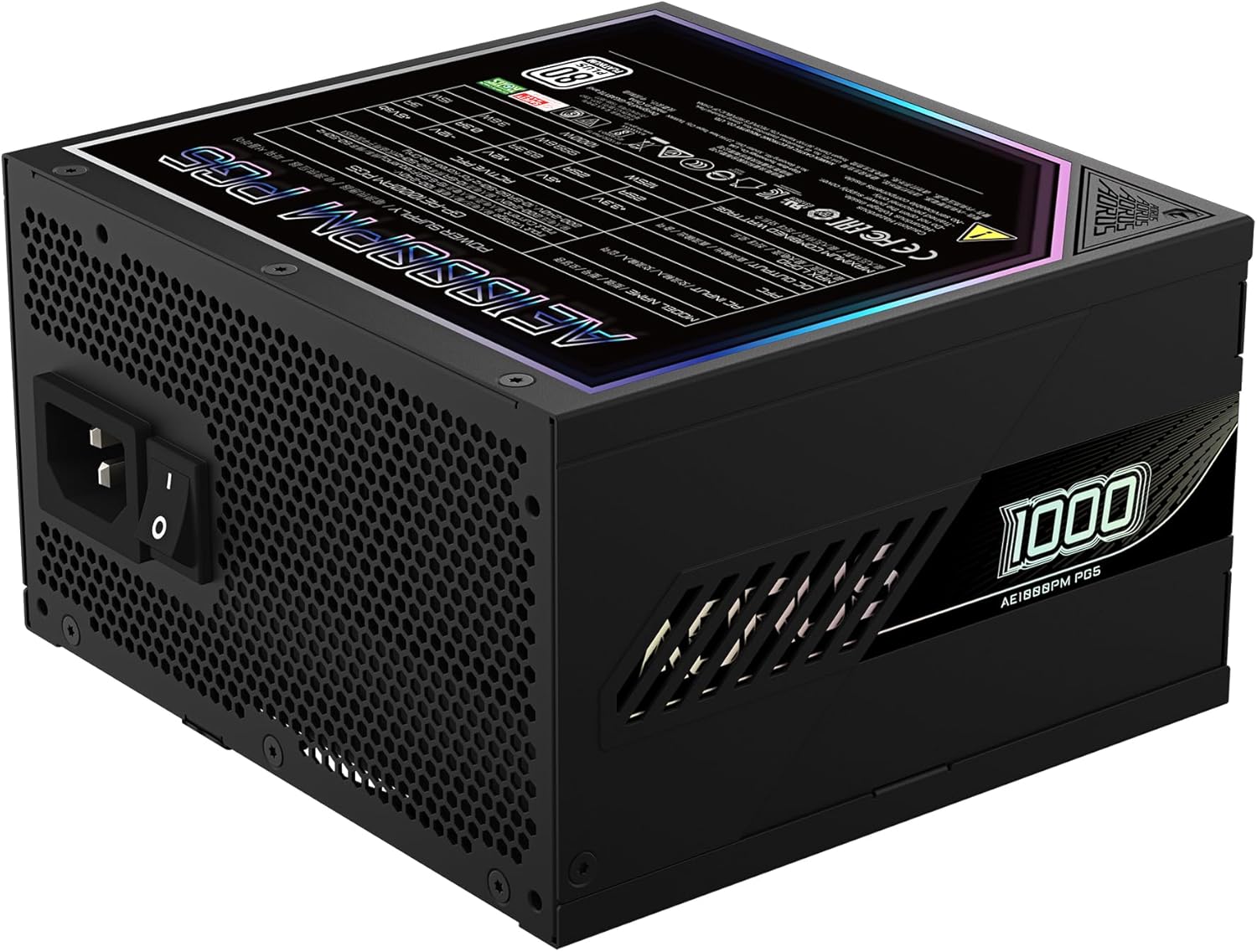
Figure 4: Rear panel of the GIGABYTE AORUS Elite P1000W Ice Power Supply, showing the AC power input and power switch. Ensure the switch is set to '0' before connecting the AC cord.
Funtzionamendu-argibideak
After installation, follow these steps to power on your system:
- Piztu: Flip the main power switch on the rear of the power supply to the ON (I) position.
- Sistemaren abioa: Sakatu ordenagailuaren kaxan dagoen pizteko botoia sistema abiarazteko.
- Itzali: To shut down your system, perform a proper shutdown through your operating system. Once the system is off, you may flip the power supply's main switch to the OFF (0) position for complete power disconnection.

5. irudia: Goitik behera view of the 120mm fan with the AORUS logo on the GIGABYTE AORUS Elite P1000W Ice Power Supply. The fan provides active cooling during operation.
Mantentzea
Mantentze-lan erregularrak zure energia-iturriaren iraupena eta errendimendu optimoa bermatzen laguntzen du:
- Hautsa garbitzea: Periodically clean dust from the power supply's fan grill and vents using compressed air. Ensure the power supply is turned off and unplugged before cleaning.
- Kableen kudeaketa: Ensure cables are neatly routed and do not obstruct airflow within the computer case.
- Ingurumen-baldintzak: Maintain a cool, dry, and well-ventilated environment for your computer system.
Arazoak konpontzea
Arazoak badituzu, jarraitu arazoak konpontzeko ohiko urrats hauek:
- Potentziarik gabe:
- Egiaztatu korronte alternoko kablea ondo konektatuta dagoen elikatze-iturrira eta hormako entxufera.
- Ensure the power supply's main switch is in the ON (I) position.
- Verify that all modular cables are correctly seated in both the power supply and the components.
- Probatu hormako entxufea beste gailu batekin korrontea duela baieztatzeko.
- Sistema ustekabean itzaltzen da:
- This could indicate an overload or overheating. Ensure your system's power requirements do not exceed the PSU's 1000W capacity.
- Check for proper ventilation and clear any dust buildup.
- Egiaztatu konexio elektriko guztiak ondo lotuta daudela.
- Ezohiko zaratak:
- A clicking sound might indicate a protective mechanism engaging. Disconnect power and recheck all connections.
- If the fan is making excessive noise, ensure it is free from obstructions.
If issues persist after following these steps, contact GIGABYTE customer support.
Zehaztapenak

Figure 6: Product label on the GIGABYTE AORUS Elite P1000W Ice Power Supply, displaying electrical specifications and certifications. Refer to this label for detailed electrical ratings.
| Ezaugarri | Xehetasuna |
|---|---|
| Ereduaren izena | AORUS ELITE P1000W |
| Elementuaren eredu-zenbakia | GP-AE1000PM PG5 EU |
| Irteera Wattage | 1000 Watt |
| 80 PLUS Ziurtagiria | Platinozkoa |
| Forma-faktorea | ATX |
| ATX Version Compatibility | ATX 3.0 (ATX 3.1 compatible) |
| PCIe Version Compatibility | PCIe Gen 5.0 |
| Fan Tamaina | 120 mm |
| Fan Mota | Dynamic Fluid Ball Bearing (FDB) |
| Kondentsadoreak | %100eko japoniar kondentsadoreak |
| Diseinu modularra | Erabat modularra |
| Babesak | OVP, OPP, SCP, UVP, OCP, OTP |
| Produktuaren neurriak (L x W x H) | 5.51 x 5.91 x 3.39 hazbete |
| Elementuaren pisua | 6.79 libra (3080 gramo) |
Bermearen informazioa
The GIGABYTE AORUS Elite P1000W Ice Power Supply comes with a 10 urteko bermea from the date of purchase. This warranty covers defects in materials and workmanship under normal use. Please retain your proof of purchase for warranty claims. For full warranty terms and conditions, refer to the official GIGABYTE webwebgunean edo jarri harremanetan bezeroarentzako laguntzarekin.
Laguntza
For technical assistance, troubleshooting beyond this manual, or warranty inquiries, please visit the official GIGABYTE support website or contact their customer service department. You can typically find contact information on the GIGABYTE webgunean edo produktuaren ontzian.
GIGABYTE Ofiziala Webgunea: www.gigabyte.com


