1. Sarrera
Thank you for choosing the Skyworth 60G6500G 60-inch UHD 4K LED Google TV. This manual provides essential information for the safe and efficient use of your new television. Please read it thoroughly before operating the device and retain it for future reference.
This television features a stunning UHD (3840 x 2160) resolution, a borderless display, and a brightness of 250 nits. It incorporates advanced technologies such as Eye Care 2.0 and Chameleon Extreme 2.0 for an enhanced viewing experience. Powered by Google TV, it offers access to a wide range of streaming services and apps, including Netflix, YouTube, Prime Video, and Disney+.
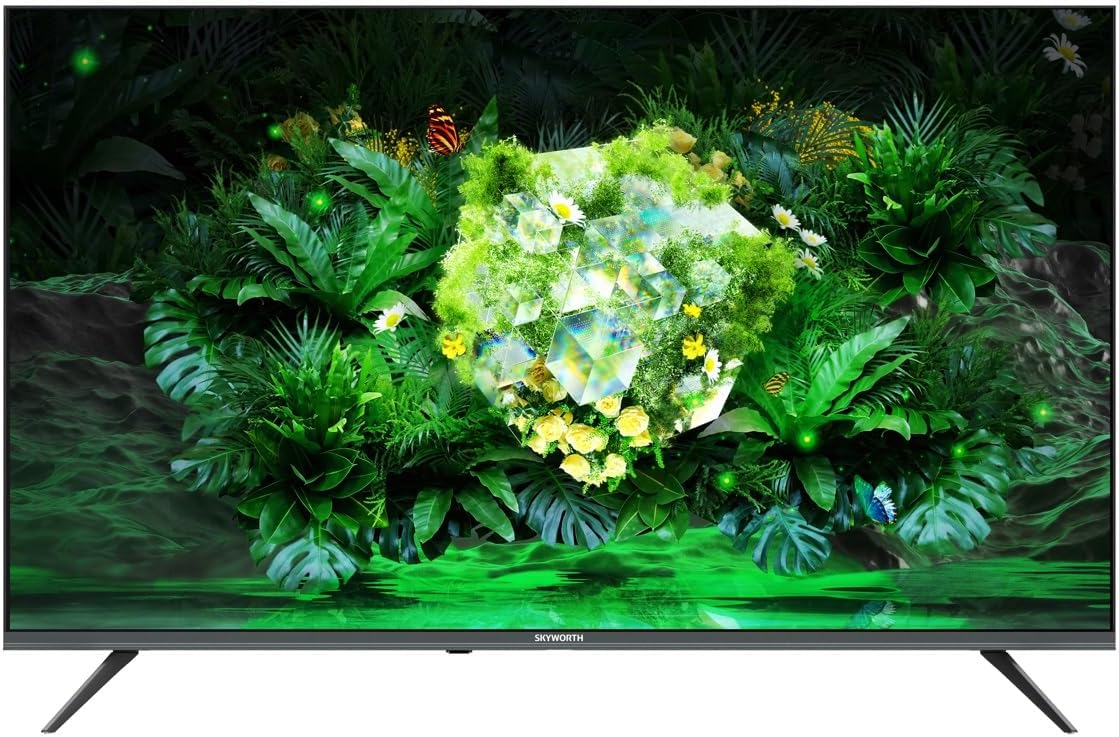
1.1. irudia: Aurrealdea view of the Skyworth 60G6500G television.
2. Segurtasun informazioa
Beti jarraitu segurtasun-neurri hauek deskarga elektrikoak, suteak edo telebistari kalteak saihesteko.
- Energia iturria: Connect the TV only to an AC power supply as indicated on the label. Ensure the power cord is not damaged or pinched.
- Aireztapena: Ez blokeatu aireztapen-irekidurak. Mantendu nahikoa leku telebistaren inguruan aire-fluxu egokia lortzeko.
- Ura eta hezetasuna: Ez jarri telebista euripean edo hezetasunean. Ez jarri likidoz betetako objekturik, hala nola loreontziak, telebistaren gainean.
- Beroa: Mantendu telebista bero-iturrietatik urrun, hala nola erradiadoreetatik, bero-erreguladoreetatik, sukaldeetatik edo beroa sortzen duten beste tresna batzuetatik.
- Garbiketa: Deskonektatu telebista hormako entxufetik garbitu aurretik. Erabili zapi leun eta lehor bat. Ez erabili garbitzaile likidorik edo aerosol garbitzailerik.
- Lekua: Place the TV on a stable, level surface. Avoid placing it in direct sunlight or near strong electromagnetic fields.
- Haurrak: Zaindu haurrak telebistaren gainean igo edo harekin jolasten ez daitezen.
3. Paketearen edukia
Please check that all the following items are included in your TV package:
- Skyworth 60G6500G 60-inch UHD 4K LED Google TV
- Urruneko Kontrola
- Elikatze-kablea
- Telebista-euskarria (2 pieza)
- Euskarri muntaketarako torlojuak
- Erabiltzailearen eskuliburua (dokumentu hau)
4. Konfigurazioa
4.1 Telebistaren euskarria muntatzea
- Kontu handiz jarri telebista aurpegia behera gainazal bigun eta lau batean (adibidez, manta edo apar baten gainean) pantaila kaltetu ez dadin.
- Identifikatu ezkerreko eta eskuineko euskarri-pieza.
- Lerrokatu euskarri pieza bakoitza telebistaren behealdean dauden torloju-zuloekin.
- Lotu euskarri bakoitza emandako torlojuak erabiliz. Ziurtatu ondo estututa daudela.
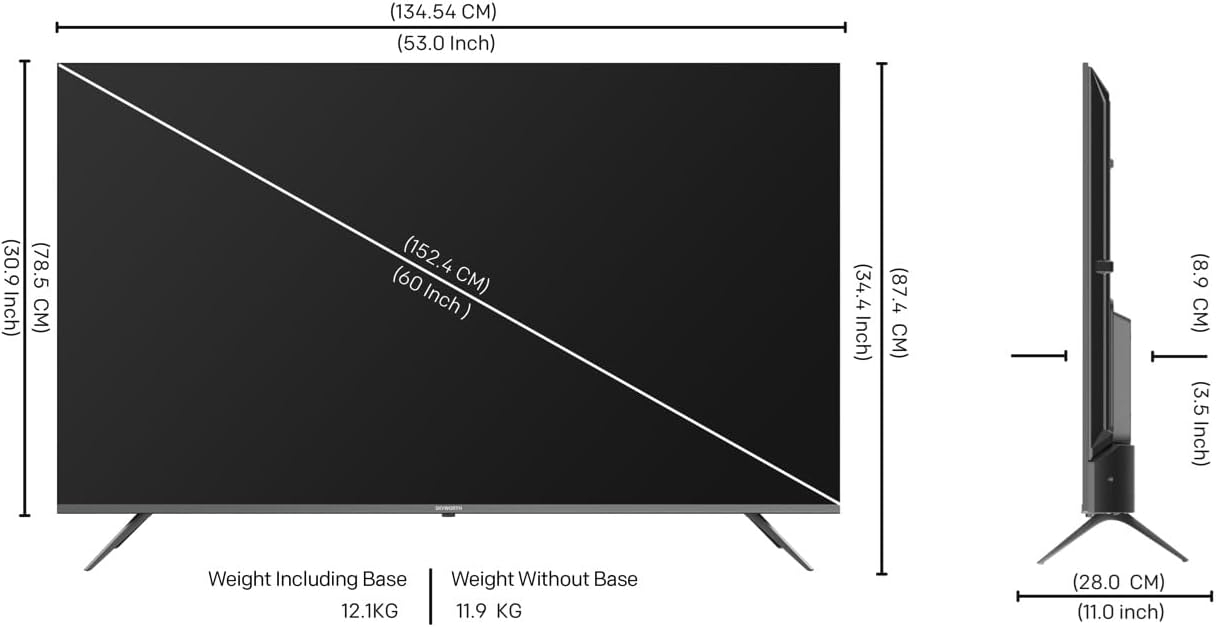
Image 4.1: Diagram illustrating TV dimensions and stand installation.
4.2 Horman muntatzea (aukerakoa)
If you choose to wall mount your TV, please ensure you use a VESA-compatible wall mount kit (not included) that supports the TV's weight and size. Follow the instructions provided with your wall mount kit. It is recommended to seek professional installation for wall mounting.
4.3 Periferikoak konektatzea
Connect your external devices to the TV using the appropriate ports. Refer to the image below for port locations.

4.2 irudia: Albokoa view telebistaren hainbat sarrera/irteera ataka erakusten ditu.
- HDMI: Connect Blu-ray players, game consoles, or other HDMI-enabled devices to the 3 HDMI ports.
- USBa: Konektatu USB biltegiratze gailuak 2 USB ataketara multimedia erreproduzitzeko.
- Antena/Kablea: Connect an antenna or cable TV signal to the DVB-T/T2/S input.
- Ethernet (LAN): Interneteko kable bidezko konexio baterako.
- Audio irteera: Kanpoko audio sistemak konektatzeko.
4.4 Hasierako piztea eta konfigurazioa
- After connecting all necessary cables, plug the power cable into a wall outlet.
- Sakatu urrutiko agintean edo telebistan bertan pizteko botoia.
- Jarraitu pantailan agertzen diren argibideei hasierako konfigurazioa osatzeko, hizkuntza hautatzea, sareko konexioa (Wi-Fi edo Ethernet) eta Google kontuan saioa hastea barne.
5. Zure telebista funtzionatzea
5.1 Urruneko kontrola baino gehiagoview
The remote control allows you to navigate the TV's features. Key functions include:
- Potentzia: Telebista pizten edo itzaltzen du.
- Google Laguntzailea: Ahots-komandoak aktibatzen ditu.
- Nabigazio botoiak: Gora, Behera, Ezkerra, Eskuina eta Ados menuan nabigatzeko.
- +/- bolumena: Bolumen-maila doitzen du.
- Kanala +/-: Telebistako kateak aldatzen ditu.
- Sarrera: Sarrera iturria hautatzen du (HDMI, AV, etab.).
- Hasiera: Google TV-ren hasierako pantailara itzultzen da.
- Aplikazioko lasterbideak: Dedicated buttons for popular streaming services like Netflix, YouTube, Prime Video, Disney+.
5.2 Google TV interfazea
Your Skyworth TV runs on Google TV, providing a personalized experience with content recommendations, easy access to apps from the Google Play Store, and integrated Google Assistant functionality.
- Hasierako pantaila: Displays recommended content, installed apps, and quick access to settings.
- Aplikazioak: Download and manage your favorite streaming and utility applications from the Google Play Store.
- Google Laguntzailea: Use your voice to search for movies, stream apps, play music, and control the TV.
5.3 Irudi eta soinu ezarpenak
Sartu telebistaren ezarpenen menura zure gauzak pertsonalizatzeko viewentzuteko eta entzuteko esperientzia.
- Irudi moduak: Choose from various preset picture modes (e.g., Standard, Vivid, Movie, Game) or customize settings like brightness, contrast, color, and sharpness.
- Eye Care 2.0: This feature automatically adjusts screen brightness and color temperature to reduce eye strain, especially in low-light conditions.
- Zinemagile modua: Preserves the original aspect ratio, colors, and frame rates of content, delivering the director's intended vision.
- Soinu moduak: Select from preset sound modes (e.g., Standard, Music, Movie, Speech) or adjust bass and treble.
- DTS estudioko soinua: Enhances audio quality for a more immersive sound experience.
5.4 Konexio Ezaugarriak
- Wi-Fi (2.4G+5G): Konektatu etxeko haririk gabeko sarera interneterako sarbidea eta streaming-a lortzeko.
- Miracast / Chromecast: Wirelessly cast content from your compatible smartphone, tablet, or computer to the TV screen.
5.5 Joko modua
Activate Game Mode for optimized gaming performance, which typically reduces input lag and enhances responsiveness.
6. Mantentzea
6.1 Telebista garbitzea
- Pantaila: Garbitu pantaila astiro-astiro zapi leun eta pelusik gabeko batekin. Orba egoskorrak izanez gero, garbitu apur batampGarbitu oihal bat urarekin edo pantaila-garbitzaile espezializatu batekin (ez ihinztatu zuzenean pantailan).
- Gorputza: Garbitu telebistaren markoa eta euskarria zapi leun eta lehor batekin.
- Garrantzitsua: Always unplug the TV before cleaning. Do not use abrasive cleaners, alcohol, benzene, or thinners, as these can damage the TV's surface.
6.2 Software eguneraketak
Your TV may receive software updates periodically to improve performance and add new features. Ensure your TV is connected to the internet to receive these updates. You can usually check for updates in the TV's settings menu.
7. Arazoak
Telebistarekin arazoak badituzu, jo ezazu honako arazo eta irtenbide ohikoenei:
| Arazoa | Irtenbide posiblea |
|---|---|
| Botererik ez | Egiaztatu kablea telebistara eta hormako entxufean ondo konektatuta dagoen. Saiatu beste entxufe batekin. |
| Ez dago irudirik, baina soinua badago | Ensure the correct input source is selected. Check cable connections (HDMI, AV). |
| Soinurik ez, baina irudia badago | Egiaztatu bolumen maila eta isilarazteko ezarpenak. Ziurtatu kanpoko audio gailuak behar bezala konektatuta eta piztuta daudela. |
| Urruneko kontrola ez dabil | Ordeztu bateriak. Ziurtatu ez dagoela oztoporik urrutiko agintearen eta telebistaren IR sentsorearen artean. |
| Ezin da wifira konektatu | Egiaztatu zure bideratzailea eta modema. Berrabiarazi telebista eta sareko ekipoak. Sartu berriro Wi-Fi pasahitza. |
| Irudia distortsionatua edo lausoa da | Check the signal source. Adjust picture settings. Ensure the TV's resolution matches the input source. |
Irtenbide hauek probatu ondoren arazoa konpontzen ez bada, jarri harremanetan bezeroarentzako arreta-zerbitzuarekin.
8. Zehaztapenak
Key technical specifications for the Skyworth 60G6500G TV:
- Modelo zenbakia: 60G6500G
- Pantailaren tamaina: 60 hazbetekoa
- Bistaratzeko teknologia: LED
- Ebazpena: 4K UHD (3840 x 2160)
- Freskatze-tasa: 60 Hz
- Distira: 250 nit
- Ezaugarri bereziak: Miracast, Chromecast, Game Mode, Eye Comfort Mode (Eye Care 2.0), Filmmaker Mode, Chameleon Extreme 2.0
- Konektibitatea: 3 x HDMI, 2 x USB, Wi-Fi (2.4G+5G), DVB-T/T2/S Tuner
- Audio irteera: 2 x 12W, DTS Studio Sound
- Sistema eragilea: Google TV
- Produktuaren neurriak (S x Z x A): 8.8 cm x 134.5 cm x 77.9 cm (euskarririk gabe)
- Pisua (euskarriarekin): 12.1 kg
- Pisua (euskarririk gabe): 11.9 kg
- Aspektu-erlazioa: 16:9
- Jatorrizko herrialdea: Txina
9. Bermea eta Laguntza
9.1 Bermearen informazioa
Your Skyworth 60G6500G TV comes with a standard manufacturer's warranty. Please refer to the warranty card included in your package for specific terms, conditions, and duration of coverage. Keep your purchase receipt as proof of purchase for warranty claims.
9.2 Bezeroarentzako laguntza
For technical assistance, troubleshooting beyond this manual, or warranty inquiries, please contact Skyworth customer support. Contact details can typically be found on the Skyworth official webgunean edo zure berme-txartelean.
Sareko baliabideak: Visit the official Skyworth webMaiz egiten diren galderen, softwarearen eguneraketen eta laguntza-baliabide gehigarrien gunea.


