1. Sarrera
Welcome to the Kidywolf Multifunction Flashlight user manual. This guide provides essential information on how to set up, operate, and maintain your flashlight. Please read these instructions carefully to ensure safe and optimal use of the product.
2. Produktua amaitu daview
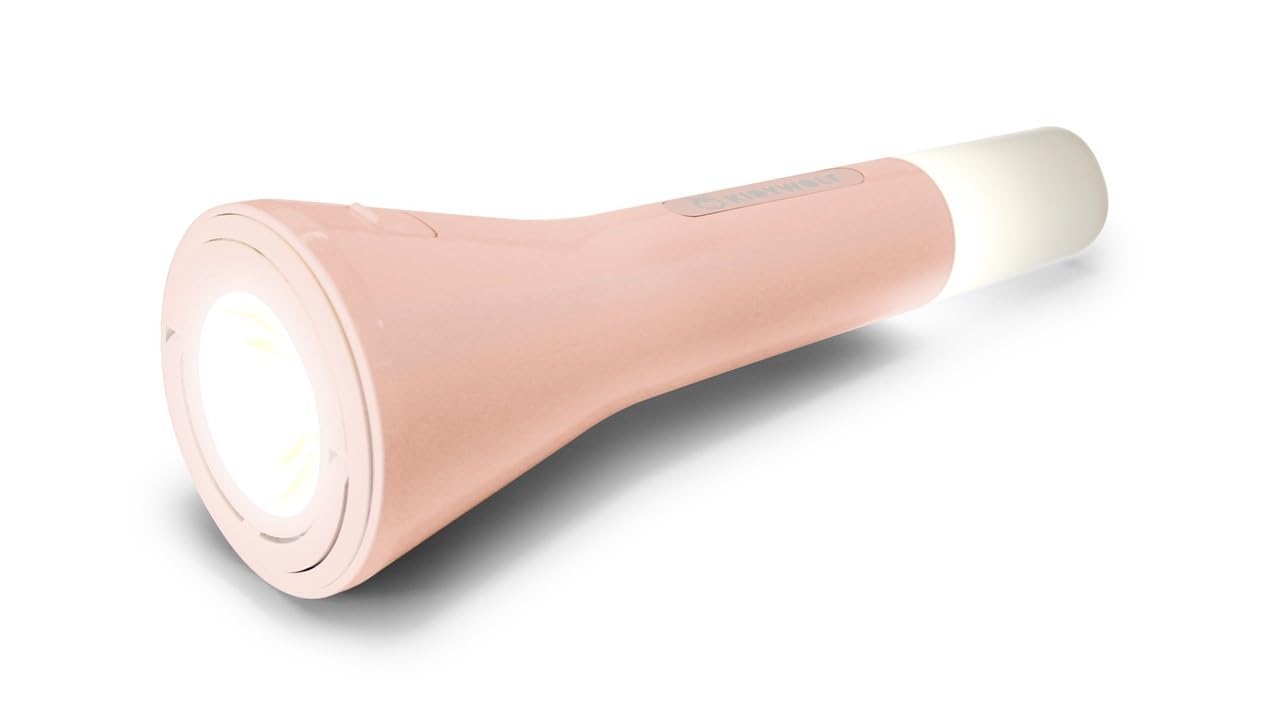
The Kidywolf Multifunction Flashlight is a versatile lighting device designed for children, offering three distinct functions: a standard flashlight, an ambient light, and a pendant light. It features adjustable warm light intensity and a durable, ergonomic design, making it a perfect companion for various activities.
This image displays the Kidywolf Multifunction Flashlight in its packaging. The packaging highlights the three primary functions of the device: a standard flashlight for direct illumination, an ambient light when placed upright, and a pendant light when hung by its integrated ring. The flashlight itself is shown in a nude/pink color.
3. Ezaugarri nagusiak
- 3-en-1 funtzionaltasuna: Operates as a flashlight, ambient light, or pendant light.
- Argi epel erregulagarria: Three intensity levels (100%, 60%, 20%) with 3000°K warm light.
- Bateria kargagarria: Equipped with a 3.7V/1200 mAh battery for extended use.
- USB-C kargatzea: Kargatze erosoa eta azkarra USB-C kablearen bidez.
- Diseinu iraunkorra: Features a matte finish for a practical and elegant look.
- Eramangarria: Lightweight and easy to handle, suitable for travel and indoor use.
4. Konfigurazioa
Upon first use, it is recommended to fully charge the Kidywolf Multifunction Flashlight. Connect the provided USB-C cable to the charging port on the device and plug the other end into a compatible USB power source (e.g., computer, wall adapter). The charging indicator will show the charging status.
5. Funtzionamendu-argibideak
5.1 Piztu/Itzaltzea
To turn the flashlight on or off, press and hold the power button located on the side of the device for approximately 2 seconds.
5.2 Funtzio moduak
The flashlight offers three distinct modes:
- Linterna modua: For direct illumination. Hold the device in hand.
- Giroko argiaren modua: For creating a soft atmosphere. Place the flashlight upright on a flat surface.
- Pendant Light Mode: For hanging and broader illumination. Use the integrated ring to suspend the device.
To cycle through the modes, short press the power button once the device is on.
5.3 Argiaren intentsitatea doitzea
While the flashlight is on, short press the power button repeatedly to cycle through the three intensity levels: 100% (brightest), 60% (medium), and 20% (dimmest). The light will adjust with each press.
6. Gailua kargatzea
The Kidywolf Multifunction Flashlight is equipped with a rechargeable battery. When the battery is low, the light intensity may decrease, or the device may turn off. To recharge:
- Bilatu USB-C kargatzeko ataka gailuan.
- Connect the provided USB-C to USB cable to the flashlight.
- Konektatu kablearen USB-A muturra USB elikatze-egokitzaile estandar batera (ez dago barne) edo ordenagailuaren USB ataka batera.
- Allow the device to charge until the charging indicator shows a full charge. A full charge provides up to 12 hours of continuous use.
7. Zainketa eta Mantentzea
- Garbiketa: Garbitu gailua zapi leun eta lehor batekin. Ez erabili garbitzaile edo disolbatzaile urratzailerik.
- Biltegiratzea: Gorde linterna leku fresko eta lehor batean, eguzki-argitik eta muturreko tenperaturatik urrun.
- Bateria zaintzea: Bateriaren iraupena luzatzeko, saihestu bateria maiz erabat deskargatzea. Kargatu gailua aldizka, denbora luzez erabiltzen ez baduzu ere.
- Uraren erresistentzia: Gailu hau ez da iragazgaitza. Saihestu uraren edo hezetasun handiaren eraginpean jartzea.
8. Arazoak
| Gaia | Kausa posiblea | Irtenbidea |
|---|---|---|
| Linterna ez da pizten. | Bateria agortuta dago. | Kargatu gailua USB-C kablea erabiliz. |
| Light intensity is low. | Battery is low or set to lowest intensity. | Recharge the battery or cycle through intensity levels by short pressing the power button. |
| Gailua ez da kargatzen. | Kablearen edo energia-iturriaren arazoa. | Ensure the USB-C cable is properly connected and try a different USB power source. |
9. Zehaztapen Teknikoak
- Funtzioak: Flashlight, Ambient Light, Pendant Light
- Light Intensity Levels: 3 (% 100, % 60, % 20)
- Kolore Tenperatura: 3000°K (Warm Light)
- Bateria: 3.7 V/1200 mAh
- Kargatzen: USB-C / USB cable
- Amaiera: Matea
10. Bermearen informazioa
Kidywolf products are manufactured to high-quality standards. For specific warranty terms and conditions, please refer to the warranty card included with your product or visit the official Kidywolf webgunea. Gorde erosketaren egiaztagiria berme-erreklamazioetarako.
11. Bezeroarentzako arreta
If you have any questions, concerns, or require assistance with your Kidywolf Multifunction Flashlight, please contact Kidywolf customer support. Contact details can typically be found on the product packaging or the official Kidywolf webgunea.


