1. Segurtasun informazio garrantzitsua
Mesedez, irakurri arretaz segurtasun-jarraibide guztiak telebista erabili aurretik. Gorde eskuliburu hau etorkizunean erreferentzia gisa.
- Ez jarri telebista euri edo hezetasunera.
- Ziurtatu aireztapen egokia telebistaren inguruan.
- Do not block ventilation openings with items such as newspapers, table-cloths, curtains, etc.
- Babestu korronte-kablea ibiltzeko edo atximur ez dadin.
- Deskonektatu telebista tximista-ekaitzetan edo denbora luzez erabili gabe dagoenean.
- Jarri zerbitzu-zerbitzu guztiak zerbitzu-pertsonal kualifikatuari.
2. Zer dago kutxan
Egiaztatu osagai guztiak ontzian daudela:
- Thomson 43QG5C14 QLED Google Smart TV
- Urruneko Kontrola
- Elikatze kablea
- Central Stand (and screws for assembly)
- Erabiltzailearen eskuliburua (dokumentu hau)
- Urruneko Kontrolerako bateriak
3. Konfigurazioa
3.1 Standa lotzea
Carefully place the TV screen-down on a soft, flat surface to prevent damage. Attach the central stand to the bottom of the TV using the provided screws. Ensure the stand is securely fastened.
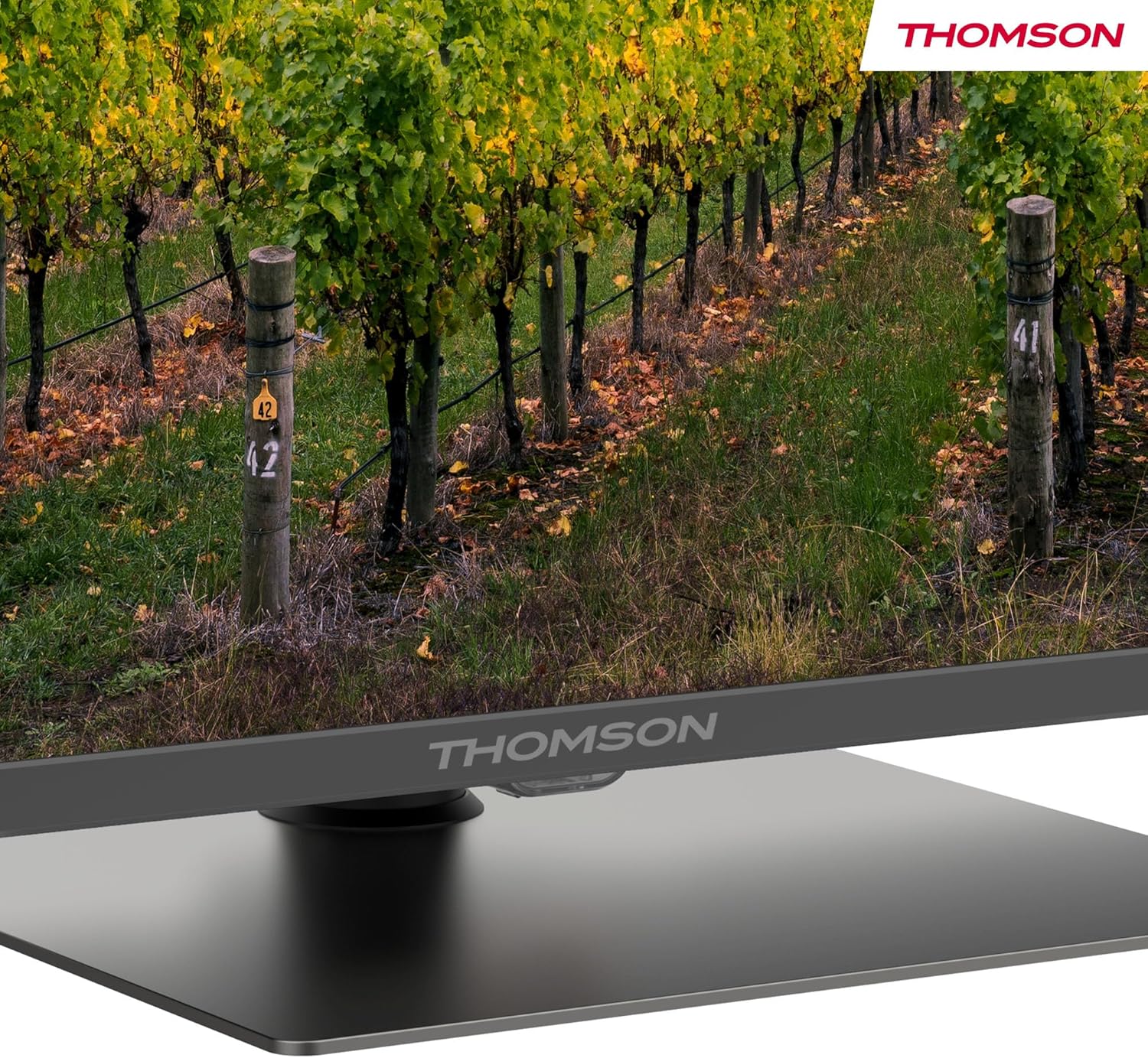
Xehetasun bat view of the central stand, featuring the Thomson branding.

This diagram provides the physical measurements of the television, including width, height, and depth, essential for placement and installation.
3.2 Horman muntatzea (aukerakoa)
If you choose to wall mount your TV, ensure you use a VESA-compatible wall mount kit (sold separately) and follow the instructions provided with the wall mount. Professional installation is recommended.
3.3 Periferikoak konektatzea
Connect your external devices such as set-top boxes, gaming consoles, or sound systems to the appropriate ports on the TV. The TV features multiple HDMI and USB ports, as well as a LAN connection.

This image details the available connection ports on the back of the television, including HDMI, USB, LAN, and antenna inputs.
3.4 Hasierako konfigurazioa
- Konektatu korronte-kablea telebistara eta korronte-hartune batera.
- Sakatu urrutiko agintearen edo telebistaren pizteko botoia pizteko.
- Jarraitu pantailan agertzen diren argibideei zure hizkuntza eta herrialdea hautatzeko eta zure Wi-Fi sarera konektatzeko.
- Hasi saioa zure Google kontuarekin Google TV funtzioetara sartzeko eta aplikazioak deskargatzeko.
4. Funtzionamendu-argibideak
4.1 Urruneko kontrola
The included remote control provides easy access to all TV functions. It features backlit buttons for visibility in low light and dedicated buttons for popular streaming services.

The remote control features dedicated buttons for popular streaming services, a Google Assistant button for voice commands, and backlit keys for ease of use in low light.
4.2 Google TV-ren ezaugarriak
Your Thomson TV runs on Google TV, offering a personalized entertainment experience. Access over 400,000 movies and shows from various streaming services. Use the integrated Google Assistant for voice control and the built-in Chromecast to stream content from your smart devices.

This image demonstrates the voice control functionality, allowing users to operate the TV and search for content using spoken commands.

The Google TV home screen provides access to a wide range of streaming applications and personalized content recommendations.
4.3 Display Features: QLED, 4K UHD, HDR10
Experience vibrant and realistic colors thanks to QLED technology with Quantum Dots. The 4K UHD resolution delivers crystal-clear images, offering four times the detail of Full HD. HDR10 support ensures balanced brightness, rich contrast, and precise color reproduction.
4.4 Audio Features: Dolby Atmos
Enjoy a dynamic and immersive sound experience with Dolby Atmos technology, bringing cinematic audio directly to your living room.

This image illustrates the immersive audio experience provided by Dolby Atmos, showing sound waves emanating from the television.
4.5 Konektibitatea
- Wi-Fi: Konektatu zure etxeko sarera interneterako sarbidea eta streaming-a lortzeko.
- Bluetooth 5.1: Konektatu haririk gabeko entzungailuak, soinu-barrak edo beste Bluetooth gailuak.
- HDMI: Multiple HDMI ports (including HDMI 2.1 with eARC) for connecting various external devices.
- USBa: USB 2.0 and USB 3.0 ports for media playback from USB drives.
- Sintonizatzaile hirukoitza: Integrated tuner for Cable (DVB-C), Satellite (DVB-S2), and Antenna (DVB-T2) reception.
- CI+: Common Interface Plus slot for conditional access modules (CAM) to view enkriptatutako kanalak.
5. Mantentzea
- Pantaila garbitzea: Gently wipe the screen with a soft, lint-free cloth. For stubborn marks, use a screen-cleaning solution specifically designed for TVs.
- Armairua garbitzea: Erabili zapi leun eta lehor bat telebistaren armairua garbitzeko. Ez erabili garbitzaile edo disolbatzaile urratzailerik.
- Software eguneraketak: Ensure your TV's software is up to date for optimal performance and security. Updates can usually be found in the TV's settings menu.
6. Arazoak
Telebistarekin arazoak badituzu, jo ezazu ohiko irtenbide hauetara:
- Potentziarik gabe: Check if the power cord is securely connected and the power outlet is working.
- Irudi/soinurik ez: Egiaztatu sarrera-iturri zuzena hautatuta dagoela. Egiaztatu kable-konexio guztiak.
- Urrunekoa ez dabil: Ordeztu bateriak. Ziurtatu ez dagoela oztoporik urrutiko agintearen eta telebistaren artean.
- Irudiaren kalitate eskasa: Doitu irudiaren ezarpenak (distira, kontrastea, zorroztasuna). Egiaztatu antena/kablearen konexioa.
- Sareko konexio arazoak: Restart your router. Reconnect the TV to the Wi-Fi network in the settings.
For further assistance, consult the full electronic manual or contact Thomson customer support.
7. Zehaztapenak
| Ezaugarri | Zehaztapena |
|---|---|
| Marka | Thomson |
| Modelo zenbakia | 43QG5C14 |
| Pantailaren tamaina | 43 hazbete (109 cm) |
| Bistaratzeko Teknologia | QLED |
| Ebazpena | 4K UHD (3840 x 2160) |
| Freskatze tasa | 60 Hz |
| Ezaugarri bereziak | QLED, Dolby Atmos, Dolby Vision, HDR10 |
| Sistema eragilea | Google TV |
| Konektibitatea | Bluetooth 5.1, HDMI, USB, Wi-Fi |
| Aspektu-erlazioa | 16:9 |
| Produktuaren neurriak (x x H x D) | 96 x 59 x 9 cm |
| Pisua | 12.5 kg |
Energia Eraginkortasuna

The energy label indicates the television's energy efficiency class and annual energy consumption.
Energiari buruzko informazio zehatza lortzeko, jo ezazu EPREL Product Data Sheet.
8. Bermea eta Laguntza
Your Thomson 43QG5C14 QLED Google Smart TV comes with a 3 urteko bermea, ensuring clear images without dead pixels. This product is assembled in Europe, reflecting a commitment to quality.
For technical support, warranty claims, or additional information, please visit the official Thomson website or contact your local customer service.


