1. Sarrera
This manual provides comprehensive instructions for the installation, operation, and maintenance of your MOES 30W Power Delivery USB C Wall Electrical Outlet. This ETL Listed outlet features a 15 Amp capacity, an ultra-speed Type C receptacle, and is designed for efficient charging of various compatible devices.

Image 1: MOES 30W Power Delivery USB C Wall Electrical Outlet with its packaging.
2. Segurtasun informazioa
WARNING: Risk of electric shock. Improper installation can result in serious injury or death. Always turn off power at the circuit breaker before installation.
- ETL zerrendatua: This product is ETL Listed, ensuring it meets recognized safety standards.
- TampDiseinu erresistentea: Built-in shutters prevent foreign objects from being inserted into the receptacles, enhancing safety, especially in households with children.
- Gainkorrontearen babesa: Designed to safeguard connected electronics from receiving excessive power.
- liburukiatage: Operates at 120 Volts. Ensure your electrical system is compatible.
- Instalazio prozesuaren edozein atalen inguruan ziur ez bazaude, kontsultatu elektrizista kualifikatu bati.

2. irudia: Amaituview of the MOES outlet's safety features, including tamper-resistant design and various protections.
3. Paketearen edukia
Egiaztatu elementu guztiak paketean daudela:
- 1 x MOES 30W Power Delivery USB C Wall Electrical Outlet
- 1 x Hormako plaka
- 4 x Torlojuak
- 1 x Erabiltzailearen eskuliburua
4. Zehaztapenak
| Ezaugarri | Xehetasuna |
|---|---|
| Marka | MOES |
| Eredua | Type 1C/1A 30WPD 15A Outlet |
| liburukiatage | 120 Volt |
| Amparoa | 15 Amp |
| USB irteera (guztira) | 30W gehienez |
| USB C motakoa | PD3.0 (Power Delivery) |
| USB A motakoa | QC2.0 (karga azkarra) |
| Materiala | Plastikoa |
| Kolorea | Zuria |
| Gailu bateragarriak | Smartphone, Tablet, Laptop (USB-C PD compatible) |
| Ziurtagiriak | ETL zerrendatua |

Image 3: Dimensions of the MOES USB C Wall Electrical Outlet for installation planning.
5. Konfigurazioa eta instalazioa
- Itzali energia: Locate your circuit breaker panel and turn off the power to the outlet you intend to replace. Use a voltage tester to confirm the power is off before proceeding.
- Kendu Saltokia zaharra: Unscrew and carefully remove the existing wall plate and outlet from the electrical box. Disconnect the wires from the old outlet.
- Hariak prestatu: If necessary, strip approximately 1/2 inch (12-15mm) of insulation from the ends of the electrical wires (Hot, Neutral, Ground).
- Konektatu kableak:
- Konektatu Hari beroa (usually black or red) to the brass screw terminal.
- Konektatu Hari neutroa (usually white) to the silver screw terminal.
- Konektatu Lurreko haria (usually green or bare copper) to the green screw terminal.
- Mount New Outlet: Carefully push the wired outlet back into the electrical box. Secure it with the provided screws.
- Instalatu horma-plaka: Attach the screwless wall plate by first screwing the clear inner part to the outlet, then snapping the decorative outer plate into place.
- Berrezarri boterea: Return to your circuit breaker panel and turn the power back on. Use a voltage tester to confirm power is restored to the new outlet.
Instalazio bideo gida:
Video 1: Step-by-step guide on how to install the MOES wall outlet.
6. Funtzionamendu-argibideak
The MOES 30W Power Delivery USB C Wall Electrical Outlet provides both traditional AC power and advanced USB charging capabilities.
- AC harguneak: Use the two standard 15 Amp AC outlets for powering appliances and devices requiring 120V.
- USB Type-C Port (PD3.0): Plug in your USB-C compatible devices, such as iPhones (15 Series), MacBooks, iPads, and Samsung Galaxy phones, for rapid charging up to 30W via Power Delivery 3.0.
- USB Type-A Port (QC2.0): Connect devices that use a standard USB-A cable for charging, supporting Quick Charge 2.0 for faster charging where compatible.
- Smart Chip Teknologia: The integrated smart chip automatically detects the connected device and delivers the optimal power level for fast and efficient charging.
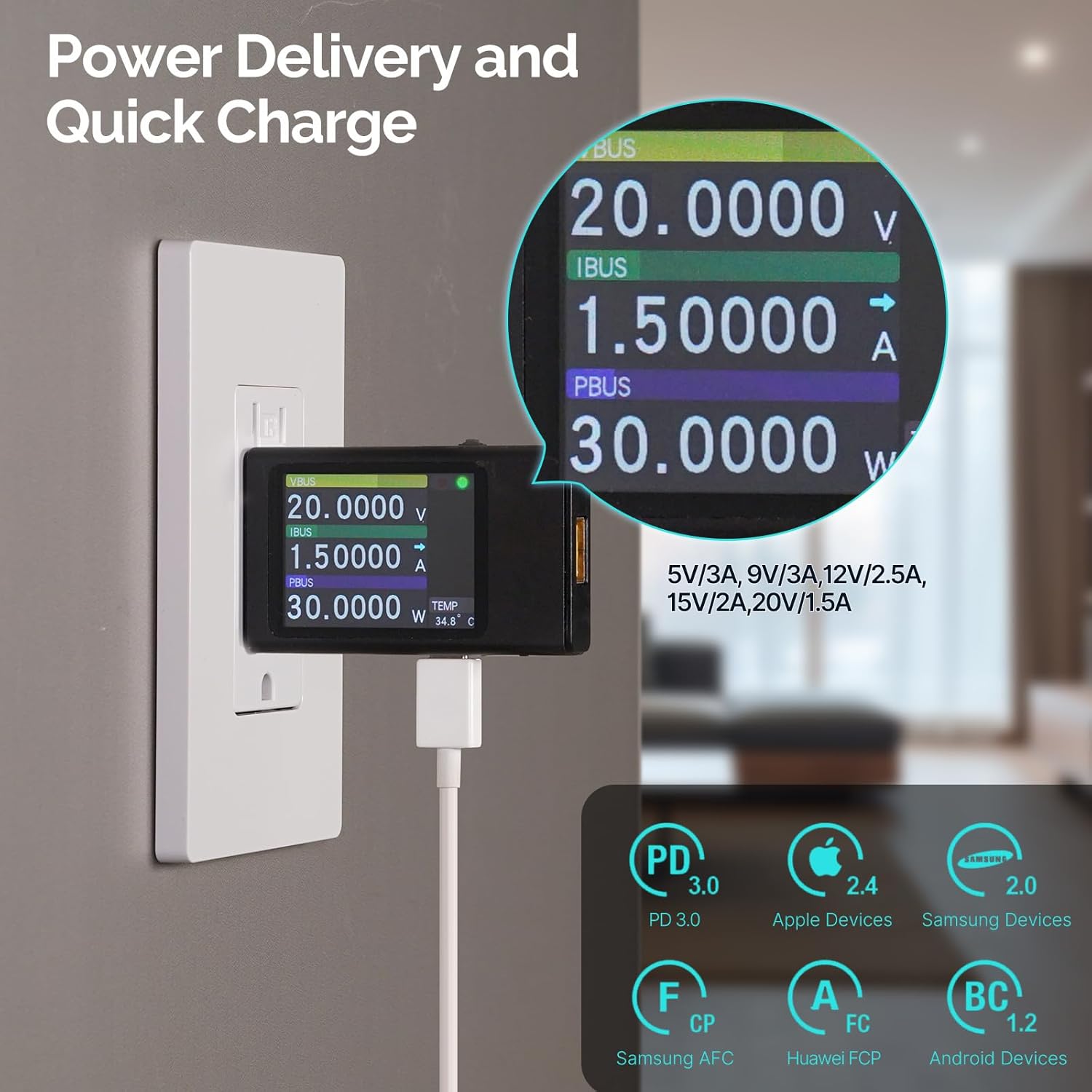
Image 4: Power Delivery and Quick Charge capabilities of the MOES outlet.

Image 5: Universal compatibility of the MOES outlet with various devices.
Produktua amaituview Bideoa:
2. bideoa: Amaitu daview of the MOES 30W PD USB Wall Outlet features and usage.
7. Mantentzea
- Garbiketa: Disconnect power before cleaning. Use a soft, dry cloth to wipe the surface of the outlet and wall plate. Avoid using liquid cleaners or abrasive materials.
- Ohiko egiaztapenak: Periodically inspect the outlet for any signs of damage, loose connections, or discoloration. If any issues are found, turn off power and consult a qualified electrician.
8. Arazoak
| Arazoa | Kausa posiblea | Irtenbidea |
|---|---|---|
| No power from AC receptacles or USB ports. | Zirkuitu-hauslea jauzi egin da; kable-konexio askea. | Check and reset the circuit breaker. If issue persists, turn off power and check wiring connections. Consult an electrician if needed. |
| USB gailuak poliki kargatzen ari dira. | Device not compatible with fast charging; faulty cable; multiple devices drawing power simultaneously. | Ensure your device supports PD3.0 (USB-C) or QC2.0 (USB-A). Try a different, high-quality charging cable. Disconnect other devices to test single-port performance. |
| Entxufeak beroa ematen du. | Normal operation under heavy load; excessive load. | Slight warmth is normal. If it feels excessively hot, disconnect devices and reduce the load. Ensure proper ventilation. |
9. Bermea eta Laguntza
For warranty information or technical support, please refer to the contact details provided in your product packaging or visit the official MOES webgunea. Gorde erosketa-agiria berme-erreklamazioetarako.


