Sarrera
This manual provides comprehensive instructions for the setup, operation, and maintenance of your groov e Cuties Sleep Trainer Alarm Clock with LED Night Light. Please read this manual thoroughly before using the product to ensure proper function and longevity.

1. irudia: Aurrealdea view of the groov e Cuties Sleep Trainer Alarm Clock, illuminated, displaying the time and sleep/wake indicators.
Produktuaren Ezaugarriak
The groov e Cuties Sleep Trainer Alarm Clock is designed to assist children with sleep routines and provide a comforting night light. Key features include:
- LED gaueko argia: Offers 9 vibrant color options and 5 light modes. Tap the device to change colors.
- Iratzargailua: Features 6 preset alarm sounds for wake-up.
- White Noise & Soothing Sounds: Includes 6 soothing sounds, such as white noise, to aid sleep.
- Loaren entrenatzailea: Visual cues (sun/moon icons) help children understand when it's time to sleep and wake up.
- Material segurua: Constructed from safe silicone material.
- Atzeratzea Funtzioa: Allows for temporary delay of the alarm.
- Denbora bistaratzea: 12/24 hour clock format.
- Tenporizadorearen ezarpenak: Includes 30 and 60-minute timer options.
- Distira erregulagarria: 5 levels of display brightness.
- Bolumen erregulagarria: 5 levels of sound volume.
- Bateria kargagarria: Built-in 1800mAH rechargeable battery with USB-C charging.
Konfigurazioa
1. Hasierako kargatzea
Before first use, fully charge the device. Connect the included USB-C charging cable to the charging port on the back of the unit and plug the other end into a compatible USB power adapter (not included).
- A charging indicator light will typically show the charging status.
- The device can also be operated while connected to a USB power source.

2. irudia: Atzekoa view of the alarm clock, highlighting control buttons and the USB-C charging port.
2. Piztu/Itzaltzea
Press and hold the Power button (usually located on the back) to turn the device on or off.
Funtzionamendu-argibideak
1. Ordua ezartzea
- Sakatu DENBORA button (refer to Image 2 for button location).
- Erabili Up eta Behera arrow buttons to adjust the hour. Press DENBORA berriro baieztatzeko.
- Erabili Up eta Behera arrow buttons to adjust the minute. Press DENBORA berriro baieztatzeko.
- To switch between 12-hour and 24-hour format, typically this is done during the time setting process or via a dedicated button/menu option. Consult the quick start guide if available for specific button combinations.
2. Alarma ezartzea
- Sakatu ALARMA button (refer to Image 2).
- Erabili Up eta Behera arrow buttons to set the desired alarm hour. Press ALARMA berriz.
- Erabili Up eta Behera arrow buttons to set the desired alarm minute. Press ALARMA berriz.
- To select an alarm sound (from 6 preset options), use the Musika Oharra button or arrow buttons during the alarm setting process. Press ALARMA baieztatzeko.
- To activate/deactivate the alarm, there is usually a dedicated switch or a long press on the ALARMA botoia.
3. Sleep Trainer Function
The sleep trainer uses visual cues to indicate sleep and wake times. The display will show a moon icon during sleep time and a sun icon during wake time.
- Access the sleep trainer settings (specific button combination may vary, often involves holding the DENBORA or ALARMA botoia).
- Set the desired "sleep time" (when the moon icon appears).
- Set the desired "wake time" (when the sun icon appears).
- Confirm settings. The device will then visually guide your child.
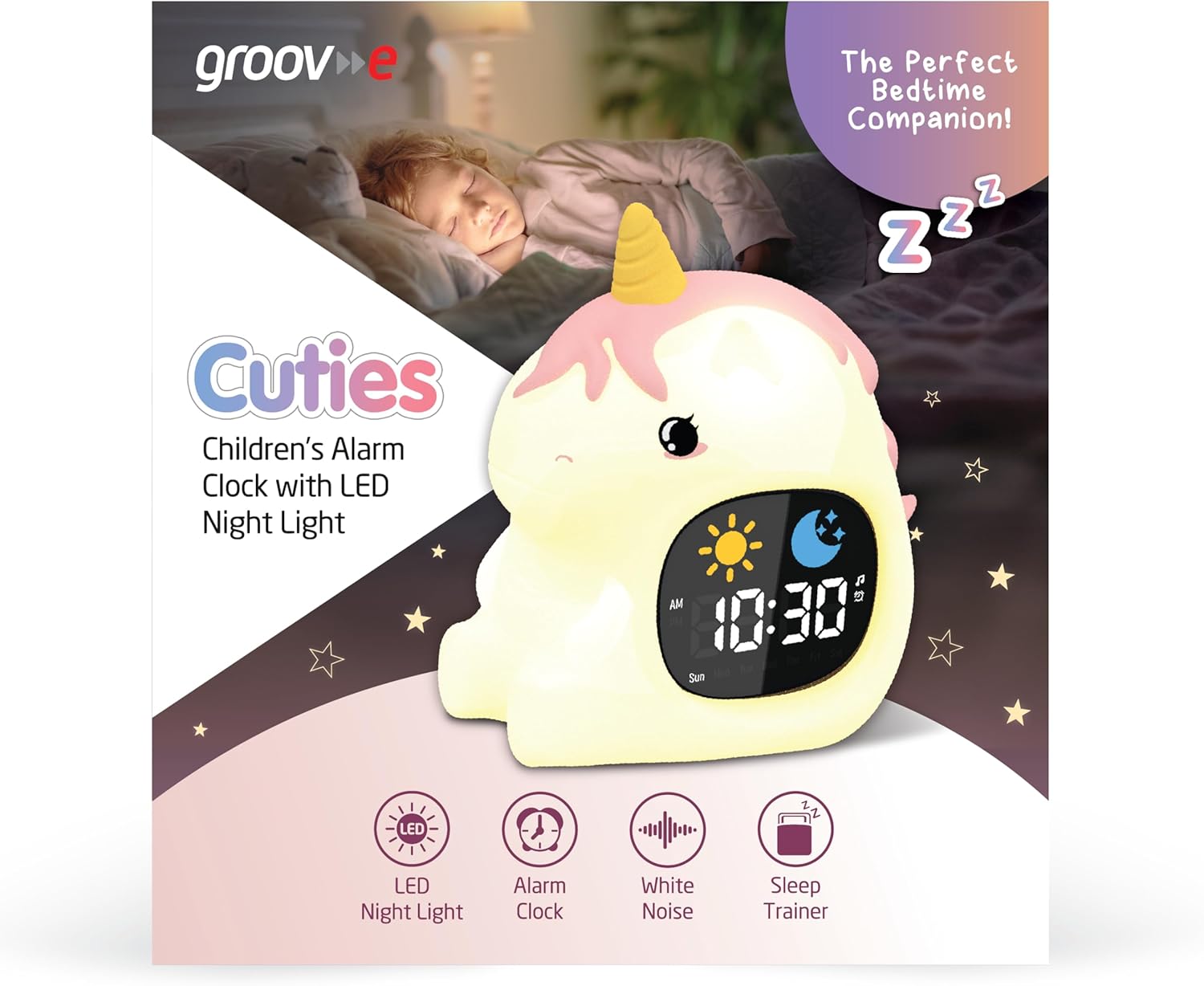
Image 3: The alarm clock functioning as a sleep trainer, displaying the sun icon for wake-up.
4. LED Night Light
The device features an integrated LED night light with multiple color and brightness options.
- Koloreak aldatzea: Tap the silicone body of the device to cycle through 9 vibrant colors and 5 light modes.
- Distira doitzea: Use dedicated brightness buttons (if available) or a combination with the DENBORA botoia 5 distira-maila artean doitzeko.
5. White Noise and Soothing Sounds
To activate soothing sounds:
- Sakatu Musika Oharra button (refer to Image 2) to cycle through the 6 available soothing sounds, including white noise.
- Doitu bolumena Up eta Behera arrow buttons (5 volume levels available).
6. Errepikapen funtzioa
When the alarm sounds, press any button (other than the power button) or tap the device to activate the snooze function. The alarm will temporarily pause and sound again after a set interval (e.g., 9 minutes).
7. Tenporizadorearen ezarpenak
The device includes 30 and 60-minute timer settings, useful for short sleep cycles or quiet time.
- Consult the quick start guide for specific button presses to activate and select timer durations.
Mantentzea
- Garbiketa: Garbitu gailua leun batekin, damp oihal. Ez erabili garbitzaile urratzailerik eta ez sartu gailua uretan.
- Biltegiratzea: Gorde gailua leku fresko eta lehor batean denbora luzez erabiltzen ez duzunean.
- Bateria zaintzea: To prolong battery life, avoid fully discharging the battery frequently. Recharge when the low battery indicator appears.
Arazoak konpontzea
| Arazoa | Kausa posiblea | Irtenbidea |
|---|---|---|
| Gailua ez da pizten. | Bateria agortuta dago. | Connect the device to a USB power source using the provided USB-C cable and allow it to charge for at least 30 minutes before attempting to power on. |
| Alarmak ez du jotzen. | Alarma ez dago aktibatuta edo bolumena baxuegia da. | Ensure the alarm is set and activated. Check the volume level and adjust if necessary. |
| Night light is not changing colors. | Incorrect tapping or mode selection. | Ensure you are tapping the silicone body firmly. Check if the device is in a specific light mode that prevents color changes. |
| Device is not charging properly. | Kable, egokitzaile edo kargatzeko ataka akastuna. | Try using a different USB-C cable and/or a different USB power adapter. Ensure the cable is securely connected to both the device and the power source. If the issue persists, contact customer support. |
Zehaztapenak
| Marka | groov e |
| Eredua | Cuties Sleep Trainer Alarm Clock |
| Elementuaren pisua | 0.34 kilogramo |
| Bateria | 1800mAH Rechargeable Battery (USB-C charging) |
| Bistaratzeko mota | Digitala |
| Ezaugarri Berezia | Sleep Trainer, LED Night Light, White Noise |
Bermea eta Laguntza
For warranty information or technical support, please refer to the documentation included with your purchase or visit the official groov e webgunea. Gorde erosketaren egiaztagiria bermearen erreklamazioetarako.
Manufacturer: Rashmian Ltd.


