1. Sarrera
Eskerrik asko erosketagatik.asing the ZZB WP-03C Bluetooth Speaker. This portable wireless speaker is designed to deliver clear, loud stereo sound with dynamic lighting effects, suitable for various indoor and outdoor environments. It features IPX5 water resistance, Bluetooth 5.3 connectivity, and multiple playback options.
2. Paketearen edukia
Mesedez, egiaztatu paketea elementu hauek dituen:
- ZZB WP-03C Bluetooth Speaker
- Elikatze-kablea
- Erabiltzailearen eskuliburua (dokumentu hau)
3. Produktua amaitu daview
Ezagutu bozgorailuen osagaiak eta kontrolak.

3.1. irudia: Aurrealdea view of the ZZB WP-03C Bluetooth Speaker, showcasing its compact design and integrated light bar.

3.2. irudia: The speaker demonstrating its IPX5 water resistance, with water splashing around it.
3.1 Kontrolak eta atakak
- Pizteko botoia: Eduki sakatuta pizteko/desaktibatzeko.
- Bolumena igotzeko/hurrengo abestiaren botoia: Sakatu labur bolumena igotzeko, sakatu luze hurrengo abestia ikusteko.
- Bolumena jaisteko/aurreko abestiaren botoia: Sakatu labur bolumena jaisteko, sakatu luze aurreko abestira joateko.
- Erreproduzitu/Pausatu botoia: Press to play or pause music, answer/end calls.
- Modu botoia: Press to switch between Bluetooth, FM Radio, AUX, and TF/SD card modes.
- Argiaren botoia: Press to cycle through light modes or turn lights off.
- Kargatzeko ataka: USB-C ataka kargatzeko.
- AUX sarrerako ataka: 3.5 mm-ko audio sarrera kable bidezko konexioetarako.
- TF/SD Card Slot: Memoria txarteletik musika zuzenean erreproduzitzeko.
- Mikrofonoa: Esku libreko deiak egiteko.
4. Konfigurazioa
4.1 Bozgorailua kargatzea
- Connect the provided power cable to the speaker's charging port.
- Konektatu kablearen beste muturra USB elikatze-egokitzaile batera (ez dago barne) edo ordenagailuaren USB atakara.
- Kargatzeko adierazlearen argia piztuko da. Erabat kargatu ondoren itzali edo kolorez aldatuko da.
- Karga oso batek normalean 2-3 ordu inguru behar ditu.
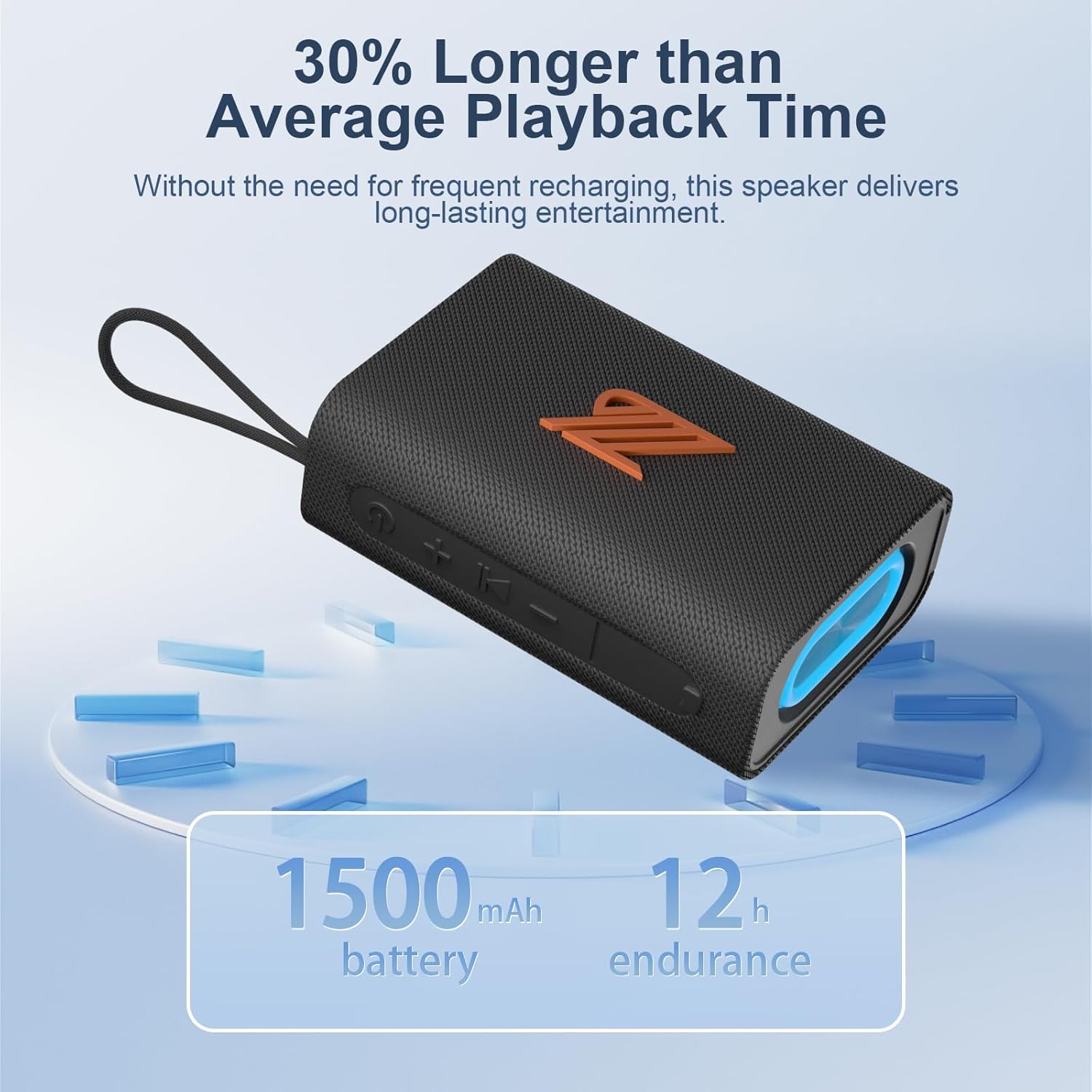
4.1. irudia: The speaker highlighting its 1500mAh battery, providing up to 12 hours of playback.
4.2 Piztu/Itzaltzea
- Pizteko: Sakatu eta eutsi pizteko botoia 2-3 segundoz, soinu-abisu bat entzun eta adierazle-argia piztu arte.
- Itzaltzeko: Sakatu eta eutsi pizteko botoia 2-3 segundoz, soinu-abisu bat entzun eta adierazle-argia itzali arte.
5. Funtzionamendu-argibideak
5.1 Bluetooth parekatzea
- Ensure the speaker is powered on and in Bluetooth mode (indicated by a flashing blue light). If not, press the Mode button to switch to Bluetooth mode.
- Zure gailuan (smartphone-an, tabletan, etab.), gaitu Bluetooth-a eta bilatu eskuragarri dauden gailuak.
- Select "ZZB WP-03C" from the list of devices.
- Once paired, the speaker will emit an audible confirmation, and the blue indicator light will stop flashing and remain solid.
- Bozgorailuak automatikoki konektatuko da azken parekatutako gailura piztean, gailuaren Bluetooth-a aktibo badago eta haren irismen-eremuan badago.

5.1. irudia: Demonstrating Bluetooth connection between a smartphone and the ZZB WP-03C speaker for music playback.
5.2 Benetako Haririk gabeko Estereoa (TWS) Parekatzea
To achieve a true stereo sound experience, you can pair two ZZB WP-03C speakers together.
- Ziurtatu bi bozgorailuak piztuta daudela eta ez daudela Bluetooth gailu batera konektatuta.
- On one speaker (this will be the primary speaker), double-press the Power button (or a dedicated TWS button if available, refer to physical controls). You will hear a prompt indicating TWS pairing mode.
- Lehen mailako bozgorailuak bigarren mailako bozgorailua bilatuko du. Konektatuta dagoenean, bi bozgorailuek baieztapen-soinu bat igorriko dute.
- Now, connect your device to the primary speaker via Bluetooth as described in Section 5.1.
- Audioa estereoan erreproduzituko da orain bi bozgorailuetatik.

5.2. irudia: Two ZZB WP-03C speakers positioned to illustrate True Wireless Stereo (TWS) functionality.
5.3 Playing Music from TF/SD Card
- Insert a TF/SD card (with MP3 audio files) into the designated slot on the speaker.
- The speaker will automatically switch to TF/SD card mode and begin playing music. If not, press the Mode button to select TF/SD card mode.
5.4 AUX sarrera modua
- Connect one end of a 3.5mm audio cable (not included) to the speaker's AUX-in port.
- Connect the other end to the audio output jack of your non-Bluetooth device.
- The speaker will automatically switch to AUX-in mode. If not, press the Mode button to select AUX-in mode.
5.5 FM Irrati modua
- Sakatu Modu botoia behin eta berriz FM irrati moduan sartu arte.
- To auto-scan and save available stations, press the Play/Pause button. The speaker will scan and store stations.
- Use the Volume Up/Down buttons (short press) to navigate between saved stations.
- For better reception, ensure the speaker is in an open area.
5.6 Dei-funtzioa
- When connected via Bluetooth, incoming calls will be announced.
- Erantzun deia: Sakatu Erreproduzitu/Pausatu botoia behin.
- Amaitu deia: Sakatu Erreproduzitu/Pausatu botoia behin dei batean zehar.
- Deia baztertu: Eduki sakatuta Erreproduzitu/Pausatu botoia 2 segundoz.
- Berriz markatu azken zenbakia: Sakatu birritan Erreproduzitu/Pausatu botoia.
5.7 argi moduak
The speaker features dynamic LED lights. Press the Light button to cycle through different light patterns or to turn the lights off.
6. Mantentzea
- Garbiketa: Garbitu bozgorailua leun batekin, damp oihal. Ez erabili garbitzaile edo disolbatzaile urratzailerik.
- Uraren erresistentzia: The speaker is IPX5 water-resistant, meaning it can withstand splashes and light rain. Do not submerge the speaker in water. Ensure the charging port cover is securely closed when exposed to water.
- Biltegiratzea: Gorde bozgorailua leku fresko eta lehor batean, eguzki-argitik eta muturreko tenperaturetatik babestuta.
- Bateria zaintzea: To prolong battery life, fully charge the speaker before first use and recharge it at least once every three months if not used regularly.
7. Arazoak
| Arazoa | Kausa posiblea | Irtenbidea |
|---|---|---|
| Bozgorailua ez da pizten. | Bateria baxua. | Kargatu bozgorailua guztiz. |
| Ezin da Bluetooth bidez parekatu. | Bluetooth not enabled on device; speaker not in pairing mode; too far from device. | Ensure Bluetooth is on; put speaker in pairing mode; move device closer (within 40 feet). |
| Soinurik ez. | Bolumena baxuegia; modu okerra hautatuta; gailua ez da erreproduzitzen. | Increase volume; check mode (Bluetooth, AUX, TF/SD); ensure device is playing. |
| FM irratiaren harrera eskasa. | Seinale ahula; interferentziak. | Move speaker to an open area; try rescanning stations. |
| TWS parekatzeak huts egin du. | Bozgorailuak beste gailu batekin parekatuta daude dagoeneko; urrunegi daude elkarrengandik. | Disconnect speakers from other devices; ensure speakers are close to each other during TWS pairing. |
8. Zehaztapenak
| Ereduaren izena: | WP-03C |
| Marka: | ZZB |
| Konektibitatea: | Bluetooth 5.3, AUX-in, TF/SD Card |
| Audio irteera modua: | Estereoa |
| Bozgorailuaren irteera potentzia: | 20 Watt |
| Uraren erresistentzia: | IPX5 |
| Bateriaren edukiera: | 1500 mAh litio ioi |
| Erreprodukzio-denbora: | Up to 12 hours (at moderate volume) |
| Kargatzeko sarrera: | 5 Volt |
| Bluetooth barrutia: | Gehienez 40 oin (12 metro) |
| Produktuaren neurriak: | 4.92"S x 3.34"Z x 1.77"A (12.5cm x 8.5cm x 4.5cm gutxi gorabehera) |
| Elementuaren pisua: | 0.34 kilogramo (12 ontza) |
| Dakarten osagaiak: | Elikatze-kablea |
9. Bermearen informazioa
The ZZB WP-03C Bluetooth Speaker comes with a limited warranty. Please refer to the warranty card included in your package or contact customer support for details regarding warranty coverage and terms.
10. Bezeroarentzako arreta
If you encounter any issues or have questions regarding your ZZB WP-03C Bluetooth Speaker, please contact our customer support team. Contact information can typically be found on the product packaging or on the official ZZB webgunea.