1. Sarrera
Thank you for choosing the Intenso O400HA Over-Ear Headphones. These headphones are designed to provide a superior audio experience with advanced features such as Hybrid Active Noise Cancelling (ANC), Transparency Mode, and Bluetooth 5.3 connectivity. This manual will guide you through the setup, operation, and maintenance of your new headphones.
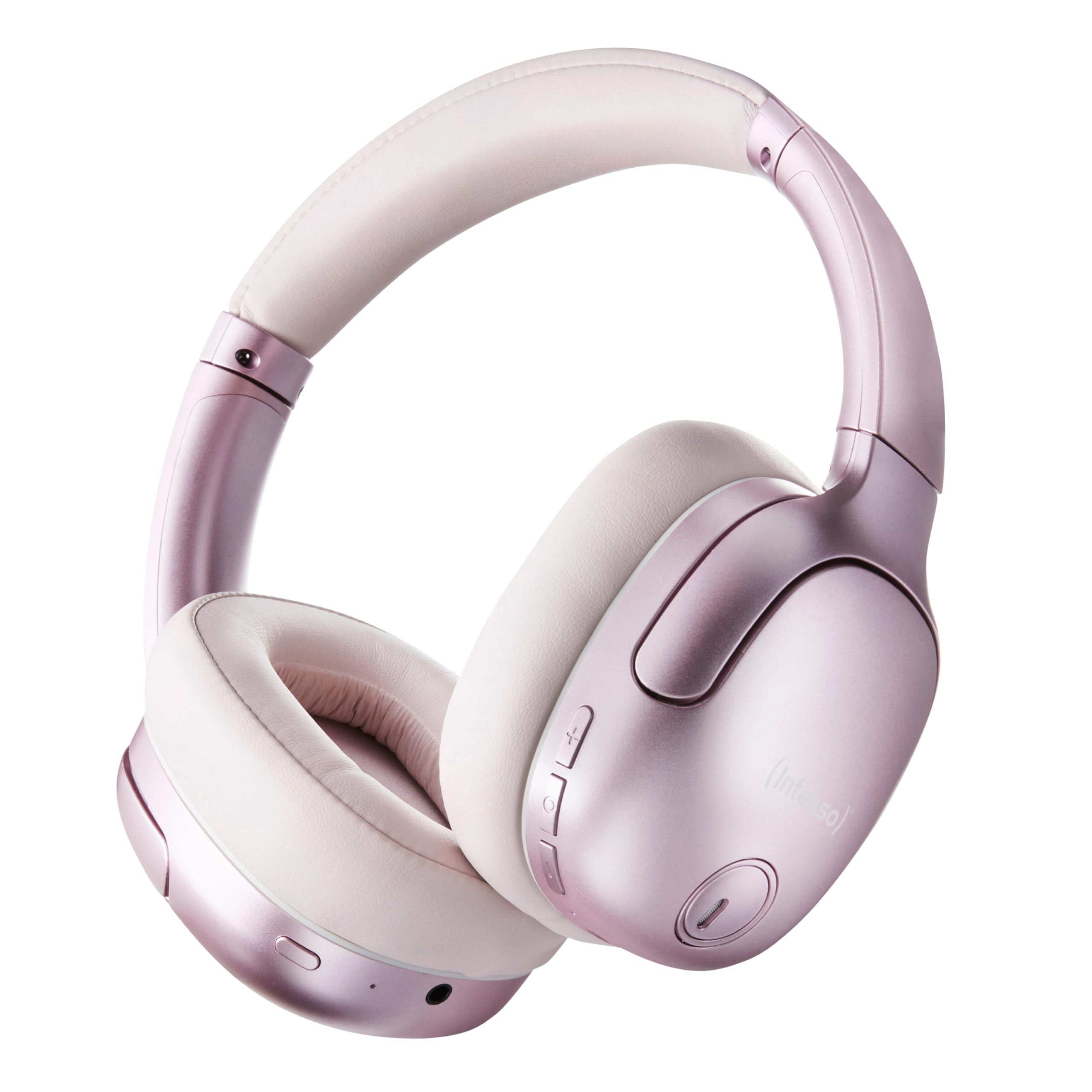
Image 1.1: Intenso O400HA Over-Ear Headphones (Pink)
The Intenso O400HA headphones feature a comfortable over-ear design with soft ear pads, an adjustable headband, and intuitive controls on the earcups.
2. Paketearen edukia
Mesedez, egiaztatu paketea elementu hauek dituen:
- Intenso O400HA belarri gaineko entzungailuak
- USB-C-tik USB-C-ra kargatzeko kablea
- 1.5m Audio Cable (3.5mm jack)
- Erabiltzailearen eskuliburua
3. Produktua amaitu daview
Familiarize yourself with the various parts and controls of your Intenso O400HA headphones.

3.1 irudia: Albokoa view of Intenso O400HA headphones with controls
This image displays the right earcup with its control buttons and ports. These typically include power, volume, multi-function buttons, and a charging port.
Kontrolak eta Portuak:
- Pizteko botoia: Entzungailuak pizteko/itzaltzeko eta Bluetooth parekatzea hasteko erabiltzen da.
- Bolumena igotzeko/hurrengo abestiaren botoia: Sakatuz gero, bolumena igotzen du, eta sakatuz gero, hurrengo abestira salto egiten du.
- Bolumena jaisteko/aurreko abestiaren botoia: Sakatuz gero, bolumena jaisten da, eta sakatuz gero, aurreko abestira joaten da.
- Funtzio anitzeko botoia (MFB): Controls playback (play/pause), answers/ends calls, activates voice assistant.
- ANC/Gardentasun Moduaren botoia: Toggles between Hybrid Active Noise Cancelling, Transparency Mode, and normal mode.
- USB-C kargatzeko ataka: Entzungailuak kargatzeko.
- 3.5 mm-ko audio-konexioa: Kable bidezko konexiorako.
- Mikrofonoak: Internal and external microphones for ANC and calls.
4. Konfigurazioa
4.1. Entzungailuak kargatzea
Lehenengo aldiz erabili aurretik, kargatu guztiz entzungailuak.
- Konektatu emandako USB-C kargatzeko kablea entzungailuen USB-C atakara.
- Konektatu kablearen beste muturra USB elikatze-egokitzaile batera (ez dago barne) edo ordenagailuaren USB atakara.
- The LED indicator will show the charging status. It typically turns off or changes color when fully charged.
A full charge takes approximately 2 hours. A quick charge of 15 minutes provides up to 6 hours of playtime.
4.2. Bluetooth parekatzea
Aurikularrak Bluetooth gaitutako gailu batera konektatzeko:
- Ziurtatu entzungailuak itzalita daudela.
- Press and hold the Power button for approximately 5-7 seconds until the LED indicator flashes blue and red, indicating pairing mode.
- Zure gailuan (smartphone-a, tableta, ordenagailu eramangarria), joan Bluetooth ezarpenetara eta gaitu Bluetooth.
- Bilatu available devices and select "Intenso O400HA" from the list.
- Behin konektatuta, LED adierazlea normalean urdinez keinuka arituko da poliki edo urdin finko mantenduko da.
Entzungailuak automatikoki saiatuko dira azken parekatutako gailura berriro konektatzen piztean.
5. Entzungailuen erabilera
5.1. Piztu/Itzali
- Piztu: Press and hold the Power button for 2-3 seconds.
- Itzali: Press and hold the Power button for 3-4 seconds.
5.2. Audio Modes: ANC, Transparency, Music
The Intenso O400HA headphones offer three distinct audio modes to suit your environment.

5.1. irudia: Amaituview of Noise Control Modes
This image illustrates the key noise control technologies: Hybrid Active Noise Cancellation (ANC) for reducing ambient noise, Environmental Noise Cancellation (ENC) for clear calls, and Transparency Mode for hearing your surroundings.

Image 5.2: Hybrid Active Noise Cancelling Explained
This diagram shows how Hybrid ANC works using both external and internal microphones to filter out up to 95% of ambient noise, such as engine sounds.
- Zarata Ezeztapen Aktibo Hibridoa (ANC): Press the ANC/Transparency Mode button to activate. This mode significantly reduces ambient noise, ideal for travel or noisy environments.
- Gardentasun modua: Press the ANC/Transparency Mode button again to switch to Transparency Mode. This allows external sounds to pass through, enabling you to hear your surroundings without removing the headphones.
- Normal Mode (Music Mode): Press the ANC/Transparency Mode button a third time to return to normal mode, where ANC and Transparency are off. This mode provides balanced sound for a comprehensive listening experience.
5.3. Music Playback and Calls
- Erreproduzitu/Pausatu: Short press the Multi-function Button (MFB).
- Hurrengo ibilbidea: Sakatu luze bolumena igotzeko botoia.
- Aurreko pista: Sakatu luze Bolumena Jaisteko botoia.
- Bolumena igo: Sakatu labur bolumena igotzeko botoia.
- Bolumena jaitsi: Sakatu labur Bolumena Jaisteko botoia.
- Deia erantzun/amaitu: Sakatu labur MFB.
- Deia baztertu: Sakatu luze MFB tekla.
- Aktibatu Ahots Laguntzailea: Sakatu bi aldiz MFB.
5.4. Wired Connection (Passive Mode)
You can use the headphones in passive mode even if the battery is depleted or if you prefer a wired connection.
- Konektatu 3.5 mm-ko audio kablearen mutur bat entzungailuen audio konektorera.
- Konektatu beste muturra zure gailuaren 3.5 mm-ko audio irteerara.
Note: ANC and Transparency modes may not function or may have reduced performance when using the wired connection without power.
6. Mantentzea
To ensure the longevity and optimal performance of your Intenso O400HA headphones, follow these maintenance guidelines:
- Garbiketa: Use a soft, dry cloth to clean the headphones. Do not use abrasive cleaners, solvents, or harsh chemicals.
- Biltegiratzea: Store the headphones in a cool, dry place away from direct sunlight and extreme temperatures. When not in use, it is recommended to store them in a protective case (if provided or purchased separately).
- Uraren esposizioa: These headphones are not waterproof. Avoid exposure to water, moisture, or rain.
- Bateria zaintzea: For optimal battery life, avoid fully discharging the battery frequently. Charge the headphones regularly, even if not used for extended periods.
- Kableen zainketa: Handle the charging and audio cables gently. Avoid bending or twisting them excessively.
7. Arazoak
If you encounter any issues with your headphones, refer to the following common problems and solutions:
| Arazoa | Kausa posiblea | Irtenbidea |
|---|---|---|
| Entzungailuak ez dira pizten | Bateria baxua | Kargatu entzungailuak guztiz. |
| Ezin da Bluetooth bidez parekatu | Entzungailuak ez daude parekatze moduan; Gailuaren Bluetooth-a itzalita; Interferentzia | Ensure headphones are in pairing mode (flashing blue/red). Turn Bluetooth on your device. Move closer to the device. Forget previous pairings and try again. |
| Soinurik ez edo bolumen txikia | Volume too low; Incorrect audio source; Loose cable (wired mode) | Increase volume on headphones and device. Check if the correct audio output is selected on your device. Ensure 3.5mm cable is securely connected. |
| ANC ez da eraginkorra | ANC not activated; Improper fit | Sakatu ANC botoia aktibatzeko. Egokitu entzungailuak belarrietan ondo egokitzeko. |
| Soinuaren distortsioa | Distance from device; Interference; Low battery | Move closer to your device. Avoid strong electromagnetic fields. Charge the headphones. |
8. Zehaztapenak
| Ezaugarri | Xehetasuna |
|---|---|
| Ereduaren izena | O400HA belarri gainekoa |
| Konektibitate Teknologia | Wireless (Bluetooth 5.3) / Wired (3.5mm jack) |
| Zarata Kontrola | Zarata Ezeztapen Hibridoa |
| Bateriaren iraupena | Gehienez 75 ordu |
| Kargatzeko Denbora | Approximately 2 Hours (15 min for 6 hours playtime) |
| Wireless Range | Gehienez 15 metro |
| Maiztasun Erantzuna | 20 Hz-tik 20 KHz |
| Inpedantzia | 32 ohmio |
| Kontrol-metodoa | Touch/Buttons |
| Pisua | 0.25 kilogramo |
| Materiala | Elastomero Termoplastikoa (TPE) |
| Gailu bateragarriak | Mobile phones, Laptops, Tablets, Gaming Consoles, Car Audio Systems |
9. Bermea eta Laguntza
Intenso products are designed for reliability and performance. For warranty information and customer support, please refer to the warranty card included with your purchase or visit the official Intenso webgunea. Gorde erosketaren egiaztagiria berme-erreklamazioetarako.
For further assistance, you may contact Intenso customer service through their official channels.


