Sarrera
The HMD Pulse Pro is an advanced unlocked smartphone designed for global use, featuring a powerful 50 MP dual rear camera and an equally impressive 50 MP front camera. It runs on Android 14, offers extended battery life, and boasts a repair-at-home design for user convenience. This manual provides essential information for setting up, operating, maintaining, and troubleshooting your device.
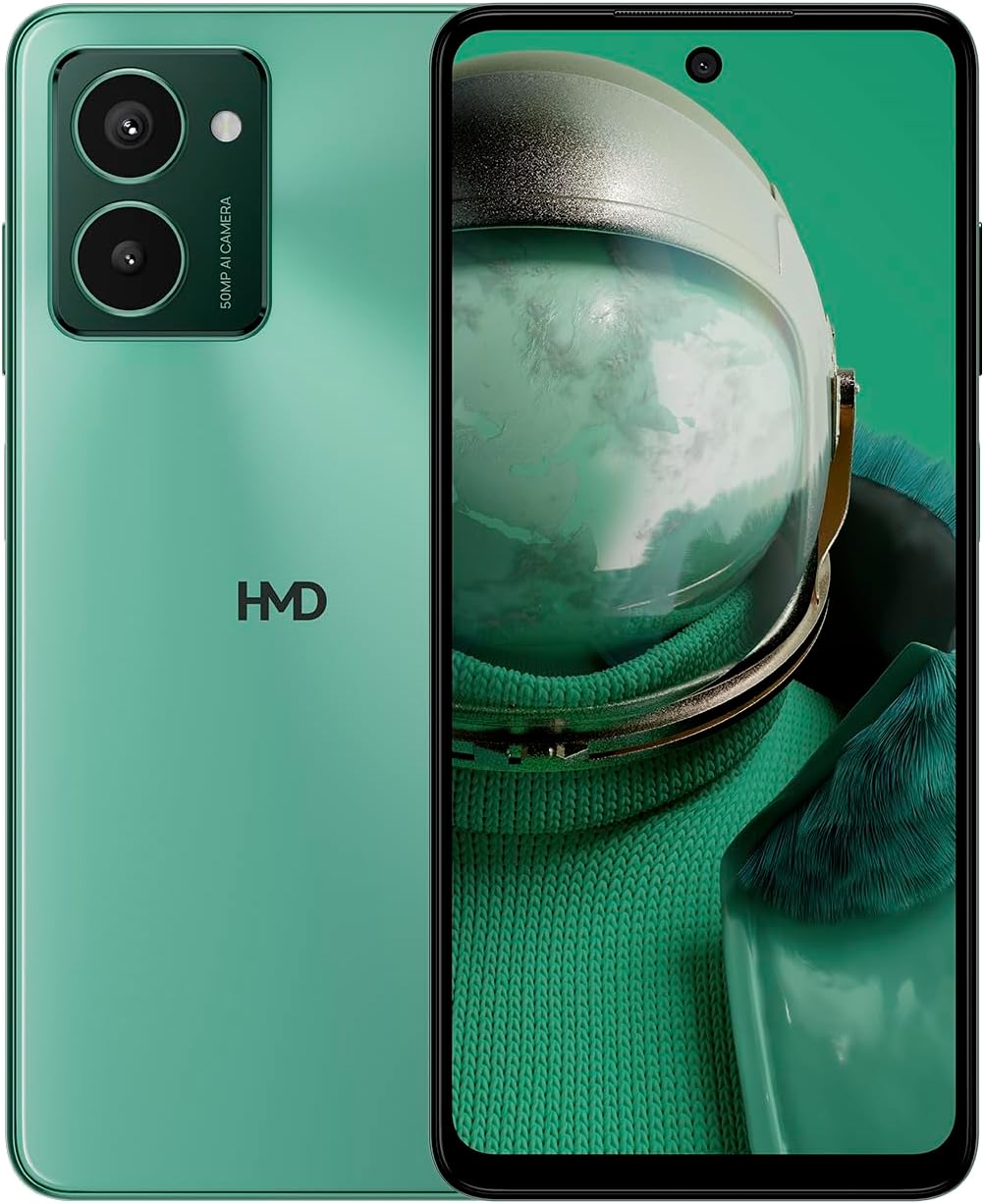
The HMD Pulse Pro smartphone in Glacier Green, showcasing its sleek design and dual camera system on the rear, alongside its vibrant display.
Ezaugarri nagusiak:
- Striking design with refined lines and a cutting-edge aesthetic.
- Equipped with 50 MP rear and 50 MP front cameras for balanced and high-quality photography.
- Innovative selfie gesture function for easier and more dynamic self-portraits.
- Extended battery life providing up to 59 hours of usage on a single charge.
- International version, unlocked for compatibility with various carriers worldwide.
Kutxan dagoena
Upon unboxing your HMD Pulse Pro, please ensure all the following items are present:
- HMD Pulse Pro Smartphone
- USB kablea
- SIM erretilua ateratzeko tresna
- Quick Start Guide (may be separate or integrated)
Konfigurazioa
1. Hasierako kargatzea
Before first use, it is recommended to fully charge your HMD Pulse Pro. Connect the provided USB cable to the phone's charging port and the other end to a compatible USB power adapter (not always included) or a computer USB port. The device supports fast charging.
2. SIM txartelak eta MicroSD txartela sartzea
The HMD Pulse Pro supports dual SIM cards and expandable memory via a microSD card.
- Aurkitu SIM txartelaren erretilua telefonoaren alboan.
- Sartu SIM txartelaren erretilua ateratzeko tresna erretiluaren ondoko zulo txikian eta bultzatu astiro erretilua atera arte.
- Sartu Nano-SIM txartelak dagokion zirrikituan. Ziurtatu urre koloreko kontaktuak behera begira daudela.
- If using a microSD card for additional storage, place it into its dedicated slot on the tray.
- Kontu handiz sartu erretilua telefonoan berriro, bere lekuan klik egin arte.
3. Piztea eta hasierako konfigurazioa
Press and hold the Power button until the HMD logo appears. Follow the on-screen instructions to complete the initial setup, including language selection, Wi-Fi connection, Google account setup, and security settings.
Funtzionamendu-argibideak
Oinarrizko Nabigazioa
- Ukipen-pantaila: Nabigatu 6.65 hazbeteko pantailan ukituz, irristatuz, atximurkatuz eta zabalduz.
- Pizteko botoia: Sakatu pantaila esnatzeko/lo hartzeko. Sakatu eta eutsi itzaltzeko edo berrabiarazteko.
- Bolumen-botoiak: Doitu multimedia bolumena, dei bolumena eta jakinarazpen bolumena.
Kameraren erabilera
The HMD Pulse Pro features a 50 MP dual rear camera and a 50 MP front camera, enhanced with AI capabilities.

A user demonstrating the innovative selfie gesture feature of the HMD Pulse Pro, allowing for hands-free photo capture.

Gertu bat view of the HMD Pulse Pro's 50 MP front-facing camera, highlighting its AI-powered capabilities for enhanced selfies.
- Kamera abiaraztea: Tap the Camera app icon or use a quick gesture (if enabled in settings).
- Argazkiak ateratzen: Tap the shutter button. Use pinch-to-zoom for optical or digital zoom.
- Selfie Gestures: Utilize pre-defined hand gestures to trigger the front camera shutter without touching the screen. Refer to the in-app camera settings for available gestures.
- Moduak: Switch between various modes like Portrait, Night, Panorama, and Video.
Baterien kudeaketa
The HMD Pulse Pro is equipped with a 5000 mAh battery, offering up to 59 hours of usage.

Two HMD Pulse Pro smartphones standing upright, with text emphasizing the impressive battery life of up to 59 hours.
- Kargatzen: Use the provided USB cable. A full charge takes approximately 2.5 hours.
- Bateria aurrezlea: Enable Battery Saver mode in Settings > Battery to extend usage time.
- Erabilera optimizatzea: Reduce screen brightness, disable unused connectivity (Bluetooth, Wi-Fi, GPS), and close background apps to conserve battery.
Mantentzea
Zure gailua garbitzea
To keep your HMD Pulse Pro in optimal condition:
- Erabili zapi leun eta lihorik gabeko bat pantaila eta gorputza garbitzeko.
- Saihestu produktu kimiko gogorrak, garbitzaile urratzaileak edo aerosolak erabiltzea.
- The device is water resistant; however, avoid submerging it in water.
Software eguneraketak
Egiaztatu eta instalatu software eguneraketak aldizka, zure gailuak azken funtzioak, segurtasun adabakiak eta errendimendu hobekuntzak dituela ziurtatzeko. Joan Ezarpenak > Sistema > Sistemaren eguneraketa atalera.
Biltegiratze kudeaketa
256 GB-ko barne biltegiratzearekin, hau duzu ample space. However, regularly manage your files and apps to maintain performance. You can also expand storage using a microSD card.
Arazoak konpontzea
This section addresses common issues you might encounter with your HMD Pulse Pro.
| Arazoa | Irtenbide posiblea |
|---|---|
| Gailua ez da pizten | Ensure the battery is charged. Connect to a charger for at least 30 minutes. Try holding the Power button for 10-15 seconds. |
| Aplikazioak huts egiten edo blokeatzen ari dira | Clear the app's cache (Settings > Apps > [App Name] > Storage > Clear cache). Restart the phone. Update the app or the phone's software. |
| Bateriaren iraupen eskasa | Check background app usage (Settings > Battery). Reduce screen brightness. Disable unused connectivity features (Wi-Fi, Bluetooth, GPS, NFC). Enable Battery Saver mode. |
| Ezin da Wi-Fi/Bluetooth sarera konektatu | Toggle Wi-Fi/Bluetooth off and on. Restart your phone and the router/device. Forget the network/device and reconnect. |
| SIM txartela ez da detektatu | Ensure the SIM card is correctly inserted in the tray. Restart the phone. Check with your carrier for network issues. |
Fabrika berrezarri
Arazoak irauten badute, fabrika berrezartzea beharrezkoa izan daiteke. Abisua: Honek telefonoko datu guztiak ezabatuko ditu. Jarraitu aurretik, egin datu garrantzitsuen babeskopia.
- Joan Ezarpenak > Sistema > Berrezarri aukerak atalera.
- Hautatu "Ezabatu datu guztiak (fabrika berrezartzea)".
- Berretsi erabakia eta idatzi zure PINa/eredua/pasahitza eskatzen bazaizu.
- Telefonoa berrabiaraziko da eta berrezartze prozesua hasiko da.
Zehaztapenak
Detailed technical specifications for the HMD Pulse Pro smartphone:

The HMD Pulse Pro highlighting its stylish and cutting-edge design, dual SIM support, and 6.56" HD+ HID display with a 90Hz refresh rate. Note: While the image mentions 8GB/128GB, this specific model features 8GB RAM and 256GB internal storage.
| Ezaugarri | Xehetasuna |
|---|---|
| Ereduaren izena | Pulse Pro (TA-1606) |
| Sistema eragilea | Android 14 |
| Bistaratzeko tamaina | 6.65 hazbete |
| Ebazpena | 720 x 1612 |
| Freskatze tasa | 90 Hz |
| RAM Memoria | 8 GB |
| Biltegiratze Ahalmena | 256 GB (Hedagarria) |
| Atzeko kamera | 50 MP-ko kamera bikoitza |
| Aurrealdeko kamera | 50 MP |
| Bateria Edukiera | 5000 mAh |
| Kargatzeko Denbora | Gutxi gorabehera. 2.5 ordu |
| CPU Abiadura | 1.6 GHz |
| Konektibitatea | Bluetooth, Wi-Fi, USB, NFC |
| Ezaugarri bereziak | Fast Charging Support, Dual SIM, Expandable Memory, Built-In GPS, Water Resistant |
| Neurriak | 6.43 x 2.95 x 0.34 hazbete |
| Elementuaren pisua | 0.249 ontza (7.06 gramo) |
| Audio Jack | 3.5 mm |
| Kolorea | Glacier Green |
Bermea eta Laguntza
Fabrikatzailearen Bermea
Your HMD Pulse Pro smartphone is covered by a manufacturer's warranty against defects in materials and workmanship. The specific terms and duration of the warranty may vary by region. Please refer to the warranty card included with your product or visit the official HMD webbermearen informazio zehatza lortzeko gunea.
Bezeroarentzako Arreta
For technical assistance, troubleshooting beyond this manual, or warranty claims, please contact HMD customer support. You can typically find contact information (phone numbers, email, support portals) on the official HMD webgunearen bidez edo zure gailuaren ezarpenen laguntza atalaren bidez.
Sareko baliabideak: For the latest FAQs, software downloads, and support articles, visit the official HMD support page. (Specific URL not provided in input, so a generic statement is used).


