Sarrera
Thank you for choosing the ProtoArc XK01 TP Foldable Keyboard with Touchpad. This portable Bluetooth keyboard is designed for convenience and productivity on the go, offering a full-size typing experience with an integrated multi-touch trackpad. Please read this manual carefully to ensure proper setup and operation of your device.
Paketearen edukia
Egiaztatu elementu guztiak zure paketean daudela:
- Folding keyboard with touchpad
- PU Leather Bag
- Telefonoaren euskarria
- USB C Charge Cable
- Erabiltzailearen eskuliburua

Image: The ProtoArc XK01 TP keyboard shown with its included accessories: a phone stand, USB-C charging cable, and a protective PU leather bag.
Konfigurazioa eta parekatzea
Follow these steps to connect your keyboard to your device:
- Kargatu teklatua: Before first use, connect the keyboard to a power source using the provided USB-C cable. The charging indicator will show its status.
- Piztu: Ireki teklatua automatikoki pizteko.
- Sartu parekatze moduan: Press and hold one of the Bluetooth channel keys (BT1, BT2, or BT3) for 3 seconds until the corresponding indicator light flashes, indicating it's in pairing mode.
- Gaitu Bluetooth zure gailuan: On your laptop, PC, smartphone, or tablet, go to Bluetooth settings and turn on Bluetooth.
- Hautatu teklatua: Look for 'ProtoArc XK01 TP' in the list of available devices and select it to pair.
- Berretsi konexioa: Once paired, the indicator light for the selected Bluetooth channel will stop flashing and remain solid.
- Aldatu gailuak: To switch between paired devices, simply short press the corresponding Bluetooth channel key (BT1, BT2, or BT3).
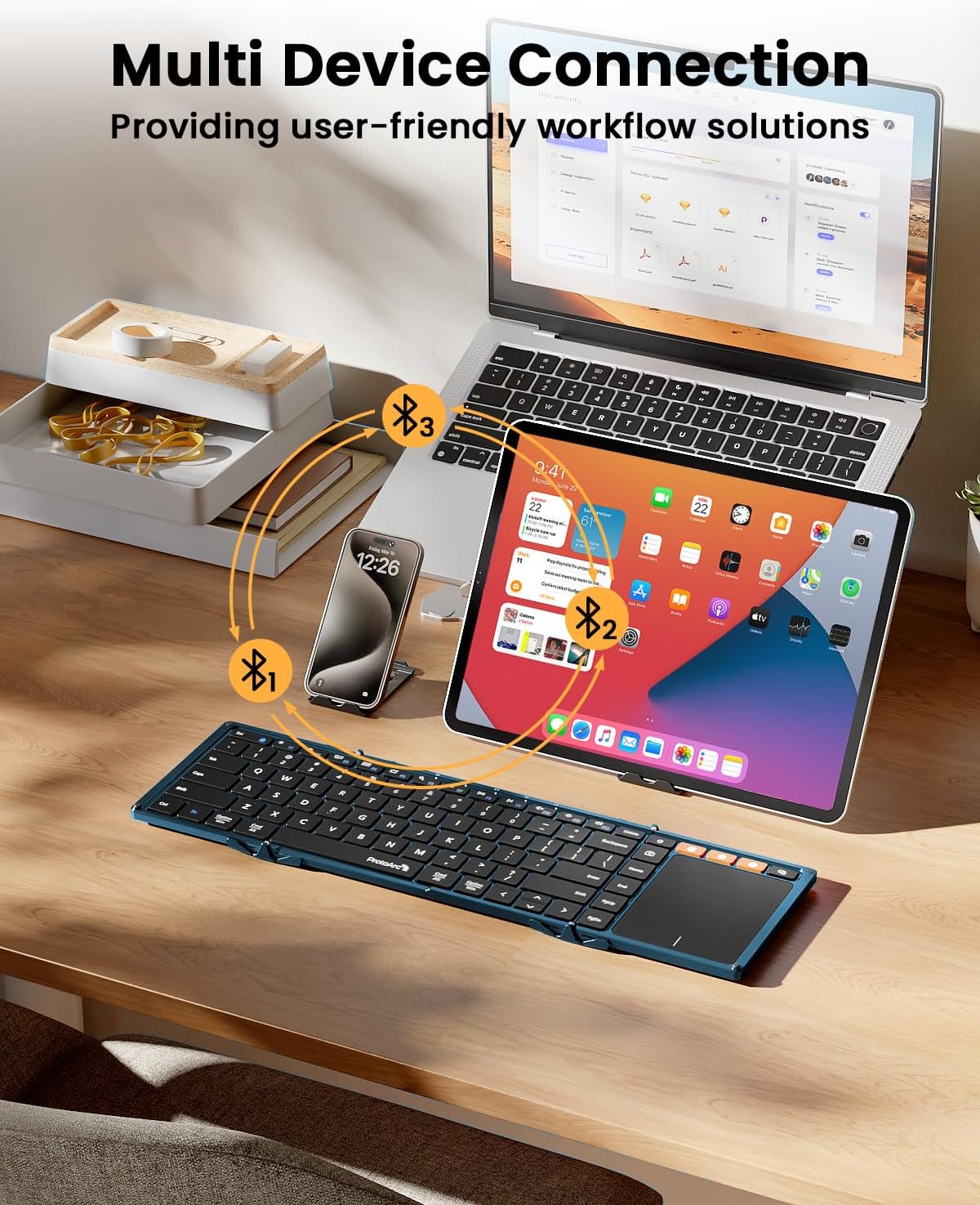
Image: The keyboard demonstrating multi-device Bluetooth connectivity to a smartphone, tablet, and laptop.
Video: A demonstration of the ProtoArc XK01 TP keyboard's portability and ease of setup for travel and business use.
Funtzionamendu-argibideak
Teklatuaren diseinua eta teklak
The XK01 TP features an 88-key QWERTY layout with 16.5mm keycaps, providing a comfortable and familiar typing experience similar to a full-size laptop keyboard. It includes a full row of shortcut keys for various functions.

Image: User's hands typing on the ProtoArc XK01 TP keyboard, highlighting its standard full-size keys and integrated trackpad.
Trackpad keinuak
The multi-touch trackpad supports various gestures for efficient navigation:
- Hatz bakarreko ukitu: Sagua Ezkerreko klik
- Bi hatz sakatu: Sagua egin klik eskuineko botoiarekin
- Pinch with Two Fingers: Handitu edo txikiagotu
- Three Fingers Tap: Windows 10/11 Search
Note: For iPad users, please enable "AssistiveTouch" in your device settings for full trackpad functionality. Some gestures may not be available depending on the application. You can adjust scroll direction in your device settings.

Irudia: Gertutik view of the keyboard's large, smooth trackpad, demonstrating precise navigation and scrolling.
Kargatzen
The keyboard has a built-in 300mAh battery. It takes approximately 2 hours for a full charge and offers up to 120 days of standby time. It will enter sleep mode after 60 minutes of inactivity to conserve power. Press any key to reactivate. To power off, simply fold the keyboard. Unfolding it will power it on.

Image: Visual representation of the keyboard's 300mAh battery, 2-hour charge time, and 150-day standby time.
Mantentzea
To ensure the longevity and optimal performance of your ProtoArc XK01 TP keyboard, please follow these maintenance guidelines:
- Garbiketa: Use a soft, dry cloth to wipe the keyboard surface and trackpad. For stubborn dirt, slightly dampGarbitu zapi bat urarekin edo garbitzaile leun eta ez-urratzaile batekin. Saihestu gehiegizko hezetasuna.
- Biltegiratzea: When not in use, fold the keyboard to protect the keys and trackpad. Store it in the provided PU leather bag to prevent scratches and dust accumulation.
- Saihestu muturreko baldintzak: Do not expose the keyboard to extreme temperatures, direct sunlight, or high humidity. Keep it away from liquids and corrosive substances.
- Kontuz maneiatu: Avoid dropping the keyboard or applying excessive force to the keys or hinges. While durable, rough handling can cause damage.
- Kargatzen: Erabili kargatzeko emandako USB-C kablea soilik. Ez erabili kaltetutako kable edo kargagailurik.
Arazoak konpontzea
Teklatuarekin arazoak badituzu, saiatu honako irtenbide hauekin:
- Teklatua ez da konektatzen:
- Ensure the keyboard is charged and powered on (unfolded).
- Egiaztatu Bluetooth gaituta dagoela zure gailuan.
- Put the keyboard into pairing mode by long-pressing a BT channel key.
- Ezabatu gailua zure gailuaren Bluetooth ezarpenetatik eta saiatu berriro parekatzen.
- Trackpad not responding or gestures not working:
- For iPad users, ensure "AssistiveTouch" is enabled in Accessibility settings.
- Some applications may not fully support all trackpad gestures.
- Ensure the trackpad surface is clean and dry.
- Teklak ez dute erantzuten:
- Egiaztatu bateriaren maila eta kargatu behar izanez gero.
- Ensure the keyboard is properly unfolded and locked into position.
- Konektatu berriro Bluetooth konexioa.
- Unstable typing experience:
- The keyboard is designed for use on flat surfaces. Using it on uneven surfaces may affect stability due to the fold hinge.
Zehaztapenak
| Modelo zenbakia | XK01 TP |
| Marka | ProtoArc |
| Konektibitatea | Bluetooth 5.1 (3 channels) |
| Tolesturiko neurriak | 15.19"L x 4.68"Z x 0.78"A |
| Tolestutako neurriak | 8.46"L x 4.68"Z x 0.78"A |
| Elementuaren pisua | 10.5 ontza |
| Bateria Edukiera | 300mAh |
| Egonean Denbora | 120 egun arte |
| Kargatzeko Denbora | Gutxi gorabehera. 2 ordu |
| Giltzak | 16.5mm, 88-key QWERTY layout |
| Materiala | Plastikoa |
| Gailu bateragarriak | Laptop, PC, Smartphone, Tablet (Android, Windows, iOS) |

Image: The keyboard shown in both folded and unfolded states, illustrating its compact design for portability.
Bermea eta laguntza
The ProtoArc XK01 TP keyboard comes with a 5-year warranty. For any product inquiries, technical support, or warranty claims, please contact ProtoArc customer service. Contact information is typically provided in the included warranty card or user manual.
You can also visit the official ProtoArc website for additional support resources and FAQs: ProtoArc denda


