1. Sarrera
This manual provides comprehensive instructions for the safe and effective use of your Artfone Smart_500 Smartphone. Please read this manual thoroughly before operating the device and retain it for future reference. The Artfone Smart_500 is designed with ease of use in mind, featuring large icons, a clear display, and essential functions for communication.
2. Gailua amaitu daview
Familiarize yourself with the components of your Artfone Smart_500 smartphone.

2.1. irudia: Aurrealdea eta atzealdea view of the Artfone Smart_500 smartphone placed in its charging dock. The front displays a simplified interface with large icons for Phone, Contacts, Camera, and Photos. The back shows the camera module and the SOS button.

Image 2.2: Multiple views of the Artfone Smart_500 smartphone, illustrating its front, back, and side profiles. This provides a comprehensive look at the device's physical design and button placement.
Funtsezko osagaiak:
- Aurrealdeko pantaila: 5-inch IPS screen for clear viewing eta elkarrekintza.
- Botoi fisikoak: Dedicated buttons for call answer/end, volume control, and power.
- SOS botoia: Located on the rear for emergency alerts.
- Kamerak: Rear 13MP camera with LED flash, Front 5MP camera.
- Kargatzeko ataka: USB-C ataka behealdean.
- Kargatzeko geltokia: Included for convenient desktop charging.
3. Konfigurazioa
3.1 SIM txartelaren eta mikro SD txartelaren instalazioa
- Power off the device completely.
- Locate the SIM/Micro SD card tray on the side of the phone.
- Erabili SIM txartelaren kanporatzeko tresna erretilua irekitzeko.
- Carefully place your Nano-SIM card(s) and/or Micro SD card into the designated slots. Ensure correct orientation.
- Sartu erretilua telefonoan astiro-astiro, bere lekuan klik egin arte.
3.2 Hasierako piztea
- Press and hold the Power button (usually on the right side) until the screen lights up.
- Jarraitu pantailan agertzen diren argibideei hasierako konfigurazioa osatzeko, hizkuntza hautatzea, Wi-Fi konexioa eta Google kontuaren konfigurazioa barne.
3.3 Gailua kargatzea
The Artfone Smart_500 can be charged using the included USB-C cable or the charging station.
- Kargatzeko geltokia erabiltzea: Place the phone into the charging station, ensuring the charging contacts align. The phone will indicate that it is charging.
- USB-C kablea erabiliz: Connect the USB-C cable to the phone's charging port and the other end to a compatible power adapter.
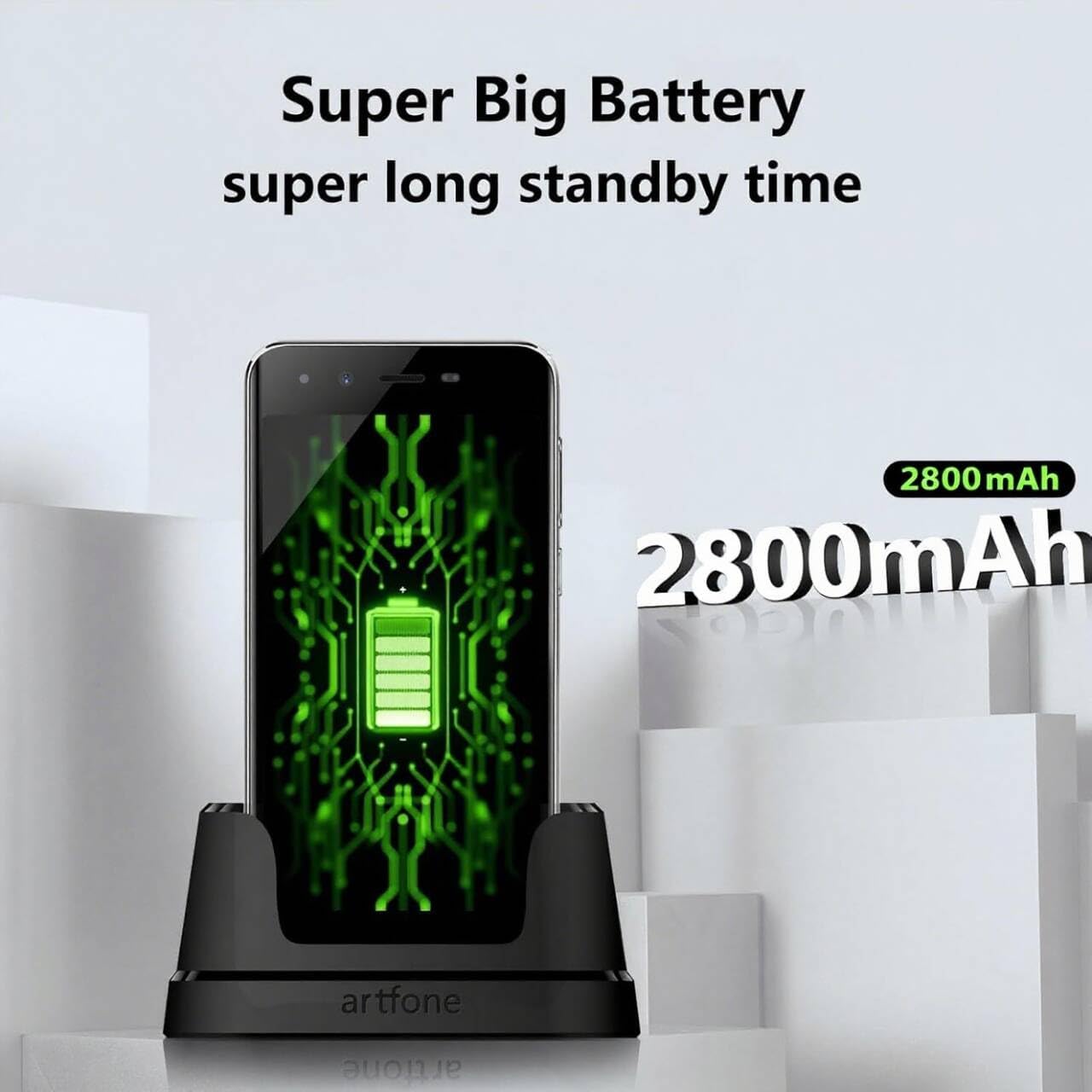
Image 3.1: The Artfone Smart_500 smartphone in its charging dock, displaying a battery icon on the screen. Text indicates 'Super Big Battery' and 'super long standby time', highlighting the device's 2550mAh battery capacity.
4. Oinarrizko Funtzionamendua
4.1 Nabigazioa
- Ukipen-pantaila: Tap icons to open applications, swipe to navigate between screens.
- Hasierako pantaila: Features large, easy-to-identify icons for common functions like Phone, Contacts, Camera, and Photos.
- Atzera botoia: Aurreko pantailara itzultzen da.
- Azken aplikazioen botoia: Erabilitako azken aplikazioak bistaratzen ditu.
4.2 Deiak egitea eta jasotzea
- Dei bat egitea: Tap the 'Phone' icon, enter the number using the large keypad, then tap the green call button.
- Dei bat jasotzea: When a call comes in, tap the green 'Answer' button on the screen or press the dedicated answer button.
- Dei bat amaitzea: Tap the red 'End Call' button on the screen or press the dedicated end call button.
4.3 Kontaktuak
- Kontaktu bat gehitzea: Tap the 'Contacts' icon, then tap the '+' or 'Add New Contact' button. Enter the contact's name and phone number, then save.
- Kontaktu bati deitzea: Tap the 'Contacts' icon, select the desired contact, then tap the phone icon next to their name.
4.4 Mezularitza
- Tap the 'Messages' icon (if available on home screen, otherwise find in app drawer).
- Tap 'Start new chat' or the '+' icon.
- Enter the recipient's number or select from contacts, then type your message and tap 'Send'.
4.5 Kamera
The Artfone Smart_500 features a 13MP rear camera and a 5MP front camera.

Image 4.1: A hand holding the Artfone Smart_500 smartphone, with text emphasizing its 13-megapixel camera for high-definition photography.
- Tap the 'Camera' icon on the home screen.
- Zuzendu kamera zure subjektura.
- Tap the shutter button on the screen to take a photo.
- Use the LED flash in low-light conditions.
4.6 SOS Larrialdi Funtzioa
The SOS button is a critical safety feature for emergencies.

Image 4.2: A visual representation of the SOS button located on the back of the Artfone Smart_500 smartphone. The diagram illustrates how pressing this button can alert pre-set emergency contacts such as family members (daughter, son, spouse), a doctor, or first responders.
- SOS kontaktuak konfiguratzen: Navigate to the SOS settings in the phone's menu to add up to 5 emergency contact numbers.
- SOS aktibatzea: In an emergency, press and hold the SOS button on the back of the phone.
- The phone will automatically call the pre-set emergency numbers one by one until a connection is made.
- Simultaneously, an emergency SMS message, including your location, will be sent to these contacts.
5. Ezaugarri aurreratuak
5.1 Android 12 sistema eragilea
Your Artfone Smart_500 runs on Android 12, providing access to a wide range of applications and features.
- Google Play Store: Access the Play Store to download additional applications such as WhatsApp, social media, and utility tools.
- Interneten arakatzea: Use the pre-installed browser to access the internet.
- Multimedia: View videos, photos, and listen to music.
5.2 Konektibitatea

Image 5.1: A prominent 4G logo positioned above the Artfone Smart_500 smartphone, which displays a strong 4G signal indicator. This highlights the device's 4G connectivity for high-definition voice calls and faster internet.
- 4G/3G/2G: Supports various cellular networks for reliable communication.
- 4G VoLTE: Ensures high-quality voice calls with reduced background noise.
- Wi-Fi: Konektatu haririk gabeko sareetara interneterako sarbidea izateko.
- Bluetootha: Pair with wireless headphones or other Bluetooth devices.
6. Mantentzea
6.1 Bateria zaintzea
- Bateriaren iraupena luzatzeko, saihestu telefonoa tenperatura altuen eraginpean jartzea.
- Charge the battery regularly, but avoid leaving it fully charged or fully depleted for extended periods.
- Use only the original charger and charging station provided with the device.
6.2 Garbiketa
- Garbitu pantaila eta gorputza zapi leun eta lihorik gabeko batekin.
- Saihestu produktu kimiko gogorrak edo material urratzaileak erabiltzea.
7. Arazoak
Ohiko arazoak eta irtenbideak:
- Telefonoa ez da pizten: Ziurtatu bateria kargatuta dagoela. Konektatu kargagailura eta saiatu berriro.
- Deien kalitate eskasa: Check network signal strength. Ensure VoLTE is enabled in settings if available.
- Aplikazioak izoztea: Close background applications. Restart the phone.
- Bateria azkar agortzen da: Reduce screen brightness. Close unused apps. Check battery usage in settings to identify power-hungry apps.
- SOS botoia ez dabil: Verify that emergency contacts are correctly set up in the SOS settings.
Arazoak jarraitzen badute, jarri harremanetan bezeroarentzako arreta-zerbitzuarekin.
8. Zehaztapenak
| Ezaugarri | Zehaztapena |
|---|---|
| Ereduaren izena | SMART_500 |
| Sistema eragilea | Android 12.0 |
| Bistaratzea | 5 hazbeteko IPS ukipen-pantaila |
| Prozesadorea | 1.5 GHz Quad-Core (MTK 6739WW) |
| RAM | 3 GB |
| Barne Biltegiratzea | 32 GB (Expandable via Micro SD) |
| Atzeko kamera | 13 MP LED flasharekin |
| Aurrealdeko kamera | 5 MP |
| Bateria Edukiera | 2550 mAh litio-ioi |
| Egonean Denbora | 50-80 hours (average) |
| Hitzaldi Denbora | 5-6 hours (average) |
| Konektibitatea | 4G, 3G, 2G (4G VoLTE) |
| Kargatzeko ataka | USB C motakoa |
| Ezaugarri bereziak | SOS Button, Charging Station, Large Icons, High Volume |

Image 8.1: A visual representation of the phone's internal platform, highlighting the MTK 6739WW processor, 32GB of ROM (internal storage), and 3GB of RAM.
9. Bermea eta Laguntza
For warranty information and customer support, please refer to the documentation included in your product packaging or visit the official Artfone website. Information regarding spare parts availability and software updates is not available at this time.
Fabrikatzailea: artfone


