Sarrera
The Technoline WT175 is a compact and versatile quartz alarm clock designed for convenience and portability. It features a clear digital display and offers multiple functions including time, date, temperature, humidity, and various alarm settings. Its magnetic casing makes it suitable for travel and everyday use.

1. irudia: Aurrealdea view of the Technoline WT175 Mini Travel Alarm Clock, displaying the time and control buttons.
Ezaugarri nagusiak
- 12/24 orduko denbora bistaratzea
- Data bistaratzea
- Temperature display (in Celsius)
- Hezetasunaren bistaratzea
- Alarma errepikatzeko funtzioarekin
- Configurable alarm settings: Weekday, Weekend, or Daily
- Timer with countdown and stop function
- Bateria baxuaren adierazlea
- Magnetikoa casing for versatile placement
Paketearen edukia
- Technoline WT175 Mini Travel Alarm Clock
- Erabiltzailearen eskuliburua (dokumentu hau)
- Oharra: Bateriak ez daude barne eta aparte erosi behar dira.

2. irudia: Product packaging for the Technoline WT175, detailing specifications and features.
Konfigurazioa
1. Bateriaren instalazioa
- Aurkitu bateriaren konpartimentua erlojuaren iratzargailuaren atzealdean.
- Ireki bateriaren konpartimenduaren estalkia.
- Insert 1x AAA Micro LR03 battery, ensuring correct polarity (+/-).
- Itxi bateriaren konpartimenduaren estalkia ondo.
2. Hasierako piztea
Upon successful battery installation, the display will activate. You may need to press the EZARTU button to begin initial time and date configuration.
Funtzionamendu-argibideak
The Technoline WT175 features several control buttons: EZARTU, START/STOP/RESET, ZZ (Snooze/Light), AL SET ON-OFF, +, eta MODUA.
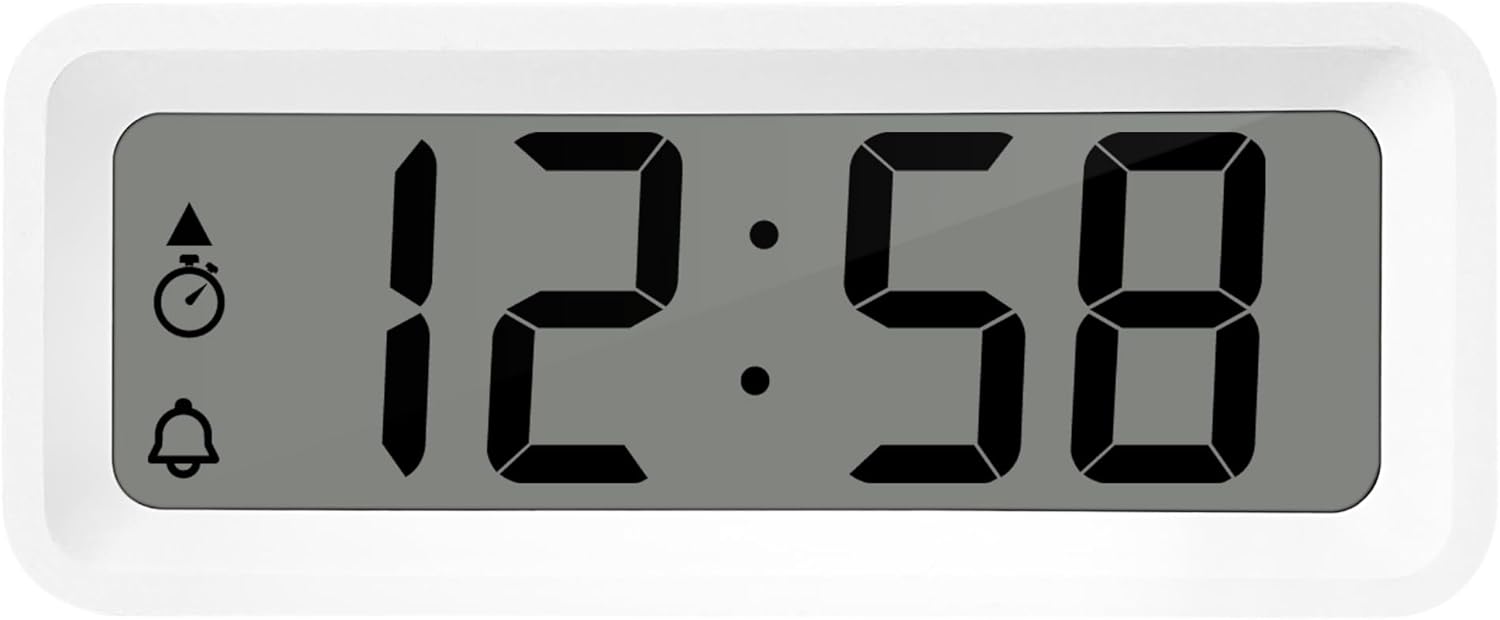
3. irudia: Xehetasuna view of the alarm clock's display and control buttons.
1. Ordua eta data ezartzea
- Eduki sakatuta EZARTU botoia sakatu orduaren pantaila keinuka hasi arte.
- Erabili + or - ordua doitzeko botoiak.
- Sakatu EZARTU berriro ordua berresteko eta minutuetara joateko.
- Erabili + or - minutuak doitzeko.
- Jarraitu sakatzen EZARTU to cycle through and set the year, month, and day using the + or - botoiak.
- Sakatu EZARTU azken aldiz ezarpen modutik irteteko.
2. 12/24 orduko formatuaren hautaketa
Ordua bistaratzeko modu normalean zaudela, sakatu tekla MODUA button to toggle between 12-hour and 24-hour time formats.
3. Alarma ezartzea
- Sakatu AL SET ON-OFF button once to enter alarm setting mode. The alarm time will flash.
- Erabili + or - alarma-ordua doitzeko botoiak.
- Sakatu AL SET ON-OFF again to confirm the hour and move to alarm minutes.
- Erabili + or - alarmaren minutuak doitzeko.
- Sakatu AL SET ON-OFF berriro baieztatzeko eta alarma ezartzeko modutik irteteko.
4. Activating/Deactivating Alarm and Snooze
- To turn the alarm ON or OFF, sakatu AL SET ON-OFF button while in normal time display mode. An alarm icon will appear/disappear on the display.
- Alarmak jotzen duenean, sakatu ZZ (Snooze) button to activate the snooze function. The alarm will temporarily stop and sound again after a few minutes.
- To stop the alarm completely, press any other button (e.g., EZARTU or MODUA).
5. Weekday/Weekend/Daily Alarm Settings
The WT175 allows for flexible alarm scheduling. While in alarm setting mode (after pressing AL SET ON-OFF), you can cycle through alarm types by pressing the + or - buttons after setting the alarm time. Look for indicators on the display for:
- Eguneko alarma: Alarma egunero jotzen du.
- Weekday Alarm: Alarm sounds Monday to Friday.
- Weekend Alarm: Alarm sounds Saturday and Sunday.
6. Timer and Countdown Function
- Sakatu MODUA button repeatedly until the timer display appears (often indicated by a stopwatch icon).
- To set the countdown timer, press and hold EZARTU. Erabili + or - to set the desired hours, minutes, and seconds. Press EZARTU to confirm each segment.
- Sakatu START/STOP/RESET atzerako kontaketa hasteko.
- Sakatu START/STOP/RESET berriro atzerako kontaketa pausatzeko/berrabiarazteko.
- Tenporizadorea berrezartzeko, luze sakatu START/STOP/RESET.
7. Tenperatura eta hezetasunaren bistaratzea
The Technoline WT175 continuously displays the current indoor temperature (in Celsius) and humidity levels. These readings are typically shown alongside the time and date on the main display.

4. irudia: The WT175 alarm clock displaying time, temperature, and humidity in a bedroom setting.
Mantentzea
1. Bateria ordezkatzea
When the low battery indicator appears on the display, it is time to replace the battery. Follow the battery installation steps outlined in the Konfigurazioa section. Ensure to dispose of old batteries responsibly according to local regulations.
2. Garbiketa
To clean the alarm clock, use a soft, dry cloth. Do not use abrasive cleaners, solvents, or immerse the device in water. Avoid spraying cleaning solutions directly onto the unit.
Arazoak konpontzea
- Pantaila hutsik edo ilun dago:
- Egiaztatu bateria behar bezala instalatuta dagoen.
- Ordeztu bateria berri batekin.
- Alarmak ez du jotzen:
- Ensure the alarm is activated (alarm icon visible on display).
- Verify the alarm time is set correctly.
- Check the alarm type (Daily, Weekday, Weekend) matches your desired schedule.
- Ordu edo data okerra:
- Re-enter the time and date following the instructions in the Funtzionamendu-argibideak atala.
- Ensure the 12/24 hour format is set as desired.
- Botoiek ez dute erantzuten:
- Kendu bateria eta sartu berriro berrezarpen leun bat egiteko.
- Ensure the device is not in a specific setting mode that locks other buttons.
Zehaztapenak
| Ezaugarri | Xehetasuna |
|---|---|
| Eredua | WT175 |
| Marka | Technoline |
| Neurriak (L x W x H) | 8.8 x 3.81 x 3.7 cm |
| Pisua | 120 gramo |
| Energia iturria | 1x AAA Micro LR03 Battery (not included) |
| Bistaratzeko mota | Digitala |
| Ezaugarri bereziak | Alarm, Snooze, Temperature, Humidity, Date, Timer, Countdown, Magnetic Casing, Low Battery Indicator |
| Kolorea | White (as per current product variant) |
| Barruan/Kanpoan erabilera | Barruan |

5. irudia: Dimensions of the Technoline WT175 alarm clock.
Bermea eta Laguntza
For warranty information or technical support regarding your Technoline WT175 Mini Travel Alarm Clock, please refer to the warranty card included with your purchase or visit the official Technoline webgunea.
Official Technoline Webgunea: http://www.technoline.de


