1. Sarrera
This manual provides essential instructions for the setup, operation, and maintenance of your CAPOXO Capoxo-SQ-21-Charger-NV 4K Full HD Wired Security Camera. This device is designed for indoor surveillance, offering continuous recording, motion detection, and night vision capabilities. Please read this manual thoroughly before using the product to ensure proper functionality and safety.

Image 1.1: The CAPOXO Capoxo-SQ-21-Charger-NV wired security camera, designed to resemble a standard USB wall charger.
2. Produktua amaitu daview
2.1 Paketearen edukia
Egiaztatu elementu guztiak zure paketean daudela:
- CAPOXO Security Camera
- USB kablea
- Txartel irakurgailua
- Erabiltzailearen eskuliburua
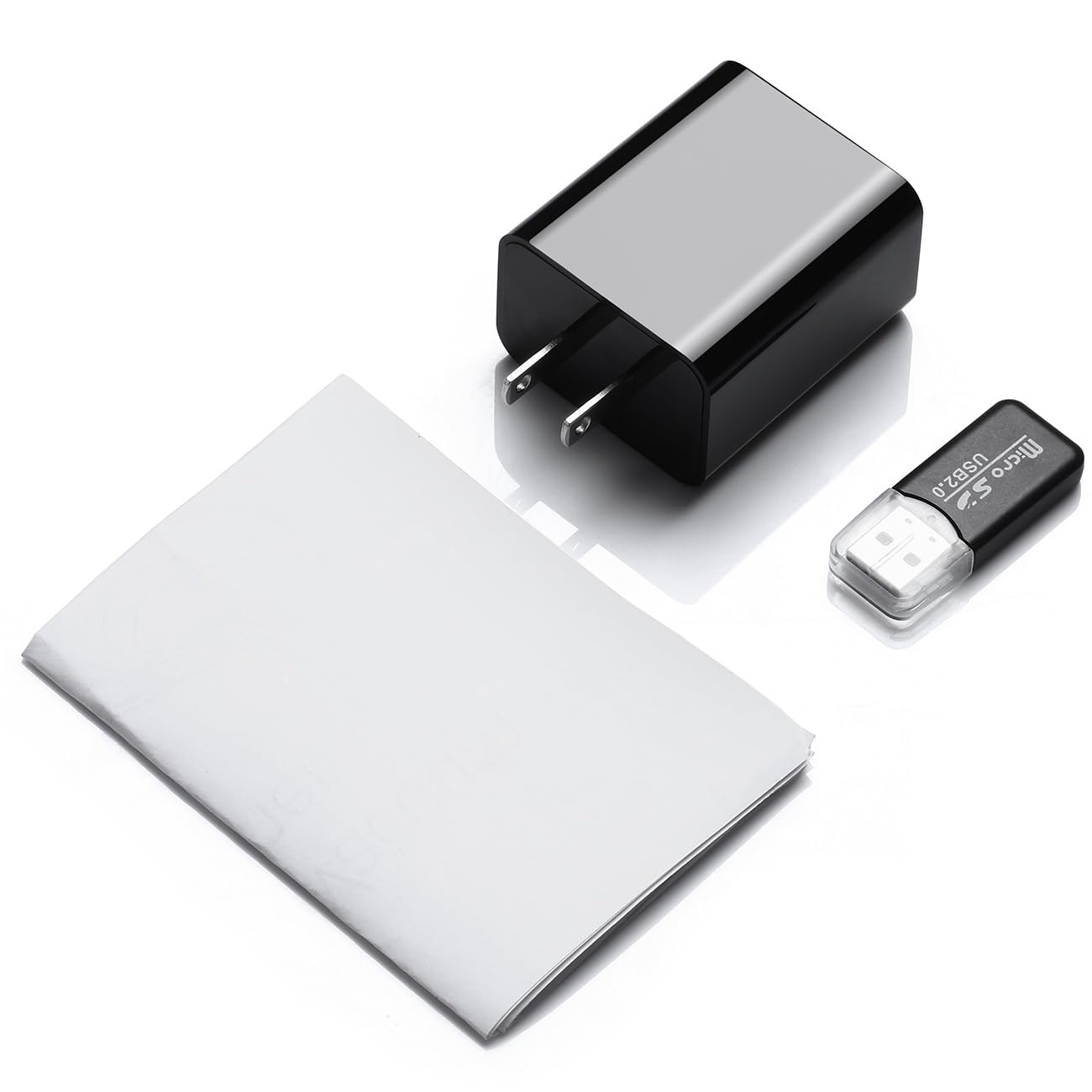
Image 2.1: Contents of the CAPOXO security camera package, including the camera, USB cable, card reader, and user manual.
2.2 Kameraren osagaiak
Familiarize yourself with the camera's key components:

Image 2.2: Detailed diagram showing the camera's components, including the HD Lens, Card Slot, USB port, Mode Switch, IR LEDs, and Front Cover.
- HD lentea: Bideoa grabatzen dutage.
- Txartelaren zirrikitua: For inserting a Micro SD card (up to 128GB, not included).
- USB ataka: Functions as a standard USB charging port and for power supply to the camera.
- Modu aldaketa: Toggles between recording modes (M: Motion-activated, C: Loop recording).
- IRko LEDak: Infrared emitters for night vision.
- Aurreko azala: A removable cover to access the card slot and mode switch.
2.3 Ezaugarri nagusiak
- Full HD 1080p bereizmena: Records video at 1920x1080 for clear footage.
- Etengabeko begizta grabaketa: Automatikoki gainidazten du foo zaharragoatage to ensure uninterrupted surveillance.
- Gaueko ikusmen gaitasuna: Equipped with infrared LEDs for clear recording in low-light conditions up to 5 meters.
- Mugimendua detektatzeko teknologia: Automatically initiates recording when movement is detected.
- Biltegiratze zabalgarria: 128 GB-rainoko Mikro SD txartelak onartzen ditu (ez dira barne hartzen).
3. Konfigurazioa
3.1 Mikro SD txartela sartzea
- Gently remove the front cover of the camera to expose the card slot.
- Insert a formatted Micro SD card (Class 10 or higher, up to 128GB) into the card slot with the gold contacts facing down until it clicks into place.
- Jarri aurreko estalkia.
Oharra: The Micro SD card is not included and must be purchased separately. Ensure the card is formatted before first use for optimal performance.
3.2 Kamera piztea
- Plug the camera directly into a standard 220V AC wall outlet.
- The camera will automatically power on and begin operation according to the selected mode.

Image 3.1: The CAPOXO security camera plugged into a wall outlet, ready for operation.
4. Funtzionamendu-argibideak
4.1 Selecting Recording Mode
The camera features a mode switch located under the front cover:
- 'C' Position (Loop Recording): The camera will continuously record video. When the SD card is full, the oldest files will be automatically overwritten by new recordings.
- 'M' Position (Motion Detection): The camera will only record when it detects movement within its field of view. This conserves storage space and highlights important events.
4.2 Gaueko ikusmena
The camera automatically activates its infrared (IR) LEDs in low-light conditions to provide clear night vision footage up to 5 meters. These LEDs are designed to be discreet.
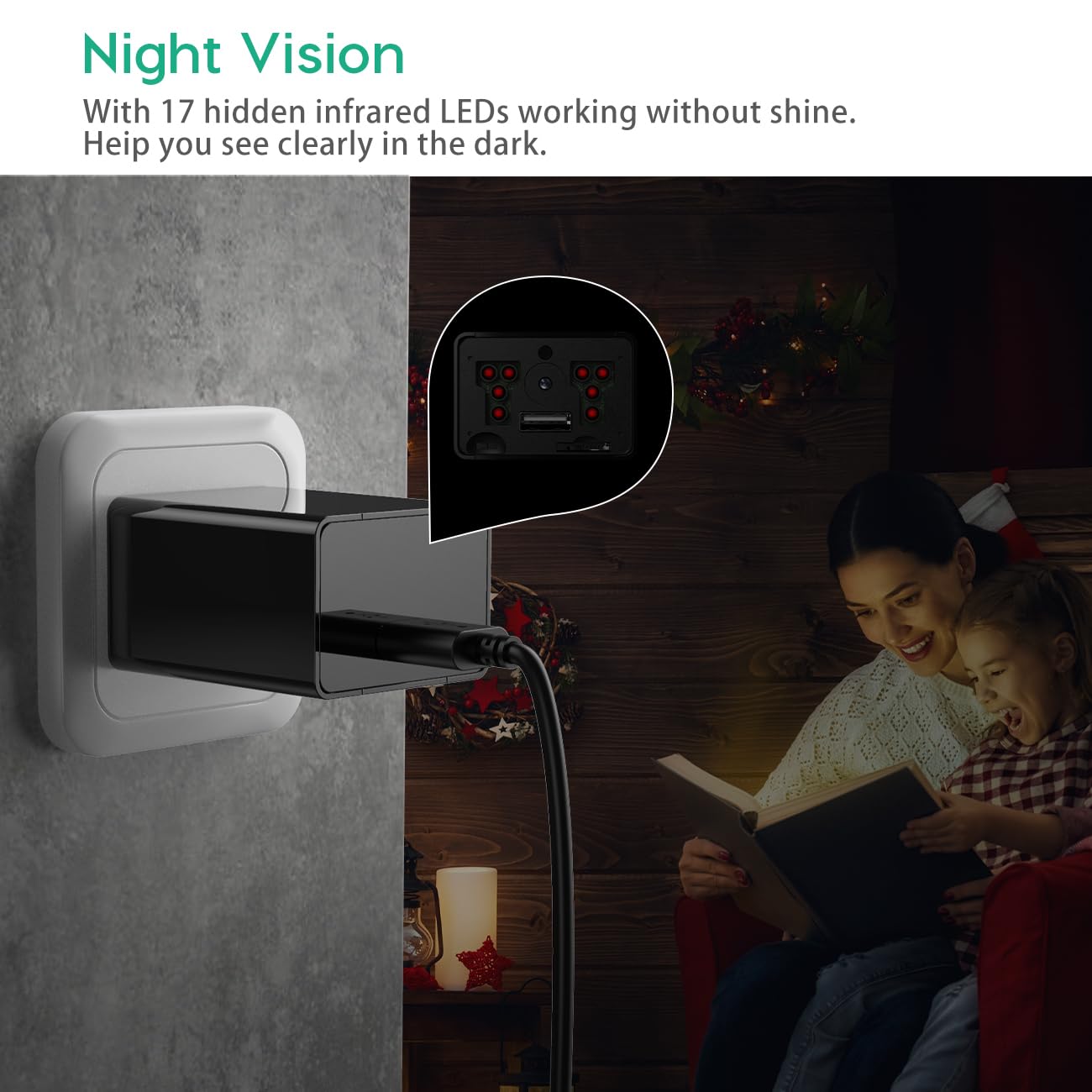
Image 4.1: Demonstration of the camera's night vision capability, showing clear visibility in a dark room.
4.3 Grabaketetara sartzea
- Unplug the camera from the power outlet.
- Remove the front cover and carefully eject the Micro SD card.
- Insert the Micro SD card into the provided card reader.
- Connect the card reader to a computer's USB port.
- Access the recorded video files zure ordenagailuan.
5. Mantentzea
- Garbiketa: Erabili zapi leun eta lehor bat kameraren lentea eta gorputza garbitzeko. Saihestu garbitzaile likidoak edo material urratzaileak erabiltzea.
- SD Txartela Kudeatzeko: Regularly back up important recordings. Periodically format the Micro SD card to maintain optimal performance and prevent data corruption.
- Lekua: Ensure the camera is placed in a stable indoor environment, away from direct sunlight, extreme temperatures, and high humidity.
6. Arazoak
- Camera is not recording:
- Ensure the camera is properly plugged into a live power outlet.
- Egiaztatu Mikro SD txartela behar bezala sartuta dagoen eta beteta ez dagoen.
- Try formatting the Micro SD card.
- Verify the mode switch is set to 'C' for continuous recording or 'M' for motion detection.
- Bideoaren kalitate eskasa:
- Garbitu kameraren lentea zapi leun batekin.
- Ensure adequate lighting in the recording area, especially for optimal daytime footage.
- Check if the camera is within its effective night vision range during low-light conditions.
- Motion detection is not working:
- Ensure the mode switch is set to 'M' (Motion Detection).
- Verify that the camera's field of view is clear and not obstructed.
- Test the motion detection by moving in front of the camera.
- Ezin da sartu files ordenagailuan:
- Ensure the Micro SD card is properly inserted into the card reader.
- Try connecting the card reader to a different USB port or computer.
- Check if the Micro SD card is damaged or corrupted.
7. Zehaztapenak
| Ereduaren izena | Capoxo-SQ-21-Charger-NV |
| Ebazpena | Full HD 1080p (1920x1080) |
| Biltegiratze euskarria | Gehienez 128 GB-ko Mikro SD txartela (ez dago barne) |
| Grabaketa moduak | Loop Recording, Motion Detection |
| Gaueko Ikusmenaren barrutia | Up to 5 meters (via IR LEDs) |
| Energia iturria | AC (220V) |
| Konektibitatea | USB 2.0 |
| Barruko/Kanpoko erabilera | Barruan |
| Produktuaren neurriak | 5.3 x 4.6 x 3.2 cm |
| Elementuaren pisua | 250 g |
| Dakarten osagaiak | Camera, USB Cable, Card Reader |
8. Bermea eta Laguntza
For any product-related inquiries, technical support, or warranty claims, please contact CAPOXO customer service through your purchase platform or the official CAPOXO website. Please have your model number (Capoxo-SQ-21-Charger-NV) and proof of purchase ready when contacting support.
Please refer to the terms and conditions of your purchase for specific warranty details.


