1. Sarrera
Eskerrik asko erosketagatik.asing the Sharp KI-TX75-W Humidifying Air Purifier. This appliance is designed to improve your indoor air quality through advanced air purification and humidification technologies. It features Plasmacluster NEXT for high-density ion emission, AI AUTO mode for intelligent operation, Coanda flow for efficient dust collection, an AI monitor for real-time air quality feedback, and COCORO AIR for smart control via a smartphone app.
This manual provides essential information for the safe and efficient use, maintenance, and troubleshooting of your air purifier. Please read it thoroughly before use and keep it for future reference.
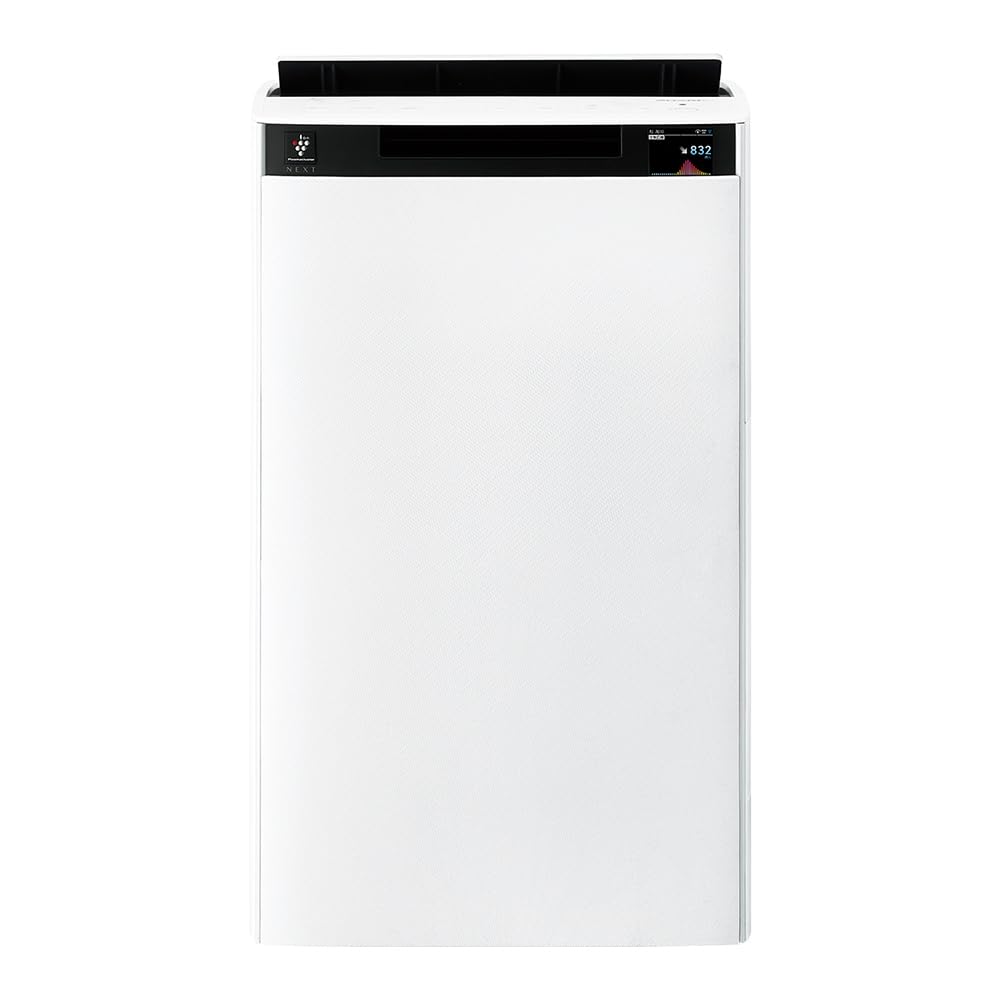
Aurrealdea view of the Sharp KI-TX75-W Humidifying Air Purifier.
2. Segurtasun informazioa
Funtzionamendu segurua bermatzeko eta kalteak saihesteko, jarraitu segurtasun neurri hauek:
- Erabili beti tresna bolumen egokiarekintage balorazio-etiketan zehaztutako moduan.
- Ez blokeatu aire-sarrerako edo irteerako aireztapenak.
- Mantendu tresna uretatik eta hezetasunetik urrun. Ez erabili esku bustiekin.
- Deskonektatu korronte-kablea garbitu edo mantentze-lanak egin aurretik.
- Ez utzi haurrei aparatua gainbegiratu gabe funtzionatzen.
- Elikatze-kablea hondatuta badago, fabrikatzaileak, bere zerbitzu-agenteak edo antzeko kualifikatuak diren pertsonek ordeztu beharko dute arriskurik ekiditeko.
- Ez sartu objektu arrotz inongo baoetan.
- Jarri unitatea gainazal egonkor eta berdinean.
3. Konfigurazioa
3.1 Desontziratzea eta kokatzea
- Kontu handiz atera aire-arazgailua bere paketetik.
- Choose a location with adequate space around the unit for optimal airflow. Avoid placing it directly against walls or furniture.
- Ensure the unit is placed on a flat, stable surface. The built-in casters with stoppers allow for easy movement and secure positioning.

The unit features casters with stoppers for convenient movement and secure placement.
3.2 Iragazkien instalazioa
The unit comes with pre-installed filters. Verify they are correctly seated before first use.
- Open the back panel of the air purifier.
- Ensure the HEPA filter, deodorizing filter, and pre-filter are securely in place.
- Itxi atzeko panela.

The air purifier utilizes a three-layer filter system: pre-filter, deodorizing filter, and HEPA filter.
3.3 Ur depositua betetzea
For humidification, fill the water tank with clean tap water.
- Kendu ur-depositua unitatearen albotik.
- Open the water tank cap and fill it with fresh tap water.
- Securely close the cap and reinsert the water tank into the unit.

Remove the water tank from the side of the unit to fill it with water.
3.4 Hasierako piztea eta sareko konexioa
- Entxufatu korronte-kablea hormako entxufe batera.
- Sakatu kontrol paneleko pizteko botoia.
- To utilize smart features, download the COCORO AIR app on your smartphone and follow the in-app instructions to connect the air purifier to your wireless LAN network.
4. Funtzionamendu-argibideak
4.1 Kontrol-panela amaituview

The control panel allows selection of various modes and settings.
4.2 Funtzionamendu moduak
- AI AUTO Mode: This intelligent mode automatically adjusts operation based on detected air quality, aiming for a cleanroom Class 8 level environment. It optimizes airflow to effectively collect pollen, dust, and fine particles.
- Airea arazteko modua: Operates solely as an air purifier, removing airborne particles and odors.
- Hezetasun modua: Adds moisture to the air while purifying. The unit can deliver up to 900 mL/h of humidification.
- Plasmacluster NEXT: This technology generates high-density Plasmacluster ions (50,000 ions/cm³) to suppress airborne and adhering viruses, allergens, and odors.

AI AUTO mode significantly reduces airborne particles to maintain a clean environment.
4.3 AI Monitor
The AI Monitor visualizes the number of particles in the room and provides feedback on air quality. It displays real-time particle counts and indicates when the air is clean or needs purification.

The AI Monitor provides a visual representation of airborne particle levels.
The AI Monitor also provides notifications for humidification status, maintenance timing, and estimated electricity costs.

Notifications include humidification status, maintenance alerts, and electricity usage.
4.4 COCORO AIR App
Connect your air purifier to the COCORO AIR app via Wi-Fi for enhanced control and monitoring. The app allows you to:
- Monitor air quality and operating status remotely.
- Customize operation schedules and settings.
- Receive notifications for filter replacement and maintenance.
- Access special operating modes, such as pet-specific modes.

The COCORO AIR app provides remote control and monitoring capabilities.
5. Mantentzea
Mantentze-lan erregularrak zure aire-arazgailuaren errendimendu optimoa bermatzen du eta bizitza luzatzen du.
5.1 Iragazkiaren garbiketa eta ordezkapena
- Aurreiragazkia: Clean regularly (e.g., once a month) by vacuuming or washing with water.
- HEPA Filter & Deodorizing Filter: These filters are not washable. Replace them according to the recommended schedule (typically every 1-2 years, depending on usage and environment). The COCORO AIR app will notify you when replacement is due.
Regularly clean the pre-filter to maintain air purification efficiency.
5.2 Humidifying Filter Maintenance
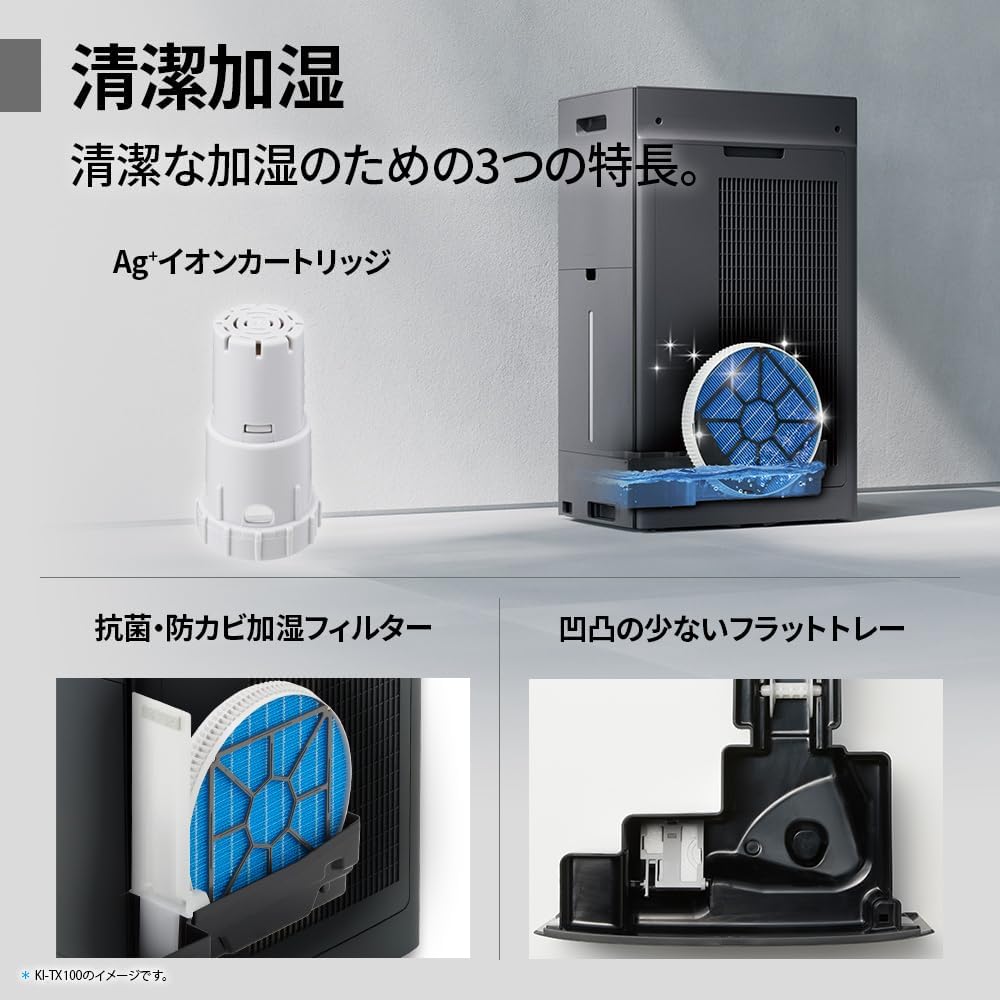
The humidifying filter can be automatically cleaned using the unit's internal cleaning function. This helps prevent scale buildup.
- Remove the water tank and humidifying filter assembly.
- Add a small spoon of citric acid (commercially available) to the water tank and fill with water.
- Press the internal humidification cleaning button on the unit.
- After the cleaning cycle, rinse the tank and filter thoroughly.

The humidifying filter can be automatically cleaned using citric acid and water.
5.3 Ag+ Ion Cartridge Replacement
The Ag+ ion cartridge helps keep the water in the tank clean. Replace it approximately once a year.

Replace the Ag+ ion cartridge annually for optimal water tank hygiene.
6. Arazoak
Aire-arazgailuarekin arazoak badituzu, jo ezazu honako arazo eta irtenbide ohikoenei:
| Arazoa | Kausa posiblea | Irtenbidea |
|---|---|---|
| Unitatea ez da pizten. | Kable elektrikoa ez dago behar bezala konektatuta. Ez dago korronterik entxufetik. | Egiaztatu kablearen konexioa. Probatu entxufea beste gailu batekin. |
| Aire-fluxu ahula edo arazketa eskasa. | Filters are dirty or clogged. Air intake/outlet blocked. | Clean or replace filters. Ensure vents are clear. |
| No humidification or low humidity output. | Water tank is empty. Humidifying filter is dirty. | Refill water tank. Clean the humidifying filter. |
| Ezohiko zarata funtzionamenduan. | Unit not on a level surface. Foreign object in fan. | Ensure unit is stable. Check for obstructions (unplug first). |
| AI Monitor shows high particle count despite operation. | Filters need cleaning/replacement. Room size exceeds recommended area. | Perform filter maintenance. Consider unit placement or additional units for larger spaces. |
Irtenbide hauek probatu ondoren arazoa konpontzen ez bada, jarri harremanetan bezeroarentzako arreta-zerbitzuarekin.
7. Zehaztapenak
| Ezaugarri | Zehaztapena |
|---|---|
| Modelo zenbakia | KI-TX75-W |
| Marka | Zorrotza |
| Neurriak (W x D x H) | 39.5 cm x 26.5 cm x 65 cm |
| Pisua | 12 kg |
| Energia iturria | Kable elektrikoa |
| Zarata Maila | 20-52 dB |
| Gomendatutako gelaren tamaina (Plasmaklusterra) | Up to 18 tatami (~29.7 m²) |
| Gomendatutako gela tamaina (airearen arazketa) | Up to 34 tatami (~56.1 m²) |
| Gehienezko hezetasun-ahalmena | 900 ml/h |
| Air Purification Time (8 tatami) | 9 minutu |
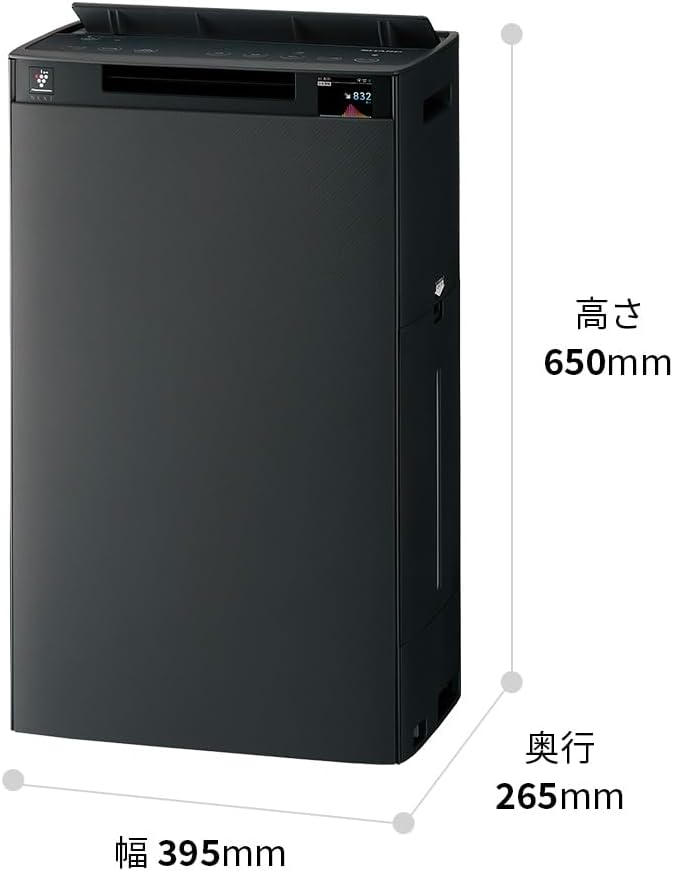
Detailed dimensions of the Sharp KI-TX75-W.
8. Bermea eta Laguntza
8.1 Fabrikatzailearen bermea
This Sharp KI-TX75-W Humidifying Air Purifier comes with a 1 urteko fabrikatzailearen bermea erosketa-datatik aurrera. Berme honek materialen eta fabrikazioaren akatsak estaltzen ditu erabilera normalaren pean. Gorde erosketaren egiaztagiria berme-erreklamazioetarako.
Bermeak ez ditu estaltzen erabilera okerrak, istripuek, baimenik gabeko aldaketek edo eskuliburu honetako argibideak ez jarraitzeak eragindako kalteak.
8.2 Bezeroarentzako laguntza
For technical assistance, warranty service, or inquiries about replacement parts, please contact Sharp customer support.
You can find additional support resources and FAQs on the official Sharp webgunea:


