1. Sarrera
This manual provides instructions for the safe and proper installation, operation, and maintenance of your suptek Single Monitor Mount MD01AW. Please read this manual thoroughly before installation and keep it for future reference.
The suptek MD01AW is a single monitor desk mount featuring a gas spring arm for smooth and effortless adjustments. It is designed to enhance your ergonomic workspace by allowing flexible positioning of your monitor.
Bateragarritasuna
- Pantailaren tamaina: 13 eta 32 hazbete bitartekoa
- Pisu-gaitasuna: 4.4 eta 19.8 lb (2 eta 9 kg)
- VESA bateragarritasuna: 75x75mm eta 100x100mm

Figure 1: suptek Single Monitor Mount MD01AW with a monitor. This image illustrates the product's load capacity (2-9kg), screen size compatibility (13"-32"), and VESA pattern (75x75/100x100mm).
2. Paketearen edukia
Please verify that all parts are present and undamaged before installation. If any parts are missing or damaged, contact suptek customer support.
- Monitorearen besoaren muntaketa
- Mahaia Clamp Oinarria
- Grommet Mount Base (optional)
- VESA Plaka
- Hardware kita (torlojuak, arandelak, tartekatzaileak)
- Allen Giltzak
- Argibide eskuliburua
3. Segurtasun informazioa
OHARRA: Failure to read and follow these instructions may result in serious personal injury, property damage, or voiding of your warranty.
- Ez gainditu 19.8 lb-ko (9 kg) gehienezko pisu-gaitasuna.
- Ensure your desk surface is strong enough to support the combined weight of the mount and your monitor.
- Use only the provided hardware. If you are unsure about any part of the installation, consult a qualified professional.
- Mantendu haurrak eta maskotak urrun instalatzean.
- Aldian-aldian egiaztatu torloju eta konexio guztiak ondo finkatuta daudela ziurtatzeko.
4. Konfigurazioa eta instalazioa
The suptek MD01AW offers two installation methods: C-clamp eta Grommet muntaketa.

Figure 2: Two installation options for the monitor mount. The C-clamp option is suitable for desk thicknesses of 10-70mm, and the grommet mount option is for desk thicknesses of 10-70mm with a hole diameter of 10-60mm.
4.1 C-Clamp Instalazioa
- Erantsi C-clamp base to the edge of your desk. Ensure the clamp is securely tightened to prevent movement. The C-clamp fits desks with a thickness of 10-70mm.
- Insert the main pole of the monitor arm into the C-clamp base. Tighten the securing screw.
4.2 Grommet Mount Installation
- If your desk has a grommet hole (10-60mm diameter) and a thickness of 10-70mm, use the grommet mount option.
- Thread the grommet base through the desk hole. Secure it from underneath the desk using the provided plate and nut.
- Insert the main pole of the monitor arm into the grommet base. Tighten the securing screw.
4.3 Attaching the Monitor
- Lotu VESA plaka monitorearen atzealdean hardware kit-eko torloju eta tartekatzaile egokiak erabiliz. Ziurtatu torlojuak ondo estututa daudela, baina ez gehiegi estutu.
- Slide the monitor (with the attached VESA plate) onto the VESA head of the monitor arm. Ensure it clicks into place or is secured with the locking screw.
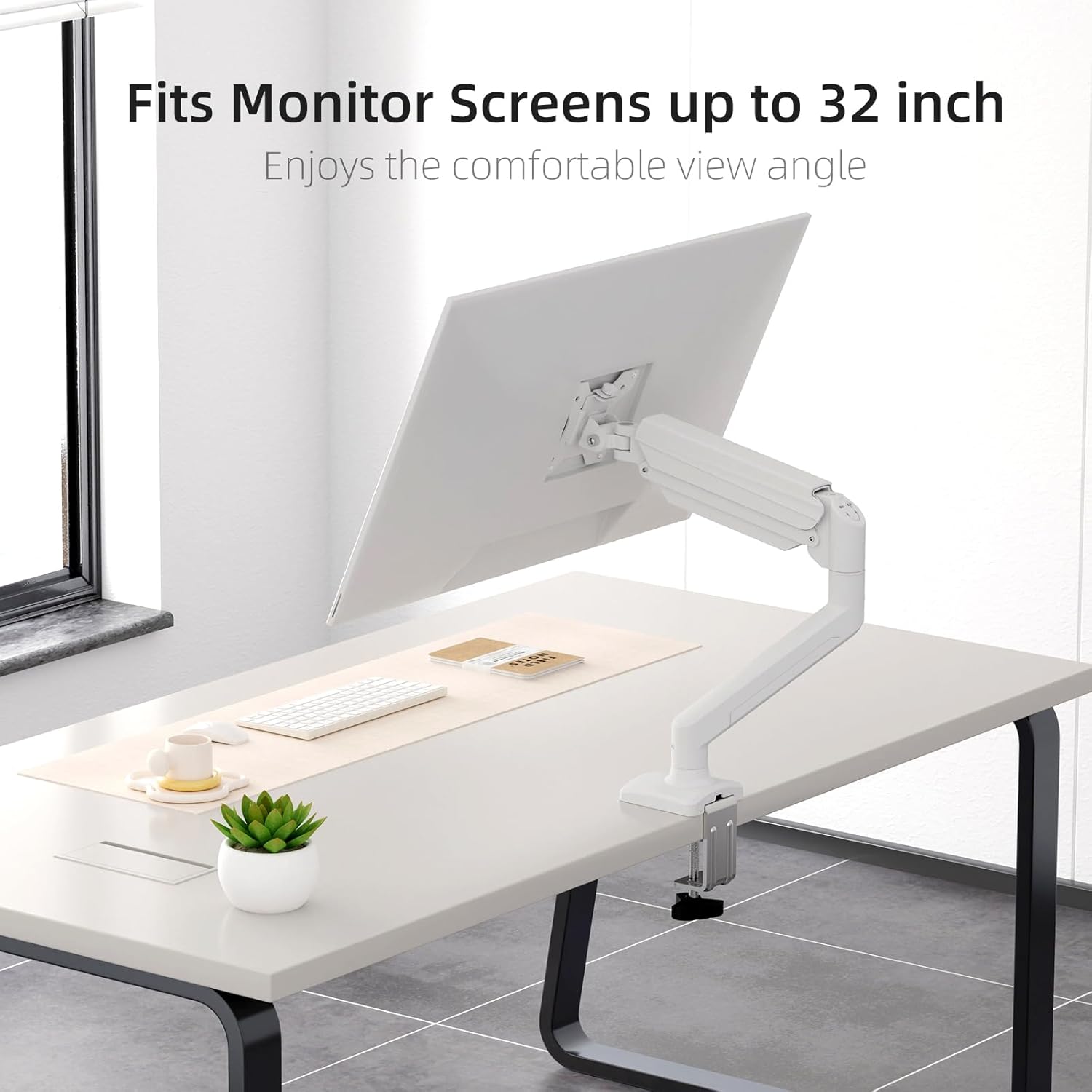
Figure 3: Monitor attached to the suptek monitor arm. This image demonstrates how the mount accommodates monitor screens up to 32 inches, providing a comfortable viewangelua.
5. Funtzionamendua eta doikuntzak
The gas spring arm allows for flexible and smooth adjustments to achieve your desired monitor position.

Figure 4: Full adjustability of the monitor arm. The arm allows for tilt (±90°), swivel (±90°), and 360° rotation for optimal viewing.
5.1 Gas malgukiaren tentsioaren doikuntza
The gas spring tension needs to be adjusted according to the weight of your monitor. Use the provided Allen key to adjust the tension screw located on the arm.
- If the monitor falls down, turn the screw clockwise (+) to increase tension.
- If the monitor rises up too easily, turn the screw counter-clockwise (-) to reduce tension.

Figure 5: Easy gas spring adjustment. Turn the screw clockwise (+) to increase tension if the equipment falls down, or counter-clockwise (-) to reduce tension if the equipment raises up too easily.
5.2 Height, Tilt, Swivel, and Rotation
- Altuera doitzea: Gently push or pull the monitor to the desired height. The gas spring will hold it in place once tension is correctly set.
- okertu: Tilt the monitor screen up or down (±80°) to reduce glare and optimize viewangelua.
- Birakaria: Swivel the monitor left or right (±90°) to share your screen or adjust your viewposizioa.
- Errotazioa: Biratu monitorearen pantaila 360° horizontalaren eta bertikalaren orientazioaren artean.
5.3 Kableen kudeaketa
Route your monitor cables through the integrated cable management clips on the arm to maintain a tidy workspace.

Figure 6: Integrated cable management. Cables can be routed along the arm to keep the workspace neat and prevent wire entanglement.
6. Mantentzea
Mantentze-lan erregularrak zure monitorearen euskarriaren iraupena eta funtzionamendu segurua bermatzen ditu.
- Garbiketa: Garbitu euskarria zapi leun batekin,amp oihal. Saihestu garbitzaile edo disolbatzaile urratzaileak.
- Egiaztatu konexioak: Periodically check all screws and bolts, especially those securing the mount to the desk and the monitor to the VESA plate, to ensure they are tight.
- Gas malgukia: If the gas spring tension feels off, re-adjust it according to Section 5.1.
7. Arazoak
If you encounter issues with your monitor mount, refer to the following common problems and solutions.
| Arazoa | Kausa posiblea | Irtenbidea |
|---|---|---|
| Monitor sags or falls down | Gas malgukiaren tentsioa baxuegia da monitorearen pisurako. | Increase gas spring tension by turning the adjustment screw clockwise (+). Refer to Section 5.1. |
| Monitor floats up or is hard to push down | Gas malgukiaren tentsioa altuegia da monitorearen pisurako. | Decrease gas spring tension by turning the adjustment screw counter-clockwise (-). Refer to Section 5.1. |
| Mount is wobbly or unstable | Idazmahaia clamp/grommet mount is not tightened sufficiently. | Ziurtatu mahaia clamp or grommet mount is securely fastened to the desk. Check all connection points. |
| Monitor does not attach to VESA plate | Incorrect VESA screws or plate orientation. | Ensure you are using the correct VESA screws for your monitor and that the VESA plate is oriented correctly. |
8. Zehaztapenak
- Marka: suptek
- Eredua: MD01AW
- Materiala: Altzairu aleazioa
- Kolorea: Zuria
- Muntatze mota: Mahaigaineko euskarria (C-clamp edo Grommet)
- Mugimendu mota: Rotate, Tilt, Swivel, Height Adjustment
- Gailu bateragarriak: Monitors 13-32 inches
- Pisu-gaitasuna: 4.4 - 19.8 lb (2 - 9 kg)
- VESA bateragarritasuna: 75x75mm, 100x100mm
- Inklinazio angelu maximoa: 80 gradu
- Mahaiaren lodiera (C-cl)amp): 10-70mm
- Mahaiaren lodiera (arandela): 10-70mm
- Grommet Hole Diameter: 10-60mm
- Elementuaren pisua: Gutxi gorabehera 4.76 libra (2.16 kg)
- Paketearen neurriak: 15.12 x 7.99 x 4.25 hazbete inguru
9. Bermea eta Laguntza
suptek products are manufactured with quality and care. For warranty information or technical support, please refer to the contact details provided with your purchase or visit the official suptek website. Please have your model number (MD01AW) and purchase date available when contacting support.


