1. Sarrera
Thank you for choosing the YI Smart Security Camera 360° PTZ Dome Camera. This camera provides comprehensive surveillance with its 360° pan and tilt capabilities, delivering crystal-clear 1080p Full HD video. Designed for indoor use, it features advanced motion detection, smart auto-tracking, enhanced night vision, and two-way audio communication. This manual will guide you through the setup, operation, and maintenance of your new security camera.
Ezaugarri nagusiak:
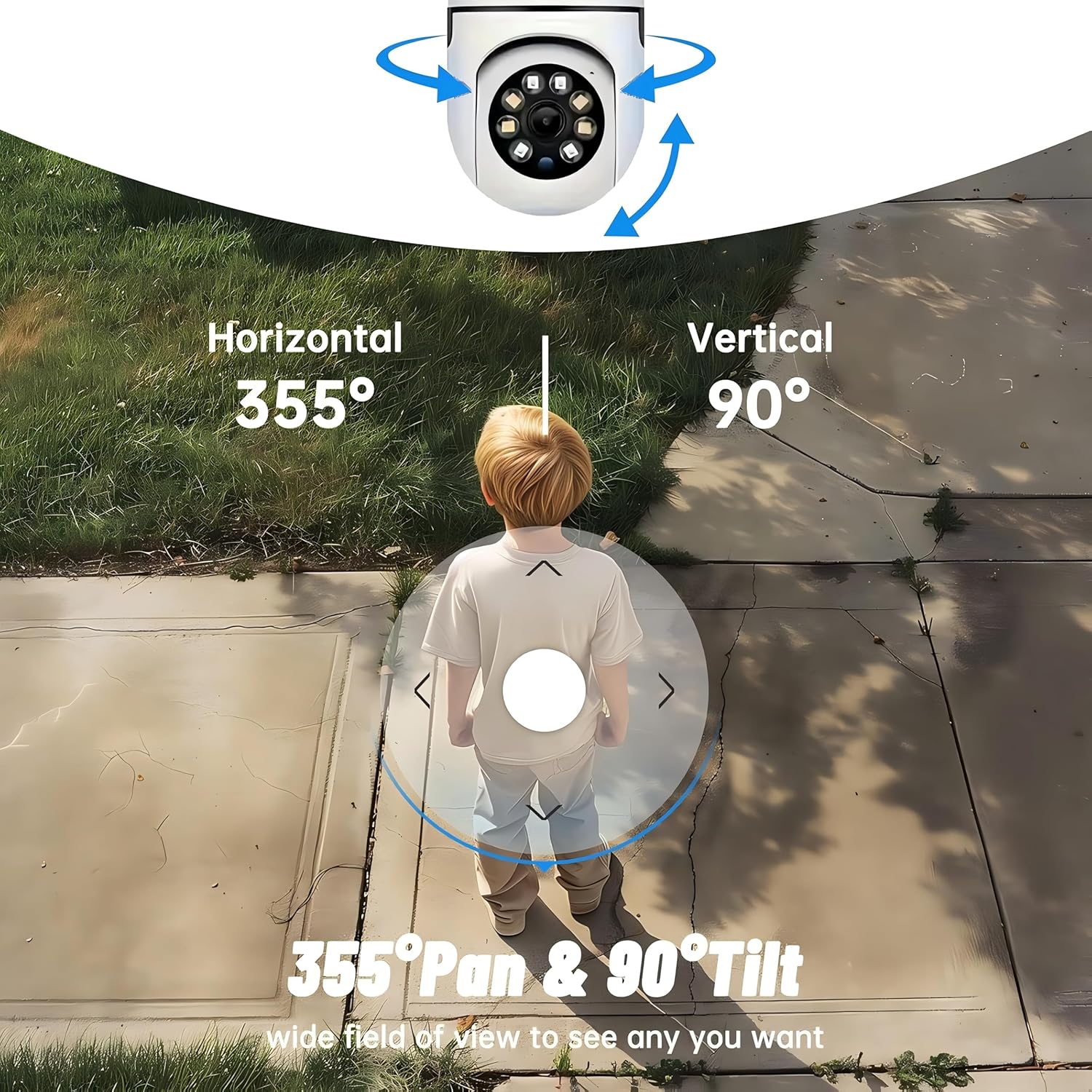
- 360°-ko estaldura: 355° horizontal and 90° vertical rotation for zero blind spots.
- 1080p Full HD: High-definition video for clear monitoring.
- Motion Detection & Auto Tracking: Alerts and tracks moving objects automatically.
- Gaueko ikuspegi hobetua: Multiple modes including full-color night vision.
- Bi norabideko audioa: Mikrofono eta bozgorailu integratuak denbora errealeko komunikaziorako.
- Biltegiratze malgua: Supports Cloud storage and local storage via microSD card (up to 128GB).
2. Paketearen edukia
Mesedez, egiaztatu paketea elementu hauek dituen:
- YI Smart Security Camera x1
- USB kablea x1
- Erabiltzailearen eskuliburua x1 (Dokumentu hau)
3. Produktua amaitu daview
Familiarize yourself with the components of your YI Smart Security Camera.

3.1. irudia: Aurrealdea view of the YI Smart Security Camera, showing the lens, LED lights, and two antennas.

Figure 3.2: Dimensions of the YI Smart Security Camera, indicating a height of 180mm (7.08in), width of 102mm (4.0in), and depth of 85mm (3.34in).
4. Konfigurazioa eta instalazioa
4.1 Hasierako piztea
- Connect the provided USB cable to the camera's power port and plug the other end into a compatible USB power adapter (not included).
- The camera will power on and initiate its self-test sequence. Wait for the indicator light to flash, indicating it's ready for setup.
4.2 Aplikazioaren deskarga eta kontuaren sorrera
- Deskargatu YI IOT App App Store-tik (iOS) edo Google Play Store-tik (Android).
- Ireki aplikazioa eta jarraitu pantailan agertzen diren argibideei kontu berri bat sortzeko edo saioa hasteko, dagoeneko baduzu.
4.3 Adding Your Camera to the App
- In the YI IOT App, tap the "+" icon to add a new device.
- Hautatu zure kameraren modeloa zerrendatik.
- Follow the app's instructions to connect the camera to your 2.4GHz Wi-Fi network. This typically involves scanning a QR code generated by the app with the camera's lens.
- Behin konektatuta, zure kamerari izena jarri diezaiokezu eta zuzenean hasi viewing.
4.4 Kamera muntatzea
The camera is designed for indoor use and can be placed on a flat surface or wall-mounted. For wall mounting, use the included mounting accessories (if applicable) and ensure the camera is securely fastened.
4.1. irudia: Adibamples of multi-scene applications, including wall and ceiling mounting, and placement in living rooms, bedrooms, and studies.
5. Kamera erabiltzea
5.1 Pan-Tilt Control
The YI Smart Security Camera offers extensive pan and tilt capabilities, allowing you to monitor a wide area.
- Biraketa horizontala: 355°
- Errotazio bertikala: 90°
In the YI IOT App, use the directional controls on the live view screen to remotely adjust the camera's viewangelua.

Figure 5.1: Illustration of the camera's 355° horizontal pan and 90° vertical tilt capabilities, providing a wide field of view.
5.2 Motion Detection & Smart Auto Tracking
The camera can detect movement and automatically track objects, sending alerts to your smartphone.
- Mugimendu-detekzioa: When motion is detected, the camera will send an instant push notification with a 6-second video clip to your phone via the YI IOT App.
- Smart Auto Tracking: If enabled, the camera will automatically follow moving objects for up to 10 seconds after detection, ensuring continuous monitoring of the activity.
Adjust sensitivity settings and notification preferences within the app.

Figure 5.2: Real-time alarm notification on the YI IOT app, showing an intruder detected by the camera.
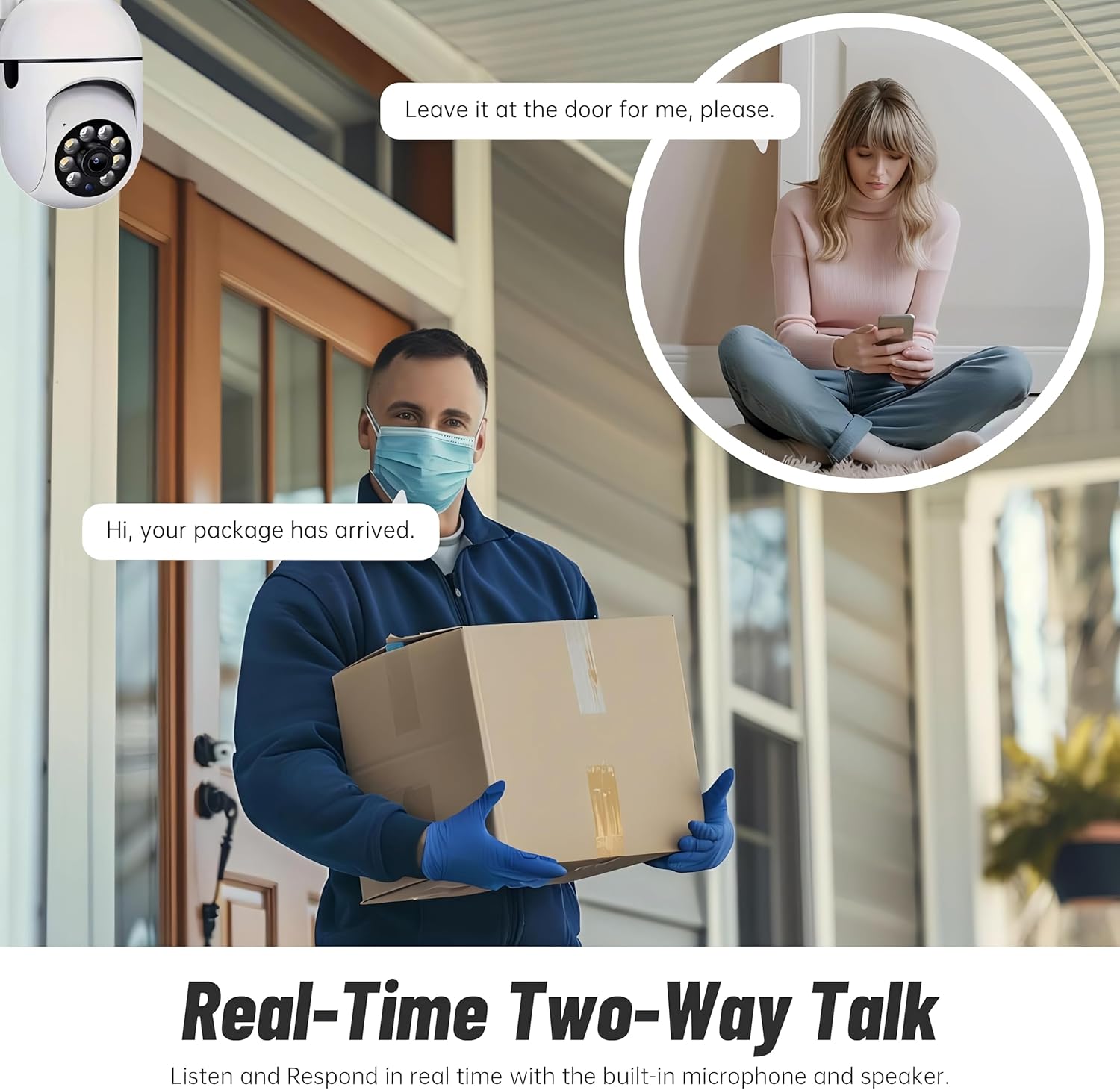
Figure 5.3: The camera's motion tracking feature focusing on a moving pet.

Figure 5.4: Visual representation of a motion detection alert, showing the camera capturing movement and sending notifications.
5.3 Gaueko Ikusmen Hobetua
The camera is equipped with ultra-long-distance infrared LEDs and floodlight LEDs, offering multiple night vision modes for clear visibility in low-light conditions.
- Normal Night Vision: Standard black and white infrared view.
- Gaueko Ikuspegi Adimenduna: Automatically switches between infrared and full-color based on detected activity.
- Gaueko ikusmen koloretsua: Provides a color image even in low light, utilizing the built-in floodlight.
You can switch between these modes directly from the YI IOT App.

Figure 5.5: Comparison illustrating the difference between standard infrared night vision (monochrome) and 1080p full-color night vision.
5.4 Bi norabideko audioa
Communicate through the camera using its built-in microphone and high-power speaker.
- Elkarrizketa-modua: Press and hold the microphone icon in the app to speak, and release to listen. Ideal for giving commands to pets or deterring unwanted visitors.
- Esku libreko modua: Allows for a continuous two-way conversation, similar to a phone call.
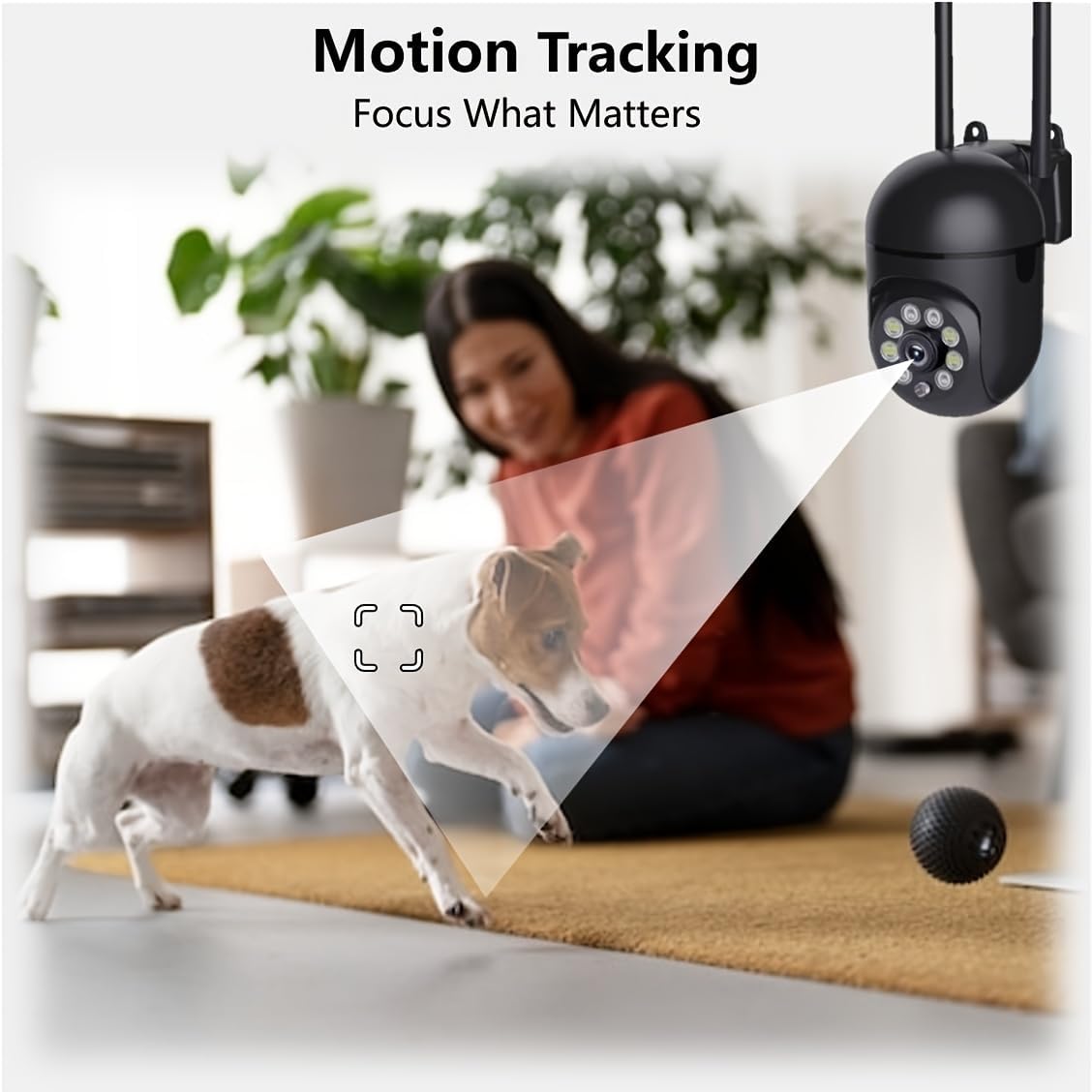
Figure 5.6: Demonstration of real-time two-way talk, allowing communication between the camera's location and the app user.
5.5 Cloud & Local Storage
Your camera offers flexible storage options for your video footage.
- YI Cloud Storage: Securely store 6-second video clips triggered by motion or sound detection. This ensures your footage is safe from loss, theft, or damage to local storage. Available for both iOS and Android.
- Tokiko biltegiratzea: The camera supports microSD cards up to 128GB (not included) for continuous recording or event-triggered recordings.
6. Mantentzea
To ensure optimal performance and longevity of your camera, follow these maintenance guidelines:
- Garbiketa: Garbitu kameraren lentea eta gorputza oihal leun eta lehor batekin. Saihestu produktu kimiko gogorrak edo material urratzaileak erabiltzea.
- Firmware eguneraketak: Regularly check for and install firmware updates via the YI IOT App. Updates often include performance improvements, new features, and security enhancements.
- Potentzia-zikloa: If the camera becomes unresponsive, unplug it from the power source for 10 seconds, then plug it back in to restart it.
7. Arazoak
Kamerarekin arazoak badituzu, jo ezazu honako arazo eta irtenbide ohikoenei:
| Arazoa | Kausa posiblea | Irtenbidea |
|---|---|---|
| Kamera konexiorik gabe | Argindarrik ez; Wi-Fia deskonektatuta; Routerraren arazoa | Check power connection; Restart camera and router; Reconnect camera to Wi-Fi via app. |
| Irudi kalitate eskasa | Dirty lens; Insufficient lighting; Network bandwidth | Clean the lens; Ensure adequate lighting or enable night vision; Check Wi-Fi signal strength. |
| Mugimendu-hautemateak ez du funtzionatzen | Feature disabled; Incorrect sensitivity; Obstruction | Enable motion detection in app; Adjust sensitivity; Ensure clear view. |
| Bi norabideko audio arazoak | Microphone/speaker muted; App permissions; Network delay | Check app settings; Grant microphone permissions; Ensure stable network connection. |
| Ez da MicroSD txartela ezagutzen | Card not inserted correctly; Incompatible card; Corrupted card | Reinsert card; Use a compatible card (Class 10 or higher); Format card in app or replace. |
If the problem persists, please contact YI customer support.
8. Zehaztapenak
Detailed technical specifications for the YI Smart Security Camera.
| Ezaugarri | Zehaztapena |
|---|---|
| Ereduaren izena | CB201-1X-W |
| Barruko/Kanpoko erabilera | Barruan |
| Bideo Harrapaketa Ebazpena | 1080p full HD |
| Konektibitate Teknologia | Haririk gabekoa (Wi-Fi 2.4 GHz) |
| Panorama/Tilt barrutia | Horizontala 355°, bertikala 90° |
| Gaueko Ikusmenaren barrutia | 10 metro |
| Bi norabideko audioa | Bai |
| Biltegiratze-aukerak | Cloud Storage, MicroSD Card (up to 128GB) |
| Energia iturria | Kable elektrikoa |
| Gailu bateragarriak | Smartphone-a (iOS/Android) |
| Produktuaren neurriak (L x W x H) | 4 x 3.35 x 7.09 hazbete |
| Dakarten osagaiak | Security Camera x1, USB Cable x1 |
9. Bermea eta Laguntza
For warranty information and technical support, please refer to the official YI website or contact their customer service directly. Details can typically be found on the product packaging or within the YI IOT App's 'About' or 'Support' section.
Lineako laguntza: Visit the official YI webMaiz egiten diren galderen, arazoak konpontzeko giden eta harremanetarako aukeren gunea.
Aplikazioen euskarria: Access support resources directly within the YI IOT App.