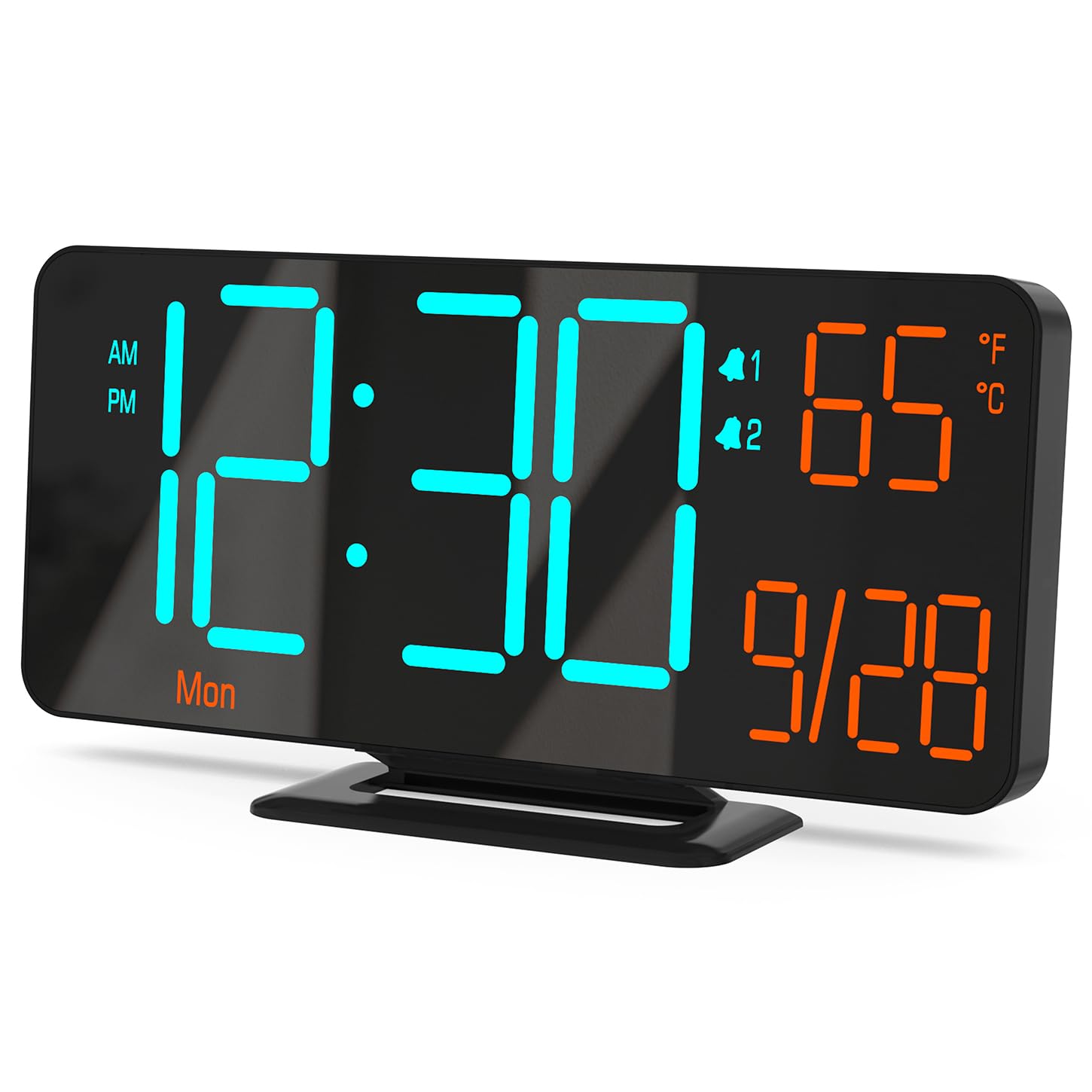
Figure 0: KOSUMOSU Digital Alarm Clock, Model ACD-330.
1. Sarrera
This user manual provides detailed instructions for the KOSUMOSU Digital Alarm Clock, Model ACD-330. Please read this manual thoroughly before operating the device to ensure proper use and to understand all features. Keep this manual for future reference.
2. Produktua amaitu daview
2.1 Ezaugarri nagusiak
- 6.7-inch LED display with cool blue and orange light digits.
- Automatic and manual dimming capabilities (High, Medium, Low, OFF, Auto).
- Dual alarm clock with snooze function (5-minute snooze).
- Selectable 12/24 hour time format.
- Displays date, day of the week, seconds, and indoor temperature (Fahrenheit/Celsius).
- USB powered (requires 5V/1A AC adapter, not included).
- Includes a button battery for time preservation during power outages.
2.2 Paketearen edukia
- KOSUMOSU Digital Alarm Clock (Model ACD-330)
- USB Power Cable (1.5-meter)
- Lithium Metal Button Battery (pre-installed for backup)
- Erabiltzailearen eskuliburua (dokumentu hau)
2.3 Produktu-diagrama

1. Irudia: Atzealdea view of the alarm clock with labeled function buttons and dimensions.
- 1. Argi-sentsorea: For automatic dimming.
- 2. Dimming Buttons (-/+): Adjust brightness manually.
- 3. ℉/℃/Sec Button: Toggle between Fahrenheit/Celsius and display seconds.
- 4. SET Button: Enter setting mode for time, date, and alarms.
- 5. Alarm 1 Set Button: Set Alarm 1.
- 6. Alarm 2 Set Button: Set Alarm 2.
- 7. Snooze Button: Activates snooze during an alarm.
- 8. USB-A Power Cable Input: Connects to 5V/1A AC adapter.
- 9. Bateriaren konpartimendua: For backup button battery.
3. Konfigurazioa
3.1 Energia-konexioa
Connect the provided USB power cable to the USB-A input port on the back of the alarm clock. Plug the other end of the USB cable into a 5V/1A AC adapter (not included) and then into a wall outlet. The clock display will illuminate.

Figure 2: Power connection setup. An AC adapter is required and not included.
3.2 Bateriaren babeskopia
The clock includes a pre-installed Lithium Metal button battery. This battery is solely for preserving time settings during a power outage and does not power the display. Ensure the battery is properly seated in its compartment for this function to work.
4. Funtzionamendu-argibideak
4.1 Ordua eta data ezartzea
- Eduki sakatuta EZARTU botoia sakatu 3 segundo inguru ordua ezartzeko moduan sartzeko. Orduko digituak keinuka hasiko dira.
- Erabili + or - ordua doitzeko botoiak.
- Sakatu EZARTU berriro ordua berresteko eta minutuen ezarpenera joateko. Minutuen digituak keinuka hasiko dira.
- Erabili + or - minutuak doitzeko botoiak.
- Sakatu EZARTU again to confirm the minute and move to 12/24 hour format selection.
- Erabili + or - buttons to select either 12-hour (with AM/PM indicator) or 24-hour format.
- Sakatu EZARTU again to confirm the format and move to year setting.
- Continue using + or - to adjust the year, month, and day, pressing EZARTU after each adjustment to confirm and proceed.
- After setting the day, press EZARTU azken aldiz ezarpen modutik irteteko.
4.2 Display Modes (Seconds / Temperature)
The clock can display either seconds or indoor temperature. To switch between these modes, short press the ℉/℃/Sec botoia.
When displaying temperature, you can toggle between Fahrenheit (℉) and Celsius (℃) by pressing and holding the ℉/℃/Sec botoia gutxi gorabehera 3 segundoz.

Figure 3: Various display modes including temperature and seconds.
4.3 Distira doitzea (Iluntzea)
The clock offers both manual and automatic dimming features.
- Eskuzko iluntzea: Sakatu laburra + or - buttons to cycle through brightness levels: High, Medium, Low, and OFF.
- Iluntze automatikoa: Eduki sakatuta + button for approximately 3 seconds to activate or deactivate auto-dimming. When active, the light sensor on the clock will automatically adjust the display brightness based on ambient light conditions.
4. irudia: Adibamples of manual and automatic dimming levels.
4.4 Alarmak ezartzea (1. alarma eta 2. alarma)
The clock features two independent alarms. The setting process is identical for both.
- Eduki sakatuta Alarm 1 Set or Alarm 2 Set botoia sakatu 3 segundo inguru alarma ezartzeko moduan sartzeko. Alarmaren orduko digituak keinuka hasiko dira.
- Erabili + or - alarma-ordua doitzeko botoiak.
- Sakatu dagokion botoia. Alarma-multzoa button again to confirm the hour and move to minute setting. The alarm minute digits will flash.
- Erabili + or - alarmaren minutuak doitzeko botoiak.
- Sakatu dagokion botoia. Alarma-multzoa button again to confirm the minute and select the alarm cycle:
- 1-5: Weekdays (Monday-Friday)
- 1-7: Everyday (Monday-Sunday)
- 6-7: Weekends (Saturday-Sunday)
- Sakatu dagokion botoia. Alarma-multzoa button one last time to save the alarm settings and exit.
4.5 Activating/Deactivating Alarms
To turn an alarm ON or OFF, short press the Alarm 1 Set or Alarm 2 Set button. An alarm icon (1 or 2) will appear on the display when the alarm is active.
4.6 Snooze funtzioa
Alarma jotzen duenean, sakatu botoi handia SNOOZE button on the top of the clock to activate the snooze function. The alarm will pause for 5 minutes and then sound again. The alarm duration is approximately 5 minutes if not snoozed or turned off.
To turn off a sounding alarm completely, press any other button on the back of the clock (e.g., SET, +, -). The alarm will reset for the next scheduled activation.

Figure 5: Illustration of the snooze function.
5. Mantentzea
- Garbitu erlojuaren gainazala zapi leun eta lehor batekin. Ez erabili garbitzaile edo disolbatzaile urratzailerik.
- Saihestu erlojua tenperatura altuetan, eguzki-argia zuzenean edo hezetasun handian jartzea.
- Do not disassemble the clock. This will void the warranty.
- If the backup battery needs replacement, use a compatible Lithium Metal button battery.
6. Arazoak
| Arazoa | Kausa posiblea | Irtenbidea |
|---|---|---|
| Pantaila hutsik dago. | Ez dago elikadura hornidurarik. | Ensure the USB cable is securely connected to a 5V/1A AC adapter and the adapter is plugged into a working power outlet. |
| Ordua okerra da energia itzali ondorentage. | Erreserbako bateria agortuta edo falta da. | Check or replace the Lithium Metal button battery. Reset the time manually. |
| Alarmak ez du jotzen. | Alarma ez dago aktibatuta edo gaizki konfiguratuta. | Ensure the alarm icon (1 or 2) is visible on the display. Verify alarm time and cycle settings. |
| Pantaila oso distiratsua/iluna da. | Manual or auto-dimming settings. | Adjust brightness manually using +/- buttons or toggle auto-dimming by holding the + button. |
| Tenperaturaren irakurketa okerra dirudi. | Clock placed near heat source/vent. | Mugitu erlojua giro-tenperatura egonkorra duen leku batera. |
7. Zehaztapenak
| Eredua: | ACD-330 |
| Bistaratzeko mota: | LED |
| Bistaratzeko tamaina: | 6.7 hazbetekoa |
| Potentzia sarrera: | 5V/1A DC (USB powered) |
| Ordezko Bateria: | 1 x Litio Metala (barne) |
| Produktuaren neurriak: | 16.26 x 3.81 x 8.38 cm (6.4 x 1.5 x 3.3 hazbete) |
| Produktuaren pisua: | 131.54 g (0.29 lb) |
| Ezaugarri bereziak: | Auto Dimmable, Calendar Display, Dual Alarm, Snooze, Temperature Display (℉/℃) |
8. Bermea eta Laguntza
KOSUMOSU offers a 2-year warranty for this product. If you encounter any problems related to quality or usage, please contact KOSUMOSU customer service for assistance. Contact information can typically be found on the product packaging or the retailer's webproduktua erosi zen gunea.
For further support or inquiries, please refer to the official KOSUMOSU webwebgunean edo jarri harremanetan bezeroarentzako arreta-taldearekin.


