Sarrera
The Celly FLIP3WH are compact, wireless in-ear earbuds designed for comfortable use with mobile phones, tablets, and computers. They feature integrated microphones for calls and media control, utilizing Bluetooth 5.2 technology for a stable connection. This manual provides essential instructions for setting up, operating, and maintaining your earbuds.
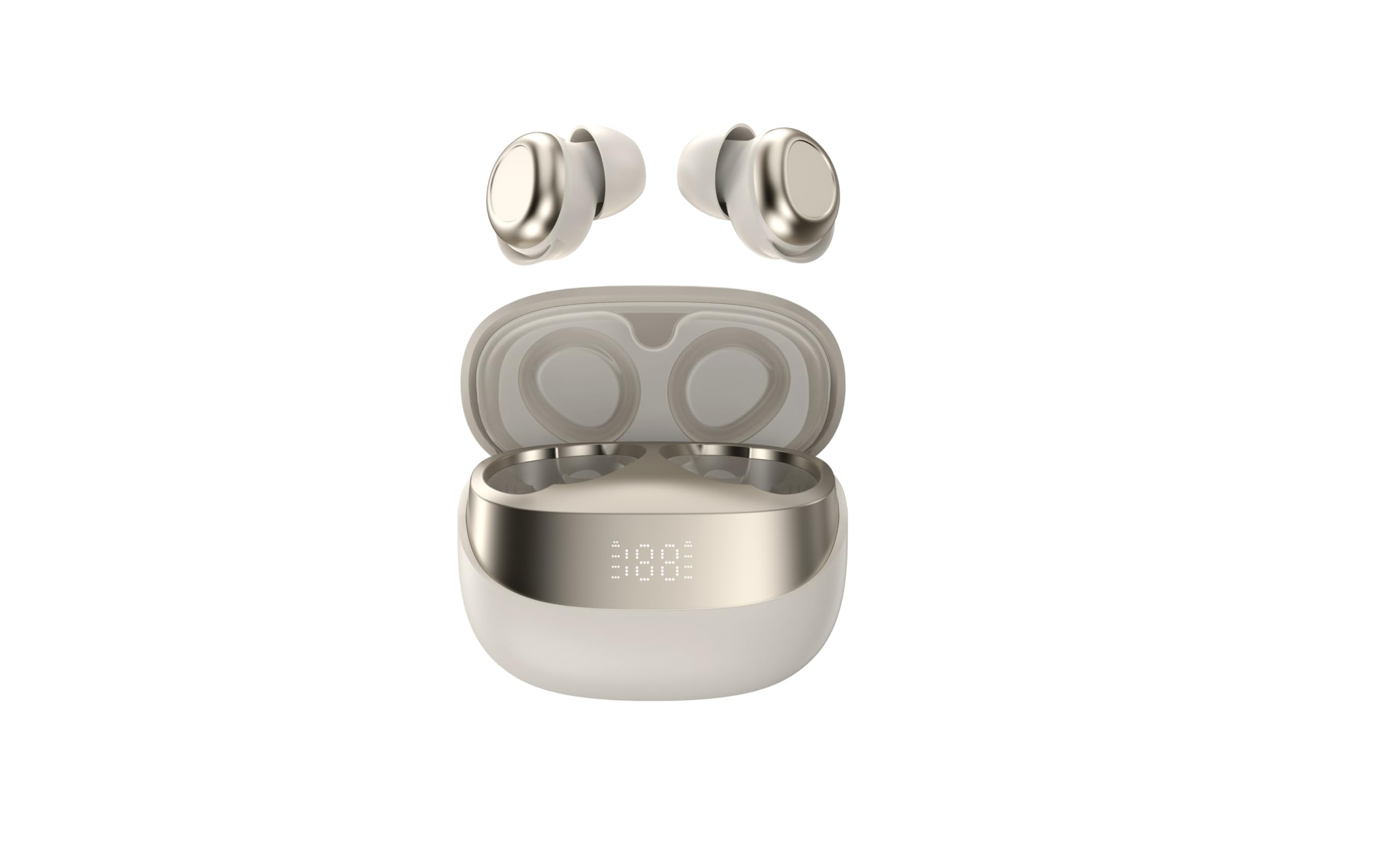
Image showing the Celly FLIP3WH wireless Bluetooth earbuds, highlighting their compact in-ear design and white color.
Produktua amaituview
The Celly FLIP3WH earbuds offer a secure in-ear fit and connect wirelessly via Bluetooth 5.2, providing a stable connection up to 12 meters. They include an integrated microphone for hands-free calls and remote controls for volume and music playback. The lightweight design, weighing 33 grams, ensures comfort during extended use.
- Belarri barneko diseinua: Secure and comfortable fit.
- Bluetooth 5.2: Stable wireless connectivity up to 12 meters.
- Mikrofono integratua: Esku libreko deiak egiteko.
- Urruneko kontrolak: For calls, volume, and music playback.
- Arinak: Weighs 33 grams for extended comfort.
Konfigurazioa
Entzungailuak kargatzen
Before first use, fully charge your Celly FLIP3WH earbuds. Connect the charging cable to the earbuds and a compatible USB power source. The charging indicator will show the charging status. A full charge typically takes approximately 1.5 to 2 hours.
Gailu batekin parekatzea
To connect your Celly FLIP3WH earbuds to a mobile phone, tablet, or computer:
- Ensure the earbuds are charged and powered on. They should automatically enter pairing mode, indicated by a flashing LED light.
- Activate Bluetooth on your mobile phone, tablet, or computer.
- Bilatu available Bluetooth devices in your device's Bluetooth settings.
- Select 'Celly FLIP3WH' from the list of found devices to initiate pairing.
- Once connected, the earbuds will indicate successful pairing with an audible prompt or a solid LED light.
Funtzionamendua
Piztu/Itzali
- Piztu: Press and hold the multi-function button for approximately 3 seconds until you hear an audible prompt and the LED indicator lights up.
- Itzali: Press and hold the multi-function button for approximately 5 seconds until you hear an audible prompt and the LED indicator turns off.
Musika erreproduzitzea
- Erreproduzitu/Pausatu: Sakatu funtzio anitzeko botoia behin.
- Hurrengo ibilbidea: Sakatu bi aldiz funtzio anitzeko botoia.
- Aurreko pista: Sakatu hiru aldiz funtzio anitzeko botoia.
Deien Kudeaketa
- Deia erantzun/amaitu: Sakatu funtzio anitzeko botoia behin.
- Deia baztertu: Eduki sakatuta funtzio anitzeko botoia 2 segundoz.
Bolumen kontrola
Adjust the volume directly from your connected device. Some earbuds may feature dedicated volume buttons; refer to the product diagram for specific controls if available.
Mantentzea
Garbiketa
Gently wipe the earbuds with a soft, dry, lint-free cloth. Do not use abrasive cleaners, solvents, or immerse the earbuds in water, as they are not water-resistant. Regularly clean the ear tips to ensure optimal sound quality and hygiene.
Biltegiratzea
Store the earbuds in a cool, dry place away from direct sunlight, extreme temperatures, and humidity. When not in use for extended periods, charge them periodically (e.g., once every three months) to maintain battery health and prevent deep discharge.
Arazoak konpontzea
- Entzungailuak ez dira parekatzen:
- Ziurtatu Bluetooth-a gaituta dagoela zure gailuan eta entzungailuak parekatze moduan daudela.
- Check if the earbuds are sufficiently charged.
- Saiatu entzungailuak eta gailua berrabiarazten.
- Ziurtatu entzungailuak ez daudela dagoeneko beste gailu batera konektatuta.
- Soinurik ez:
- Egiaztatu entzungailuen eta konektatutako gailuaren bolumen-maila.
- Ziurtatu entzungailuak behar bezala parekatuta eta gailura konektatuta daudela.
- Try playing different audio sources or applications.
- Audioaren kalitate eskasa edo deskonexioak:
- Ensure there are no physical obstructions between the earbuds and your device.
- Move closer to your device to reduce potential interference.
- Check for other active Bluetooth devices in the vicinity that might cause interference.
Zehaztapenak
| Marka | Celly |
| Eredua | FLIP3WH |
| Konektibitatea | Bluetooth 5.2 |
| Wireless Range | Gehienez 12 metro |
| Bateriaren iraupena (musika erreprodukzioa) | Gehienez 6 ordu |
| Bateriaren iraupena (etenean) | Gehienez 30 ordu |
| Maiztasun Erantzuna | 20-20,000 Hz |
| Pisua | 33 gramo |
| Mikrofonoa | Integratua |
| Uraren Erresistentzia | Ez |
| Kolorea | Zuria |
Bermea eta Laguntza
For detailed warranty information, technical support, and customer service, please refer to the documentation provided with your purchase or visit the official Celly webgunea. Gorde erosketaren egiaztagiria berme-erreklamazioetarako.


