Sarrera
The TFA Dostmann TFA.me ID-02 Wi-Fi Weather Station provides professional multi-day weather forecasts tailored to your specific location. Utilizing Wi-Fi connectivity, the station receives up-to-date weather forecasts from wetter.com, free from advertisements or subscriptions. This device also monitors local indoor and outdoor environmental conditions, acting as a gateway for the TFA.me online portal, allowing you to access your data remotely.
Paketearen edukia
Mesedez, egiaztatu elementu guztiak paketean daudela:
- 1x Oinarrizko estazioa
- 2x Thermo-Hygro Transmitters (TFA 30.3900.02)
- 1x Temperature Transmitter (TFA 30.3901.02)
- 1x 2-Way Temperature Transmitter (TFA 30.3902.02)
- 1x korronte egokitzailea
- 1x Argibide eskuliburua
Konfigurazioa
1. Powering the Base Station
Connect the supplied power adapter to the base station and a power outlet. For backup power during outages or relocation, insert three 1.5V AA batteries (not included) into the battery compartment. When mains powered, the station features a permanent, dimmable backlight with four brightness levels.
2. Sensor Placement and Activation
Place the wireless outdoor sensors in desired locations within a 100m open-field range of the base station. Ensure they are protected from direct sunlight and heavy precipitation for accurate readings. The base station can display data from up to five sensors directly.

Image: Thermo-Hygro Transmitter (TFA 30.3900.02). This sensor measures both temperature and humidity.
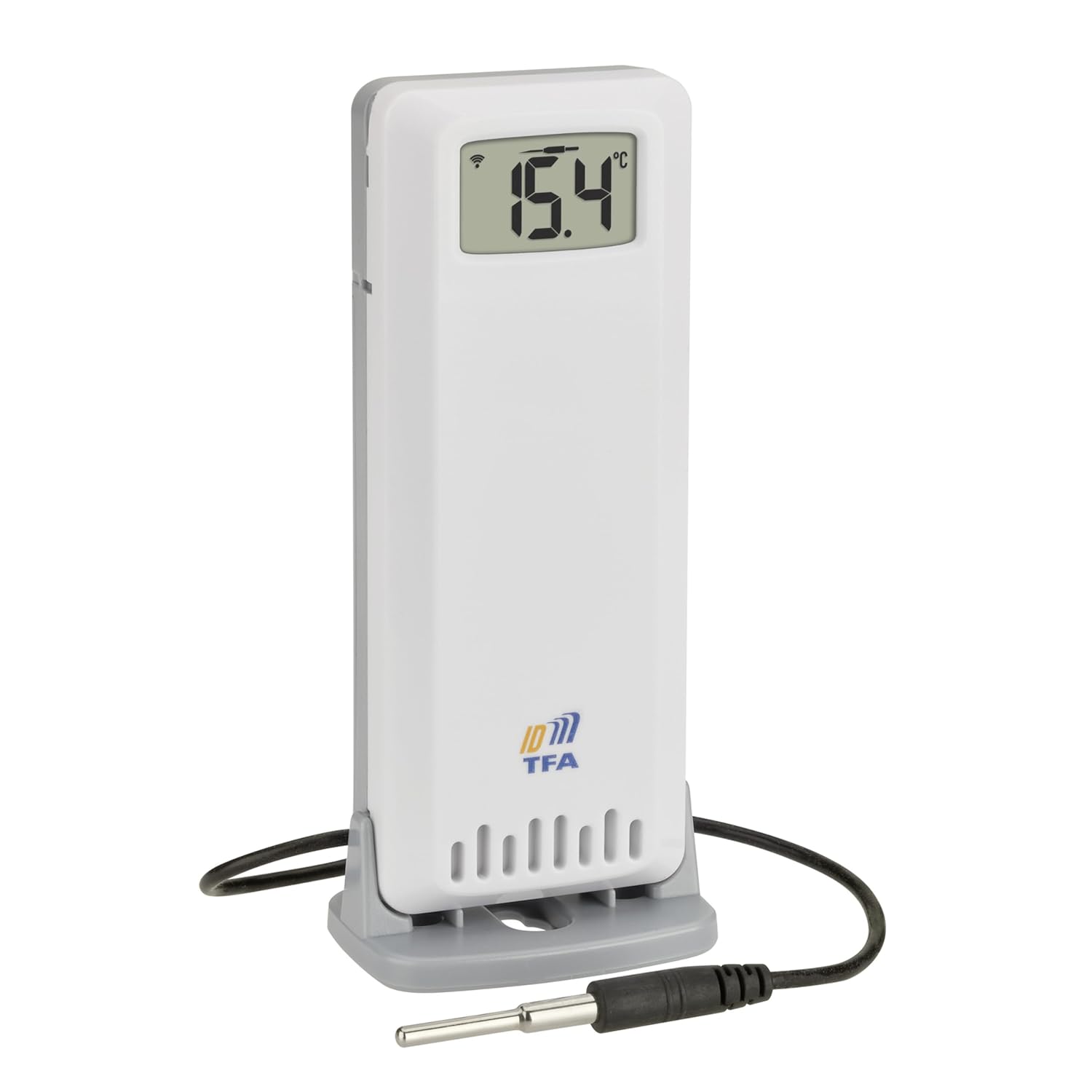
Image: 2-Way Temperature Transmitter (TFA 30.3902.02) with cable probe. This sensor provides temperature readings from two points.
3. Wi-Fi Connection and TFA.me Portal Registration
The station connects to your Wi-Fi network (2.4 GHz, 802.11 b/g/n) to receive professional weather forecasts and transmit local sensor data to the TFA.me online portal. To access your data remotely and configure advanced features:
- Create an account on the official TFA.me portal.
- Add your weather station and individual sensors using their unique ID numbers.
- Once registered, you can view all connected devices and their data via a web browser on your smartphone, tablet, or PC.
Funtzionamendu-argibideak
1. Erakutsi baino gehiagoview
The station's clear display presents information with professional forecasts shown in blue and local data in orange. The current time for your selected location is continuously displayed, either with the full date or the day of the week (available in six languages).

Image: The main display of the TFA.me ID-02 Weather Station, showing indoor and outdoor temperature/humidity, current time, date, and a 24-hour weather forecast.

Irudia: Gertuko planoa view of the weather station display, highlighting the indoor temperature and humidity readings.
2. Weather Forecast Features
After selecting your location online, the station provides 3 to 6-day forecasts. These forecasts are updated hourly and feature 40 different weather symbols. You can choose between:
- Xehetasun bat view with four daily sections and two follow-up days.
- A six-day overview with a single symbol for each day.
Daily maximum and minimum temperatures are displayed in both modes. The three-day view also includes rain probability, rain quantity, sunshine hours, UV index, wind speed, and wind direction for a selected day.

Image: The weather station display showing a detailed multi-day forecast, including various weather parameters.

Image: The weather station display presenting a six-day forecast overview with simplified weather symbols for each day.
3. Warning Functions
A warning triangle will appear next to the weather symbol for the day or section of the day if significant or potentially dangerous weather conditions are predicted (e.g., storm, heavy rain, heat, high UV index, ice, or lightning).
4. TFA.me Online Portal Usage
The TFA.me portal allows you to:
- Access detailed views with historical graphs of your sensor data.
- Set up email alarm notifications for measured values that exceed or fall below defined thresholds.
- Receive manual or automated data exports via email.
- Monitor up to 50 additional sensors (sold separately) online, making it an ideal climate control system for your home.
Mantentzea
To ensure optimal performance and longevity of your weather station:
- Garbitu pantaila eta casinGarbitu zapi leun eta lehor batekin. Saihestu garbitzaile edo disolbatzaile urratzaileak.
- Ensure outdoor sensors are kept clear of debris and obstructions.
- Replace backup batteries when the low battery indicator appears on the display.
- Avoid exposing the base station to extreme temperatures, direct sunlight, or high humidity.
Arazoak konpontzea
If you encounter issues with your TFA.me ID-02 Weather Station, consider the following:
- Pantailarik/Energiarik ez: Check the power adapter connection and ensure backup batteries are correctly inserted and charged.
- No Sensor Data: Verify that sensors are within range (up to 100m open field) and have fresh batteries. Ensure no major obstructions are blocking the signal. Re-pair sensors if necessary (refer to the full manual for pairing instructions).
- Wi-Fi konexiorik ez: Ensure your Wi-Fi network is 2.4 GHz. Check your router and network settings. Re-enter Wi-Fi credentials if needed.
- Irakurketa okerrak: Ensure sensors are placed in appropriate locations, away from direct heat sources, sunlight, or excessive moisture.
- Forecast Not Updating: Confirm a stable Wi-Fi connection. Forecasts are updated hourly; allow some time for new data to appear.
For further assistance, please consult the full instruction manual or contact customer support.
Zehaztapenak
| Ezaugarri | Zehaztapena |
|---|---|
| Dimensions (Base Station) | 217 x 139 (141) x 30 (47) mm |
| Materiala | Plastikoa |
| Muntatzeko aukerak | Wall-mountable or Freestanding |
| Barruko Tenperatura Tartea | 0 eta +50 °C artean |
| Kanpoko tenperatura-tartea | -40 eta +60 °C artean |
| Hezetasun-barrutia | 10-99% RH |
| Tenperaturaren zehaztasuna | ± 1 °C (0 to +50 °C), otherwise ± 1.5 °C |
| Hezetasunaren zehaztasuna | ± 5 % at 25 °C (30 to 80 % RH) |
| Haririk gabeko transmisio-maiztasuna | 868 MHz (sensors), 2.4 GHz (Wi-Fi) |
| Max Sensor Range | Gehienez 100 m (eremu irekia) |
| Max Transmitters (Display) | 5 |
| Max Transmitters (TFA.me Portal) | 50 |
| Elikatze Hornidura | Mains adapter, 3x 1.5V AA batteries (backup, not included) |
| Bistaratzeko mota | LCD with 4-level dimmable backlight |
| Wi-Fi estandarra | 802.11 b/g/n |
| Max Wi-Fi Transmission Power | 25 mW |
Included Sensor Specifications:
- Thermo-Hygro Transmitter (30.3900.02):
Temperature Range: -40 to +60 °C, Accuracy: ±1 °C (0 to 50 °C), Resolution: 0.1 °C
Humidity Range: 10 to 99 % RH, Accuracy: ±5 % RH (30 to 80 % RH), Resolution: 1 % - Temperature Transmitter (30.3901.02):
Temperature Range: -40 to +60 °C, Accuracy: ±0.6 °C (-20 to 50 °C), Resolution: 0.1 °C - 2-Way Temperature Transmitter (30.3902.02):
Cable Probe Temperature Range: -40 to +60 °C, Accuracy: ±0.6 °C (-20 to 50 °C), Resolution: 0.1 °C
Main Unit Temperature Range: -40 to +60 °C, Accuracy: ±1 °C (0 to 50 °C), Resolution: 0.1 °C
Bermearen informazioa
Specific warranty details are not provided in the product description. Please refer to the warranty card included with your product or contact the manufacturer directly for information regarding warranty coverage and terms.
Laguntza
For technical support, troubleshooting beyond this manual, or inquiries about your TFA Dostmann TFA.me ID-02 Wi-Fi Weather Station, please visit the official TFA Dostmann website or contact their customer service department. Contact information can typically be found in the full instruction manual or on the manufacturer's webgunea.


