Sarrera
This manual provides essential instructions for setting up, operating, and maintaining your AOLON Tetra R4 Smart Watch. Please read it carefully to ensure proper use and to maximize the device's features.
Hasteko
1. Deskargatzea
Your AOLON Tetra R4 Smart Watch package includes the following items:
- AOLON Tetra R4 Smart Watch
- Kargatzeko kablea
- Erabiltzailearen eskuliburua
- Watch Band

Image: Product Size And Packaging List
2. Gailua kargatzea
Before first use, fully charge your smart watch. The device features a 350 mAh battery, providing up to 7 days of typical use and up to 30 days of standby time. A full charge takes approximately 2.5 hours.
- Konektatu kargatzeko kable magnetikoa erlojuaren atzealdeko kargatzeko puntuetara.
- Konektatu kablearen USB muturra USB elikatze-egokitzaile estandar batera (ez dago barne) edo ordenagailuaren USB ataka batera.
- Erlojuaren pantailak kargatze-egoera adieraziko du.
Video: This video demonstrates the unboxing and initial setup of the Tetra R4 Smart Watch, including charging and basic UI navigation.
3. Aplikazioaren instalazioa eta parekatzea
Zure erloju adimendunaren potentzial osoa aprobetxatzeko, deskargatu eta instalatu GloryFitPro aplikazioa zure telefonoan.
- Scan the QR code in the included user manual or search for "GloryFitPro" in your smartphone's app store (App Store for iOS, Google Play for Android).
- Gaitu Bluetootha zure telefonoan.
- Open the GloryFitPro app and follow the on-screen instructions to add your device.
- Select "Aolon Tetra R4" from the list of available devices to connect.

Image: Connect the Smart Watch Via APP GloryFitPro "Aolon Tetra R4"
Zure erloju adimenduna erabiltzea
1. Oinarrizko nabigazioa
The AOLON Tetra R4 features a 1.43-inch AMOLED full touch screen, a rotating crown, and two physical buttons for intuitive control.
- Ukipen-pantaila: Irristatu ezkerrera, eskuinera, gora edo behera menuetan eta funtzioetan nabigatzeko. Sakatu hautatzeko.
- Koroa birakaria: Rotate to scroll through lists or adjust settings. Press to confirm or return to the watch face.
- Botoi fisikoak: Use for quick access to specific functions or to power on/off the device.
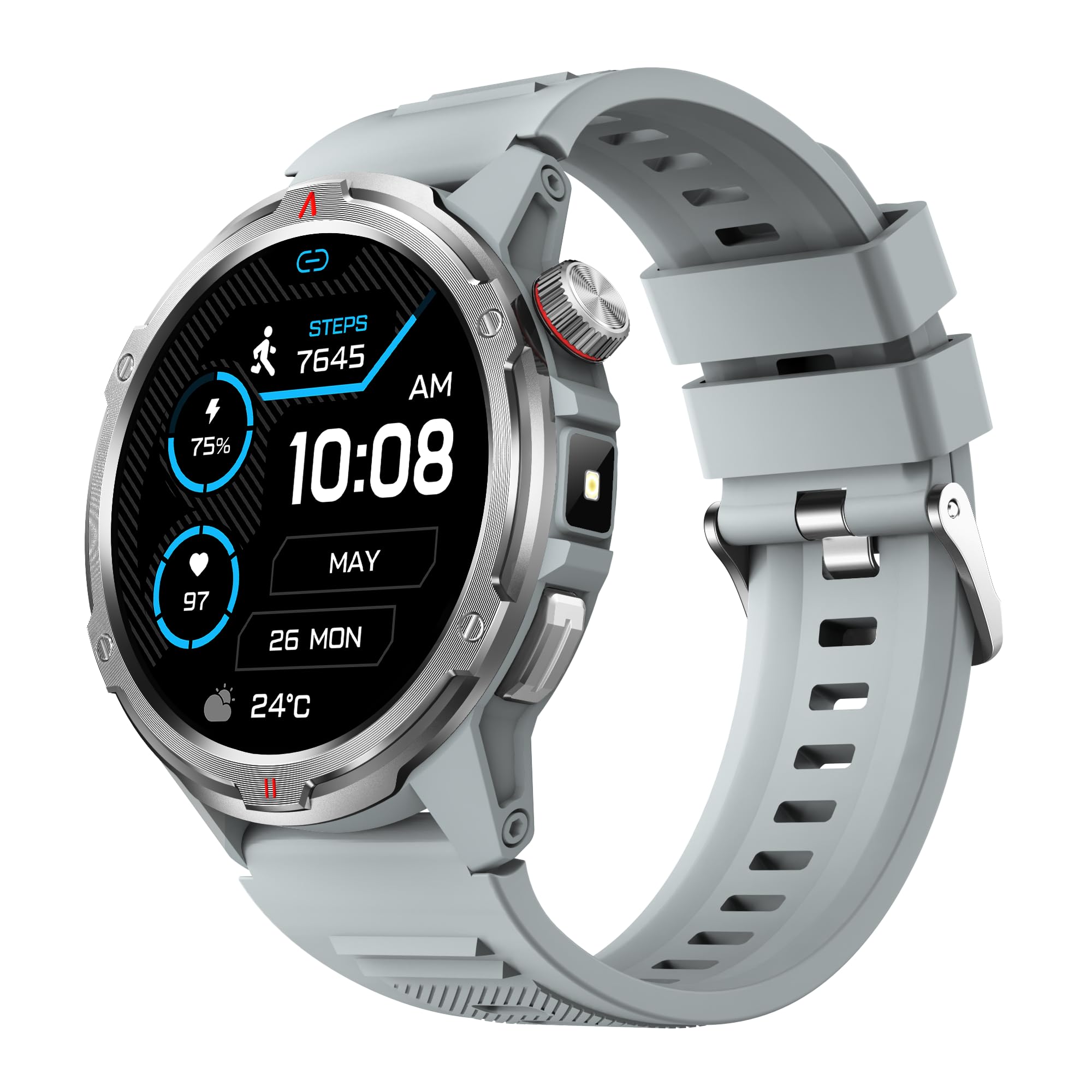
Irudia: Produktu nagusia view showing the 1.43" AMOLED HD Full Touch Screen and physical buttons.
2. Komunikazio Ezaugarriak
Stay connected directly from your wrist with Bluetooth calling and smart notifications.
- Bluetooth bidezko deiak: With the latest Bluetooth 5.2 chip, a high-quality speaker, and microphone, you can make and receive calls directly from your watch. You can also add up to 100 contacts and view deien erregistroak.
- Jakinarazpen adimendunak: Receive message alerts, alarms, and other daily essentials from your paired smartphone. (Note: Message reply is not supported).

Image: BT Call & Message Sync Watch
Video: This video highlights the stylish design and various features of the smartwatch, including communication capabilities.
3. Osasunaren jarraipena
The AOLON Tetra R4 utilizes Cywee Professional Algorithms for accurate health tracking, providing insights into your well-being.
- Bihotz taupadaren jarraipena: Real-time heart rate monitoring throughout the day, whether at rest or during high-intensity exercise.
- Odol-oxigenoa (SpO2) monitorea: Measure your blood oxygen level anytime to regulate your body.
- Estres Mailaren Monitorizazioa: Built-in PPG, SAR, AFE sensors and advanced algorithms monitor stress levels and provide alerts.
- Loaren monitorea: Combined with advanced algorithm analysis, it tracks deep sleep, light sleep, awake time, and REM sleep to help you understand and improve your sleep quality.
- Hilekoaren jarraipena: Provides intelligent management and thoughtful reminders for women's health.
- Neurketa ukitu bakarrean: Check your heart rate, blood oxygen, and stress level simultaneously with a single tap.

Image: Heart Rate Monitoring
Video: This video demonstrates the heart rate and SpO2 monitoring features of the smartwatch.
4. Kirol Moduak eta Jardueren Jarraipena
Track your fitness journey with over 100 sports modes and comprehensive activity tracking.
- 100 kirol modu baino gehiago: Supports a wide range of activities, from running and cycling to swimming and mountaineering.
- Jardueren jarraipena: Records steps, calories burned, and distance covered.
- AGPS Function: Built-in AGPS provides accurate positioning and trajectory tracking for outdoor activities.

Image: 100+ More Sport Modes
Video: This video showcases the smart health features and the variety of over 100 sports modes available on the watch.
5. Outdoor Tools
Designed for outdoor enthusiasts, the Tetra R4 includes practical tools for navigation and convenience.
- Iparrorratza: Built-in compass for navigation.
- Linterna: A convenient flashlight function for low-light situations.
- AGPS, Altimeter, Barometer: Auxiliary functions to assist with outdoor exploration.

Image: Built-in AGPS Movement
Video: This video demonstrates the IP68 waterproof rating and suitability for daily activities, including outdoor use.
6. Pertsonalizazioa
Personalize your watch to match your style and preferences.
- Ikusi aurpegiak: Choose from over 150 pre-designed dials in the app, or customize your watch face with your own photos.

Image: Choose from a variety of watch faces
7. Other Practical Functions
The Tetra R4 offers a range of additional features to enhance your daily life.
- Eguraldiaren eguneraketak
- Iratzargailua
- Kronometroa eta tenporizadorea
- Musika Kontrola
- Remote Shutter for camera control
- Find Mobile Phone function
- Kalkulagailua
- Munduko Erlojua
- Larrialdi Deia
- Ahots Laguntzailea

Image: Multiple Practical Functions
Video: This video demonstrates various multi-functional aspects of the Aolon Tetra R4 Smart Watch.
Mantentzea
1. Iragazgaitzaren balorazioa
The AOLON Tetra R4 Smart Watch has an IP68 iragazgaitzaren kalifikazioa. This means it is resistant to dust and can withstand immersion in water up to 1.5 meters for up to 30 minutes. It is suitable for daily use, including hand washing, rain, and shallow swimming. However, it is not recommended for hot showers, saunas, or diving, as steam and high water pressure can compromise the seals.

Image: IP68 Level Waterproof
2. Garbiketa eta Zainketa
To maintain your watch's performance and appearance:
- Garbitu erlojua eta uhala aldizka zapi leun eta lehor batekinamp oihal.
- Saihestu produktu kimiko gogorrak edo garbitzaile urratzaileak erabiltzea.
- Kargatu aurretik, ziurtatu kargatzeko kontaktuak garbi eta lehor daudela.
3. Bateriaren iraupenaren optimizazioa
Bateriaren iraupena luzatzeko:
- Adjust screen brightness to a lower level.
- Disable the Always-On Display (AOD) feature if not needed.
- Limit background app refresh and notifications.
- Turn off continuous heart rate monitoring if not required for extended periods.
Arazoak konpontzea
If you encounter issues with your AOLON Tetra R4 Smart Watch, try the following solutions:
- Watch not turning on/charging: Ensure the charging cable is securely connected to both the watch and a power source. Try a different USB port or power adapter.
- Connectivity issues (Bluetooth): Make sure Bluetooth is enabled on your smartphone and the watch is within range. Restart both the watch and your phone, then attempt to re-pair via the GloryFitPro app.
- Time synchronization incorrect: Ensure the watch is properly connected to the GloryFitPro app, as time is usually synced automatically from your phone. Reinstalling the app might resolve persistent issues.
- Inaccurate step count or health data: Ensure the watch is worn snugly on your wrist. Calibrate the device through the app if available.
- Pantailak ez du erantzuten: Restart the watch by pressing and holding the power button. If unresponsive, allow the battery to fully drain and then recharge.
Zehaztapenak
| Ezaugarri | Zehaztapena |
|---|---|
| Modelo zenbakia | Tetra R4 |
| Bistaratzea | 1.43-inch AMOLED, 466x466 resolution |
| Bateria Edukiera | 350 mAh |
| Bateriaren iraupen tipikoa | 7 egun arte |
| Egonean Denbora | 30 egun arte |
| Kargatzeko Denbora | Gutxi gorabehera. 2.5 ordu |
| Iragazgaitzaren balorazioa | IP68 |
| Konektibitatea | Bluetooth 5.2 |
| Sistema eragileen bateragarritasuna | Android 4.4+, iOS 9.0+ |
| Osasunaren Jarraipena | Heart Rate, SpO2, Stress, Sleep, Menstrual Cycle |
| Kirol modalitateak | 100+ |
| Kanpoko Ezaugarriak | Compass, Flashlight, AGPS, Altimeter, Barometer |
| Pisua | 52 gramo |
Bermea eta Laguntza
AOLON provides a 12 hilabeteko bermea for the Tetra R4 Smart Watch. For any questions or issues, please contact AOLON Customer Support through Amazon. Our support team aims to provide a responsive resolution within 24 hours.


