Sarrera eta Bukatuview
Thank you for choosing the KinetCam Wireless Indoor Security Camera. This 2K HD Wi-Fi camera is designed for real-time monitoring of your indoor spaces, offering features like motion detection, instant notifications, and a long-lasting rechargeable battery. This manual provides essential information for setting up, operating, and maintaining your camera to ensure optimal performance.

Image: The KinetCam Wireless Indoor Security Camera shown next to a smartphone displaying the camera's live feed and app interface.
Ezaugarri nagusiak hauek dira:
- 2K HD bideoa: Atera janaria argi eta zehatztage.
- Wi-Fi konexioa: Easy connection to 2.4G Wi-Fi networks (5G Wi-Fi not supported).
- Denbora errealeko jarraipena: View live feed from anywhere via the mobile app.
- Mugimendu-detekzioa eta alertak: Receive instant notifications upon detecting movement.
- Bateria kargagarria: Up to 100 days standby time (depending on activity).
- Gaueko ikuspegia: Automatic night vision for clear viewargi gutxiko baldintzetan aritzea.
- Tokiko eta hodeiko biltegiratzea: Supports TF card up to 256GB (not included) and optional cloud storage.
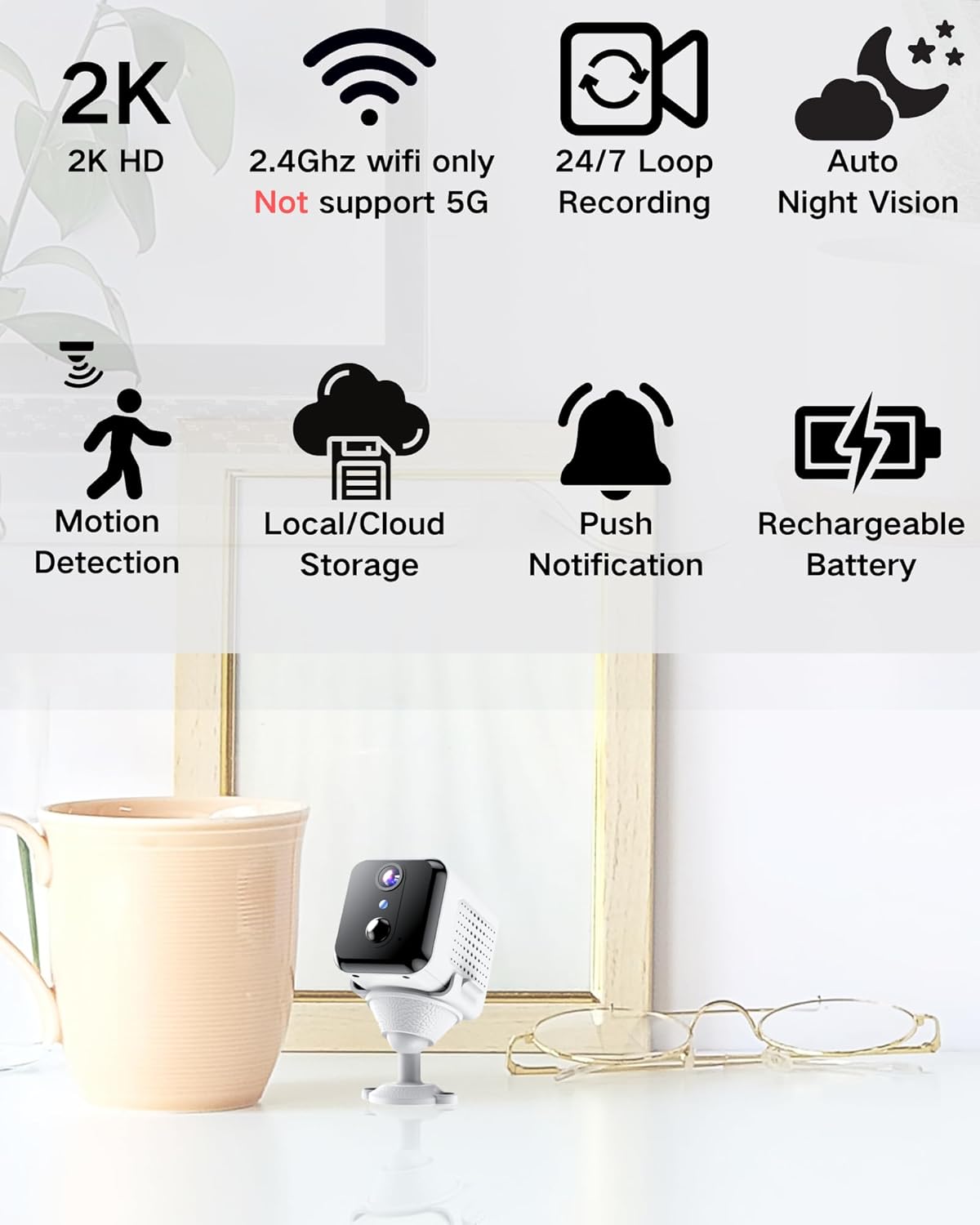
Image: Visual representation of the camera's main features, including 2K HD, 2.4GHz Wi-Fi support, loop recording, night vision, motion detection, storage options, push notifications, and rechargeable battery.
Kutxan dagoena
Mesedez, egiaztatu paketearen edukia kutxa irekitzean:
- Kameraren gorputza
- Instalazio Oinarria
- Erabiltzailearen eskuliburua
Konfigurazio Gida
1. Kamera kargatzea
Before initial use, fully charge the camera using the provided USB cable and a compatible power adapter (not included). The charging indicator light will show the charging status.

Image: An illustration highlighting the internal rechargeable battery of the KinetCam camera, emphasizing its long standby capability.
2. Aplikazioaren instalazioa
Download the "KinetCam" app from your smartphone's app store (Google Play Store for Android or Apple App Store for iOS). Alternatively, scan the QR code provided in the quick start guide (if applicable) to download the app.
3. Wi-Fira konektatzen
- Ziurtatu zure telefonoa konektatuta dagoela 2.4 GHz Wi-Fi sarea. The camera does not support 5GHz Wi-Fi.
- Open the KinetCam app and create an account or log in.
- Follow the in-app instructions to add a new device. This typically involves powering on the camera and scanning a QR code displayed on your phone with the camera's lens, or connecting via an access point.
- Once connected, the camera's indicator light will change, and you will see the camera listed in your app.

Image: A user interacting with the KinetCam app on a smartphone, illustrating the ease of connecting the camera to a Wi-Fi network.
4. Kamera muntatzea
The camera comes with an installation base for flexible placement. You can place it on a flat surface or mount it to a wall. Ensure the camera has a clear line of sight to the area you wish to monitor.
- Attach the camera body to the installation base.
- For wall mounting, use appropriate screws (not included) to secure the base to the desired location.
Funtzionamendu-argibideak
1. Bizi View
Open the KinetCam app and select your camera from the device list to access the live video feed. You can view the 2K HD video in real-time.

Image: A smartphone screen showing a clear 2K live video feed from the camera, including a demonstration of its night vision capabilities in a dark room.
2. Mugimenduaren detekzioa eta alertak
The camera features PIR (Passive Infrared) motion detection. When motion is detected, the camera will automatically record and send an instant notification to your smartphone. You can adjust motion sensitivity settings within the app.

Image: A smartphone screen showing a motion detection alert from the KinetCam app, demonstrating how the camera sends immediate notifications when activity is detected.
3. Grabaketa eta biltegiratzea
The camera supports continuous loop recording and event-triggered recording. You have two storage options:
- Tokiko biltegiratzea: Insert a TF (microSD) card (up to 256GB, not included) into the camera's designated slot for local video storage.
- Hodeiko biltegiratzea: Optional cloud storage services may be available through the app for secure off-site storage of your recordings. Refer to the app for subscription details.

Image: A visual explanation of the camera's storage options, including support for a TF card (up to 256GB) and optional cloud storage.
4. Gaueko Ikusmena
Kamera automatikoki aldatzen da gaueko ikusmen modura argi gutxiko baldintzetan, 15 oin arteko zuri-beltzeko bideo garbia eskainiz.
Mantentzea
- Bateria kargatzea: Recharge the camera battery when the app indicates low power to ensure continuous operation.
- Garbiketa: Garbitu kameraren lentea eta gorputza oihal leun eta lehor batekin. Saihestu produktu kimiko gogorrak edo material urratzaileak erabiltzea.
- Firmware eguneraketak: Periodically check the KinetCam app for available firmware updates to ensure your camera has the latest features and security enhancements.
Arazoak konpontzea
| Arazoa | Irtenbide posiblea |
|---|---|
| Kamera ez da Wi-Fi sarera konektatzen. |
|
| No live video feed. |
|
| Mugimendu alertak ez dira jaso. |
|
| Bideoaren kalitate eskasa. |
|
Zehaztapenak
| Ezaugarri | Xehetasuna |
|---|---|
| Ereduaren izena | CAM-A |
| Barruko/Kanpoko erabilera | Barruan |
| Gailu bateragarriak | Smartphone |
| Energia iturria | Bateriaren funtzionamendua (litio-polimeroko bateria bat barne) |
| Konektibitate-protokoloa | Wi-Fi (2.4 GHz bakarrik) |
| Muntatze Mota | Hormako Muntaia |
| Bideo Harrapaketa Ebazpena | 2K |
| Viewangelua | 150 gradu |
| Gaueko Ikusmenaren barrutia | 15 Oin |
| Produktuaren neurriak (L x W x H) | 3.19 x 2.1 x 2.1 hazbete |
| Elementuaren pisua | 7 ontza |
| Dakarten osagaiak | Camera Body, Installation Base, User Manual |
Bermea eta Laguntza
For warranty information and customer support, please refer to the documentation included with your purchase or visit the official KinetCam website. If you encounter any issues not covered in this manual, please contact KinetCam customer service for assistance.
You can visit the KinetCam store on Amazon for more information: KinetCam Amazon Store


