Sarrera
This instruction manual provides detailed guidance for the installation, operation, and maintenance of your EZVIZ 2K+ Outdoor Wireless Camera, Model CB8 Lite 4MP. This camera system includes a 5W solar panel for continuous power, offering advanced features such as Always-on Video (AOV) mode, AI-powered person and vehicle detection, color night vision, active defense, and two-way audio communication. Please read this manual thoroughly before use to ensure proper setup and functionality.
Paketearen edukia
- CB8 Lite 2K+ Camera
- Eguzki-panela
- Zulatzeko txantiloia
- USB kablea
- Torloju kit
- Muntatzeko euskarri erregulagarria
- Hasierako gida azkarra
Konfigurazioa eta Instalazioa
Before installation, ensure your camera is fully charged. The included 5W solar panel is designed to provide continuous power, but an initial charge is recommended for optimal performance.
1. Kameraren kokapena
Choose a location that provides the desired surveillance coverage and has good Wi-Fi signal strength. The camera offers a 360° panoramic view (340° horizontal, 80° vertical) allowing flexible monitoring. Ensure the solar panel receives direct sunlight for most of the day.

Image: Camera's 360-degree pan and tilt range (340° horizontal, 80° vertical).
2. Kamera eta eguzki-panela muntatzea
- Use the drilling template to mark the positions for screws on your chosen wall or surface.
- Beharrezkoa bada, zulatu zuloak eta sartu hormako aingurak.
- Attach the adjustable mounting bracket to the wall using the provided screws.
- Lotu kamera muntatzeko euskarriari.
- Mount the solar panel in a location that maximizes sun exposure, using its adjustable bracket.
- Connect the solar panel to the camera using the USB cable. The solar panel provides 5W high-efficiency charging, with approximately 2 hours of charging providing 24 hours of use under optimal conditions.

Image: EZVIZ camera and solar panel mounted on an exterior wall.

Image: Solar panel charging efficiency diagram.
3. Aplikazioaren konfigurazioa
- Download the EZVIZ app from your smartphone's app store.
- Sortu EZVIZ kontu bat edo hasi saioa dagoeneko baduzu.
- Follow the in-app instructions to add your camera. This typically involves scanning a QR code on the camera and connecting it to your Wi-Fi network (supports 2.4GHz Wi-Fi 6).

Image: Camera connected via Wi-Fi 6, viewed through the EZVIZ app.
Funtzionamendu-argibideak
Always-on Video (AOV) Mode
The EZVIZ AOV technology enables continuous 24/7 surveillance with minimal power consumption. Unlike other battery cameras that only record upon motion detection, the CB8 Lite 4MP automatically wakes up at defined intervals for continuous monitoring. This ensures you have a complete timeline of events.

Image: AOV mode continuous recording vs. standard battery camera recording.
AI-Powered Person and Vehicle Detection
The camera utilizes advanced AI to intelligently detect people and vehicles, significantly reducing false alarms. When a person is detected, the camera can automatically track their movement within its field of view.
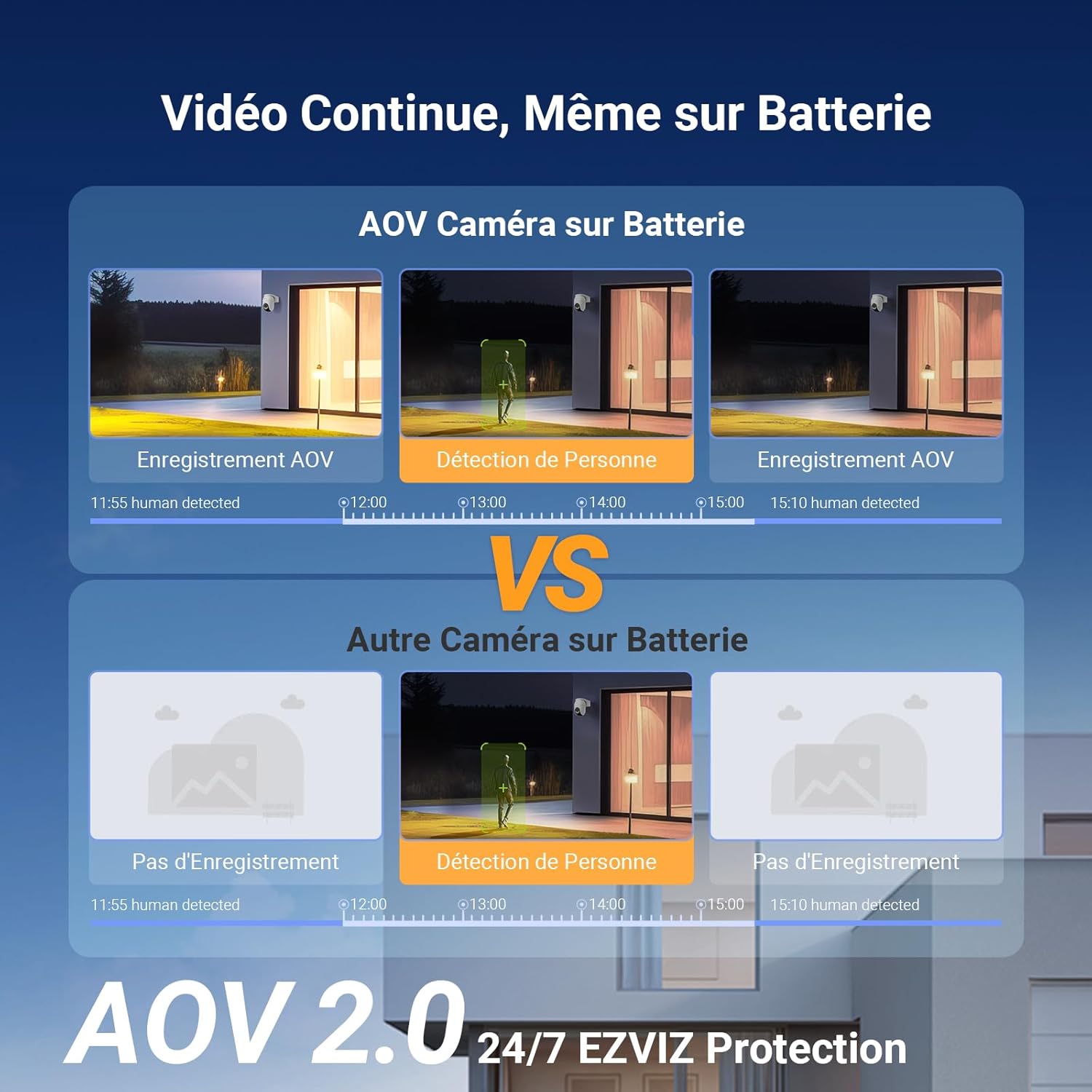
Image: AI detection of persons and vehicles with a maximum range of 25 meters.
Color Night Vision and Active Defense
Even in low-light conditions, the camera produces clear, color-rich images. When motion is detected, the active defense system can trigger a customizable alarm and send push notifications to your EZVIZ app. This feature helps deter intruders.
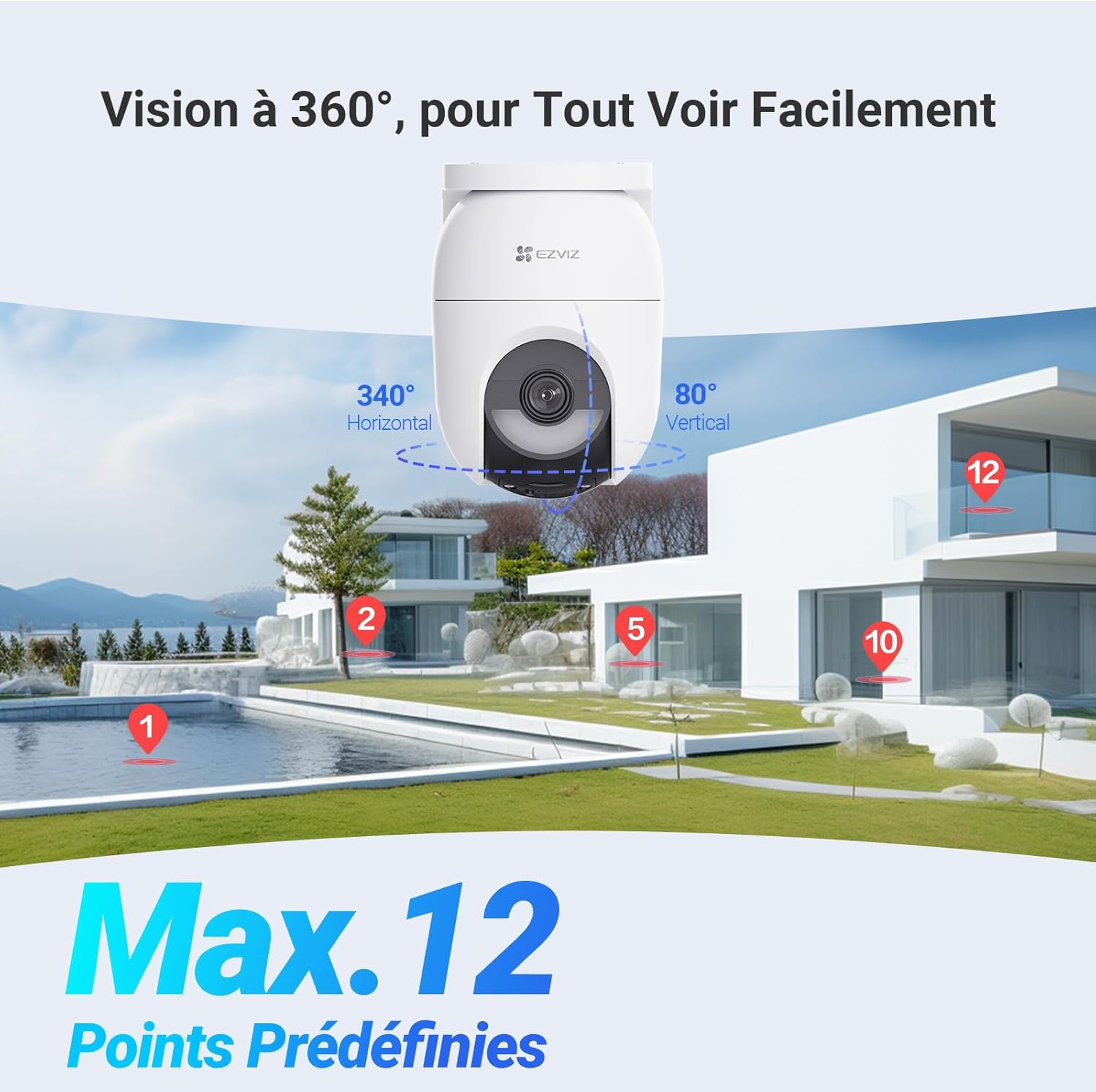
Image: Active defense with flash and audible alarm.
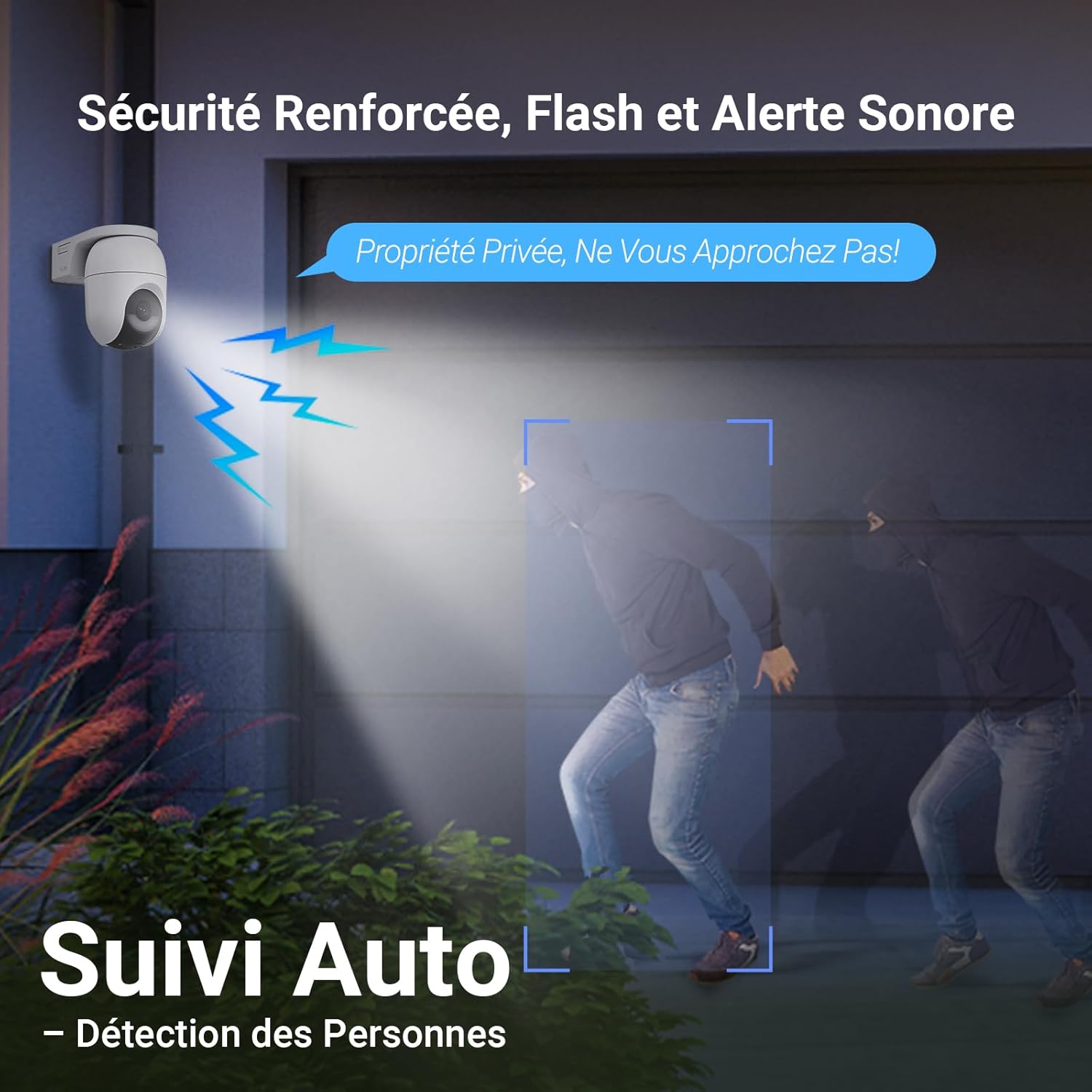
Image: Comparison of Color Night Vision and IR Night Vision.
Two-Way Audio and 2K+ Resolution
The camera provides 2K+ (4MP) resolution for clear surveillance video. It also supports two-way audio, allowing you to communicate with visitors or deter unwanted guests directly through your phone via the EZVIZ app.
Biltegiratze-aukerak
The camera supports local storage via a microSD card (up to 512GB, not included) and cloud storage through the EZVIZ CloudPlay service (free trial available).
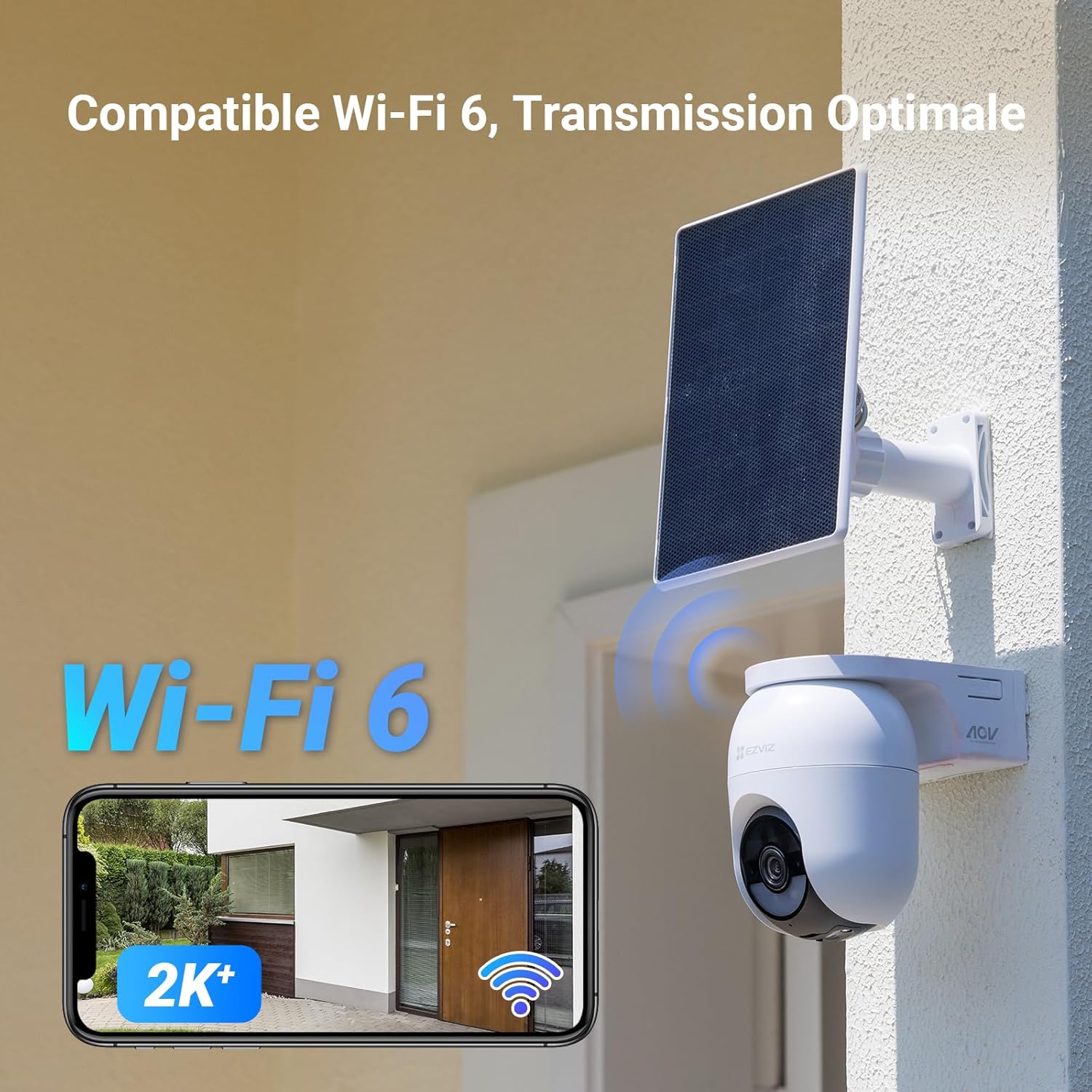
Image: MicroSD card slot and cloud storage options.
Mantentzea
- Garbiketa: Garbitu kameraren lentea eta eguzki-panela aldizka zapi leun eta lehor batekin.amp cloth to ensure clear vision and efficient charging. Avoid abrasive cleaners.
- Firmware eguneraketak: Keep the camera's firmware updated through the EZVIZ app to ensure optimal performance and access to new features.
- Bateria osasuna: While the solar panel provides continuous power, monitor battery health via the app, especially during prolonged periods of low sunlight.
- Ingurumen-baldintzak: The camera is IP65 rated for outdoor use and can operate in temperatures from -20°C to 50°C. Ensure it is securely mounted to withstand weather conditions.
Arazoak konpontzea
| Arazoa | Kausa posiblea | Irtenbidea |
|---|---|---|
| Kamera ez da wifira konektatzen | Incorrect Wi-Fi password, weak signal, or camera too far from router. | Verify password, move camera closer to router, or use a Wi-Fi extender. Ensure your router supports 2.4GHz. |
| Irudi kalitate eskasa | Lente zikina, argitasun gutxiko baldintzak edo sareko banda-zabaleraren arazoak. | Clean the lens. Ensure sufficient lighting for color night vision or enable IR night vision. Check your internet speed. |
| Eguzki panela ez da kargatzen | Insufficient sunlight, dirty panel, or loose connection. | Relocate the panel for more direct sunlight, clean the panel surface, and check the USB cable connection. |
| Alarma faltsuak maiz | Motion detection sensitivity too high, or objects like trees/animals triggering detection. | Adjust motion detection sensitivity in the EZVIZ app. Utilize AI person/vehicle detection to filter out irrelevant motion. |
| Bi norabideko audioa ez da funtzionatzen | Microphone/speaker disabled in app, or network latency. | Check audio settings in the EZVIZ app. Ensure a stable internet connection. |
Zehaztapenak
| Ezaugarri | Xehetasuna |
|---|---|
| Ereduaren izena | CB8 Lite 4MP with EZVIZ Solar Panel |
| Ebazpena | 2K+ (4MP) |
| Panorama/Tilt barrutia | 340° horizontala, 80° bertikala |
| Gaueko Ikusmenaren barrutia | 15 metro |
| Haririk gabeko komunikazioa | 2.4Ghz Wi-Fi (Wi-Fi 6 compatible) |
| Energia iturria | Battery powered (Lithium-ion, included), 5W Solar Panel |
| liburukiatage | 5 voltio (DC) |
| Boterea | 10 Watt |
| Ezaugarri bereziak | Two-way audio, Active Defense, Person Detection, Auto Tracking, IP65 Weatherproof, Color Night Vision |
| Erabilera-ingurunea | Kanpoan |
| Funtzionamendu-tenperatura | -20°C eta 50°C artean |
| Neurriak (L x W x H) | 18.3 x 11.6 x 16.6 cm |
| Pisua | 803 gramo |
| Biltegiratzea | MicroSD card (up to 512GB, not included), EZVIZ CloudPlay |
Bermea eta Laguntza
Bermeari buruzko informazioa eta laguntza teknikoa lortzeko, jo ezazu EZVIZ ofizialera. website or contact EZVIZ customer service directly. Information regarding spare parts availability is not provided in this document. Always ensure you purchase genuine EZVIZ products from authorized retailers.
Informazio eta laguntza gehiago aurki dezakezu hemen: EZVIZ markako denda.


