1. Sarrera
Thank you for choosing the AOC 27B35HM Full HD 27-inch monitor. This display is designed to provide a high-quality visual experience with features such as a 120 Hz refresh rate, 1ms MPRT response time, and Adaptive Sync technology for smooth, responsive images. It also incorporates eye-care technologies like Low Blue Light and Flicker-Free to enhance viewing comfort during extended use. This manual will guide you through the setup, operation, and maintenance of your new monitor.
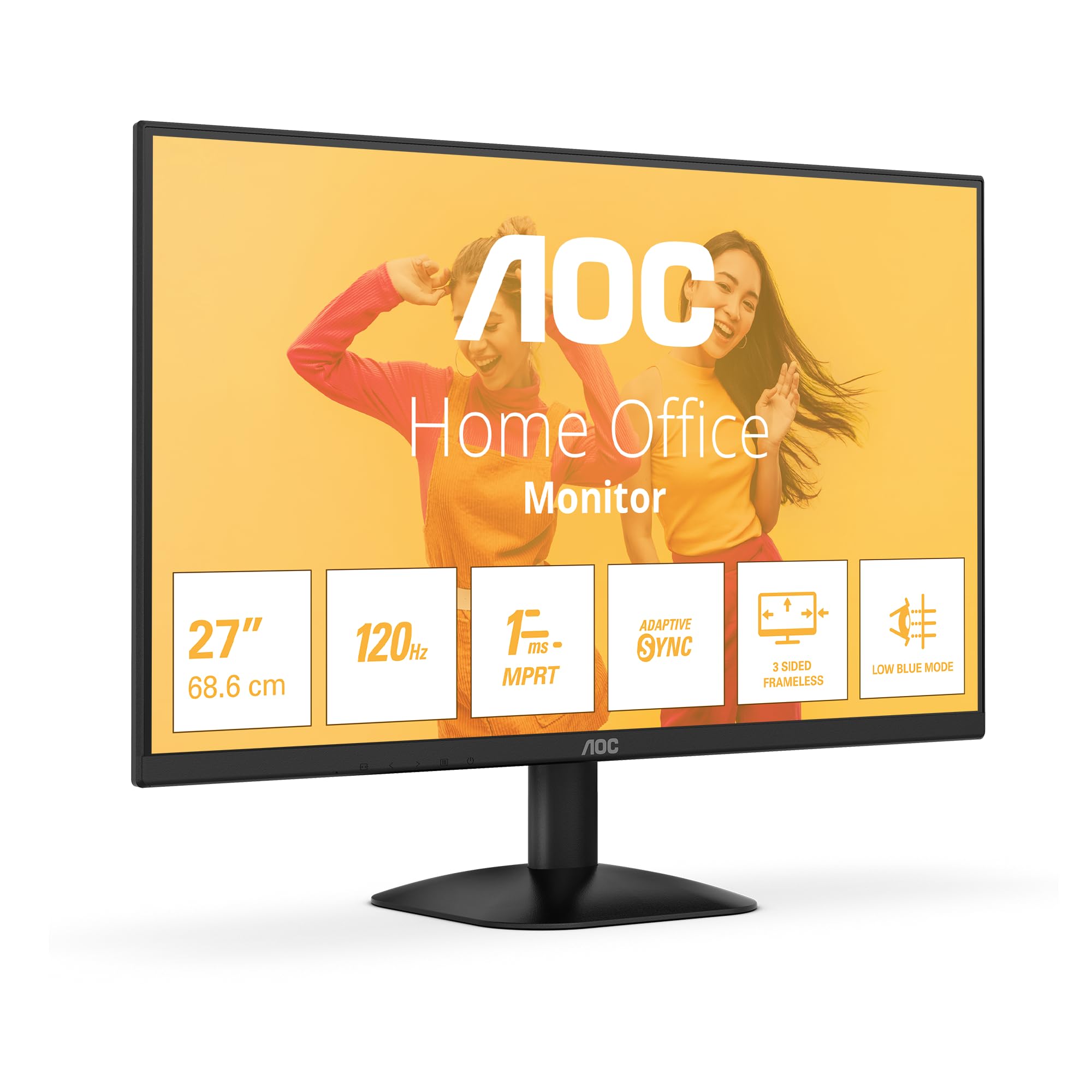
1. irudia: Aurrealdea view of the AOC 27B35HM monitor, showcasing its 27-inch screen, 120Hz refresh rate, 1ms MPRT, Adaptive Sync, 3-sided frameless design, and Low Blue Light mode.
2. Segurtasun informazioa
Produktu hau erabili aurretik, irakurri arretaz argibide guztiak. Gorde eskuliburu hau etorkizunean erreferentzia gisa.
- Do not place the monitor near water or in humid environments.
- Ziurtatu monitorearen inguruan behar bezala aireztatuta dagoela. Ez blokeatu aireztapen-irekidurak.
- Erabili monitorearekin batera datorren korronte-egokitzailea soilik.
- Ez jarri objektu astunak korronte-kablean.
- Ez saiatu monitorearen konponketa zeuk egiten. Konponketa guztiak langile kualifikatuei eskatu.
- Deskonektatu monitorearen entxufea tximista-ekaitzetan edo denbora luzez erabili gabe dagoenean.
3. Paketearen edukia
Verify that all the following items are present in your product package:
- AOC 27B35HM Monitor
- Monitorearen euskarria (oinarria eta lepoa)
- Elikatze-kablea
- HDMI kablea
- D-Sub (VGA) Cable (may vary by region)
- Erabiltzailearen eskuliburua eta berme txartela
4. Konfigurazioa
4.1 Standa muntatzea
- Kontu handiz jarri monitorearen aurpegia behera gainazal leun eta garbi batean, marradurak saihesteko.
- Attach the stand neck to the monitor's rear panel. Secure it with the provided screws.
- Attach the stand base to the stand neck. Tighten the thumb screw at the bottom of the base.
4.2 Ordenagailu batera konektatzea
The AOC 27B35HM monitor supports HDMI and D-Sub (VGA) connections.
- HDMI konexioa: Connect one end of the HDMI cable to the HDMI port on your computer's graphics card and the other end to the HDMI 1.4 port on the monitor.
- D-Sub (VGA) Connection: Connect one end of the D-Sub cable to the VGA port on your computer's graphics card and the other end to the D-Sub port on the monitor.
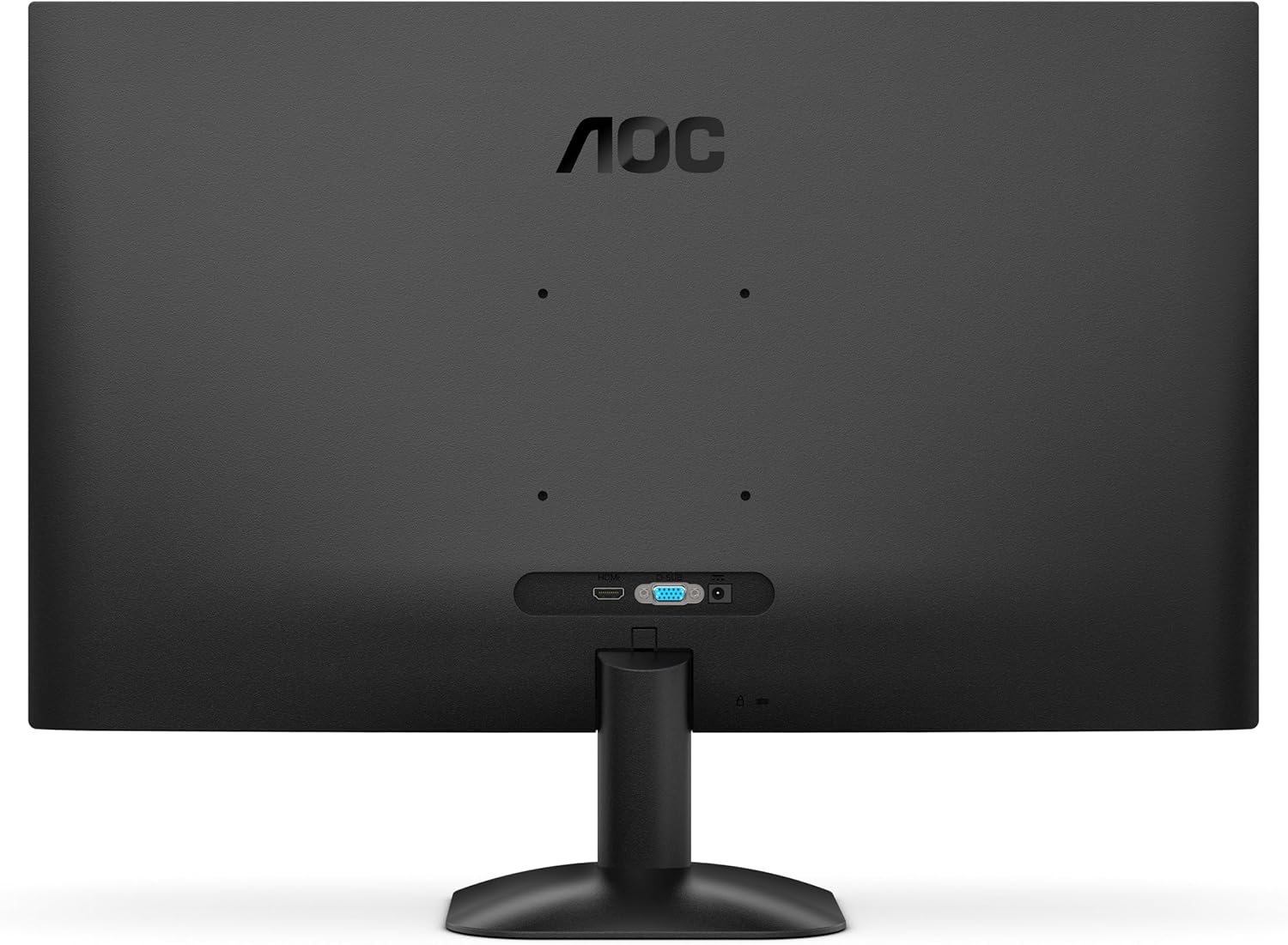
2. Irudia: Atzealdea view of the monitor, illustrating the location of the HDMI and D-Sub input ports.
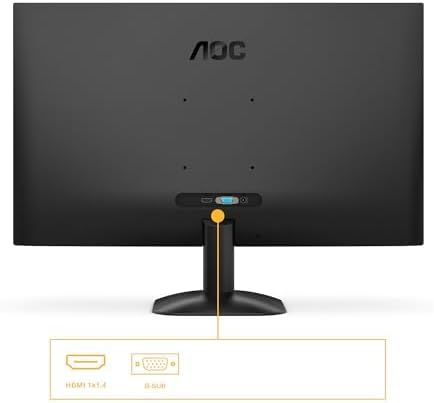
3. irudia: Xehetasuna view of the monitor's connectivity options, specifically highlighting the HDMI 1.4 and D-Sub ports.
4.3 Energia-konexioa
- Connect the power cable to the monitor's power input.
- Entxufatu kablearen beste muturra lurrera konektatutako entxufe elektriko batera.
5. Funtzionamendu-argibideak
5.1 Piztu/Itzaltzea
Sakatu monitorearen beheko eskuinean dagoen pizteko botoia pizteko edo itzaltzeko. Pizteko adierazlearen argia piztuko da monitorearen piztuta dagoenean.
5.2 Pantailan bistaratzeko (OSD) menua
The OSD menu allows you to adjust various monitor settings. Use the buttons or joystick (if applicable) on the monitor's bezel to navigate the menu.
Key OSD Functions:
- Distira/Kontrastea: Doitu pantailaren luminantzia eta kontrastea orokorra.
- Kolore ezarpenak: Aldatu kolore-tenperatura, gamma eta banakako RGB mailak.
- Sarrera hautatzea: Manually switch between HDMI and D-Sub input sources.
- Irudi modua: Select from preset display modes (e.g., Standard, Text, Game, Movie).
- Sinkronizazio egokitzailea: Enable or disable Adaptive Sync for tear-free gaming (requires a compatible graphics card).
- Argi urdin baxuko modua: Murriztu argi urdinaren igorpena begi-nekea gutxitzeko.
- Keinurik gabeko teknologia: This monitor features flicker-free technology to reduce eye fatigue during prolonged use.
- HDR10: The monitor supports HDR10 for enhanced color and contrast, providing a more vivid visual experience.
6. Mantentzea
6.1 Pantaila garbitzea
Garbitu pantaila astiro-astiro zapi leun eta pelusik gabeko batekin. Orba egoskorrak kentzeko, garbituampen the cloth with a small amount of screen cleaner (non-ammonia based) and wipe gently. Do not spray cleaner directly onto the screen.
6.2 Kanpoaldea garbitzea
Wipe the monitor's exterior with a soft, dry cloth. Avoid using abrasive cleaners or solvents.
7. Arazoak
Monitorearekin arazoak badituzu, jo ezazu honako arazo eta irtenbide ohikoenei:
| Arazoa | Kausa posiblea | Irtenbidea |
|---|---|---|
| Botererik ez | Kable elektrikoa ez dago konektatuta; Entxufe elektrikoa akastuna. | Ziurtatu elikatze-kablea monitoreari eta entxufeari ondo konektatuta dagoela; probatu entxufea beste gailu batekin. |
| Seinalerik ez | Video cable not connected; Incorrect input selected. | Check video cable connections (HDMI/D-Sub); Use OSD menu to select correct input source. |
| Irudia ilun/argiegia da | Brightness/Contrast settings incorrect. | Doitu Distira eta Kontrastea ezarpenak OSD menuaren bidez. |
| Image is distorted/blurry | Incorrect resolution; Faulty cable. | Set display resolution to 1920 x 1080; Try a different video cable. |
| Pantaila keinukaria | Refresh rate mismatch; Graphics card issue. | Ensure graphics card drivers are updated; Check monitor refresh rate settings in OS. |
8. Zehaztapenak
Detailed technical specifications for the AOC 27B35HM monitor:
| Ezaugarri | Zehaztapena |
|---|---|
| Marka | AOC |
| Modelo zenbakia | 27B35HM |
| Pantailaren tamaina | 27 hazbete (68.6 cm) |
| Ebazpena | 1920 x 1080 (HD osoa) |
| Aspektu-erlazioa | 16:9 |
| Freskatze tasa | 120 Hz |
| Erantzun Denbora | 1 ms (MPRT) |
| Panel mota | LED LCDa |
| Gainazalaren deskribapena | Matea |
| Kontraste-erlazioa | 1000:1etatik 3000:1etara |
| Konektibitatea | 1 x HDMI 1.4, 1 x D-Sub (VGA) |
| Ezaugarri bereziak | Eye Care (Low Blue Light, Adaptive Sync), HDR10 |
| Kolorea | Beltza |
| Fabrikatzailea | AOC International |
| Jatorrizko Herrialdea | Txina |
8.1 Energiari buruzko informazioa
For detailed energy efficiency information, please refer to the EPREL database:
- EPREL Erregistro Zenbakia: 2046639
- EPREL Link: https://eprel.ec.europa.eu/qr/2046639
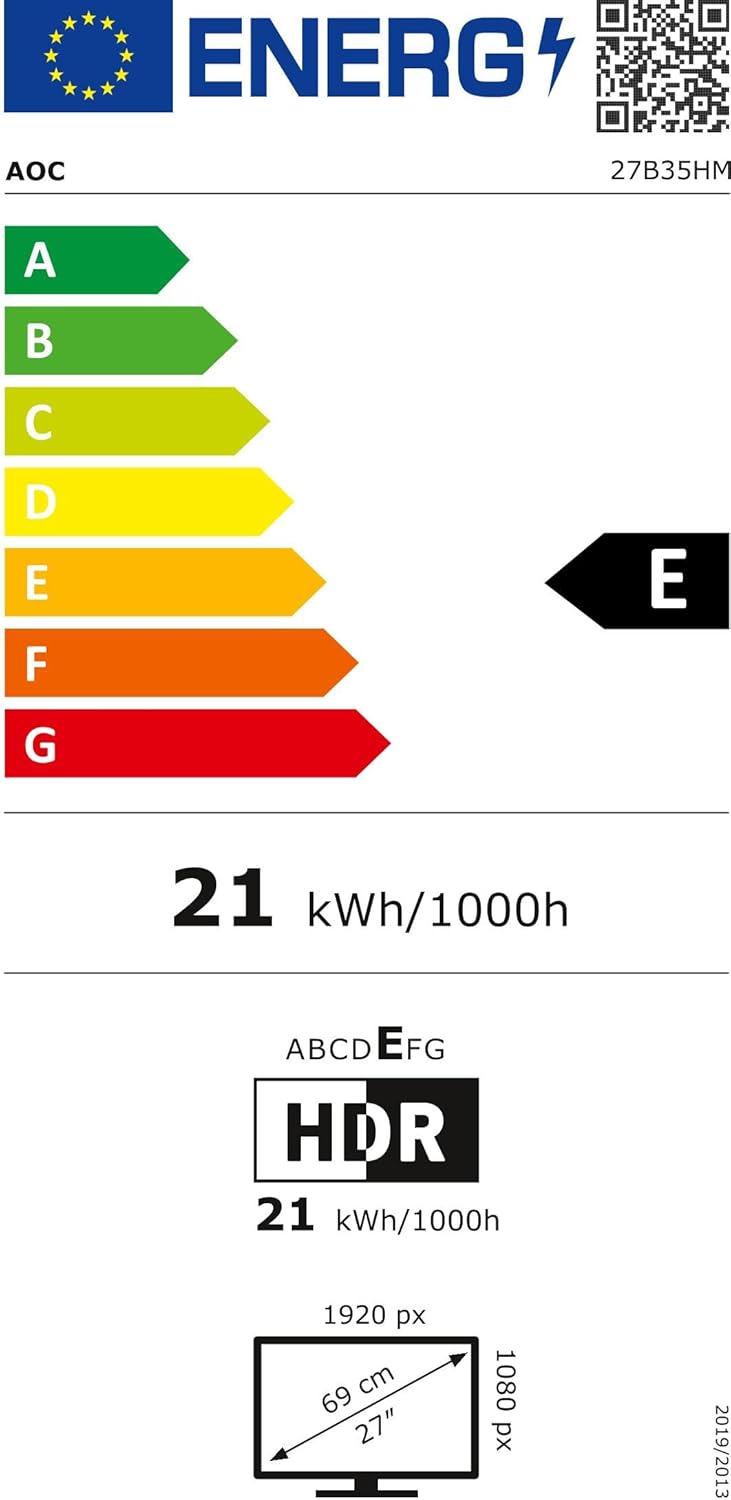
Figure 4: EU Energy Label for the AOC 27B35HM monitor, showing its energy efficiency class E and consumption of 21 kWh/1000h.
9. Bermea eta Laguntza
9.1 Bermearen informazioa
This product comes with a minimum guaranteed product support period of 8 years and a minimum guarantee period of 3 years offered by the supplier.
9.2 Bezeroarentzako laguntza
For technical assistance, warranty claims, or other inquiries, please contact AOC International (Europe) B.V. using the following information:
- Webgunea: https://eu.aoc.com
- Posta elektronikoa: kevin.yang@tpv-tech.com
- Telefonoa: +31 (0)20 504 6962
- Helbidea: Prins Bernhardplein 200 1097 JB Amsterdam, Netherlands


