1. Sarrera
Eskerrik asko erosketagatik.asing the ELECOM LBT-ECOWS01MBK Open-Ear Bluetooth 5.4 Wireless Headphones. These headphones are designed to allow you to enjoy audio content while remaining aware of your surroundings. This manual provides essential information for the safe and effective use of your new device.

Image: The ELECOM LBT-ECOWS01MBK open-ear wireless headphones and their transparent charging case.
2. Paketearen edukia
- ELECOM LBT-ECOWS01MBK Open-Ear Wireless Headphones (Left and Right)
- Kargatzeko kaxa
- USB Charging Cable (USB-A to USB Type-C™)
- Hasierako gida azkarra
3. Produktuaren ezaugarriak
- Belarri irekiko diseinua: Listen to music or videos while simultaneously hearing ambient sounds, ensuring awareness of your surroundings.
- Arina Erosotasuna: Each earbud weighs approximately 9.8g, providing a comfortable fit for extended wear without pressure or stuffiness.
- Kalitate handiko audioa: Equipped with a large 16mm diameter driver for clear sound and supports AAC codec for high-quality audio on compatible devices like iPhones.
- Ahots modua: Optimizes audio frequencies to make human voices clearer, ideal for radio, audiobooks, and conversations.
- Latentzia baxuko modua: Reduces audio-visual delay, enhancing the experience for videos and games.
- Erreprodukzio hedatua: Up to 10 hours of continuous playback on a single charge, and up to 25 hours with the charging case.
- Ukipen-sentsoreen kontrolak: Conveniently manage music playback, volume, and calls directly from the earbuds.
- Ahots Laguntzailea laguntza: Esku libreko kontrola lortzeko, Siri eta Google Assistant-ekin bateragarria.
- Entzungailu bakarreko erabilera: Aurikularretako biak modu independentean erabil daitezke.
- USB Type-C™ Charging: The charging case features a USB Type-C™ port for convenient charging.

Image: A man wearing the open-ear headphones, demonstrating the ability to hear ambient sounds while enjoying media.
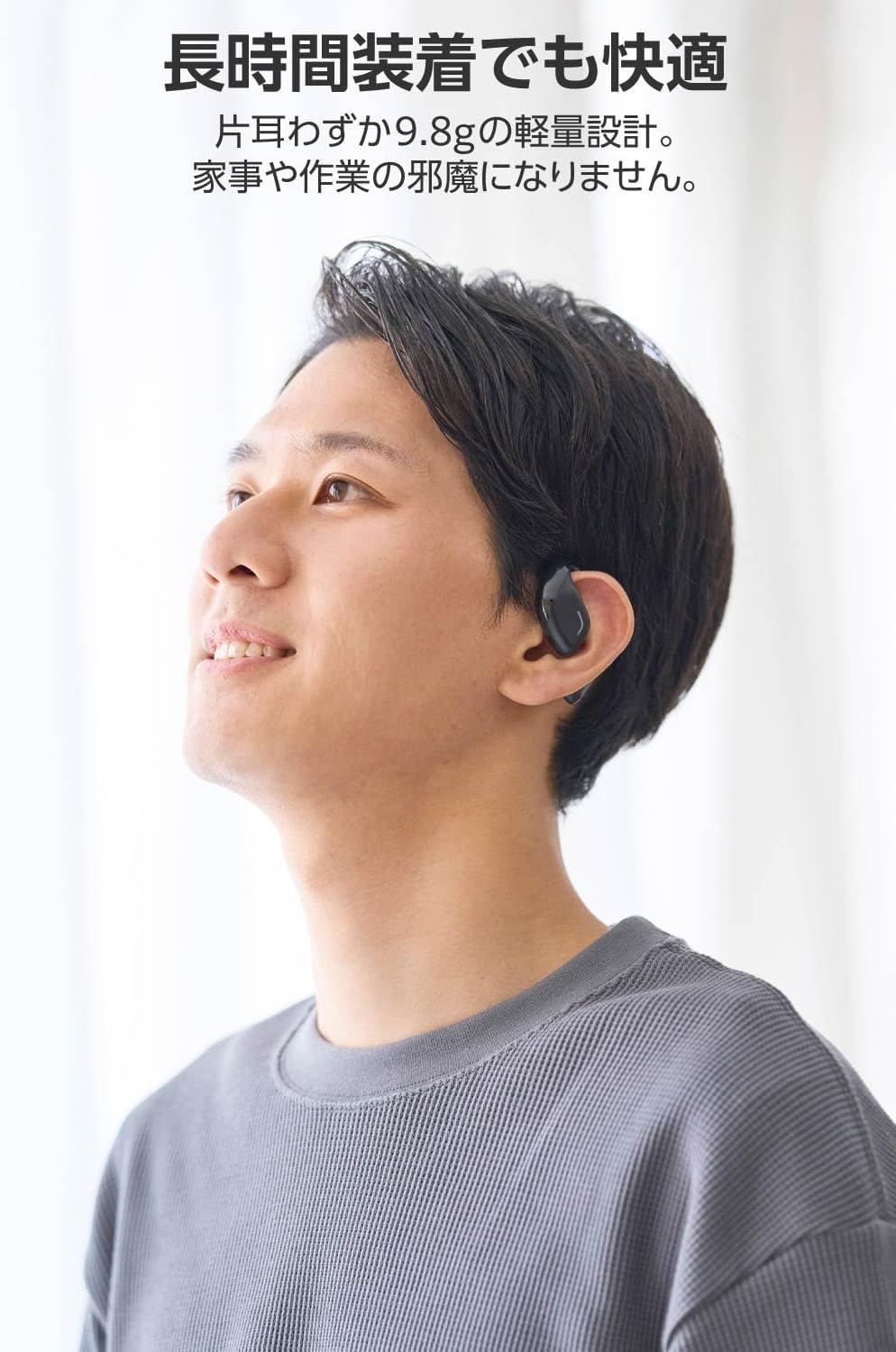
Image: A man wearing the lightweight open-ear headphones, highlighting their comfortable design for long-term use.
4. Konfigurazioa
4.1. Entzungailuak eta zorroa kargatzea
Lehenengo aldiz erabili aurretik, kargatu guztiz entzungailuak eta kargatzeko zorroa.
- Jarri bi entzungailuak kargatzeko zorroan.
- Connect the supplied USB Type-C™ cable to the charging port on the case and a USB power adapter (not included).
- Kargatzeko kaxan dagoen LED adierazleak kargatzeko egoera erakutsiko du.
Kargatzeko denbora:
- Headphones: Approximately 1.5 hours
- Kargatzeko kaxa: Gutxi gorabehera 1.5 ordu

Image: Illustration of the charging process for the headphones and case, showing the USB-C port and LED indicators.
4.2. Bluetooth Gailu batekin parekatzea
- Ziurtatu entzungailuak kargatuta daudela.
- Open the charging case. The headphones will automatically enter pairing mode. The LED indicator on the earbuds will flash.
- On your device (smartphone, PC, tablet), enable Bluetooth and search for available devices.
- Select "LBT-ECOWS01MBK" from the list of found devices.
- Behin konektatuta, entzungailuetako LED adierazleak keinu egiteari utziko dio.
- After initial pairing, the headphones will automatically connect to the last paired device when removed from the case.
4.3. Entzungailuak janztea
The headphones are designed to hook over your ears.
- Identifikatu ezkerreko (E) eta eskuineko (E) entzungailuak.
- With the LED facing outwards, hook the earbud over the top of your ear.
- Adjust the earbud for a comfortable and secure fit.

Image: Step-by-step guide on correctly wearing the open-ear headphones.
5. Funtzionamendu-argibideak
5.1. Touch Sensor Controls
The headphones feature touch sensors on each earbud for various functions.
| Funtzioa | Ekintza | Aurikularra |
|---|---|---|
| Erreproduzitu/Pausatu | Sakatu bakarra | L edo R |
| Hurrengo Pista | Sakatu birritan | R |
| Aurreko Pista | Sakatu birritan | L |
| Bolumena igo | Sakatu luze (gutxi gorabehera 2 segundo) | R |
| Bolumena jaitsi | Sakatu luze (gutxi gorabehera 2 segundo) | L |
| Erantzun/Amaitu deia | Sakatu bakarra | L edo R |
| Deia baztertu | Prentsa luzea | L edo R |
| Aktibatu Ahots Laguntzailea | Kolpatu hirukoitza | L edo R |

Image: Visual representation of the touch sensor areas and corresponding music and volume controls.
5.2. Switching Audio Modes
The headphones offer three distinct audio modes:
- Modu normala: Standard audio playback.
- Latentzia baxuko modua: Reduces audio-visual delay, suitable for watching videos or playing games.
- Ahots modua: Enhances human voice frequencies for clearer dialogue, ideal for audiobooks, podcasts, or calls.
To switch between modes, refer to the quick start guide or the official product page for specific touch gestures, as these can sometimes be customized.

Irudia: Gehiagoview of the three available audio modes and their recommended uses.
5.3. Single Earbud Use
You can use either the left or right earbud independently. When using only one earbud, ensure the other earbud is powered off or stored in the charging case.
6. Mantentzea
Zure entzungailuen iraupena eta errendimendu optimoa bermatzeko:
- Garbitu entzungailuak eta kargatzeko zorroa aldizka zapi leun eta lehor batekin.
- Ez erabili garbitzaile edo disolbatzaile urratzailerik.
- Saihestu entzungailuak muturreko tenperaturen, hezetasunaren edo eguzki-argiaren eraginpean jartzea.
- Mantendu entzungailuetako kargatzeko kontaktuak eta zorroaren barrualdea garbi eta hondakinik gabe.
- Gorde entzungailuak kargatzeko zorroan erabiltzen ez dituzunean, babesteko eta kargatuta mantentzeko.
7. Arazoak
Entzungailuekin arazoak badituzu, jo ezazu honako ohiko irtenbide hauetara:
- Soinurik ez:
- Ziurtatu entzungailuak kargatuta daudela.
- Check that the headphones are properly paired and connected to your device.
- Doitu entzungailuen eta konektatutako gailuaren bolumena.
- Ezin da parekatu:
- Ensure the headphones are in pairing mode (LED flashing).
- Turn off Bluetooth on other nearby devices that may have previously connected.
- Berrabiarazi gailua eta saiatu berriro parekatzen.
- Etengabeko konexioa:
- Ziurtatu entzungailuen eta gailuaren artean oztoporik ez dagoela.
- Move closer to your device (maximum communication distance is approximately 10m).
- Saihestu interferentzia elektromagnetiko handiak dituzten inguruneak.
- Ukipen-kontrolek ez dute erantzuten:
- Ziurtatu hatzak garbi eta lehor daudela.
- Try restarting the headphones by placing them in the case and then taking them out again.
- Low Battery Voice Prompt: If you hear a repeated "Low Battery, please charge" prompt, place the earbuds in the charging case immediately.
If the issue persists, please refer to the official ELECOM support weblaguntza gehiago jasotzeko gunea.
8. Zehaztapenak
| Ezaugarri | Zehaztapena |
|---|---|
| Ereduaren izena | LBT-ECOWS01MBK |
| Konektibitate Teknologia | Wireless (Bluetooth® Version 5.4) |
| Bluetooth Profiles | A2DP, AVRCP, HFP |
| Onartutako kodekak | AAC, SBC |
| Max Communication Distance | Gutxi gorabehera 10m (oztoporik gabe) |
| Frequency Response (A2DP) | 20-20,000Hz |
| Etengabeko Erreprodukzio Denbora | Approx. 10 hours (Approx. 25 hours with charging case) |
| Kargatzeko denbora (aurikularrak) | Gutxi gorabehera. 1.5 ordu |
| Kargatzeko denbora (kasua) | Gutxi gorabehera. 1.5 ordu |
| Mikrofono Mota | MEMS mota |
| Gidari Unitatea | φ16mm Full Range |
| Pisua (entzungailu bakoitzeko) | Gutxi gorabehera. 9.8 g |
| Pisua (kargatzeko kaxa) | Gutxi gorabehera. 59.0 g |
| Kolorea | Beltza Mattea |
| Uraren Erresistentzia | Iragazgaitza |
| Funtzionamendu-tenperatura | 5 ℃ eta 35 ℃ artean |
| Funtzionamenduaren hezetasuna | %20etik %80era (kondentsatu gabe) |
9. Bermea eta Laguntza
9.1. Bermearen informazioa
Produktu hau a 1 urteko bermea from the date of purchase. Please retain your proof of purchase for warranty claims. The warranty covers manufacturing defects but does not cover damage caused by misuse, accidents, unauthorized modifications, or normal wear and tear.
9.2. Bezeroarentzako arreta
For further assistance, technical support, or detailed product information, please visit the official ELECOM webgunea:
You may also find additional FAQs and troubleshooting tips on the product support pages.


