1. Sarrera
This manual provides instructions for the Belkin Everyday Keyboard Case with Cradle, designed to enhance the functionality and protection of your iPad 10th Generation 10.9". This accessory integrates a backlit Bluetooth keyboard, a multi-gesture trackpad, and a protective case with magnetic Apple Pencil storage, transforming your iPad into a versatile workstation.
2. Produktua amaitu daview
Ezaugarri nagusiak
- Backlit Bluetooth Keyboard: Enhances productivity in low-light conditions.
- Multi-Gesture Controls: Large, click-anywhere trackpad supports gestures for scrolling, navigating, and zooming.
- Magnetic Apple Pencil Storage: Integrated design ensures secure storage without obstructing the iPad's magnetic charging area.
- Multimedia teklak: Dedicated keys for quick access to common functions.
- Babes-zorroa: Premium faux leather exterior and soft anti-slip interior protect your device.
Paketearen edukia
- 1 x Belkin Everyday Keyboard Case with Cradle for iPad 10th Generation 10.9"
- 1 x USB-C Charging Cable (for keyboard)
3. Konfigurazioa
3.1 Check iPad Compatibility
Ensure your iPad is compatible with this keyboard case. This product is designed for the iPad 10th Generation 10.9".

Image: Compatible iPad models. This case is specifically for iPad 10th Gen (A2696/A2757).
To find your iPad model number:
- 1. aukera: Begiratu zure iPad-aren atzealdean modelo zenbakia ikusteko.
- 2. aukera: Open Settings > General > About. Tap the part number to reveal the model number.
3.2 iPad-a konektatzea
The case features a magnetic snap-on attachment for easy and secure installation of your iPad.
- Align your iPad with the protective cradle portion of the case.
- The iPad will magnetically snap into place, securing it within the case.

Image: Magnetic snap-on attachment for the iPad.
3.3 Bluetooth parekatzea
The keyboard connects to your iPad via Bluetooth. It needs to be paired independently.
- Ziurtatu teklatua kargatuta dagoela (ikusi 3.4 atala).
- Turn on the keyboard (if applicable, usually by opening the case or a dedicated power button).
- Zure iPad-ean, joan honera: Ezarpenak > Bluetootha.
- Look for "Belkin Keyboard" or a similar name in the list of available devices and tap to connect.
- Jarraitu pantailako edozein gomendio parekatzeko prozesua amaitzeko.
3.4 Teklatua kargatzea
The keyboard has an internal rechargeable battery and must be charged separately from your iPad.
- Bilatu USB-C kargatzeko ataka teklatuan.
- Connect the provided USB-C cable to the keyboard and a compatible USB power adapter (not included).
- Kargatzeko adierazlearen argiak kargatzeko egoera erakutsiko du.

Image: The keyboard features a 450mAh battery for long-lasting power.
4. Funtzionamendu-argibideak
4.1 Teklatuaren erabilera
The keyboard provides a tactile typing experience with several useful features.
- Atzeko argiztatutako teklak: Press the dedicated backlight key (often represented by a sun icon) to cycle through brightness levels or turn the backlight off to conserve battery.
- Multimedia teklak: Use the dedicated function keys for quick access to media playback controls, volume adjustment, and other system functions.

Image: Backlit Bluetooth Keyboard and Multimedia Keys in use.
4.2 Trackpad Usage
The large, click-anywhere trackpad supports multi-gesture controls for intuitive navigation on your iPad.
- Korritzea: Erabili bi hatz gora edo behera mugitzeko.
- Nabigatzen: Swipe with three fingers to switch between open applications.
- Zooma egitea: Pinch with two fingers to zoom in or out on content.
- Klik eginez: Press down on any part of the trackpad for a click action.

Image: Multi-Gesture Controls on Touchpad.
4.3 Stand Functionality
The integrated cradle and kickstand allow for adjustable viewangeluak.
- Open the case and position the iPad in the cradle.
- Adjust the kickstand at the back of the keyboard portion to achieve your desired viewangelua.
4.4 Apple Pencil Storage
The case is designed with compatibility for Apple Pencil storage.
- Place your Apple Pencil on the designated magnetic strip on the side of the iPad.
- The case ensures the Apple Pencil remains securely attached and accessible.
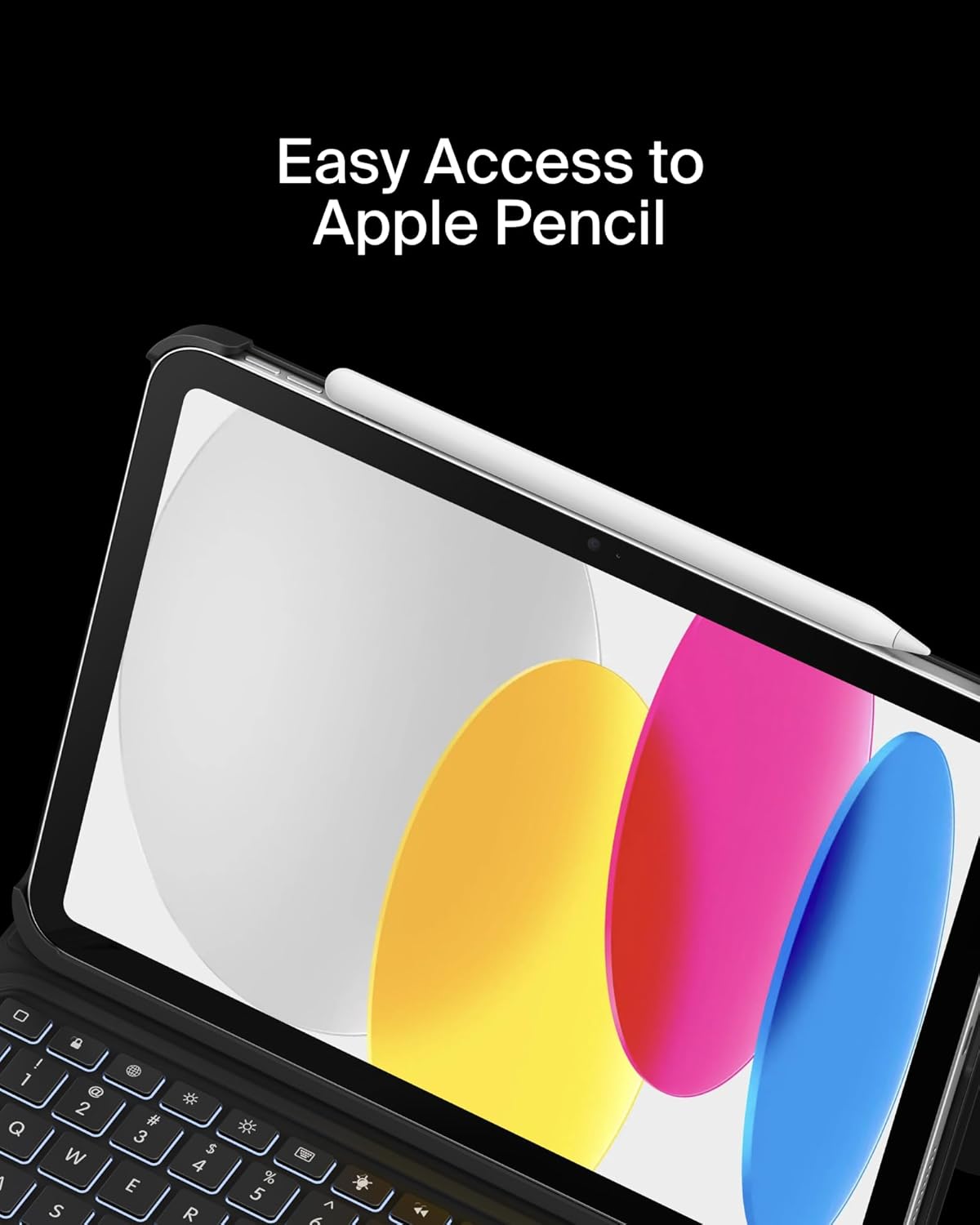
Image: Easy Access to Apple Pencil.
5. Mantentzea
5.1 Garbiketa
Teklatuaren zorroaren itxura eta funtzionaltasuna mantentzeko:
- Garbitu kanpoaldea leun batekin, damp oihal. Saihestu produktu kimiko gogorrak.
- For the keyboard keys and trackpad, use a soft, dry cloth or a gentle brush to remove dust and debris.
5.2 Bateria zaintzea
The keyboard is equipped with a 450mAh lithium battery.
- Kargatu teklatua guztiz lehenengo erabili aurretik.
- Kargatu berriro teklatua bateriaren adierazleak bateria baxua erakusten duenean.
- Bateriaren iraupen optimoa lortzeko, saihestu bateria maiz erabat hustea.
- If not in use for an extended period, charge the keyboard every few months to prevent deep discharge.
6. Arazoak
6.1 Teklatuak ez du erantzuten
- Egiaztatu bateria: Ziurtatu teklatua behar bezala kargatuta dagoela.
- Bluetooth berriro parekatu: Go to iPad Settings > Bluetooth, forget the device, and re-pair the keyboard.
- Berrabiarazi gailuak: Berrabiarazi zure iPada eta teklatua.
6.2 Trackpad-ak ez du funtzionatzen
- Egiaztatu Bluetooth konexioa: Ensure the keyboard is properly paired via Bluetooth.
- Trackpad garbia: Ziurtatu ukipen-panelaren gainazala garbi eta oztoporik gabe dagoela.
- iPad-aren ezarpenak: Verify trackpad settings in iPadOS are enabled and configured as desired.
6.3 Backlight Not Functioning
- Egiaztatu bateria: Backlight consumes power; ensure the keyboard has enough charge.
- Distira doitzea: Use the dedicated backlight key to increase brightness.
7. Zehaztapenak
| Marka | Belkin |
| Modelo zenbakia | BBZ001tt-V3 |
| Gailu bateragarriak | iPad 10th Generation 10.9" |
| Konektibitate Teknologia | Bluetootha |
| Teklatuaren deskribapena | Multimedia |
| Ezaugarri bereziak | Apple Pencil Storage, Backlit, Multimedia Keys, Trackpad |
| Kolorea | Beltza |
| Teklatuaren atzeko argiaren kolore-laguntza | Kolore bakarra |
| Estiloa | Case w/ Cradle |
| Materiala | Faux Leather (Exterior), Soft Non-Slip Material (Interior) |
| Elementuaren pisua | 1.6 kilo |
| Produktuaren neurriak (LxWxH) | 10.9 x 7.7 x 0.9 hazbete |
| Energia iturria | Bateriaren bidez |
| Bateria | 450mAh lithium battery (standby time: 365 days) |

Image: Slim, Portable Design with approximate dimensions and weight.
8. Bermea eta laguntza
8.1 Berme mugatua
This Belkin Everyday Keyboard Case with Cradle comes with a 2 urteko berme mugatua. Berme honek ohiko erabileran materialen eta eskulanen akatsak estaltzen ditu.

Image: Belkin Product Protection - 2 Year Coverage.
8.2 Bezeroarentzako laguntza
Laguntza teknikoa, berme erreklamazioak edo informazio gehiago lortzeko, bisitatu Belkinen laguntza ofiziala. webwebgunean edo jarri harremanetan bere bezeroarentzako zerbitzuarekin.
Belkin laguntza: www.belkin.com/support/